Claude Code CI means using Anthropic’s coding agent and model stack inside automated build, test, review, and release workflows, usually to generate patches, explain failures, or assist with repetitive engineering tasks; this guide is from c-ai.chat, an independent guide, and it covers what Claude Code CI is, how it works, where it fits, and when it is not the right tool.
If you are new to the product itself, start with our Claude Code guide. If you are evaluating cost or model choice for pipeline usage, see our Claude pricing guide and Claude API overview.
- The short answer
- How it works
- What you’d actually do with it
- Vs. the alternatives
- Other questions readers ask
- The honest take
The short answer
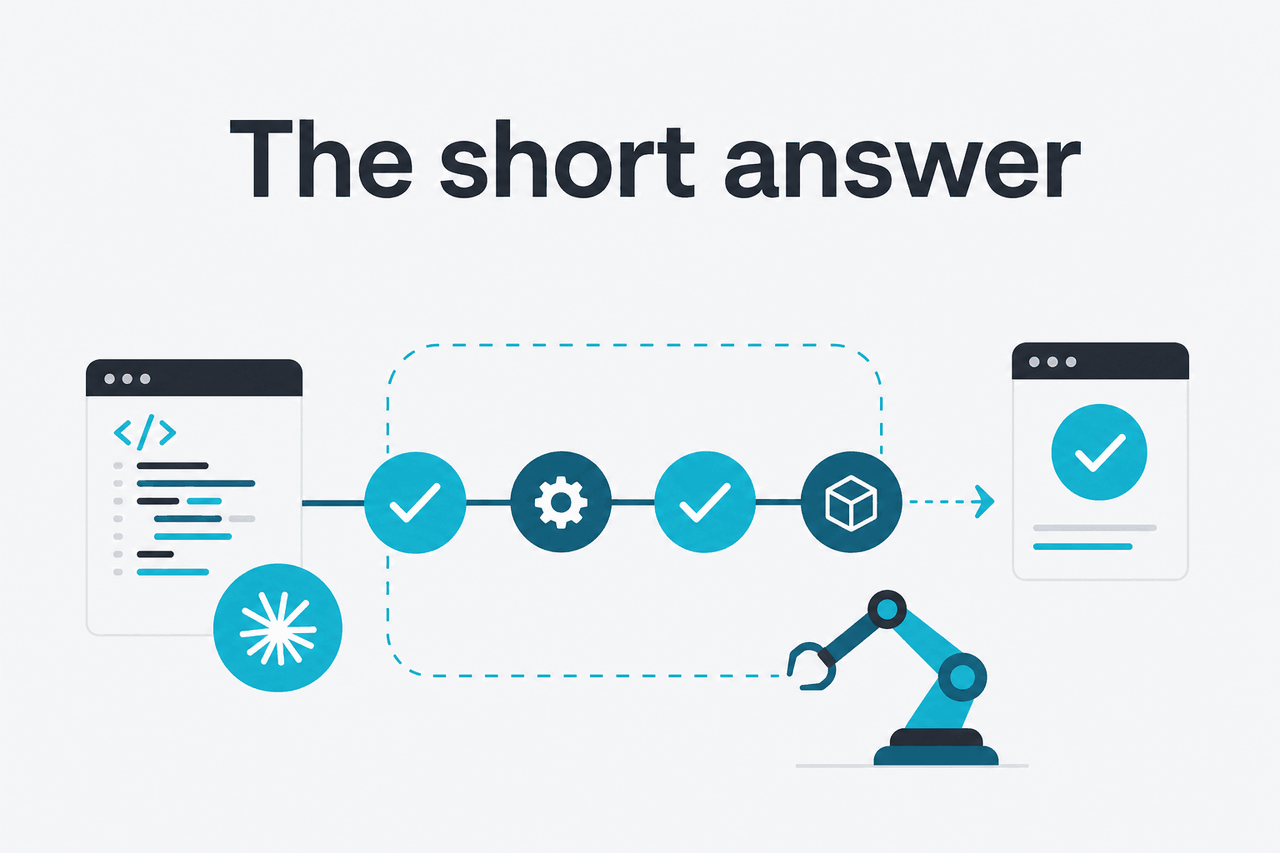
Claude Code CI is for engineering teams that want Claude to participate in CI/CD checks, pull request workflows, incident triage, or release automation without turning the model into the sole decision-maker. In practice, it works best as a bounded assistant inside a pipeline step: read logs, inspect diffs, propose a patch, write a test, or explain why a build failed. It is less useful when your workflow needs deterministic output every time or when your security rules do not allow model access to code or logs.
- What it does · reviews code, explains failures, drafts fixes, writes tests
- Where it runs · inside CI jobs, PR checks, internal automation, or Claude Code tooling
- What it costs · model usage is priced per million tokens; Sonnet 4.6 starts at $3/M input and $15/M output
- Who it’s for · teams with repeatable engineering workflows and clear guardrails
There is no separate public “Claude Code CI” price tier on its own. Cost depends on which Claude model you call and how much input and output each job uses. Anthropic lists Claude Sonnet 4.6 as the practical default for many engineering tasks, Claude Haiku 4.5 as the low-cost fast option, and Claude Opus 4.7 as the premium choice for harder reasoning and larger context windows. If you need the broader feature set around Claude products, our Claude features overview gives the product-level view.
| Model | Typical CI use | Input price | Output price | Notes |
|---|---|---|---|---|
| Claude Haiku 4.5 | Fast checks, summaries, lightweight lint or log analysis | $1/M tokens | $5/M tokens | Best when speed and cost matter most |
| Claude Sonnet 4.6 | Default for PR review, test generation, patch suggestions | $3/M tokens | $15/M tokens | Strong balance of cost and quality |
| Claude Opus 4.7 | Complex debugging, long context, multi-file reasoning | $5/M tokens | $25/M tokens | Best for hard cases, not every routine check |
How it works

The basic mechanism is simple. A CI job collects context such as the git diff, failing test output, linter errors, stack traces, and a short instruction. That payload is sent to a Claude model through Anthropic’s tooling or API surface. Claude returns structured text, code suggestions, or a patch. Your workflow then decides what to do next: post a comment on the pull request, save an artifact, open a draft fix branch, or fail the job with a human-readable explanation.
Good Claude Code CI setups are narrow. They define exactly what files Claude can inspect, how much context is sent, what output format is allowed, and whether code changes can be applied automatically. The best results come from prompts that specify repository rules, test commands, coding standards, and acceptance criteria. The worst results come from vague requests such as “fix the build” with no boundaries.
For most teams, the workflow is not “replace code review.” It is “remove the repetitive part.” Claude can explain a failing migration, identify which recent diff likely caused a regression, suggest a unit test for an uncovered edge case, or draft release notes from merged commits. That saves time without pretending the model is a fully deterministic build system.
-
Choose the narrow task
Start with one job such as
explain failed tests,summarise pull request risk, ordraft a patch for a specific error. -
Assemble clean context
Pass the minimum useful input: changed files, stack traces, test output, repository conventions, and an explicit output schema.
-
Call the model
Use Claude Sonnet 4.6 first for most CI flows. Escalate to
Claude Opus 4.7only for jobs that need deeper multi-file reasoning. -
Validate the result
Run tests, lint, type checks, and policy gates on anything Claude produces. Do not merge or deploy from model output alone.
-
Return the result to developers
Post a PR comment, attach a patch artifact, open a draft branch, or log a plain-language explanation that engineers can review quickly.
Cost control matters because CI can generate large volumes of repetitive context. Anthropic offers prompt caching with 90% off cached input tokens, which can help when your pipeline repeatedly sends the same repository instructions or large stable context blocks. For async, high-volume work, Batch API pricing can reduce costs further with 50% off both input and output. Those two levers matter more in CI than they do in casual chat usage.
90% off
cached input tokens with prompt caching
What you’d actually do with it
The practical value of Claude Code CI is not abstract “AI in DevOps.” It is a set of concrete jobs that already exist in software teams. Below are common examples that fit real pipelines.
1. Explain a failed build in plain English
One of the easiest starting points is a non-blocking job that reads failed test output and posts a concise explanation to the pull request. Engineers still inspect the logs, but they no longer have to scan hundreds of lines before they know where to look.
Task: Review the failing CI output below.
Goal: Explain the root cause in 5 bullet points max.
Also list the most likely file and function involved.
Do not invent facts not present in the logs or diff.

Context:
- Changed files: app/payments/refund.py, tests/test_refunds.py
- Test output: ...
- Recent diff: ...
This works well with Claude Haiku 4.5 when speed matters and the context is small. Use Sonnet 4.6 if the logs span multiple services or the failing behavior requires reading a wider diff.
2. Draft a safe patch for a narrow bug
A more advanced workflow asks Claude to propose a code change, but only within declared files and only if it can state why the patch should work. The pipeline can save the patch as an artifact or open a draft branch instead of pushing directly to the default branch.
Task: Propose a minimal patch to fix the failing test.
Constraints:
- Only edit tests/test_refunds.py and app/payments/refund.py
- Preserve public method signatures
- Add or update tests for the bug
- Output unified diff only

Bug summary:
Refunds fail when amount is passed as a string with trailing whitespace.
Test output:
...
This is where guardrails matter. A good pipeline re-runs tests and static analysis, checks whether the patch touched disallowed files, and requires a human review before merge. Claude is useful here because it can reason across the error, the diff, and the tests in one pass. It is not useful if your process assumes every proposed patch is merge-ready.
3. Generate missing tests for changed code
Many teams use CI to identify weakly tested changes and ask Claude to draft tests. This is often safer than auto-editing production code because the generated output is additive and easy to validate.
Review this diff and write unit tests for newly introduced edge cases.
Project test framework: pytest
Focus on:
- null input handling
- timeout behavior
- duplicate event delivery
Return:
1. rationale
2. test file contents only
Claude Sonnet 4.6 is usually the right default here. It handles enough context to understand surrounding implementation while keeping cost below Opus 4.7 for routine PR traffic.
4. Produce release notes from merged changes
This is less risky than patch generation and often delivers immediate time savings. A scheduled pipeline can collect merged pull requests, commit titles, and labels, then ask Claude to generate internal or customer-facing release notes.
Turn these merged PRs into release notes for internal stakeholders.
Sections:
- user-visible changes
- infrastructure changes
- risk flags
- rollback notes
Keep each bullet under 20 words.
The key trade-off is factual discipline. Claude should only rewrite what is in the source material, not infer product claims. A short instruction like “do not add features not present in the PR list” improves reliability.
5. Estimate pipeline cost before you roll it out
Cost is often lower than teams fear for narrow jobs, but it rises fast if you attach huge logs or ask for long patch outputs on every commit. A simple per-run estimate helps decide whether a job should run on every push, only on failed builds, or only on pull requests with a specific label.
Worked example
PR failure explanation job using Sonnet 4.6
A narrow explanatory job can be cheap enough to run often, but costs multiply quickly if every build sends large logs or long repository context.
Pick when
- You have repetitive review or debugging tasks
- You can define strict input and output boundaries
- You already trust your validation steps more than the model
Skip when
- You need deterministic output from every run
- Your code or logs cannot leave your approved environment
- You expect the model to replace code review or release approval
Vs. the alternatives
Engineers searching for “claude code ci” are usually comparing it with other coding assistants that can be wired into reviews, editors, or pull request workflows. The honest answer is that these tools overlap, but they are not identical. Some are stronger inside the IDE. Some feel more native inside Git hosting platforms. Claude’s advantage is usually model quality, long-context reasoning, and flexible use through Anthropic’s platform. Its drawback is that you still need to design the pipeline carefully.
| Option | Where it tends to fit best | Strengths | Trade-offs |
|---|---|---|---|
| Claude Code CI | Custom CI jobs, PR analysis, patch drafting, log reasoning | Strong reasoning, flexible prompts, good for multi-file analysis | Needs workflow design, validation, and cost control |
| GitHub Copilot workflows | Editor-centric coding and GitHub-adjacent automation | Familiar for teams already standardised on GitHub | May be less flexible for custom pipeline patterns outside the host platform |
| Cursor-style coding flows | Interactive IDE work more than headless CI | Fast developer loop in the editor | Not the first choice when the main problem is unattended pipeline automation |
| Sourcegraph Cody-style flows | Codebase search and context-heavy assistance | Good when repository navigation is the main pain point | Value depends heavily on existing code search and enterprise setup |
| Deterministic scripts and rules | Linting, policy enforcement, repeatable release gates | Predictable, testable, cheap | Cannot explain nuanced failures or draft novel fixes |
The practical comparison is not “which is best overall.” It is “which one solves this exact step with acceptable risk.” If the job is enforcing branch naming rules, use a script. If the job is explaining why an integration test failed after a complex refactor, Claude is a stronger fit. If the job is inline code completion in the editor, an IDE-first tool may feel faster than a CI-based workflow.
For CI/CD, the winning pattern is usually hybrid: deterministic gates for enforcement, Claude for analysis and draft output.
Other questions readers ask
The honest take
Claude Code CI is useful when you treat it like an engineering assistant inside a controlled pipeline, not like an autonomous release system. It is good at reading noisy build output, understanding code changes in context, drafting patches, and generating tests or summaries. It is not a substitute for policy checks, reproducible scripts, or human judgment.
For most teams, the best path is to start small: one narrow workflow, one model, clear prompt boundaries, and strict validation. If that saves meaningful time without creating review overhead, expand from there. If your pipeline needs only deterministic checks, stick with scripts. If your team spends too much time explaining failures and writing repetitive test scaffolding, Claude Code CI is worth a real trial.
Independent guide. Not affiliated with Anthropic. For the official Claude product, visit claude.ai.
Last updated: 2026-05-12