Claude vs ChatGPT comes down to work style: Claude is stronger for long documents, careful writing, and code-heavy professional workflows, while ChatGPT is often better for broad consumer features; this comparison is part of our Claude resources.
- The bottom line
- Head to head
- Where Claude is the better pick
- Where the other tool is better
- How to choose
- Other questions readers ask
- Sources
The bottom line
Claude wins on long-context analysis, precise writing, and code review. ChatGPT wins on broader consumer habits, image-heavy work, and casual multimodal use. Pick Claude if your work depends on long files, careful drafting, structured reasoning, or team controls.
c-ai.chat is independent of Anthropic. Anthropic makes Claude, and claude.ai is the official Claude product.
- Claude is the safer default for long documents and structured writing.
- ChatGPT is often stronger for image-heavy tasks and broad consumer use.
- Claude Haiku 4.5 starts at $1/M input tokens and $5/M output tokens through the API.
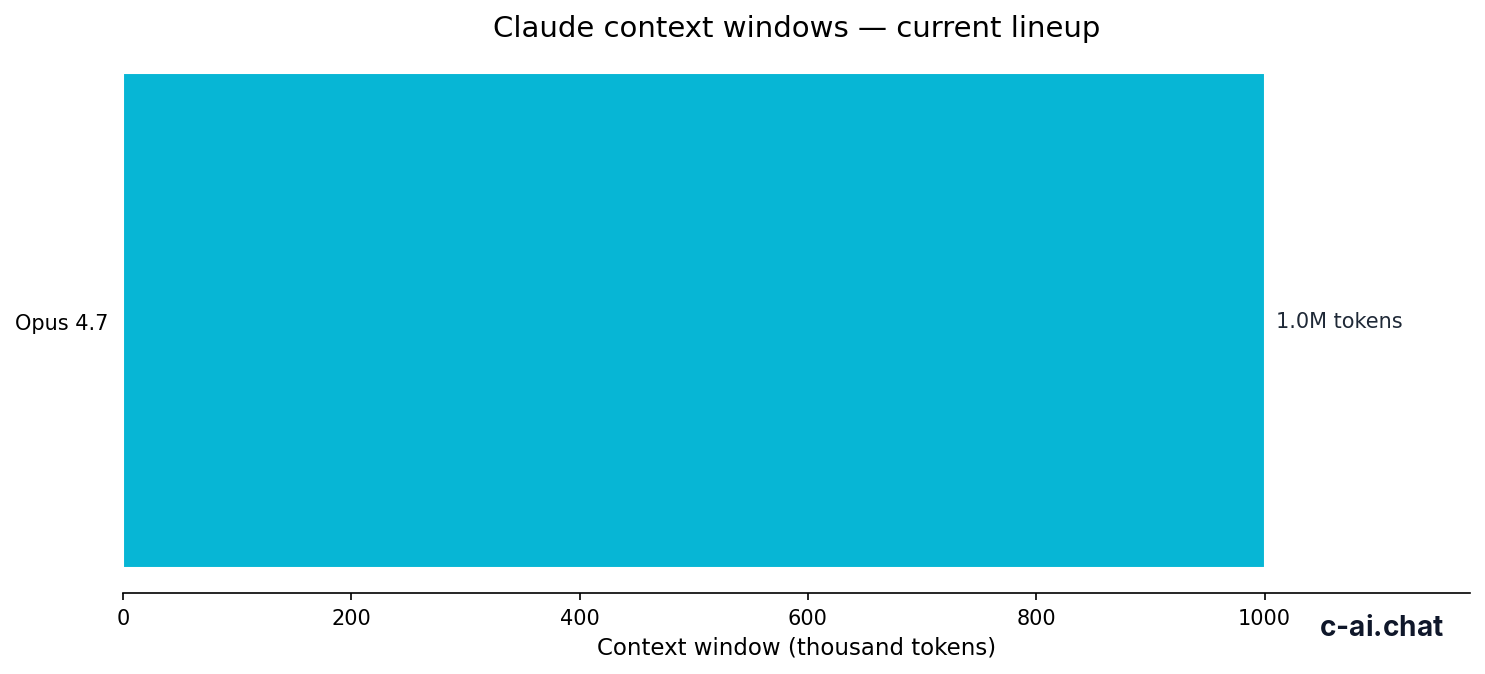
- Claude Opus 4.7 and Claude Sonnet 4.6 support 1,000,000-token context windows.
For most professional text work, Claude is the more predictable choice. It is especially useful when you need a model to read a large knowledge base, follow a writing brief, refactor code, or produce a careful first draft without sounding promotional.
ChatGPT remains the better all-purpose assistant for many people. Its wider consumer footprint, media tools, and familiar interface can make it easier for casual tasks that mix chat, images, voice, and general browsing habits.
Head to head

The Claude facts below use Anthropic’s official Claude pricing, API pricing documentation, and model documentation. For Claude-only detail, see our guides to Claude models, Claude pricing, and Claude features.
| Dimension | Claude | ChatGPT | Practical verdict |
|---|---|---|---|
| Pricing | Free is $0. Pro is $20/month, or $17/month annual. Max starts from $100/month. Team Standard is $25/seat/month, or $20/seat/month annual. Team Premium is $125/seat/month, or $100/seat/month annual. Enterprise is $20/seat base plus API rates. | Uses separate consumer, team, enterprise, and API billing. Availability and limits depend on the product surface and plan. | Claude pricing is clear when you compare subscriptions and token-based API costs. ChatGPT may fit better if your organisation already buys OpenAI products. |
| Models | Opus 4.7 is the flagship at $5/M input and $25/M output. Sonnet 4.6 is the balanced model at $3/M input and $15/M output. Haiku 4.5 is the fast, lower-cost model at $1/M input and $5/M output. | ChatGPT gives users access to OpenAI models through one product interface. Model availability depends on plan and settings. | Claude’s lineup is easy to map to workload and cost. ChatGPT can feel simpler for casual users because the product hides more routing decisions. |
| Context window | Opus 4.7 and Sonnet 4.6 support 1,000,000-token context windows. Sonnet 4.6 also supports up to 128K max output. | ChatGPT supports large contexts on some model and plan combinations, but the practical limit depends on the product surface. | Choose Claude when the core task is reading, comparing, or transforming very large documents. |
| Coding | Strong for code review, refactoring, architecture explanations, repository analysis, and Claude Code workflows. | Strong for coding help, quick snippets, debugging, and general developer Q&A. | Claude is often better for sustained code reasoning and large-context code review. ChatGPT is very good for quick developer assistance. |
| Writing | Strong at controlled tone, long-form drafting, editing, policy writing, technical explanation, and document transformation. | Strong at brainstorming, short-form writing, social formats, and general-purpose drafts. | Claude usually wins when the output must be polished, restrained, and close to a brief. |
| Safety and trust | Anthropic publishes safety, policy, trust, and status information for Claude and its platform. | ChatGPT also applies safety policies, with refusal style and product tuning varying by model and feature. | Claude can be more cautious on borderline requests. That helps in some regulated settings but can frustrate exploratory users. |
| Ecosystem | Claude has web, mobile, desktop, API, Projects, Research, Claude Code, team controls, and enterprise controls. | ChatGPT has a broader consumer footprint and a large surrounding ecosystem of user habits, workflows, media tools, and third-party awareness. | Claude is strong for professional workspaces. ChatGPT is stronger as a broad consumer AI product. |
Claude Free
$0
Good for light testing before paying for higher limits.
Claude Pro
$20/month
Also available at $17/month annual. Best for regular individual use.
Claude Max
from $100/month
For heavier individual use and higher limits.
Claude Team
from $25/seat/month
Team Standard is $25/seat monthly or $20/seat annual. Team Premium is $125/seat monthly or $100/seat annual.
Do not read the table as “Claude good, ChatGPT bad.” Both products are capable. The better question is whether your bottleneck is serious document work, code reasoning, and governance, or everyday creative assistance across many media types.
90% off
cached input tokens with prompt caching
For API teams, that cached-token discount matters. Repeated system prompts, reusable document context, and stable instruction blocks can reduce Claude costs. Anthropic also lists Batch API pricing at 50% off both directions for jobs that do not need immediate responses.
Where Claude is the better pick

Claude is the better pick when the task depends on sustained attention, controlled output, or a large body of source material. These are the use cases where Claude’s strengths are easiest to justify.
Long-document analysis with a 1,000,000-token context
If you need to review a long contract pack, research archive, support export, policy library, or codebase, Claude has a clear advantage. Opus 4.7 and Sonnet 4.6 support 1,000,000-token context windows, which helps keep more source material in one conversation.
This does not remove the need for verification. Claude can still miss details or overgeneralise. But for “read this large thing and explain the moving parts,” Claude is one of the strongest mainstream options.
Careful writing that must follow a brief
Claude is good at writing that should sound measured, not loud. It tends to handle editorial constraints well: tone rules, formatting instructions, source hierarchy, banned phrases, and audience notes. That makes it useful for legal memos, internal comms, help docs, grant drafts, and executive summaries.
For teams that publish often, this matters more than raw creativity. A model that follows the house style and avoids overclaiming saves editing time.
Code review and repository reasoning
Claude is strong when you ask it to inspect code, explain trade-offs, propose refactors, or reason through architecture. The advantage is not just writing code. It is the ability to keep project context in mind and explain the reason behind a change.
Claude Code also matters for developers who want Claude closer to their development workflow. ChatGPT remains useful for quick snippets and debugging, but Claude is often more comfortable with longer technical threads.
Team and enterprise governance
Claude’s business plans add practical controls for teams and larger organisations. Check Anthropic’s current plan pages before buying, because feature availability can vary by plan and contract.
Anthropic publishes trust information at trust.anthropic.com and product status at status.claude.com. For regulated teams, those pages are part of the buying process.
Worked example
A policy team comparing two large document sets
This is the kind of task where long context and disciplined writing matter more than media features.
Where the other tool is better
ChatGPT is not just a fallback. It is the better choice for several common tasks, especially when the user values a broad product ecosystem over long-context professional work.
Image-first creative work
If your main workflow is generating images, iterating on visual concepts, or mixing image prompts with casual creative direction, ChatGPT is usually the easier choice. Claude can analyse and discuss images in supported contexts, but ChatGPT’s consumer product is more strongly associated with image creation workflows.
Everyday multimodal assistant use
For casual users who want one assistant for chat, voice, images, quick planning, and general personal tasks, ChatGPT can feel more complete. It has a broader place in consumer habits, and many people already know how to ask it for everyday help.
Large surrounding ecosystem
ChatGPT benefits from a large ecosystem of tutorials, community workflows, workplace familiarity, and third-party references. If your team already has prompts, policies, and training built around ChatGPT, switching to Claude may add friction even if Claude is stronger for some tasks.
Fast casual brainstorming
Claude can brainstorm well, but ChatGPT is often the path of least resistance for quick ideation. If you need ten names, a dinner plan, a rough outline, or a fast rewrite, the difference may not matter enough to justify changing tools.
How to choose
Use this decision guide if you need a practical answer rather than a full feature audit. If you are still learning the Claude ecosystem, start with c-ai.chat.
Pick Claude when
- You work with long documents, repositories, transcripts, or policy libraries.
- You need careful writing that follows a brief and avoids overclaiming.
- You want strong code review, refactoring help, or Claude Code workflows.
- You need business controls and a clearer buying path for team deployment.
- You plan to optimise API cost with prompt caching or the Batch API.
Pick ChatGPT when
- You want a broad everyday assistant for mixed personal tasks.
- Your workflow is image-heavy or media-first.
- Your team already standardised on ChatGPT workflows.
- You value a larger consumer ecosystem more than long-context document work.
- You need quick casual brainstorming and do not need strict output control.
If you are a solo professional, test both with the same real task. Do not test with a toy prompt. Use a real contract section, spreadsheet explanation, code module, sales brief, research memo, or customer-support export. The difference becomes clearer when the prompt resembles your actual work.
If you are choosing for a team, compare governance first. Ask who can access shared work, how data is controlled, what audit records exist, how billing works, and whether the vendor’s trust materials satisfy your legal and security review. Model quality matters, but deployment controls decide adoption.
Step 1: Define the main workload
Write down the top three tasks. Examples:
review long contracts,draft help docs,generate campaign images, ordebug code.Step 2: Test with real inputs
Use the same source material in both tools. Score accuracy, usefulness, tone, and how much editing the answer needs.
Step 3: Check cost and controls
For Claude, compare Free, Pro, Max, Team, Enterprise, and API costs on the official pricing pages before you standardise.
Other questions readers ask
These quick answers cover the related searches people usually have when comparing Claude vs ChatGPT.
Is Claude better than ChatGPT for coding?
Claude is often better for longer coding tasks, code review, refactoring, and architecture explanation. ChatGPT remains strong for quick snippets, debugging, and common programming questions. If you work inside larger repositories, Claude’s long-context strengths can matter.
Is Claude better than ChatGPT for writing?
Claude is usually the stronger pick for polished professional writing, especially when the output must follow a tone guide or source document. ChatGPT can be better for fast brainstorming, short creative variations, and casual content ideas. For publishable work, Claude often needs less cleanup.
Which is cheaper, Claude or ChatGPT?
It depends on whether you mean subscriptions or API usage. Claude’s consumer pricing includes Free at $0, Pro at $20/month or $17/month annual, and Max from $100/month. For API work, Claude pricing is per million tokens, with Haiku 4.5 at $1/M input tokens and $5/M output tokens.
Does Claude have an API like ChatGPT?
Yes. Claude is available through Anthropic’s API platform at platform.claude.com. Developers can choose among Opus 4.7, Sonnet 4.6, and Haiku 4.5 depending on quality, latency, and cost needs.
Should a business use both Claude and ChatGPT?
Many businesses should consider both if policy allows it. Claude can handle long documents, careful drafting, and code-heavy tasks, while ChatGPT can cover broad creative and everyday assistant use. Set clear data, security, and approval rules before employees paste sensitive material into any AI tool.
Where can I learn more about Claude before choosing?
Start with our Claude FAQ, then compare plans in Claude pricing and model trade-offs in Claude models. For implementation questions, use Claude API docs.
Independent guide. Not affiliated with Anthropic. For the official Claude product, visit claude.ai.
Last updated: 2026-05-12
This article is part of the Claude comparisons hub on c-ai.chat.