Claude vision lets Claude read and reason over PDFs, images, charts, screenshots, and diagrams, then answer questions, summarise content, extract details, or help you work with the material in chat or via the API. This guide from c-ai.chat is independent, not Anthropic. We focus on the most common Claude vision use case — PDF analysis — with notes throughout on images, charts, and diagrams so you know when each path applies.

- What it does at a glance
- How it works
- When this feature actually helps
- What it can’t do
- Other questions readers ask
- The honest take
What it does at a glance
Short answer: yes. Claude vision lets you upload a PDF, image, chart, slide, screenshot, or scanned page and ask questions in plain language or get structured output. PDFs are the most common use case, but the same vision pipeline handles standalone images and diagrams. It is especially useful when you want to ask questions about a document instead of reading it line by line. If you also want the broader product context, see our guides to Claude features and the current Claude models.
- Reads PDFs in chat and via the API
- Handles images such as screenshots, charts, and diagrams
- Answers questions about specific pages, sections, or figures
- Works best when the document is clear, well-formatted, and not overly noisy
In practice, Claude PDF workflows usually fall into four buckets: summarising long documents, extracting key facts, comparing sections, and explaining visuals embedded in the file. That can include contracts, research papers, slide decks exported as PDFs, invoices, design specs, and operating procedures. On the developer side, Anthropic documents image and document handling through the Claude platform, which is where API-based PDF processing fits alongside other multimodal inputs.
| Task | Can Claude help? | Typical result |
|---|---|---|
| Summarise a long PDF | Yes | Short overview, section-by-section summary, action items |
| Answer questions about a report | Yes | Targeted answers with references to the content provided |
| Read charts and diagrams | Often | Explanation of trends, labels, flows, or relationships |
| Extract every field with perfect accuracy | Not reliably | Good first pass, but needs checking |
| Replace formal OCR or document review systems | No | Useful assistant, not a guaranteed system of record |
How it works
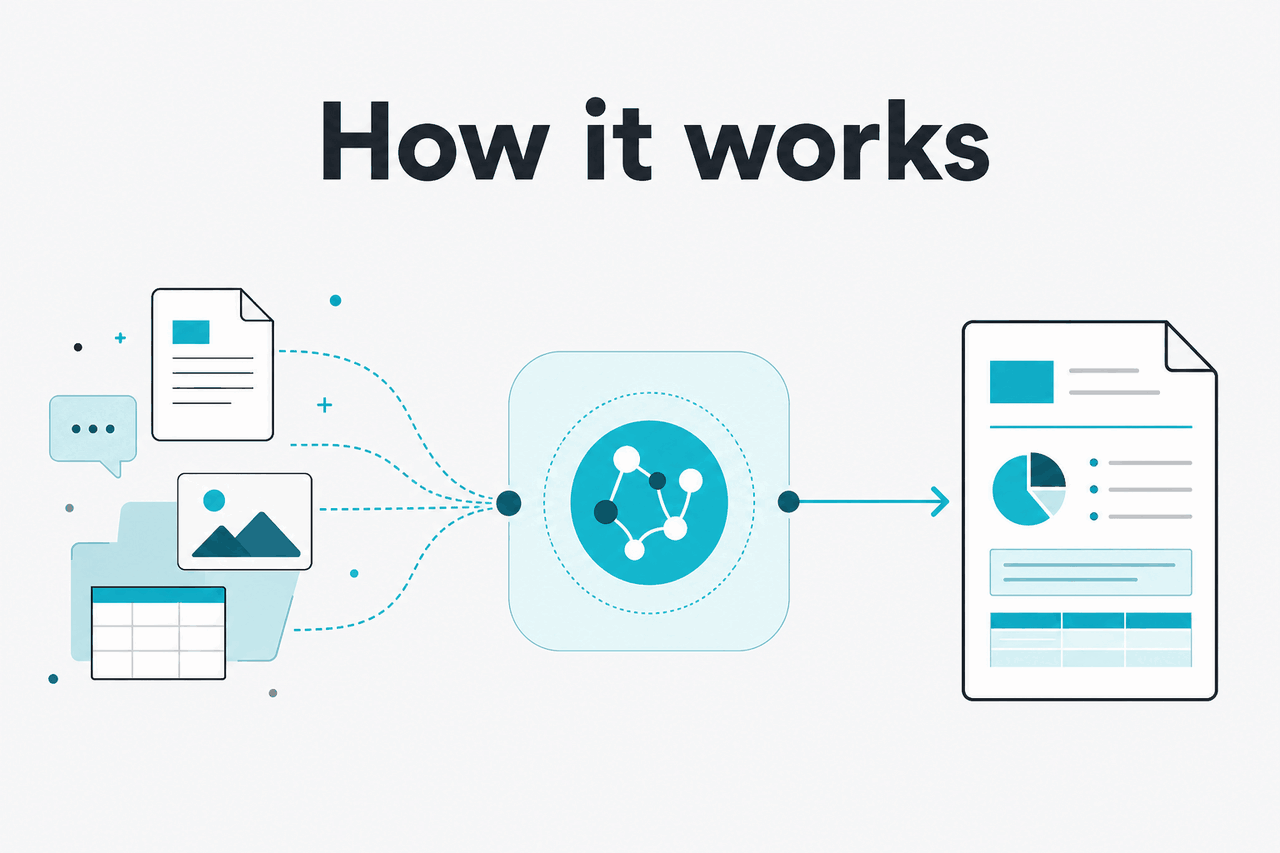
At a simple level, Claude does not “understand a PDF” in the way a human reads a file in a native document viewer. It processes the content made available to it: text extracted from the document, visual layout information, and image-like elements such as charts, screenshots, or scanned pages. That means results depend heavily on the quality of the source document. A clean digital PDF with selectable text is usually easier to work with than a blurry scan, a photo of a page, or a packed slide deck with tiny labels.
When you upload a PDF or send document content through the API, Claude turns that input into something it can reason over within its context window. It can then answer questions, produce a summary, compare sections, identify themes, or transform the material into a different format such as bullet points, a table, or JSON. It is not “looking up” external facts unless your workflow adds retrieval or external tools. It works from the document you provide and the prompt you give it. If you are building this into software, the practical entry point is the Claude API, and if your workflow includes coding around document pipelines, our Claude Code guide may help.
Worked example
Turning a 40-page PDF into a usable brief
Claude saves time on review and synthesis, but you should still verify quoted numbers, page references, and edge-case details.
For developers, the same logic applies at larger scale. You can send documents to Claude, ask for structured extraction, and then route the output into downstream systems. The quality bottleneck is rarely just the model. It is usually document quality, prompt design, output constraints, and whether you have a review step for sensitive use cases.
When this feature actually helps

Claude PDF analysis is most useful when the document is too long, too dense, or too visual to process quickly by hand, but still structured enough that an AI model can identify what matters. The strongest use cases are practical, not magical: getting to the right section faster, extracting likely answers, or converting unhelpful documents into a format you can actually work with.
- Reviewing reports and white papers: Ask Claude for the main claims, assumptions, risks, and evidence instead of reading the full PDF front to back.
- Working with contracts and policy documents: Pull out obligations, deadlines, definitions, exclusions, or differences between two versions.
- Understanding charts and slide exports: Claude can explain what a chart suggests, what changed across pages, or how a diagram is structured.
- Extracting operational details: Use it to gather invoice fields, product specs, process steps, or checklist items from semi-structured documents.
- Studying and research support: Summarise papers, compare methods, identify unanswered questions, or translate technical sections into plain English.
Pick when
- You need a fast first pass on a long PDF
- You want Q&A over a document instead of manual searching
- The file includes tables, screenshots, or diagrams that matter
- You can verify important outputs before acting on them
Skip when
- You need guaranteed extraction accuracy without review
- The PDF is low-quality, skewed, cropped, or unreadable
- You are processing regulated documents without proper controls
- You need a formal OCR pipeline or deterministic parser
A good mental model is this: Claude is strong at reasoning over document content, but weaker as a strict record-extraction engine. If the task sounds like “help me understand and use this PDF,” it is often a good fit. If it sounds like “produce flawless field-level extraction from every page with zero tolerance for errors,” you should treat Claude as one component in a larger workflow, not the whole workflow.
What it can’t do
Claude can be very good with PDFs, but it is not a guaranteed document truth engine. It can miss fine print, misread low-resolution text, overstate confidence, or infer structure that is not really there. The more visually messy, compressed, scanned, handwritten, rotated, or domain-specific the file is, the more careful you need to be.
- Weak scans cause weak outputs: blurry pages, bad contrast, skewed photos, and tiny fonts reduce accuracy.
- Complex tables can break: merged cells, footnotes, nested headers, and multi-column layouts are common failure points.
- Page references may need checking: Claude can identify relevant sections, but exact citations should be verified.
- Visual interpretation is not perfect: dense diagrams, crowded charts, and unclear legends can lead to wrong explanations.
- Extraction is not deterministic: the same prompt can vary slightly across runs unless you design strict output constraints.
- It does not replace specialist compliance review: legal, medical, financial, and regulated workflows still need human oversight and proper controls.
For API users, cost and scale are separate limits. Claude’s active models are priced per million tokens, and large document workflows can become expensive if you repeatedly resend the same content. Anthropic’s platform offers prompt caching, which cuts cached input token cost by 90%, and Batch API pricing, which cuts both input and output by 50% for suitable asynchronous jobs.
90% off
cached input tokens with prompt caching
| Model | Typical fit for PDF work | Input price | Output price |
|---|---|---|---|
| Claude Opus 4.7 | Complex document reasoning, harder analysis | $5/M tokens | $25/M tokens |
| Claude Sonnet 4.6 | Recommended default for most PDF tasks | $3/M tokens | $15/M tokens |
| Claude Haiku 4.5 | Fast, cheaper document tasks | $1/M tokens | $5/M tokens |
Other questions readers ask
These are the related questions readers commonly ask about Claude vision and PDF analysis.
If you are deciding between app usage and API usage, the split is simple: use the app for interactive review and ad hoc questions, and use the API when you need repeatable document processing inside software. Enterprise buyers should also look at admin and trust controls such as SSO, SCIM, audit logs, role-based access, spend controls, and regional data residency, which Anthropic lists for enterprise plans and trust documentation.
The honest take
Claude vision is genuinely useful when your real problem is understanding documents and visual material faster — PDFs above all, but also images, charts, and slide exports. It summarises long files, answers questions across pages, explains charts and diagrams, and helps you extract the parts that matter. For many professionals, that is enough to save substantial time.
But it is not a perfect parser, and you should not pretend it is. When the PDF is messy or the stakes are high, Claude should sit inside a workflow with checks, constraints, and human review. Use it as an intelligent document assistant, not as an unquestioned source of truth.
Independent guide. Not affiliated with Anthropic. For the official Claude product, visit claude.ai.
Last updated: 2026-05-13