Claude voice mode is Claude’s spoken conversation interface, letting you talk to Claude and hear responses aloud for hands-free thinking, quick note capture, and back-and-forth brainstorming; this independent guide explains what it does well, where it helps in meetings, and where its limits still matter. See our broader Claude AI guide for the full product map.
- What it does at a glance
- How it works
- When this feature actually helps
- What it can’t do
- Other questions readers ask
- The honest take
What it does at a glance
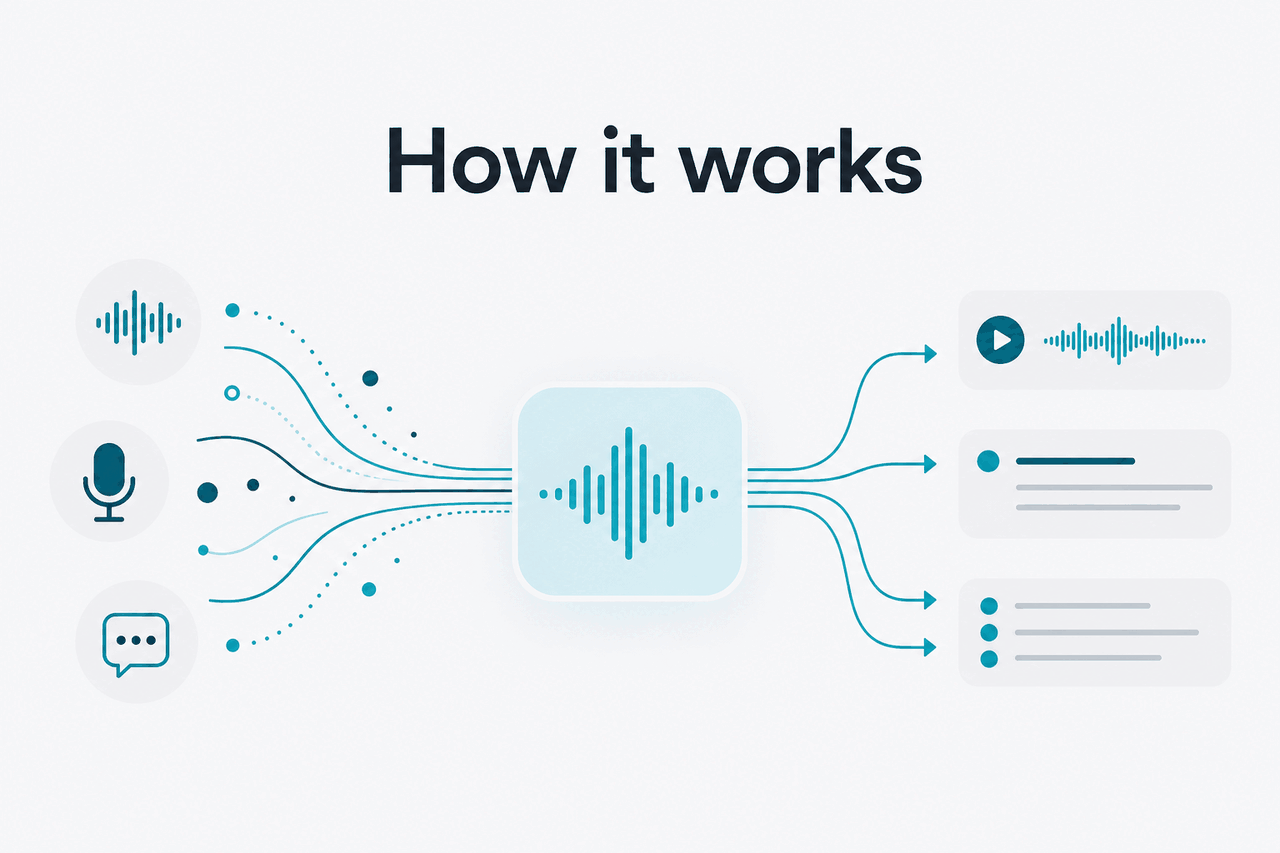
Claude voice mode is the part of Claude that turns a spoken conversation into a live chat flow: you speak, Claude interprets your words, responds in natural language, and can read its answer back so you can keep moving without typing. In practice, it is most useful for brainstorming, summarising ideas while walking, and talking through a problem faster than you could type it.
- Speak naturally instead of typing every prompt
- Hear replies aloud for hands-free use
- Useful for meetings when you need quick recap help, not a formal transcript system
- Best for ideation and rough synthesis, not perfect verbatim capture
For many users, the main value is speed. Saying “turn my scattered notes into three next steps” is often easier than opening a laptop and writing a detailed prompt. If you are comparing Claude features more broadly, our Claude features guide covers where voice fits alongside Projects, Research, integrations, and coding tools.
How it works
In plain English, voice mode adds speech input and spoken output around the usual Claude chat experience. Your spoken request is converted into text, Claude processes that request like a normal prompt, and the response can then be turned back into audio so the exchange feels conversational rather than keyboard-driven.
That means the core strengths and weaknesses are still the same as text chat. Claude is reasoning over the content of what you said, not magically “understanding” a room in the human sense. If your request is clear, structured, and specific, voice mode can feel fast and natural. If the audio is messy, several people talk at once, or the task requires exact wording, the output can drift because the system depends on accurate speech capture and a well-scoped prompt.
Worked example
Turning a spoken brainstorm into an action list
The value is not perfect transcription. It is getting from spoken chaos to a workable first draft quickly.
If you also use Claude for development work, voice can be a front door into a longer workflow: talk through the problem, then switch into text for precision. Our Claude Code guide explains where that handoff matters, especially when exact commands or code changes matter more than conversational speed.
When this feature actually helps
Voice mode is at its best when speaking is faster than typing and when you want synthesis more than perfection. It can save time in short meetings, commuting, walking, or any moment when opening a keyboard would slow you down.
- Meeting recap prep: After a call, you can speak your rough notes and ask Claude to turn them into decisions, open questions, and follow-ups.
- Solo brainstorming: Talk through an idea as it forms, then ask Claude to organise it into themes, outlines, or next actions.
- Content planning: Marketers and founders can speak a product idea, target audience, and angle, then ask for a campaign brief or draft structure.
- Study review: Students can explain what they think they learned and ask Claude to identify gaps, quiz them, or simplify a concept.
- On-the-go capture: Instead of losing ideas while travelling or walking, you can create a rough but usable written record through conversation.
Pick when
- You think faster out loud than on a keyboard
- You want quick summaries, outlines, or idea grouping
- You need hands-free interaction while moving between tasks
- You are happy to refine the result afterward in text
Skip when
- You need an exact transcript of a meeting
- Several speakers are talking over each other
- The environment is noisy or audio quality is poor
- The task depends on precise formatting, figures, or source checking
There is also a practical difference between “useful in meetings” and “meeting automation.” Voice mode can help you process what was said, suggest a summary, or draft next steps. It is not the same thing as a dedicated enterprise meeting recorder with formal attendee tracking, timestamped transcript controls, and system-of-record integration. That distinction matters if your team needs auditability rather than convenience.
Users choosing a model for these workflows should still think about the broader Claude lineup. Our Claude models overview explains where Opus, Sonnet, and Haiku fit when your voice conversation turns into a heavier reasoning task or a cost-sensitive workflow through the API.
What it can’t do
Claude voice mode is convenient, but it is not a guarantee of perfect hearing, perfect recall, or perfect factual accuracy. Spoken AI interaction adds one more layer where errors can enter: your speech may be captured imperfectly before Claude even starts reasoning about it. That makes voice especially weak for exact quotations, regulated records, fine-grained numeric detail, or situations where one mistaken word changes the meaning.
- It can mishear names, numbers, and jargon if your audio is unclear or domain-specific.
- It is not a legal or compliance transcript tool unless you independently verify everything.
- It may compress nuance too aggressively when asked to “summarise the meeting” from rough spoken input.
- It can blend ideas together if you brainstorm in fragments without clear structure.
- It does not replace source review for decisions that require exact documentation.
- It is weaker in noisy, multi-speaker settings than in quiet one-person use.
That same caution applies to technical work. You can talk through an API design or debugging idea, but you should switch to written detail before relying on exact syntax, token pricing, or implementation choices. If your use case is more programmatic than conversational, start with our Claude API guide instead.
Other questions readers ask
These are the nearby questions people usually mean when they search for claude voice mode.
- Free tier · no card
- API priced per million tokens
- 90% off cached input with prompt caching
- 50% off both directions with Batch API
If pricing is part of your decision, the official plan page is at claude.com/pricing, and Anthropic’s developer pricing documentation is at platform.claude.com. For model details, see the models overview.
The honest take
Claude voice mode is genuinely useful when you want to think out loud, capture ideas quickly, or turn a spoken mess into a clean first draft. It is not a magic meeting assistant, and it does not remove the need to verify important notes. Used that way, it is a practical interface upgrade, not a substitute for precision tools.
If your main workflow is brainstorming, quick summarising, or on-the-go note capture, voice mode is worth using. If your workflow depends on exact transcripts, detailed citations, or strict records, keep voice for the rough pass and do the final work in text. For the official product, you can try Claude directly, or compare the rest of the ecosystem in our feature guide.
Independent guide. Not affiliated with Anthropic. For the official Claude product, visit claude.ai.
Last updated: 2026-05-12