Claude fine tuning is not a standard self-serve feature in the Claude product or API in the way many teams mean it; for most use cases, Anthropic points you toward prompt engineering, system prompts, tools, projects, and structured API patterns instead. This is an independent guide from c-ai.chat, not Anthropic, and below we separate what Claude supports today from the closest practical alternatives across models, API usage, and pricing.

- Which model is this?
- What it’s best at
- Where it falls short
- When to pick this model
- Other questions readers ask
- The honest take
If you are comparing Claude options more broadly, see our guides to Claude models, the Claude API, Claude features, and Claude pricing.
Which model is this?

Claude fine tuning is not a separate Claude model family. It is a capability question that applies across the current lineup: Claude Opus 4.7, Claude Sonnet 4.6, and Claude Haiku 4.5. Anthropic’s current public model lineup puts Opus 4.7 as the latest flagship, Sonnet 4.6 as the recommended default, and Haiku 4.5 as the fast, low-cost option. In practice, most people searching for claude fine tuning are really asking whether they can train Claude on their own data, customise behaviour persistently, or improve domain performance without building from scratch.
- Opus 4.7 · input $5/M tokens
- Output $25/M tokens
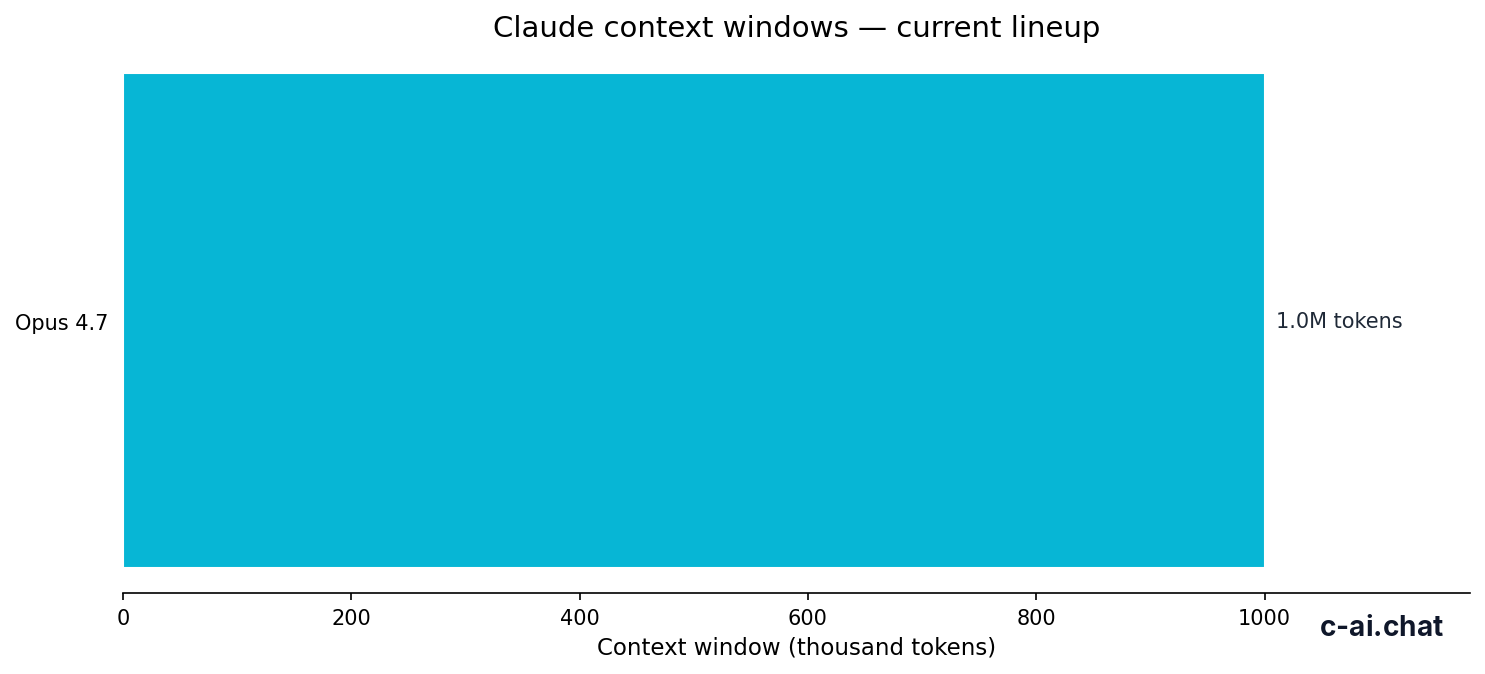
- Context up to 1,000,000 tokens
- Max output not listed here as a fine-tuning feature
For the official model and pricing references, Anthropic publishes the latest lineup at platform.claude.com and plan details at claude.com/pricing. The key point is simple: Claude does offer strong customisation patterns, but public documentation does not position “fine tuning” as the default path for most users.
| Model | Role in lineup | Input price | Output price | Context window | Best fit if you want custom behaviour |
|---|---|---|---|---|---|
| Claude Opus 4.7 | Flagship | $5/M | $25/M | 1,000,000 tokens | Hard reasoning, long context, high-value workflows |
| Claude Sonnet 4.6 | Recommended default | $3/M | $15/M | Long context support in API | Most production apps using prompts, tools, and retrieval |
| Claude Haiku 4.5 | Fast and cheap | $1/M | $5/M | Smaller-budget workloads | Low-cost classification, routing, extraction, and simple generation |
What it’s best at
Claude is best at “fine-tuning-like” outcomes without requiring you to retrain a model. For many teams, that means using carefully designed system prompts, few-shot examples, retrieval from your own knowledge base, tool use, and workspace features such as Projects. This approach is often faster to ship, easier to update, and cheaper to control than a full tuning workflow. If your documents or instructions change every week, prompting and retrieval usually beat a static tuned model.
Across the lineup, Sonnet 4.6 is usually the practical default for this kind of customisation because it gives a strong balance of quality, speed, and price. Opus 4.7 makes more sense when your use case depends on harder reasoning, longer chains of thought, or very large context windows. Haiku 4.5 is the better pick when the task is narrow, high-volume, and cost-sensitive. So if you arrived looking for claude fine tuning, the real answer is often “use Sonnet first, then move up to Opus only if quality demands it, or down to Haiku if scale matters more than nuance.”
- Domain-shaped responses without retraining: give Claude style rules, examples, and source documents in the prompt or via retrieval.
- Long-context analysis: Opus 4.7 and Sonnet 4.6 can work over very large inputs, which reduces the need to compress data into a training set.
- Structured outputs: the API is well suited to extraction, classification, summaries, and workflow automation using stable instructions.
- Rapid iteration: changing prompts is immediate, while a tuning workflow adds data prep, evaluation, and version management.
- Cost control: prompt caching can cut cached input cost by 90%, and Batch API can reduce both input and output costs by 50% for suitable async jobs.
90% off
cached input tokens with prompt caching
If your goal is “make Claude sound like our brand,” “answer from our docs,” or “follow our process every time,” start with the Claude API plus retrieval and evaluation. If your goal is “which model handles this best,” compare the current lineup on our models page. In many cases, that stack gets you the result people expect from fine tuning, without the operational cost of maintaining a separate tuned model.
Where it falls short

Where Claude fine tuning falls short is simple: if you want a standard, public, self-serve workflow for uploading a dataset and producing a custom trained Claude variant, that is not the main path Anthropic documents for most users. Prompt-based customisation can also be less rigid than a tuned model for edge-case formatting, and long prompts or retrieval pipelines may add latency, complexity, or token cost compared with a highly specialised model.
- Not the obvious choice for classic fine-tuning workflows: teams expecting a simple train-and-deploy button may need to redesign around prompting and retrieval.
- Prompt discipline matters: weak instructions produce unstable outputs, especially in high-volume automation.
- Retrieval quality can bottleneck results: if your chunking, indexing, or document hygiene is poor, Claude cannot fix the source quality.
- Opus can get expensive fast: at $5/M input and $25/M output, it is not the right default for every workload.
- Haiku may be too light for nuanced domains: low-cost throughput is useful, but some tasks need Sonnet or Opus quality.
- Long context is not a free substitute for model adaptation: passing more tokens can help, but it does not guarantee consistent behaviour.
When to pick this model
The decision rule is straightforward: use Claude customisation patterns instead of fine tuning when your knowledge changes often, your instructions are explainable in plain language, and you want to iterate quickly. Choose the model based on the value of each task and the quality level you actually need, because the price trade-off is material: Haiku 4.5 is cheapest at $1/M input and $5/M output, Sonnet 4.6 is the usual middle ground at $3/M and $15/M, and Opus 4.7 costs $5/M and $25/M for the most demanding work.
Pick when
- You want custom behaviour without maintaining a separate trained model.
- Your source material changes frequently and should stay current.
- You can define success with prompts, examples, retrieval, and tool use.
- Sonnet 4.6 gives enough quality and you want better economics than Opus 4.7.
- Haiku 4.5 is good enough for high-volume extraction or routing and cost matters most.
Skip when
- You specifically need a public self-serve fine-tuning workflow with trainable model variants.
- Your use case depends on ultra-rigid output behaviour that prompts alone cannot stabilise.
- You have not built evaluation, retrieval, or prompt versioning yet.
- You are defaulting to Opus 4.7 for a workload that Sonnet 4.6 or Haiku 4.5 could handle much cheaper.
- You need enterprise controls first and model customisation second.
On the product side, some users can get what they want from Claude Pro at $20/month or $17/month annual if they mainly need better access, Projects, Claude Code, Research, and integrations in the official app. For heavier users, Max starts at $100/month, while team and enterprise plans add admin, security, and workspace controls. For developers, API pricing is the cleaner way to think about custom behaviour because you pay per million tokens and can optimise with caching or batch processing. Our pricing guide breaks down where each path makes sense.
Other questions readers ask
| Need | Better fit | Why |
|---|---|---|
| Brand voice and repeatable writing style | System prompt + examples | Fast to update without retraining |
| Answers grounded in your docs | Retrieval + Sonnet 4.6 | Keeps output tied to current sources |
| Large-document reasoning | Opus 4.7 or Sonnet 4.6 | Long context reduces pre-processing |
| Cheap bulk classification | Haiku 4.5 | Lowest token cost in the lineup |
| Heavy app usage in Claude itself | Pro or Max | Product plans suit end users better than API billing |
The honest take
If you searched for claude fine tuning, the blunt answer is that Claude is usually not sold as a classic self-serve fine-tuned-model workflow. That is not necessarily a weakness. For many real teams, it is the better setup. Prompting, retrieval, tools, Projects, and careful evaluation are easier to maintain, easier to refresh with new knowledge, and often fast enough to deploy now instead of after a training cycle.
Start with Sonnet 4.6 if you are building a practical custom workflow. Move to Opus 4.7 when the task is high stakes and the extra quality justifies $5/M input and $25/M output. Drop to Haiku 4.5 when throughput matters more than nuance. If you want the official product experience, use Claude plans on claude.com. If you want programmable control, use the API and treat “fine tuning” as a design problem first, not a training button.
Independent guide. Not affiliated with Anthropic. For the official Claude product, visit claude.ai.
Last updated: 2026-05-12