Claude reasoning usually means using Claude models for multi-step thinking, analysis, planning, coding, and tool-assisted problem solving; in the current lineup, that mostly points to Claude Sonnet 4.6 as the default reasoning model, with Opus 4.7 for the hardest work and Haiku 4.5 for faster, cheaper tasks. c-ai.chat is an independent guide, not Anthropic, and this page explains how the reasoning-capable Claude models differ, where each fits, and when the extra cost is worth it.

If you want the broader model map first, see our Claude models guide. If you are comparing chat plans versus API billing, our Claude pricing breakdown and Claude API guide cover that side in more detail.
- Which model is this?
- What it’s best at
- Where it falls short
- When to pick this model
- Other questions readers ask
- The honest take
Which model is this?

For most searches around claude reasoning, the precise answer is Claude Sonnet 4.6: the Sonnet family model, version 4.6, and the recommended default in Anthropic’s current lineup. It sits between Opus and Haiku. Opus 4.7 is the top-end option for the most demanding reasoning, while Haiku 4.5 trades some depth for lower cost and speed.
- Input: $3 per million tokens
- Output: $15 per million tokens
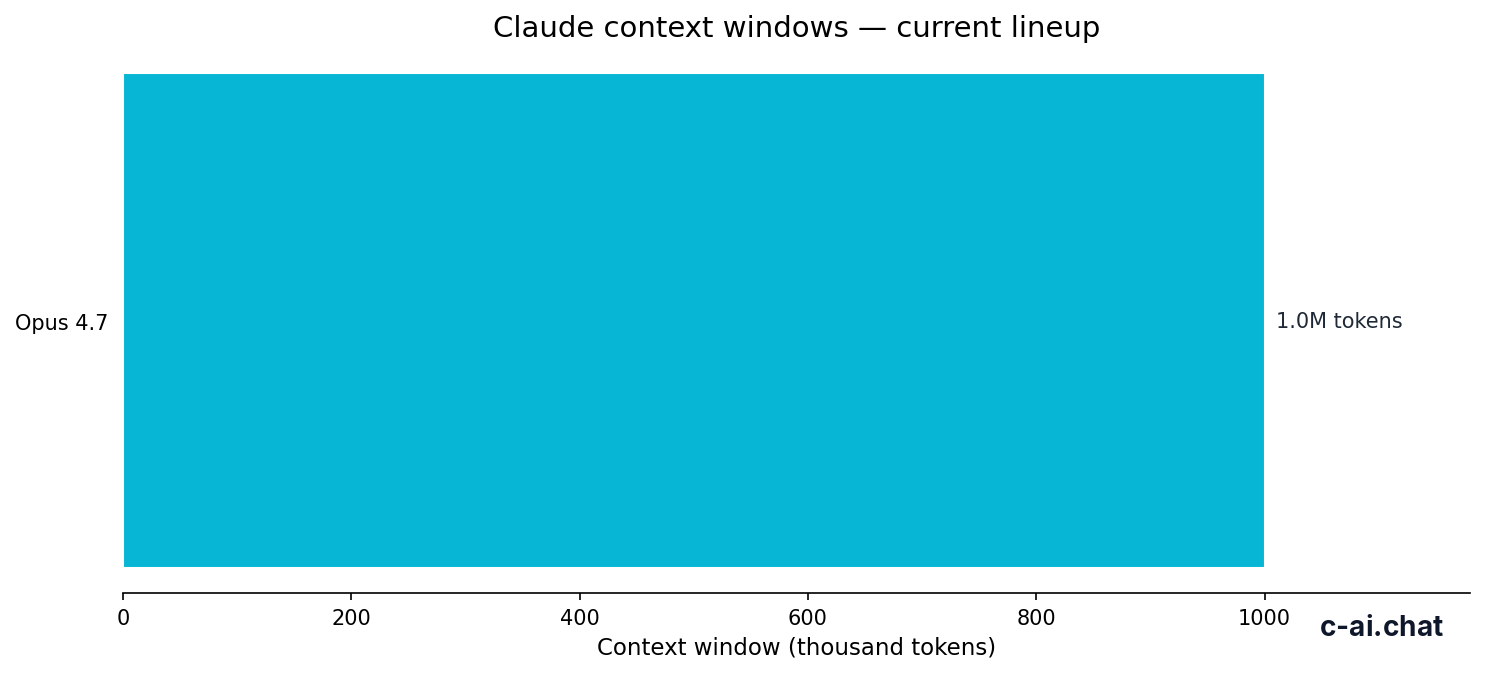
- Context window: up to 1,000,000 tokens
- Max output: 128,000 tokens
That makes Sonnet 4.6 the practical reasoning model for most people: stronger and more reliable than the budget tier for complex work, but cheaper than the flagship. If you use Claude through the app, that affects which plans make sense; if you use the API, the per-token pricing matters directly.
| Model | Family role | Input price | Output price | Best fit |
|---|---|---|---|---|
| Claude Opus 4.7 | Flagship | $5/M | $25/M | Hardest reasoning, longest complex workflows |
| Claude Sonnet 4.6 | Default balance | $3/M | $15/M | Most reasoning tasks, coding, analysis, daily use |
| Claude Haiku 4.5 | Fastest / cheapest | $1/M | $5/M | Light reasoning, classification, quick drafts |
What it’s best at
Claude Sonnet 4.6 is best at work that needs solid reasoning without flagship-level cost. That includes code generation and debugging, document analysis, structured writing, spreadsheet-style logic, prompt chaining, and agent workflows where the model has to interpret context, plan steps, and produce useful output on the first pass. For many users, it is the point where quality and price meet in the middle.
Against the sibling models, Sonnet 4.6 usually gives you more dependable multi-step reasoning than Haiku 4.5 and a lower bill than Opus 4.7. Haiku is better when latency and price matter most. Opus is better when the task is unusually difficult, ambiguous, or high stakes. But for the broad middle of “I need Claude reasoning that is actually practical to use every day,” Sonnet is the model most people should start with. If you want a wider feature view, see our Claude features guide.
- Coding and debugging: understanding larger code snippets, tracing bugs, proposing refactors, and explaining why something fails.
- Document reasoning: reading long PDFs, policy docs, research notes, or transcripts and extracting decisions, risks, and next steps.
- Structured business work: writing briefs, turning notes into plans, comparing options, and building tables from messy text.
- Tool-assisted workflows: reasoning across prompts, files, and iterative tasks where context retention matters.
- Long-context analysis: handling large inputs without forcing you into a much more expensive flagship model for every job.
90% off
cached input tokens with prompt caching
That cost optimisation matters for reasoning-heavy apps. If your workflow reuses large system prompts, reference material, or repeated context, prompt caching can lower the effective price of Sonnet substantially. Anthropic also offers Batch API pricing with 50% off both input and output, which changes the economics for offline analysis jobs.
Worked example
A medium-size reasoning task on Sonnet 4.6
For many analysis or coding tasks, that is cheap enough to use often, but expensive enough that model choice still matters.
Where it falls short

Sonnet 4.6 is not the strongest option for every reasoning task. If the problem is unusually subtle, spans many interacting constraints, or needs the highest possible reliability over long iterative exchanges, Opus 4.7 is the safer pick. At the other end, if you are doing simple extraction, classification, or fast high-volume automation, Haiku 4.5 can get close enough at a much lower cost.
- Hardest edge cases: Opus 4.7 is better when accuracy matters more than budget.
- Very high-volume workflows: Haiku 4.5 is usually the better economic choice for lightweight reasoning.
- Output-heavy jobs: Sonnet’s $15/M output price can add up quickly if your prompts generate long answers.
- Fastest possible response time: Haiku is built for speed and lower cost, not maximum depth.
- Reasoning under uncertainty: if the task is messy and the prompt underspecified, Sonnet may need more guidance than Opus.
When to pick this model
Pick Sonnet 4.6 when you want strong Claude reasoning without paying flagship rates. The core trade-off is simple: it costs more than Haiku 4.5 but gives better depth and consistency; it costs less than Opus 4.7 but may not match it on the toughest problems.
Pick when
- You need reliable multi-step reasoning for daily work.
- You want one default model for coding, writing, and analysis.
- You can justify $3/M input and $15/M output for better quality than Haiku.
- You work with long documents or large contexts regularly.
- You want a safer default before moving up to Opus.
Skip when
- You need the highest-end reasoning available and cost is secondary.
- You run large-scale automations where Haiku’s $1/M input and $5/M output is enough.
- Your app generates long outputs and output cost is the main driver.
- You only need quick classification, extraction, or short replies.
- You are solving a rare, difficult task where Opus is worth the premium.
If you are paying for Claude in the app instead of the API, your decision is slightly different. The official Claude pricing page lists Free, Pro, Max, Team, and Enterprise plans. Those plans govern app access, limits, and workspace features, while API pricing governs direct model usage. That distinction matters because many people search for “Claude reasoning” when they are really asking whether they need Pro, Max, or API access.
Free
$0/month
For casual users
- Web, iOS, Android, desktop
- Daily usage limits
Pro
$20/month
For individuals who use Claude often
- Claude Code and Claude Cowork
- Unlimited Projects, Research, more models, Office integrations
Max
$100/month
For power users
- 5x or 20x Pro usage
- Higher output limits and priority traffic
Other questions readers ask
The honest take
If you searched for claude reasoning, the short answer is that Claude reasoning is not one separate product but a capability spread across the current model lineup. For most people, that means starting with Sonnet 4.6. It is the sensible default because it gives strong reasoning quality without the full Opus price. Move up to Opus 4.7 when the task is genuinely hard. Move down to Haiku 4.5 when speed and cost matter more than depth.
That is the practical way to think about Claude models: not “which one is smartest in theory,” but “which one is smart enough for this job at the right price.” If you want the official product experience, use Claude directly. If you want the broader map first, start from our independent Claude guide or compare the lineup in our models section.
Independent guide. Not affiliated with Anthropic. For the official Claude product, visit claude.ai.
Last updated: 2026-05-12