Claude Code worktrees let you use Claude Code against separate Git working trees so you can isolate features, fixes, or experiments without constantly stashing changes; this guide explains how that setup works, when it helps, and where it fits in the broader Claude Code workflow from an independent c-ai.chat perspective.
- The short answer
- How it works
- What you’d actually do with it
- Vs. the alternatives
- Other questions readers ask
- The honest take
The short answer
Claude Code worktrees are a practical way to run Claude inside separate Git workspaces tied to the same repository, which is useful if you want one branch for a bug fix, another for a refactor, and a third for research without mixing files or context. For developers, the main value is isolation: Claude can inspect, edit, test, and commit inside one worktree while your main checkout stays clean.
- What it does · gives Claude Code an isolated Git workspace per task or branch
- Where it runs · in your local terminal inside a Git repository or linked worktree
- What it costs · Claude Code is included with Pro $20/month or $17/month annual; API use is separate at per million token rates
- Who it’s for · developers juggling parallel branches, reviews, fixes, and experiments
If you are new to Claude’s coding tools, start with our Claude features guide for the big picture. If you already use Git heavily, worktrees are one of the cleanest ways to keep Claude focused on the exact branch and files you want it to touch.
How it works

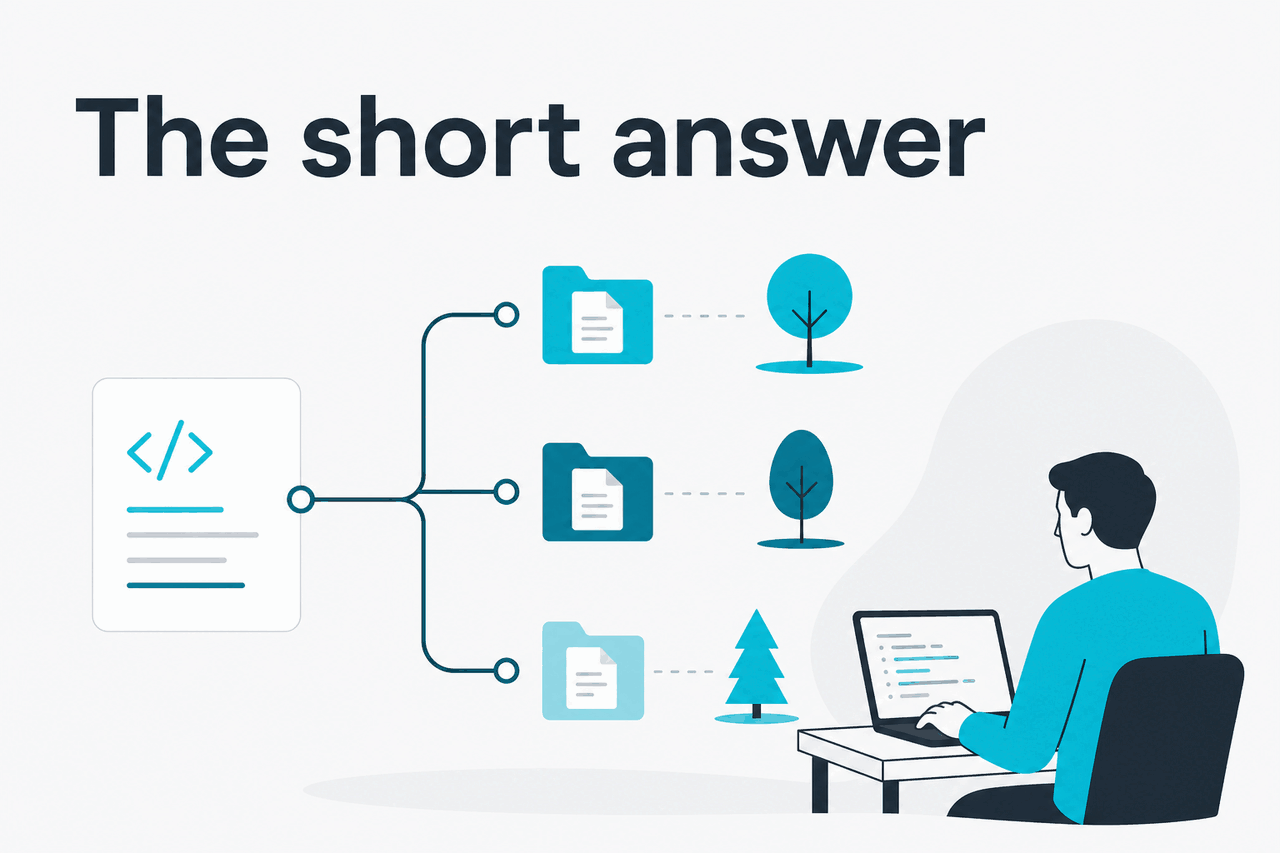
A Git worktree is an additional working directory attached to the same repository. Instead of cloning the repo again, you create another checkout backed by the same Git data but pointed at a different branch. Claude Code then runs inside that directory, sees only that branch’s file state, and works there like it would in any normal project folder.
That matters because coding agents are sensitive to local context. If your current directory contains half-finished edits, untracked files, or a branch that mixes unrelated work, Claude may propose changes against the wrong baseline. A separate worktree reduces that risk. One worktree can be your safe production fix branch; another can be a larger migration. Claude can test, edit, and prepare commits in each one independently.
This is also easier than constant stashing. Stash works for quick context switching, but it is easy to lose track of what belongs where. Worktrees make the branch boundary visible in the filesystem. For teams using Claude via the API as well as Claude Code locally, the same principle applies: better isolation usually means fewer accidental edits and clearer review diffs.
-
Create a new branch worktree
From your repo root, create a separate workspace with
git worktree add ../repo-fix auth-timeout-fix. Git makes a new directory and checks out that branch there. -
Open Claude Code in that directory
cd ../repo-fixand start Claude Code from inside the worktree. Claude now reads that branch’s files, status, and history instead of your main checkout. -
Give a branch-specific task
Ask Claude to inspect the failing path, update tests, run the relevant commands, and keep changes limited to this branch. The smaller scope makes reviews cleaner.
-
Commit and review normally
Use Git as usual: inspect
git diff, run tests, commit, and open a pull request. When the branch is merged, remove the worktree withgit worktree remove ../repo-fix.
In practice, the workflow is simple: one task, one branch, one worktree, one Claude session. That is not mandatory, but it is often the least confusing setup. If you are comparing subscription options before adopting this workflow across a team, see our Claude pricing guide.
What you’d actually do with it
Most people searching for claude code worktrees are not asking about Git theory. They want to know what the setup is good for day to day. Here are realistic cases where worktrees make Claude Code more useful.
1. Ship a hotfix without disturbing feature work.
You are halfway through a refactor on your main branch, but production needs a quick fix. Create a new worktree for the hotfix branch, start Claude Code there, and ask: Find where session expiry is calculated, patch the timeout bug, add one regression test, and keep the change as small as possible. Claude works against the hotfix branch only, so your unfinished refactor stays untouched.
2. Compare two implementation ideas side by side.
Create two worktrees from the same starting point, one for a minimal patch and one for a larger cleanup. In one directory, prompt Claude: Patch this with the smallest safe change. In the other: Refactor this module for readability, then update tests. You can review both diffs separately instead of mixing approaches in one branch.
3. Review a pull request with local context.
Check out a review branch as its own worktree and ask Claude to explain it: Summarise the intent of this branch, list risky files, and flag any missing tests. Because Claude can inspect the actual branch filesystem and Git state, it can give a more grounded answer than a pasted diff alone.
Worked example
Parallel bug fix and feature branch
The benefit is not speed alone. The real gain is cleaner separation between tasks.
4. Run an experiment Claude might not finish cleanly.
Some prompts are intentionally broad: Try replacing our form validation layer with a schema-based approach and show the migration steps. That can create many file changes. Doing this in a dedicated worktree means you can inspect the result, keep good parts, or delete the whole experiment without polluting your main checkout.
5. Prepare release backports.
Teams with release branches can create a worktree per maintained version. Then Claude can help with prompts like Backport the null-check fix from main to the release branch and adjust tests if the older helper API differs. This is safer than trying to remember which branch you are in while jumping between versions.
# create a new worktree for a fix branch
git worktree add ../myapp-fix login-timeout-fix

# move into that isolated workspace
cd ../myapp-fix

# start Claude Code here, then prompt:
# "Inspect the auth timeout flow, fix the bug, add a regression test,
# and keep changes limited to this branch."
Pick when
- You handle multiple branches every week
- You want Claude focused on one task at a time
- You need cleaner diffs and easier code review
- You often switch between fixes, refactors, and experiments
Skip when
- You only work on one branch at a time
- Your repo is tiny and branch switching is trivial
- You are not comfortable with basic Git branch hygiene yet
- You expect worktrees to replace code review or testing
Vs. the alternatives
Claude Code worktrees are not a separate IDE feature in the way some people expect. They are a Git-native way to create isolated working directories, and Claude Code benefits from that setup because it operates inside your local repo context. The alternatives are mostly other coding assistants or simpler Git habits such as branch switching and stashing.
| Option | What it does well | Trade-offs | Best fit |
|---|---|---|---|
| Claude Code + Git worktrees | Strong task isolation, branch-specific context, clean diffs, works with normal Git workflow | Requires comfort with terminal and Git worktree commands | Developers managing parallel fixes, reviews, and experiments |
| Claude Code + one checkout only | Simpler setup, fewer folders to manage | More branch switching, easier to mix unrelated local changes | Solo developers with one active task at a time |
| Cursor | Tight IDE workflow and integrated AI editing experience | Different product model and editor-centric workflow; branch isolation still depends on your Git habits | People who want AI primarily inside the editor |
| GitHub Copilot | Strong inline completion and broad IDE support | Less centered on agentic repo workflow than Claude Code; worktree benefits still come from Git, not Copilot itself | Developers focused on autocomplete and editor suggestions |
| Sourcegraph Cody | Useful for codebase search and enterprise context | Workflow and strengths depend on your stack and setup; still not a substitute for branch isolation | Teams prioritising code search and repository context |
| Stash + branch switching | No extra directories, familiar to most Git users | Easy to lose context or reapply the wrong stash; messy with multiple ongoing tasks | Quick solo context switches |
The honest trade-off is this: worktrees are not magic, and they do not make Claude smarter. They make your environment cleaner. If the problem is poor prompts, missing tests, or weak review discipline, worktrees will not fix that. But if the problem is mixed branch state and context confusion, they help a lot.
Other questions readers ask
If you are deciding between product access and API usage, our homepage covers the Claude ecosystem, while the pricing page breaks down plans and token costs in more detail.
The honest take
Claude Code worktrees are worth using if you regularly handle more than one coding task at once. They do not add new model capabilities, but they solve a real workflow problem: keeping Claude’s local working context aligned with a single branch. For bug fixes, pull request review, experiments, and backports, that usually means fewer mistakes and cleaner diffs.
If you only work in one branch at a time, you may not need them. But if you already rely on Git branches and find stashing annoying or risky, worktrees are one of the simplest upgrades you can make to your Claude Code setup.
Independent guide. Not affiliated with Anthropic. For the official Claude product, visit claude.ai.
Last updated: 2026-05-12