The anthropic java sdk is the Java client developers use to call Claude from JVM apps, usually through Anthropic’s API on platform.claude.com; this guide explains what it does, how requests flow, what it costs, and where it fits alongside our broader Claude API guide.
- The short answer
- How it works
- What it costs
- Limits and gotchas
- Other questions readers ask
- The honest take
- Java SDK wraps Claude API requests for JVM apps
- API priced per million tokens
The short answer
If you searched for anthropic java sdk, the practical answer is simple: you use a Java client library or direct HTTP calls to send prompts to Claude models, authenticate with an API key, choose a model such as Sonnet 4.6 or Haiku 4.5, and read the structured response back in your application. Anthropic documents the API, models, and pricing on platform.claude.com; c-ai.chat is an independent guide, not Anthropic.
For most Java teams, the SDK question is really about convenience: whether you want typed request objects, easier retries, and cleaner integration in Spring Boot, Quarkus, Micronaut, or plain Java. If you only need one endpoint, raw HTTP works. If you want maintainable production code, a dedicated client is usually the better path. If you are still comparing setup options, our Claude features overview gives context on what the API can and cannot do.
Worked example
Minimal Java request flow
A Java SDK reduces boilerplate, but the underlying API concepts stay the same.
var client = AnthropicClient.fromEnv();

var response = client.messages().create(request -> request
    .model("claude-sonnet-4-6")
    .maxTokens(1024)
    .addUserMessage("Explain the difference between prompt caching and batch processing.")
);

System.out.println(response.content());How it works

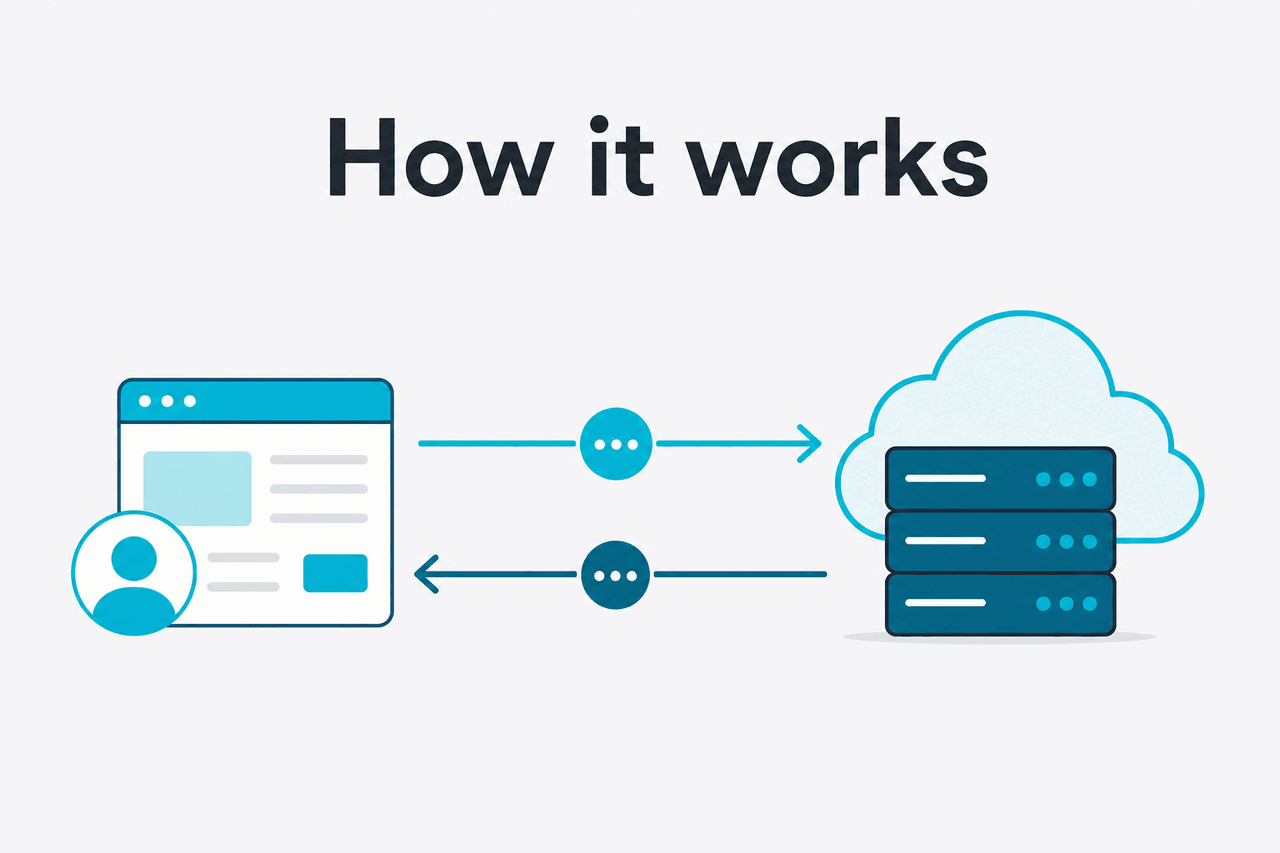
A Java integration with Claude follows the same pattern as any other server-side API call. Your app stores an Anthropic API key securely, builds a request with a target model, sends messages to the Messages API, then parses the returned content into plain text or structured fields. The official documentation for models, request formats, and authentication lives on platform.claude.com.
In practice, the SDK sits between your application code and HTTPS. It serialises Java objects into JSON, sets headers, handles transport details, and may add helpers for streaming, retries, and timeouts. That matters in production because most bugs are not about “how to call Claude once” but about connection reuse, exception handling, token budgeting, and predictable behaviour when traffic spikes. If you plan to pair coding workflows with the API, see also Claude Code for the developer-facing side of the product.
-
Create credentials
Generate an API key in platform.claude.com and store it in an environment variable or secret manager, not in source code.
-
Pick a model
Use
claude-sonnet-4-6as the default for most app features,claude-haiku-4-5for lower-cost fast tasks, orclaude-opus-4-7when quality matters more than cost. -
Build the message payload
Send system and user content in the format Anthropic documents. Keep prompts short when possible to control input token spend.
-
Handle the response
Read text output, capture stop reasons, log request IDs, and map transient failures to retries with backoff.
-
Optimise production usage
Add prompt caching for repeated context, consider Batch API for asynchronous bulk work, and monitor usage in your account dashboard.
For Java developers, one useful design choice is to keep Claude calls behind your own service class rather than scattering SDK calls through controllers or job runners. That makes it easier to swap models, centralise observability, and enforce token limits per feature. It also helps if you later compare the API route with the consumer app at claude.ai or team plans on our Claude pricing guide.
What it costs
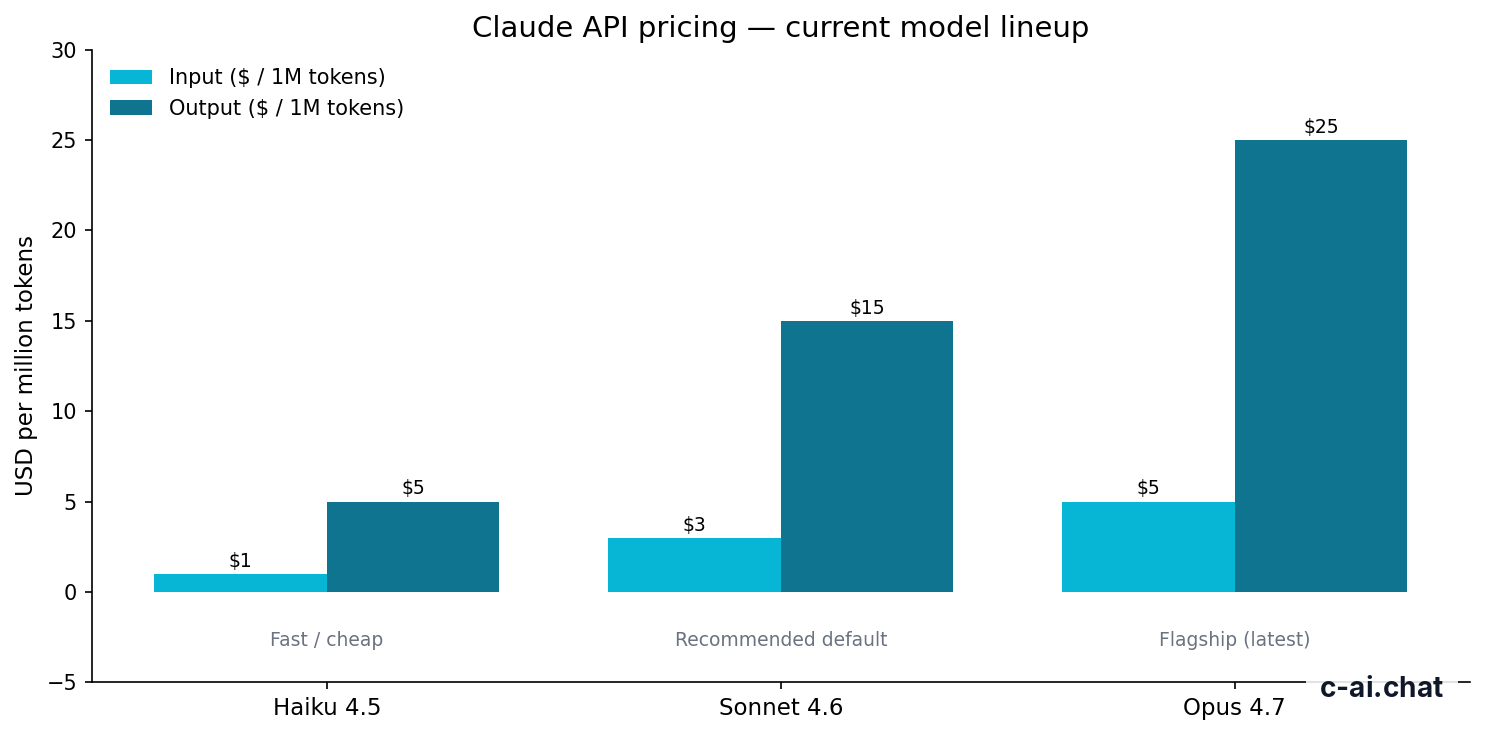
The API is billed per million tokens, so your Java SDK does not change pricing by itself. Cost depends on the model, the number of input tokens you send, and the number of output tokens Claude returns. For most Java applications, Sonnet 4.6 is the sensible default because it balances quality and price better than Opus for routine workloads.
| Model | Best for | Input price | Output price |
|---|---|---|---|
| Claude Opus 4.7 | Highest-quality reasoning and complex tasks | $5/M tokens | $25/M tokens |
| Claude Sonnet 4.6 | Recommended default for most apps | $3/M tokens | $15/M tokens |
| Claude Haiku 4.5 | Fast, cheaper workloads | $1/M tokens | $5/M tokens |
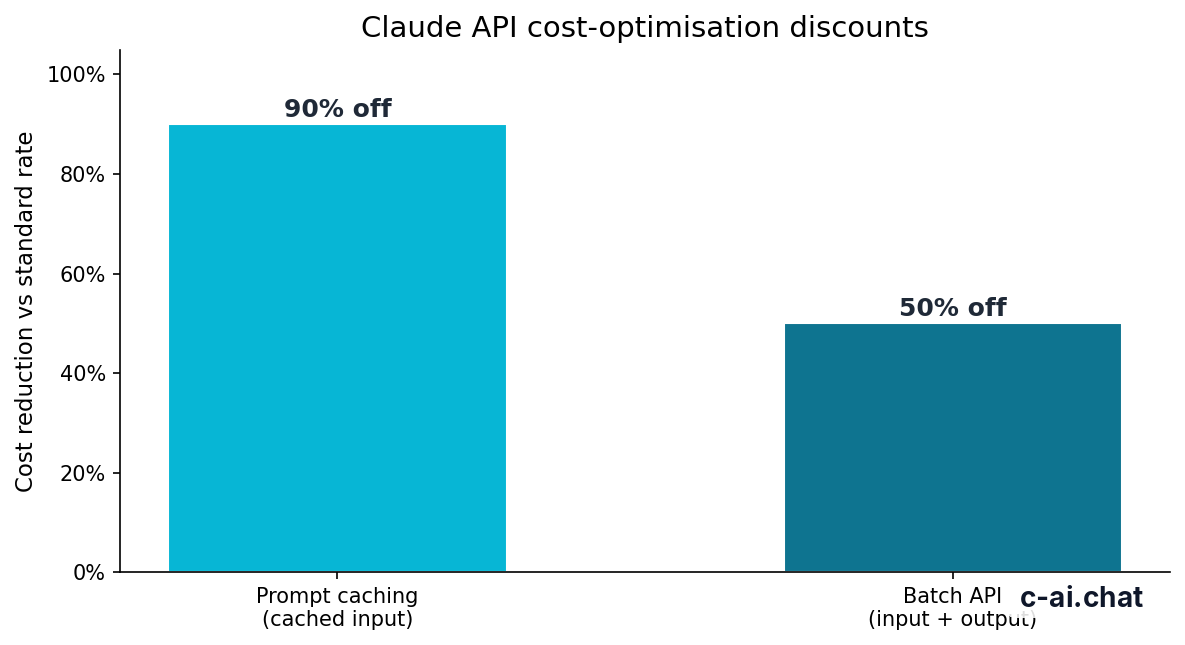
Anthropic also offers two important cost controls. Prompt caching cuts cached input token cost by 90%, which is useful when your Java app repeatedly sends the same long system prompt, policy block, or document context. The Batch API cuts both input and output costs by 50% for work that does not need immediate responses, such as nightly classification or large document processing jobs. Pricing details are documented on the official pricing page.
90% off
cached input tokens with prompt caching
Worked example
A small Java backend using Sonnet 4.6
The main cost driver is usually output length, not the SDK you picked.
If you are mixing API usage with end-user subscriptions, keep the billing models separate. Claude web and app plans such as Free, Pro, Max, Team, and Enterprise are described on claude.com/pricing, while Java backend usage is metered on API token pricing. That distinction trips up new teams more often than it should.
Limits and gotchas
The main surprises for developers are usually not syntax problems. They are operational issues: rate limits, account permissions, output caps, regional access rules, and mismatch between the Claude app and the API. These are the points to check before you commit to an SDK choice.
- Rate limits vary by account and usage tier. Do not assume a code sample’s throughput will match your production quota. Check your account settings and the official API docs.
- Model availability can differ by plan or account state. A model mentioned in docs may still require the right workspace, billing setup, or rollout access.
- Large context does not mean free context. Long prompts on Opus 4.7, Opus 4.6, and Sonnet 4.6 can use up budget quickly even when the 1,000,000-token context window is available.
- Output limits matter. You may not get the full response you expected if your
max_tokenssetting is too low or the model hits a stop reason. - Prompt caching is not automatic magic. You need the right repeated prompt structure and implementation pattern for savings to show up consistently.
- Batch API is for deferred work. It lowers cost, but it is not a drop-in replacement for synchronous request-response flows in web apps.
- Region, trust, and procurement rules can affect access. Enterprise teams may need specific residency, compliance, or contract terms before deployment. Anthropic publishes trust information at trust.anthropic.com.
- Common errors are usually authentication or malformed payloads. Invalid API keys, wrong model names, oversized inputs, and schema mistakes are more common than SDK bugs.
- Status incidents happen. If requests suddenly fail or latency spikes, check status.claude.com before changing code that was working an hour ago.
- The SDK does not replace good Java hygiene. You still need retries, timeouts, circuit breakers, request logging, and secret management.
Pick when
- You want typed requests and cleaner integration than raw HTTP
- Your team already runs JVM services in production
- You need maintainable Claude access across multiple app features
Skip when
- You only need a one-off prototype and plain HTTP is enough
- Your architecture is already standardised on another runtime
- You expect the SDK alone to solve rate limits, cost control, or prompt design
Other questions readers ask
Related pages on c-ai.chat: see the broader Claude API reference guide, compare plans on pricing, review product capabilities on features, or check how interactive developer tooling differs in Claude Code. For a high-level orientation, you can also visit our homepage.
The honest take
The anthropic java sdk question is less about “does Java work with Claude?” and more about “what is the cleanest way to ship Claude features in a JVM stack?” The answer is yes: Java is a solid fit for Claude integrations, and a dedicated client layer usually makes production work easier than hand-rolled HTTP scattered through your codebase. Start with Sonnet 4.6, keep prompts disciplined, and treat cost control as an application design problem rather than an SDK feature.
Use Opus 4.7 only when the task justifies the higher output price. Use Haiku 4.5 when speed and cost matter more than maximum capability. And before you choose any library, verify it tracks the current Anthropic API docs. That one step prevents a lot of confusion.
Independent guide. Not affiliated with Anthropic. For the official Claude product, visit claude.ai.
Last updated: 2026-05-10
This article is part of the Claude API for developers hub on c-ai.chat.