Claude skills are reusable task packages that give Claude workflow-specific instructions, examples, and resources; this independent Claude AI guide explains when they help, where they fall short, and how to use them responsibly.
Table of contents
- What it does at a glance
- How it works
- When this feature helps
- What it cannot do
- FAQ
- The honest take
- Sources
What it does at a glance
A Claude skill is not a separate model. It is a reusable set of task guidance that Claude can apply when a conversation matches a defined workflow.
- Reusable: stores instructions for a recurring task.
- Scoped: focuses on one workflow instead of every possible use case.
- Resource-aware: can include reference material, examples, templates, or scripts where supported.
- Best fit: repeatable work with clear rules and human review.
Think of a skill as a task manual that sits near Claude. When the task fits the manual, Claude can use the instructions and supporting resources instead of relying only on a long prompt typed into a single chat.
Anthropic describes skills as a way to extend Claude with task-specific instructions and resources. For exact availability, setup steps, and supported environments, use Anthropic’s official documentation and the official product at claude.ai.
How it works
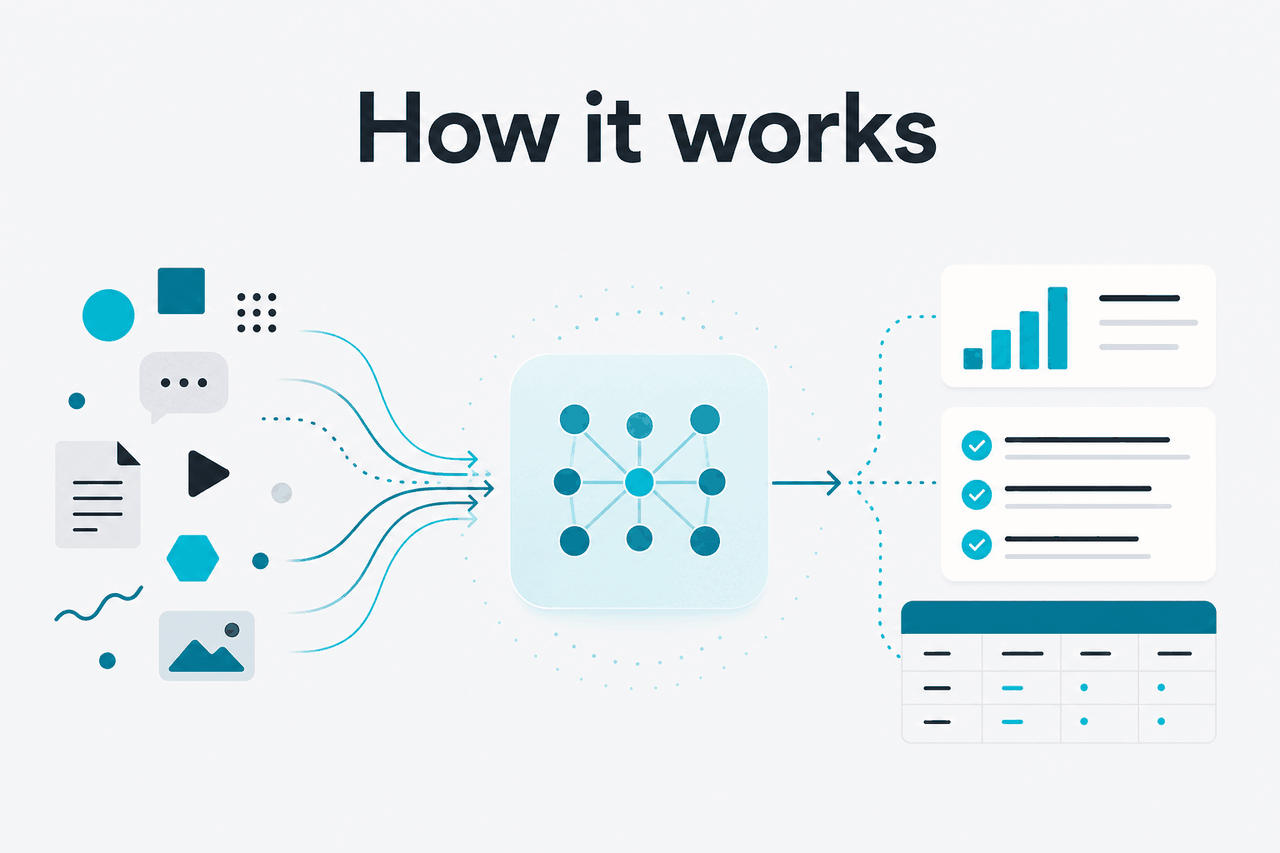
A Claude skill usually starts with a short description of the task it supports. That description helps Claude decide whether the skill is relevant. The skill then gives Claude the steps, constraints, output format, and resources needed for the task.
The main benefit is selective context. You do not have to paste the same operating manual into every chat. You define the process once, then reuse it. This can make prompts shorter and outputs more consistent, but it does not remove the need for testing or review.
Worked example
A finance team creates a board-pack review skill
The value is not that Claude becomes a finance system of record. The value is that the same review standard can be reused without rewriting the full checklist each time.
Skills sit between a normal prompt and a full software integration. A prompt is quick but temporary. A skill is reusable. A tool or API integration can connect Claude to external systems when permissions and safeguards are in place. For a broader feature map, see our guide to Claude features.
| Option | What it is | Best use | Main limit |
|---|---|---|---|
| One-off prompt | Instructions typed into a single chat | Fast, low-risk tasks | The process can vary or be forgotten |
| Claude skill | Reusable task package with instructions and resources | Repeatable workflows with a defined standard | Still needs strong instructions and review |
| Project knowledge | Shared context and files for a workspace | Long-running work around a topic or team | Less precise for step-by-step task behaviour |
| Claude Code | Developer-focused coding environment | Editing, testing, and navigating codebases | Built for software work, not every business process |
| API tools | Programmatic connections to systems and data | Production apps, automation, and controlled data access | Requires engineering, permissions, and monitoring |
For developers, skills are one part of a larger pattern: give Claude the right instructions, the right context, the right tools, and clear output constraints. If you are building a product around Claude, our Claude API guide is the better starting point.
When this feature helps
Claude skills help most when a task repeats often, the output must follow a standard, and the process can be written down clearly. They are less useful for casual questions where a normal prompt is enough.
Decision rule
Use a skill when you have repeated the same prompt enough times that it has become a small operating procedure.
- Document production: apply a house style to proposals, board papers, briefs, policies, or client reports.
- Content operations: enforce terminology, formatting, tone rules, metadata requirements, and review checklists.
- Spreadsheet and analysis review: check a workbook or exported table against defined data-quality rules.
- Customer support drafting: guide replies using escalation rules, product language, and compliance constraints.
- Developer workflows: capture repository conventions, test commands, code review preferences, and release-note formats.
Pick when
- You repeat the same task every week.
- The task has written rules or examples.
- Several people need Claude to follow the same process.
- You want fewer long prompts pasted into chats.
Skip when
- The task is rare or experimental.
- The process changes every time.
- You need guaranteed factual accuracy without review.
- The work requires external system access that has not been connected.
A good skill has a narrow job. “Write all our marketing” is too vague. “Turn a product changelog into a customer-facing release note using these headings and banned terms” is stronger. It gives Claude a measurable process and gives reviewers a clear standard.
Model choice still matters. A lightweight model may be enough for simple formatting or classification. A stronger model may be better for complex reasoning, long documents, or coding tasks. See our Claude models guide and Anthropic’s model documentation for the official model details.
Teams should treat skills as maintained assets. Name them clearly. Store the source files somewhere versioned. Assign an owner. Review them when policies, products, data definitions, or style rules change.
What it cannot do
Claude skills improve consistency, but they do not make Claude infallible, deterministic, or automatically connected to your business systems. A skill can guide the model. It cannot guarantee that every output is correct, compliant, or complete.
- They do not replace verification. Claude can still misread a document, miss an edge case, or produce a plausible but wrong answer.
- They do not create live data access by themselves. If Claude needs database records, tickets, or internal files, you must provide or connect them through supported tools and permissions.
- They do not fix vague processes. If the human workflow is unclear, the skill will encode that confusion.
- They do not guarantee identical outputs. AI outputs can vary, especially for open-ended writing, judgement calls, and multi-step reasoning.
- They can become stale. A skill that references old policy, product names, or examples can steer Claude in the wrong direction.
- They can overconstrain the model. Too many rules can make Claude rigid, verbose, or less useful on tasks that need judgement.
The safest rollout is to test a skill on known examples before using it in live work. Use documents where you already know the expected result. Check whether Claude follows the instructions, refuses unsuitable tasks, and returns output that reviewers can understand.
FAQ
These are the related questions people usually ask when comparing Claude skills with prompts, Projects, tools, and the API.
The honest take
Claude skills are worth using when you have a repeatable task with clear rules, examples, and review standards. They are not a replacement for a product database, workflow engine, or compliance system. Their strength is making Claude follow a known process more consistently than a one-off prompt.
If you are new to Claude, start with a normal prompt and write down the instructions you keep repeating. When that prompt becomes a small operating procedure, turn it into a skill. Keep the scope narrow. Test it on real examples. Update it when the workflow changes.
Independent guide. Not affiliated with Anthropic. For the official Claude product, visit claude.ai.
Last updated: 2026-05-12