Claude prompt engineering means giving Claude a clear task, context, constraints, examples, and output format so it can return a useful answer; this independent Claude AI guide explains the practical patterns without speaking for Anthropic or the official claude.ai product.

Use this page as a working tutorial for writing, analysis, coding, research, extraction, and business workflows.
- What you’ll learn
- Step by step
- Common mistakes to avoid
- Where to go next
- Other questions readers ask
- The honest take
- Sources
- Best first move: state the task, audience, context, constraints, and desired format.
- Most common failure: asking broad questions with no success criteria.
- Most useful habit: test the same prompt against real examples, then revise.
What you’ll learn
By the end, you should be able to write Claude prompts that are clearer, easier to debug, and more consistent across everyday tasks.
- Turn a vague request into a structured prompt with role, task, context, constraints, and output format.
- Use examples, rubrics, and step ordering to reduce ambiguity.
- Ask Claude to work carefully without demanding long hidden reasoning traces.
- Build prompts for writing, code, analysis, extraction, and document review.
- Test, compare, and refine prompts instead of guessing which wording works best.
Anthropic publishes official guidance in the Claude prompt engineering documentation. This tutorial summarises practical patterns in our own words and adds examples for people using Claude through the web app, desktop app, developer tools, or API.
| Prompt element | What it does | Example |
|---|---|---|
| Task | Tells Claude what to do. | “Rewrite this onboarding email.” |
| Context | Gives Claude background it cannot infer safely. | “The audience is finance managers at mid-sized retailers.” |
| Constraints | Sets limits on tone, length, sources, or scope. | “Use plain English. Avoid claims not supported by the notes.” |
| Examples | Shows the pattern you want Claude to follow. | “Use the style of Example A, not Example B.” |
| Output format | Reduces cleanup work. | “Return a table with columns for risk, cause, and fix.” |
Step by step
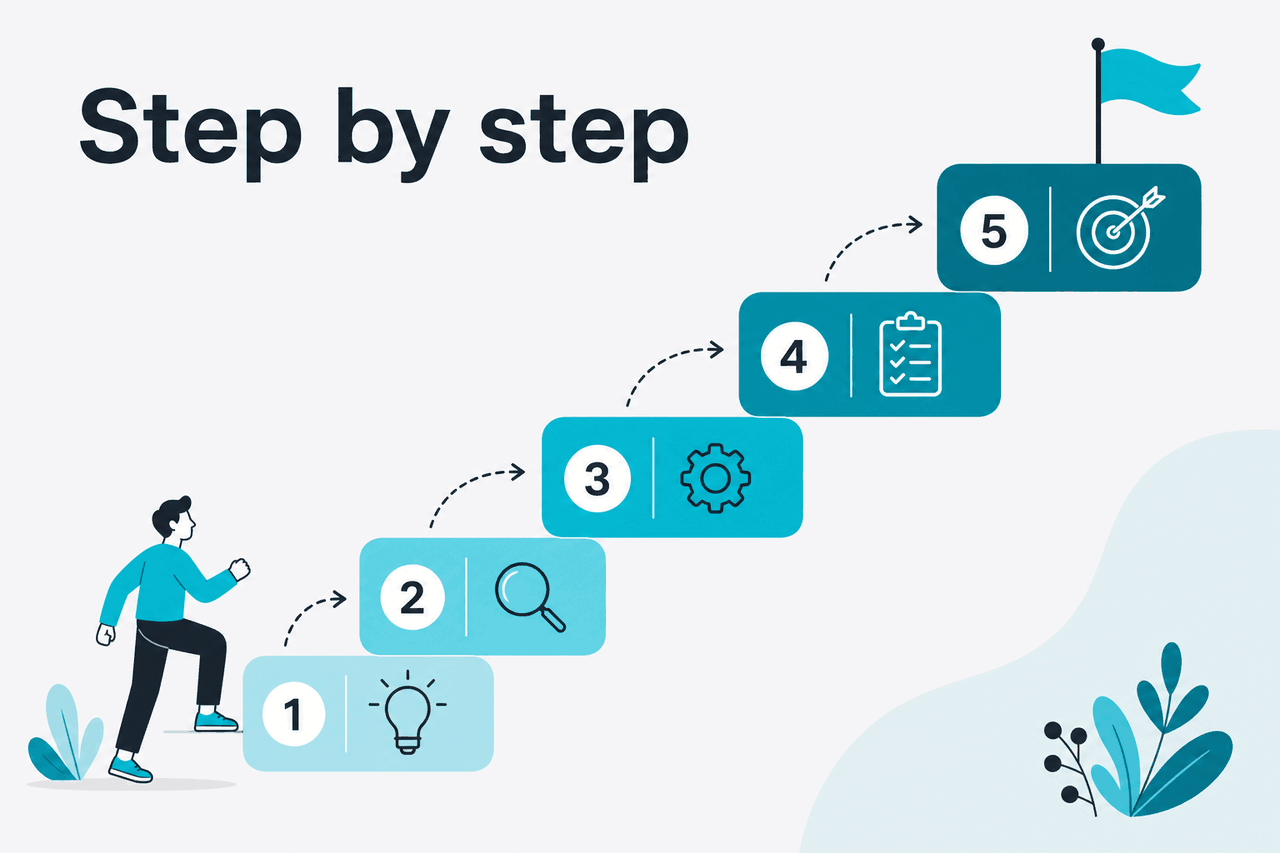
Follow this workflow when a Claude prompt needs to be reliable, not just good enough for one chat.
-
Start with the job, not the wording
Write one sentence that defines the real outcome. Example:
Create a concise competitor comparison for a founder deciding whether to use Claude for customer support triage.This keeps you from polishing a prompt before you know what success means. -
Give Claude the working context
Add the audience, situation, source material, and goal. Claude cannot know whether you want a legal memo, friendly email, product brief, or data-cleaning script unless you say so. If the answer must rely only on supplied material, state that clearly.
-
Separate instructions from source material
Use labels such as
Task,Context,Source material, andOutput format. Clear boundaries help Claude distinguish your instruction from text it should analyse. This matters when you paste customer emails, contracts, transcripts, code, or policy documents. -
Specify the output format before Claude answers
Ask for bullets, a table, JSON, a checklist, a short memo, or a draft email. Include column names or field names when the structure matters. If you need machine-readable output through the API, be stricter than you would be in a casual claude.ai chat.
-
Add examples when style or classification matters
One or two examples can be more useful than a long description. Show Claude what a good answer looks like and, when useful, what a bad answer looks like. Use examples for tone, tagging, extraction, grading, and rewriting tasks.
-
Give Claude a checking rule
Ask Claude to verify whether the answer follows the requirements before returning it. Example:
Before finalising, check that every claim is supported by the source material and remove anything that is not.This does not guarantee perfection, but it improves discipline. -
Test with real edge cases
Run the prompt on easy, typical, and difficult inputs. A prompt that works on a clean example may fail on a messy customer ticket, incomplete spreadsheet, or ambiguous policy note. Keep the failures and revise against them.
-
Save the prompt as a reusable template
Once the prompt works, turn variable parts into placeholders such as
{{audience}},{{source_text}}, and{{format}}. This makes the prompt easier to reuse in Projects or an API workflow.
Worked example
From vague prompt to structured Claude prompt
The improved prompt gives Claude a target, a reader, limits, and a format.
A strong general-purpose prompt template looks like this:
Task:
[Describe the exact job Claude should perform.]

Context:
[Explain the audience, goal, product, situation, or decision.]

Source material:
[Paste the text, data, notes, transcript, code, or document excerpt.]

Requirements:
- [Constraint 1]
- [Constraint 2]
- [Constraint 3]

Output format:
[Specify bullets, table, JSON, memo, email, checklist, or another structure.]

Quality check:
Before answering, check that the response follows the requirements and does not add unsupported facts.
Use roles carefully
Role prompting can help, but it is not magic. “Act as a senior product marketer” is weaker than telling Claude the audience, product, constraints, and decision you need to support. Use a role when it clarifies the lens. Do not use it as a substitute for the task.
Ask for structure, not mind-reading
If you ask Claude to “make this better,” it has to infer what better means. That may produce a fluent answer that misses your goal. Replace broad words with observable criteria.
| Instead of | Use |
|---|---|
| “Make this more professional.” | “Rewrite this for a finance director. Keep a calm tone, remove slang, and keep the call to action.” |
| “Analyse this data.” | “Find the three biggest changes by percentage, explain likely causes, and list questions we should verify.” |
| “Summarise this document.” | “Create a 6-bullet executive summary. Include risks, deadlines, and owner names if present.” |
| “Write better code.” | “Refactor this function for readability without changing behaviour. Explain each change after the code.” |
Use XML-style tags for long inputs
Anthropic recommends clear delimiters for complex prompts. XML-style tags are useful because they are readable and explicit. They work well when you have instructions, examples, documents, and output requirements in the same prompt.
<task>
Review the customer complaint and classify the likely issue.
</task>

<categories>
Billing error
Delayed shipment
Damaged item
Account access
Other
</categories>

<complaint>
{{customer_message}}
</complaint>

<output_format>
Return:
1. Category
2. Confidence: high, medium, or low
3. One-sentence reason
4. Suggested reply under 90 words
</output_format>
Prompting Claude for writing tasks
For writing, Claude usually needs the audience, purpose, tone, length, source material, and non-negotiable points. If the draft must match a brand voice, include a short style sample and explain which traits to copy. Do not ask Claude to imitate a living writer. Ask for concrete traits such as “plain language,” “short paragraphs,” or “minimal adjectives.”
Prompt pattern
Writing prompt for a business email
This gives Claude enough information to write with control rather than guess the business context.
Prompting Claude for analysis
For analysis, state the decision the analysis should support. Claude can summarise a spreadsheet, transcript, research note, or set of customer comments, but the result improves when you define the lens. Ask for caveats when the source material is incomplete.
Task:
Analyse the customer feedback below for a product team deciding what to fix next.

Source material:
{{feedback}}

Requirements:
- Group related complaints into themes.
- Count how many comments support each theme.
- Quote one representative comment per theme.
- Do not invent counts.
- Mark any uncertain theme as "needs review".

Output format:
Table with columns: Theme, Count, Evidence quote, Product implication, Confidence.
Prompting Claude for code
For coding, include the language, framework, runtime, existing code, error message, expected behaviour, and constraints. For API-based applications, pair prompt design with model selection, parameters, and validation. See our Claude API documentation guide and Claude models guide for related decisions.
Task:
Find the bug in this Python function and propose the smallest safe fix.

Context:
This runs in a scheduled job. Do not change the function signature.

Expected behaviour:
Return an empty list when there are no matching rows.

Actual behaviour:
Raises TypeError when rows is None.

Code:
{{code}}

Output format:
1. Cause of the bug
2. Minimal patch
3. One test case that would have caught it
Prompting Claude for extraction and JSON
When you need structured extraction, give Claude the schema and rules for missing data. Say whether it may infer values or must leave them blank. For production use, validate the result in code rather than trusting any model output blindly.
Extract the fields from the invoice text.

Rules:
- Return valid JSON only.
- Use null for missing values.
- Do not calculate tax if it is not shown.
- Use a standard ISO date format if a date is present.

Schema:
{
  "vendor_name": string | null,
  "invoice_number": string | null,
  "invoice_date": string | null,
  "total_amount": number | null,
  "currency": string | null
}

Invoice text:
{{invoice_text}}
Use Projects and context when the task repeats
If you repeat the same task in claude.ai, a Project can store relevant context, files, and instructions. This reduces the need to paste the same background each time. Our Claude features guide explains Projects and related product features at a higher level.
For developers, the official model overview and prompt engineering docs are the best places to check current platform guidance. For web users, the official product is claude.ai.
Measure prompt quality
A prompt is good if it performs well on the cases you care about. Do not judge it from one impressive answer. Create a small test set and compare outputs against a rubric.
| Criterion | What to check | Scoring idea |
|---|---|---|
| Accuracy | Does the answer match the source material? | 0 for unsupported claims, 1 for mostly correct, 2 for fully supported. |
| Completeness | Did Claude cover all required fields or points? | Count missing required items. |
| Format | Can you use the output without manual cleanup? | Pass or fail for strict formats. |
| Tone | Does it match the intended reader and situation? | Reviewer rating against examples. |
| Robustness | Does it handle messy or incomplete inputs? | Test on edge cases, not only clean examples. |
Common mistakes to avoid
Most Claude prompt engineering problems come from unclear goals, missing context, or prompts that cannot be evaluated.
- Vague task: “Help with this” gives Claude no finish line. Fix it by naming the exact deliverable, audience, and decision.
- No source boundaries: If you paste notes and instructions together, Claude may treat source text as instructions. Fix it with labels or XML-style tags.
- Too many goals in one prompt: Asking for strategy, copy, research, and formatting at once can produce shallow work. Fix it by splitting the job into stages.
- Unclear output format: If you need a table, JSON, or a short email, say so before Claude answers. Fix it by providing field names, length limits, and examples.
- Overtrusting fluent answers: Claude can sound confident even when details need checking. Fix it by asking for evidence, uncertainty labels, and human review for high-stakes work.
- Changing the prompt without tracking results: Random edits make quality hard to improve. Fix it by testing versions against the same examples.
Good prompt habits
- Use clear sections.
- Define the output before generation.
- Provide examples for style or labels.
- Test on messy inputs.
Weak prompt habits
- Rely on “make it better.”
- Hide the real business goal.
- Mix instructions with quoted material.
- Judge quality from one answer.
Where to go next

After you understand the core prompt patterns, apply them in the Claude surface you actually use.
For product features
Learn how Projects, files, artifacts, and other Claude features affect your prompting workflow.
For API workflows
Use stricter prompts, parameters, validation, and test cases when Claude runs inside an application.
For templates and examples
Build a small prompt library for repeatable writing, analysis, support, and research tasks.
If you are still comparing capabilities before building prompts, start with our Claude features overview. If your main question is practical access, pricing, or account limits, check the Claude FAQ.
Other questions readers ask
These quick answers cover related searches people often make when learning Claude prompt engineering.
Does Claude need different prompts from ChatGPT?
Many prompt principles are the same: clear task, context, constraints, examples, and output format. Claude often responds well to structured prompts with explicit sections and source boundaries. If you move a prompt from another model, test it rather than assuming the same wording will perform identically.
Should I tell Claude to think step by step?
You can ask Claude to work carefully, plan before answering, or check its work. In many cases, it is better to ask for a concise answer plus a short explanation or verification checklist. Do not require long reasoning traces unless you need an auditable explanation for a low-risk task.
What is the best Claude prompt format?
There is no single best format for every task. A reliable default is: task, context, source material, requirements, output format, and quality check. For long or complex prompts, use labelled sections or XML-style tags.
Can Claude write prompts for me?
Yes. Claude can help draft and improve prompts. Give it the task, a few examples of good and bad outputs, and the failure you want to fix. Then test the prompt yourself on real cases before using it in a workflow.
How do I prompt Claude to avoid hallucinations?
Tell Claude to rely only on the provided source material, cite the relevant section when possible, and mark missing information as unknown. This reduces unsupported claims, but it does not remove the need for review. For high-stakes work, verify outputs against primary sources or internal records.
Can prompt engineering replace fine-tuning or retrieval?
No. A strong prompt can improve consistency, but it cannot reliably supply missing knowledge or enforce business rules by itself. Use retrieval, tool calls, validation, and human review when the task depends on current records, private data, or strict compliance.
The honest take
Claude prompt engineering is less about clever phrasing and more about clear work design. Give Claude the job, context, boundaries, examples when needed, and a format you can evaluate. That beats most “secret prompt” templates.
The limitation is also clear: better prompts do not make Claude infallible. They make errors easier to spot, reduce ambiguity, and help you build repeatable workflows. Use official Anthropic documentation for platform details, and use independent guides like this one to compare patterns and apply them in practice.
Independent guide. Not affiliated with Anthropic. For the official Claude product, visit claude.ai.
Last updated: 2026-05-12
This article is part of the Claude tutorials hub on c-ai.chat.