Claude API auth means authenticating requests to Anthropic’s API with an API key from platform.claude.com, sent in the required headers over HTTPS; this guide explains the basic flow, security pitfalls, limits, and costs from an independent perspective at c-ai.chat, with a broader overview of the Claude API here.
- The short answer
- How it works
- What it costs
- Limits and gotchas
- Other questions readers ask
- The honest take
- API auth uses a secret API key in request headers
- Pricing is per million tokens, not per request
The short answer
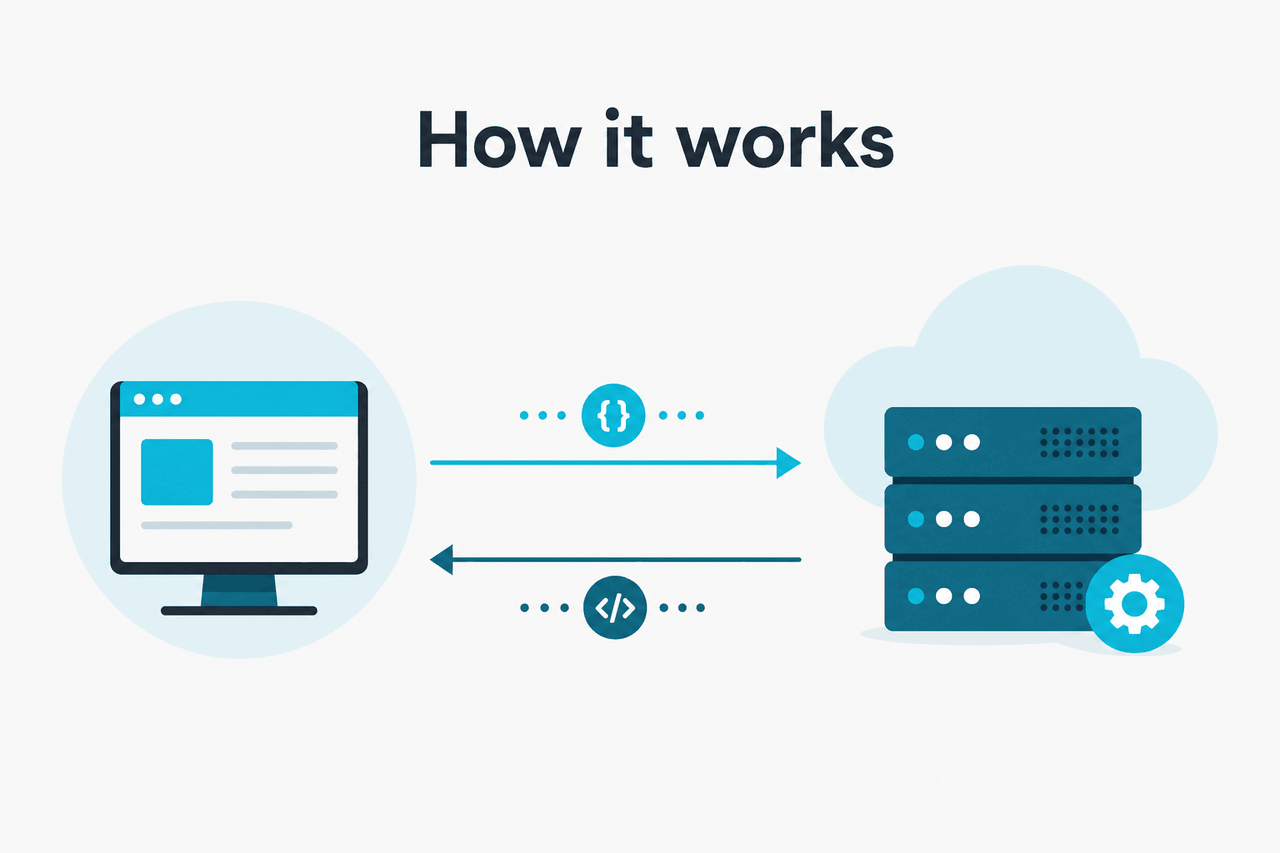
To use Claude’s API, create an API key in the Anthropic console, keep it on your server or in a secure secret manager, and send it in the x-api-key header along with the required Anthropic version header when calling the Messages API. Do not expose that key in client-side JavaScript, mobile apps, or public repos. Anthropic documents the auth pattern and headers in its developer docs at docs.claude.com and platform.claude.com.
Worked example
Minimal authenticated request
POST /v1/messagesx-api-key: YOUR_KEYanthropic-version: ...The request is simple; protecting the key is the real security job.
curl https://api.anthropic.com/v1/messages
  --header "content-type: application/json"
  --header "x-api-key: $ANTHROPIC_API_KEY"
  --header "anthropic-version: 2023-06-01"
  --data '{
    "model": "claude-sonnet-4-6",
    "max_tokens": 300,
    "messages": [
      {"role": "user", "content": "Say hello in one sentence."}
    ]
  }'
If you are still comparing the API with the consumer app, see our overview of Claude features and our guide to Claude pricing. Authentication for the API is separate from signing in to claude.ai.
How it works

Claude API authentication is header-based. You generate a secret key inside your Anthropic account on platform.claude.com, then your application sends that key with each HTTPS request to Anthropic’s API. The API uses the key to identify your workspace, enforce permissions and limits, and bill usage. Unlike an OAuth flow for end users, the common pattern here is service-to-service authentication.
In practice, this means your frontend should call your backend, and your backend should call Anthropic. That design keeps the secret out of the browser and gives you one place to add logging, rate limiting, retries, model routing, and spend controls. Anthropic’s developer docs on docs.claude.com and pricing and model references on platform.claude.com are the authoritative sources for required headers, supported endpoints, and current model names.
-
Create an API key
Open your Anthropic developer account on platform.claude.com and generate a key for your workspace.
-
Store it as a secret
Save it in an environment variable or secret manager such as
ANTHROPIC_API_KEY. Do not hard-code it in source files. -
Send required headers
Include
x-api-key,anthropic-version, and the correctcontent-typefor each request. -
Call the right model
Pass a supported model ID such as
claude-opus-4-7,claude-sonnet-4-6, orclaude-haiku-4-5, depending on your latency and cost target. -
Handle failures safely
Log request IDs, catch authentication and rate-limit errors, rotate keys when needed, and monitor service health on status.claude.com.
| Part | What it does | Security point |
|---|---|---|
| API key | Authenticates your workspace to Anthropic | Treat it like a password; never expose it publicly |
| HTTPS request | Encrypts traffic in transit | Required, but not enough if the key leaks |
| Backend proxy | Keeps secrets off the client | Preferred architecture for web and mobile apps |
| Version header | Tells Anthropic which API version your request targets | Use the documented value from official docs |
| Workspace controls | Supports billing and admin management | Review account and team settings regularly |
If you also use Claude Code, note that CLI tooling and the API can overlap in workflow but not always in authentication details. Developer tooling may wrap the API for you, while your own application code still needs direct key management and secure deployment practices.
What it costs
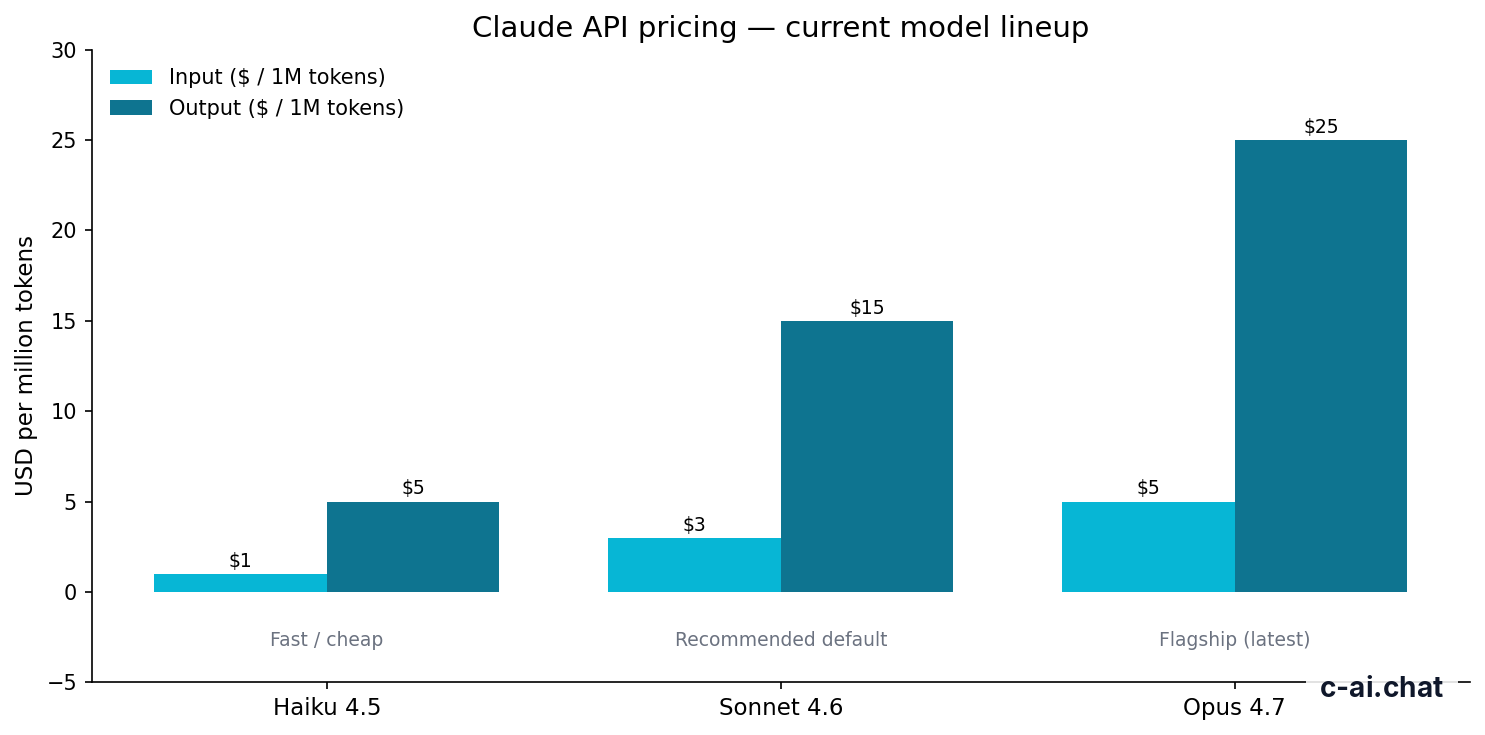
Claude API pricing is based on tokens processed, not on authentication events. Auth itself does not add a separate fee; you pay for model input and output usage after a valid request is accepted. Current headline API rates are Claude Opus 4.7 at $5 per million input tokens and $25 per million output tokens, Claude Sonnet 4.6 at $3 input and $15 output, and Claude Haiku 4.5 at $1 input and $5 output, as listed on claude.com/pricing and the developer pricing docs.
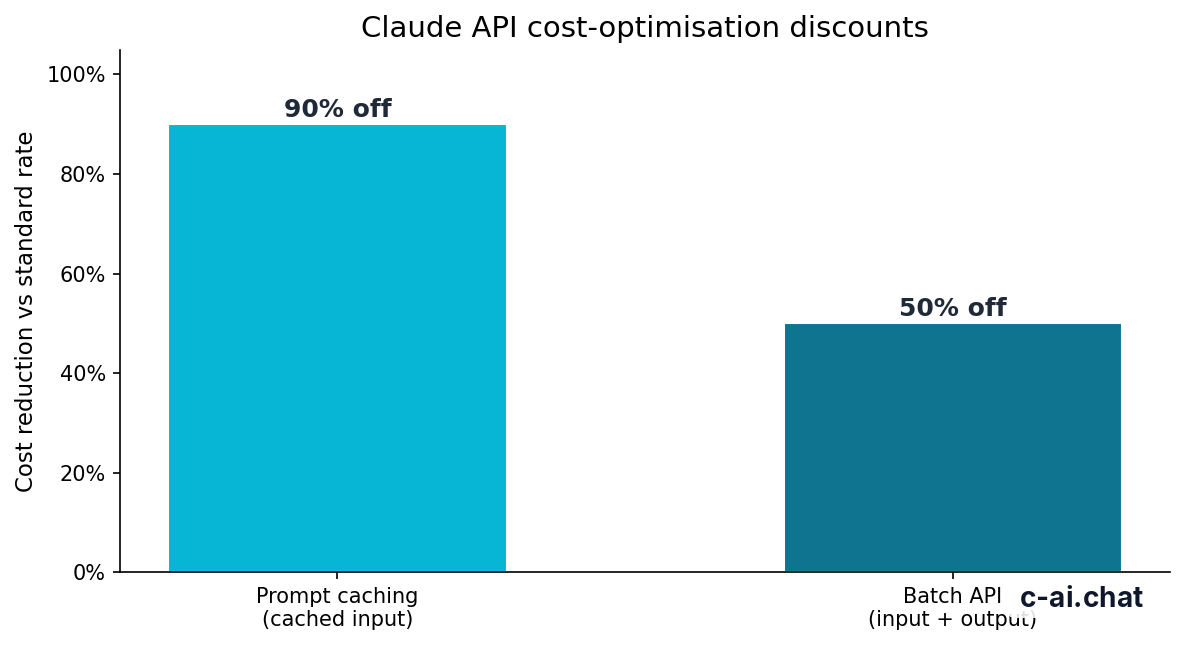
For teams building authenticated production apps, the main cost levers are model choice, prompt size, output length, prompt caching, and batch processing. Prompt caching can cut cached input token cost by 90%, which matters if your app repeatedly sends large system prompts, long instructions, or reusable context. Batch API pricing can reduce both input and output costs by 50% for workloads that do not need immediate responses.
90% off
cached input tokens with prompt caching
| Model | Best for | Input price | Output price |
|---|---|---|---|
| Claude Opus 4.7 | Highest-end reasoning and complex tasks | $5/M tokens | $25/M tokens |
| Claude Sonnet 4.6 | Recommended default for most apps | $3/M tokens | $15/M tokens |
| Claude Haiku 4.5 | Fast, lightweight, lower-cost workloads | $1/M tokens | $5/M tokens |
Pick when
- Use Opus 4.7 when output quality matters more than cost
- Use Sonnet 4.6 as the default API tier for most production apps
- Use Haiku 4.5 for classification, routing, and high-volume tasks
Skip when
- Do not default to Opus for every request without measuring ROI
- Do not send giant repeated prompts if prompt caching fits your workflow
- Do not ignore Batch API if latency is not important
Authentication and billing also intersect at the account level. A valid API key belongs to a workspace, so spend, usage controls, and admin settings are tied to that environment. If you are budgeting for a team rather than a solo project, compare API usage with Claude’s app-side plans in our pricing guide; the subscription tiers for the consumer and team products are separate from token-based API charges.
Limits and gotchas
Most Claude API auth problems are not cryptography problems. They are operational mistakes: keys leaked into frontend code, wrong headers, unsupported model names, unexpected workspace restrictions, or requests hitting limits. Here are the issues developers most often run into.
- Rate limits vary by account and usage tier. Anthropic can enforce request, token, or workspace-level limits. If a burst of traffic suddenly fails, check your account settings and the official docs rather than assuming the key is invalid.
- Model availability can differ by environment. A model listed in docs may not be enabled in the exact way you expect for your account, region, or plan. Verify current availability in your Anthropic console and the official models overview at platform.claude.com.
- Region and compliance constraints matter. Some organizations need regional data handling, auditability, or specific trust controls. Anthropic publishes security and trust information at trust.anthropic.com.
- Client-side apps are the biggest security trap. If your React, Next.js, iOS, or Android app talks directly to Anthropic with a hard-coded key, assume the key will be extracted.
- Wrong headers cause fast failures. Missing
x-api-key, a badanthropic-versionvalue, malformed JSON, or the wrong content type are common reasons for rejected requests. - 401 and 403 errors mean different things. A bad or missing key often produces an authentication error, while permission or workspace restrictions can produce authorization-style failures.
- Do not confuse claude.ai login with API access. Being able to sign in at claude.ai does not automatically mean your code is correctly authenticated to the API.
- Long context is available, but it changes cost and throughput. Opus 4.7, Opus 4.6, and Sonnet 4.6 support 1,000,000-token context at standard rates, but sending huge prompts can still slow workflows and raise spend if you do not cache reusable context.
- Status incidents happen. If authentication suddenly starts failing across otherwise healthy deployments, check status.claude.com before rotating every secret in panic.
- Key rotation is your responsibility. If a contractor leaves, a repository is exposed, or logs accidentally capture a secret, rotate the key immediately and review all services that used it.
// Good pattern
Browser or mobile app -> Your backend -> Anthropic API

// Bad pattern
Browser or mobile app -> Anthropic API with embedded secret key
If your implementation mixes app features, developer tooling, and team access, it helps to separate concerns: the API key authenticates your software to Anthropic, while your own app should handle user accounts and permissions internally. That distinction is easy to miss when you are moving quickly from prototype to production.
Other questions readers ask
The honest take
Claude API auth is straightforward. You create a key, send it in the documented headers, and keep that key on the server. The hard part is not learning the syntax. The hard part is operating it safely once real traffic, real users, and real costs are involved.
If you are building anything beyond a toy app, use a backend proxy, choose Sonnet 4.6 as your default starting point unless you have a reason to go cheaper or more capable, and treat key management as part of your production architecture rather than a setup checkbox. For the broader API picture, see our Claude API guide.
Independent guide. Not affiliated with Anthropic. For the official Claude product, visit claude.ai.
Last updated: 2026-05-10
This article is part of the Claude API for developers hub on c-ai.chat.