A Claude 429 error means the Anthropic API refused your request because you hit a rate, capacity, or quota limit; the fix is usually to slow requests, retry with backoff, reduce token load, or move to a higher-capacity plan. c-ai.chat is an independent guide, not Anthropic, and this page covers the cause, the mechanics, pricing context, common gotchas, and the fastest ways to get unblocked.
If you need the broader developer context first, start with our Claude API guide. If your issue turns out to be plan-related rather than code-related, our Claude pricing breakdown is the quickest companion page.
- The short answer
- How it works
- What it costs
- Limits and gotchas
- Other questions readers ask
- The honest take
The short answer
The claude 429 error is an HTTP 429 response from Anthropic’s platform that usually means too many requests, too many tokens in a short window, or temporary platform capacity pressure. In practice, fix it by adding exponential backoff, respecting any retry guidance from the API, smoothing bursts, lowering concurrency, and checking whether your account tier or workspace limits are the real bottleneck.
If your app sends many parallel calls, long-context prompts, or large outputs, you can trigger 429s even when each single request looks reasonable. The official pricing and model docs at platform.claude.com and the models overview help you map token usage to the model you chose.
Worked example
Minimal 429 handling pattern
Most developers solve Claude 429 errors by treating them as a throttling signal, not as a permanent failure.
async function callClaudeWithRetry(makeRequest, maxRetries = 5) {
  let delayMs = 1000;

  for (let attempt = 0; attempt <= maxRetries; attempt++) {
    try {
      return await makeRequest();
    } catch (err) {
      const status = err?.status || err?.response?.status;
      if (status !== 429 || attempt === maxRetries) throw err;

      await new Promise(r => setTimeout(r, delayMs));
      delayMs *= 2;
    }
  }
}How it works
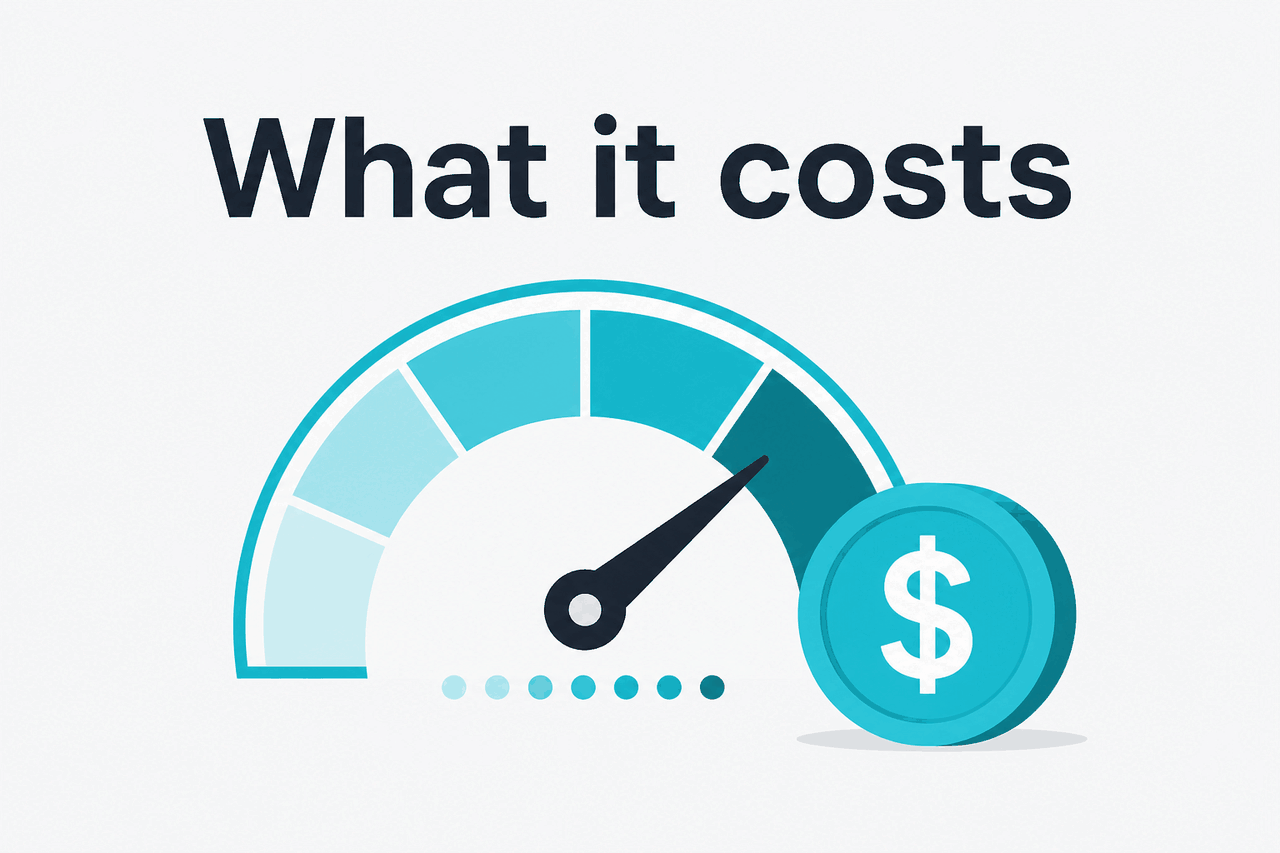
Anthropic enforces limits at the platform layer so one account, workspace, or traffic burst does not overwhelm shared capacity. A 429 response is the server telling you your current request pattern exceeds what your account can do right now. That can be request-based, token-based, or capacity-based throttling, depending on the endpoint, workspace configuration, and current platform conditions. The official developer documentation on docs.claude.com and platform.claude.com is the reference point for exact API behavior.
For developers, the important distinction is that 429 does not usually mean your code is invalid. A 400-series validation error means the request itself is wrong. A 401 or 403 points to auth or permissions. A 429 is different: your request may be perfectly valid, but the platform is asking you to send less, send later, or upgrade the capacity available to your account. If the issue is broad rather than app-specific, check status.claude.com before rewriting your client.
-
Send a request
Your app calls the Messages API or another Claude endpoint using your current model, token budget, and concurrency level.
-
Platform evaluates usage
Anthropic checks account quotas, current rate, request size, and available capacity for that traffic pattern.
-
Receive 429 if over the limit
If you exceed an allowed threshold, the API returns
429 Too Many Requestsinstead of processing normally. -
Retry with backoff
Wait, then retry. Use exponential backoff and jitter instead of immediate parallel retries, which often makes the problem worse.
-
Reduce pressure
Cut concurrency, shorten prompts, lower
max_tokens, batch work where possible, or move to a plan with higher usage limits.
Two related pages can help if you are tuning a real app: our Claude features guide explains what capability choices affect prompt size and output length, and our Claude Code guide is useful if the error appears inside coding workflows rather than a custom integration.
What it costs
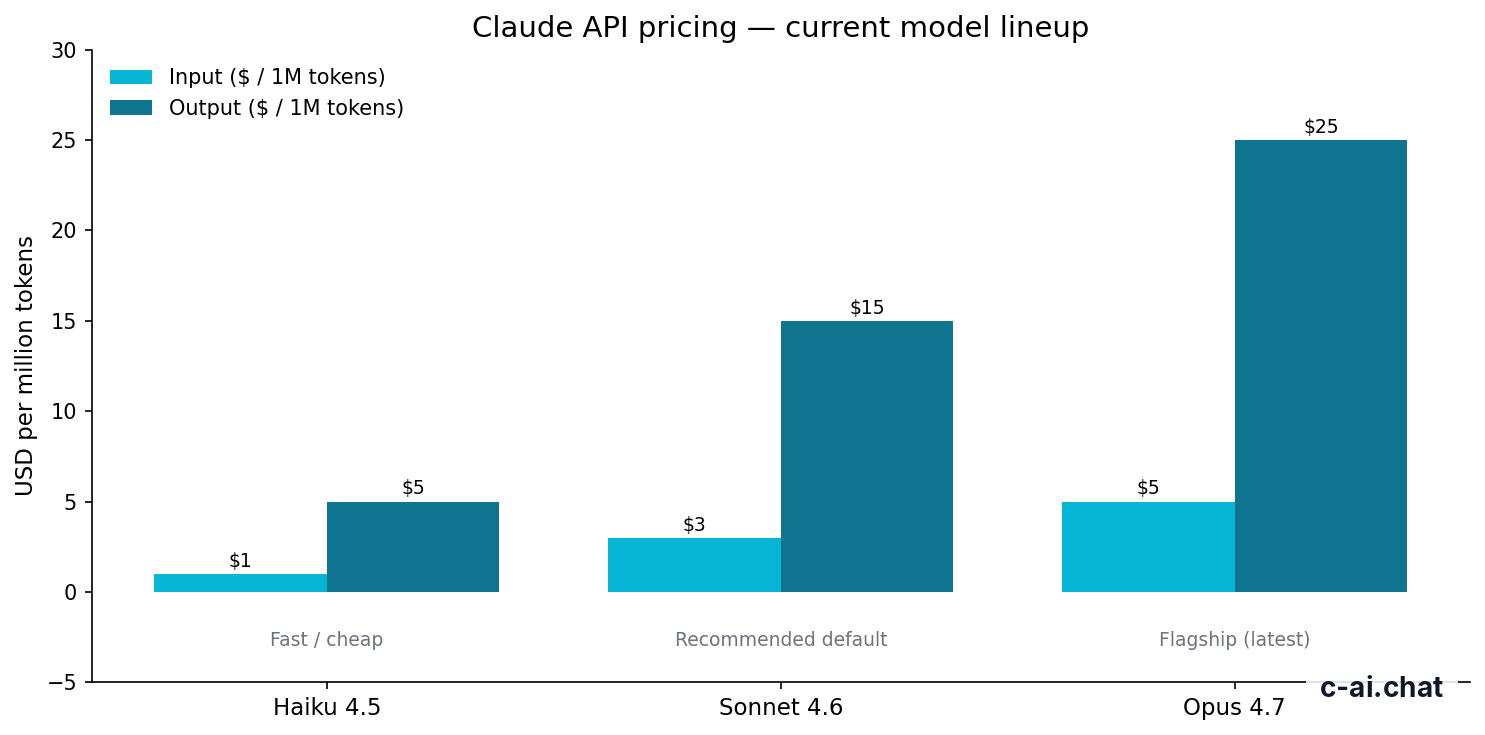
Claude API usage is billed per million tokens, so a 429 error is not a direct pricing error, but pricing still matters because cheaper models, smaller prompts, and lower output budgets often reduce the traffic pattern that triggers throttling. The current active API lineup is straightforward: Opus 4.7 costs $5 per million input tokens and $25 per million output tokens, Sonnet 4.6 costs $3/$15, and Haiku 4.5 costs $1/$5.
- Free tier · no card
- API priced per million tokens
| Model | Typical use | Input price | Output price |
|---|---|---|---|
| Claude Opus 4.7 | Flagship model for hardest tasks | $5/M tokens | $25/M tokens |
| Claude Sonnet 4.6 | Default choice for most apps | $3/M tokens | $15/M tokens |
| Claude Haiku 4.5 | Fastest and cheapest option | $1/M tokens | $5/M tokens |
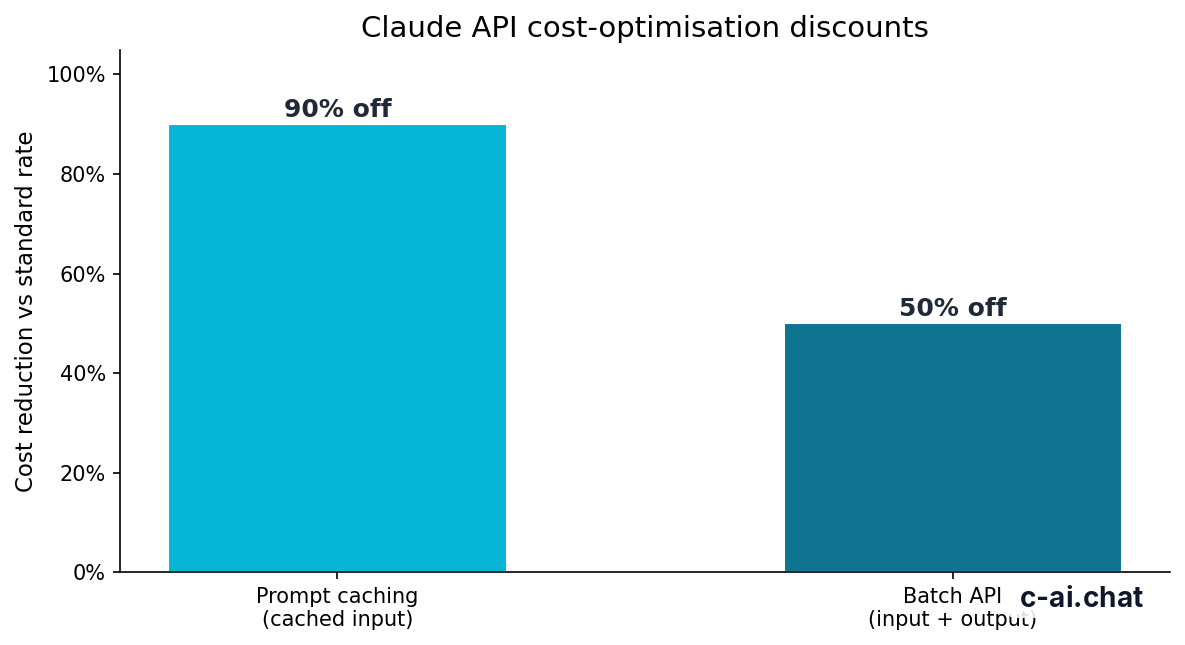
If your 429 errors happen during large repeated prompts, prompt caching can reduce both spend and pressure. Anthropic states cached input tokens can be discounted by 90%, which is useful for repeated system prompts, reusable instructions, and long shared context. For offline or delay-tolerant jobs, the Batch API can cut both input and output cost by 50%, which also makes it easier to avoid bursty real-time traffic patterns.
90% off
cached input tokens with prompt caching
Plan level matters too. Claude’s user-facing plans at claude.com/pricing include Free at $0/month, Pro at $20/month or $17/month annual, Max from $100/month, Team Standard at $25/seat/month or $20/seat/month annual, Team Premium at $125/seat/month or $100/seat/month annual, and Enterprise at $20/seat base plus usage at API rates. Those plans affect product access and usage ceilings, but API cost still comes down to token consumption and the limits attached to your account or workspace setup.
Pick when
- Haiku 4.5 when your app is latency-sensitive and cheap retries matter.
- Sonnet 4.6 when you need a balanced default for production traffic.
- Prompt caching when the same large instructions repeat across requests.
- Batch processing when work can wait and real-time spikes are avoidable.
Skip when
- Opus 4.7 if your workload is simple and high-volume; the extra capability may not justify the token cost.
- Mass parallel retries if you are already hitting 429s.
- Huge default output limits when users usually need short answers.
- Long context by default if only a small fraction of requests need it.
If your main goal is choosing the right spend profile before you tune rate limits, see our separate pricing guide. It is the better page for plan comparison, while this page stays focused on fixing the 429 response itself.
Limits and gotchas
The confusing part of a Claude 429 error is that the exact trigger is not always obvious from your app logs alone. Developers often focus on requests per second, but token volume, output length, concurrent jobs, account tier, and temporary platform conditions can all matter at the same time.
- Request rate is only one limit. You can hit a 429 because of tokens per minute or concurrency, even if raw request count looks low.
- Large prompts raise pressure fast. Long context windows are available on Opus 4.7, Opus 4.6, and Sonnet 4.6 at standard rates, but a million-token context still creates heavy traffic if used often.
- Output caps matter. If you set very high output limits, a few parallel requests can consume more capacity than many short requests.
- Model choice changes throughput economics. Haiku 4.5 is often the easiest way to handle simple high-volume workloads without unnecessary cost.
- Workspace and plan configuration can differ. A Team or Enterprise environment may have controls, spending rules, or admin settings that change how usage is managed.
- Capacity events happen. If many users are affected at once, check the official status page before assuming your deploy caused it.
- Region and compliance setups can affect architecture. Enterprise features such as regional data residency and stricter controls may change which environment or routing pattern your team uses.
- 429 is not the same as auth failure. Invalid keys, expired credentials, or wrong permissions usually produce 401 or 403 responses instead.
- Retry storms make things worse. If every failed worker retries at the same delay, the second wave often recreates the same 429 spike.
- Streaming is not a free pass. Streaming improves UX, but it does not remove platform-side throughput limits.
The safest default is simple: cap concurrency, use jittered backoff, keep prompts lean, and treat 429s as normal operational events rather than exceptional crashes.
One more gotcha: some teams test with one user pattern and deploy a completely different one. A single developer clicking around in a staging app rarely exposes the same load shape as background jobs, queued summarisation, or multi-tenant production traffic. If you are seeing the error after launch, compare real concurrency and token volume against staging assumptions before blaming the model.
Other questions readers ask
The honest take
The claude 429 error is usually a normal throttling signal, not a sign that Claude is broken or that your integration is fundamentally wrong. Most fixes are operational: smooth out bursts, retry properly, shorten requests, and choose the right model for the job. If that does not solve it, the next place to look is account capacity, workspace policy, or a wider platform event.
For most developers, Sonnet 4.6 is the practical default, Haiku 4.5 is the easiest way to reduce cost and pressure on simpler workloads, and Opus 4.7 makes sense when capability matters more than volume economics. If you are still getting blocked, start from the official API docs and status page, then compare your setup against our API guide and feature overview to spot where your request pattern became too aggressive.
Independent guide. Not affiliated with Anthropic. For the official Claude product, visit claude.ai.
Last updated: 2026-05-10
This article is part of the Claude API for developers hub on c-ai.chat.