Claude API curl means sending an HTTPS request to Anthropic’s API from the command line with curl, usually to the /v1/messages endpoint with your API key, model name, and prompt; this independent guide explains the basic request, how the flow works, pricing, and the common mistakes that trip people up. For the broader developer overview, see our Claude API guide.
- The short answer
- How it works
- What it costs
- Limits and gotchas
- Other questions readers ask
- The honest take
- Works with curl against Anthropic’s HTTPS API
- API priced per million tokens
The short answer
The basic claude api curl pattern is a POST request to https://api.anthropic.com/v1/messages with headers for x-api-key, anthropic-version, and content-type, plus a JSON body that names a model such as claude-sonnet-4-6 and includes your message. Anthropic documents this flow on platform.claude.com; this page explains it in plain English.
curl https://api.anthropic.com/v1/messages
  --header "x-api-key: $ANTHROPIC_API_KEY"
  --header "anthropic-version: 2023-06-01"
  --header "content-type: application/json"
  --data '{
    "model": "claude-sonnet-4-6",
    "max_tokens": 300,
    "messages": [
      {"role": "user", "content": "Write a three-line summary of prompt caching."}
    ]
  }'
Worked example
Smallest useful Claude Messages API request
/v1/messagesclaude-sonnet-4-6x-api-keyanthropic-version: 2023-06-01If your key, headers, and JSON are valid, Claude returns a structured JSON response you can inspect, pipe, or save.
If you are still choosing between the web app and the API, our Claude features overview and Claude pricing guide help with that split. If you specifically want terminal and coding workflows, see Claude Code as well.
How it works

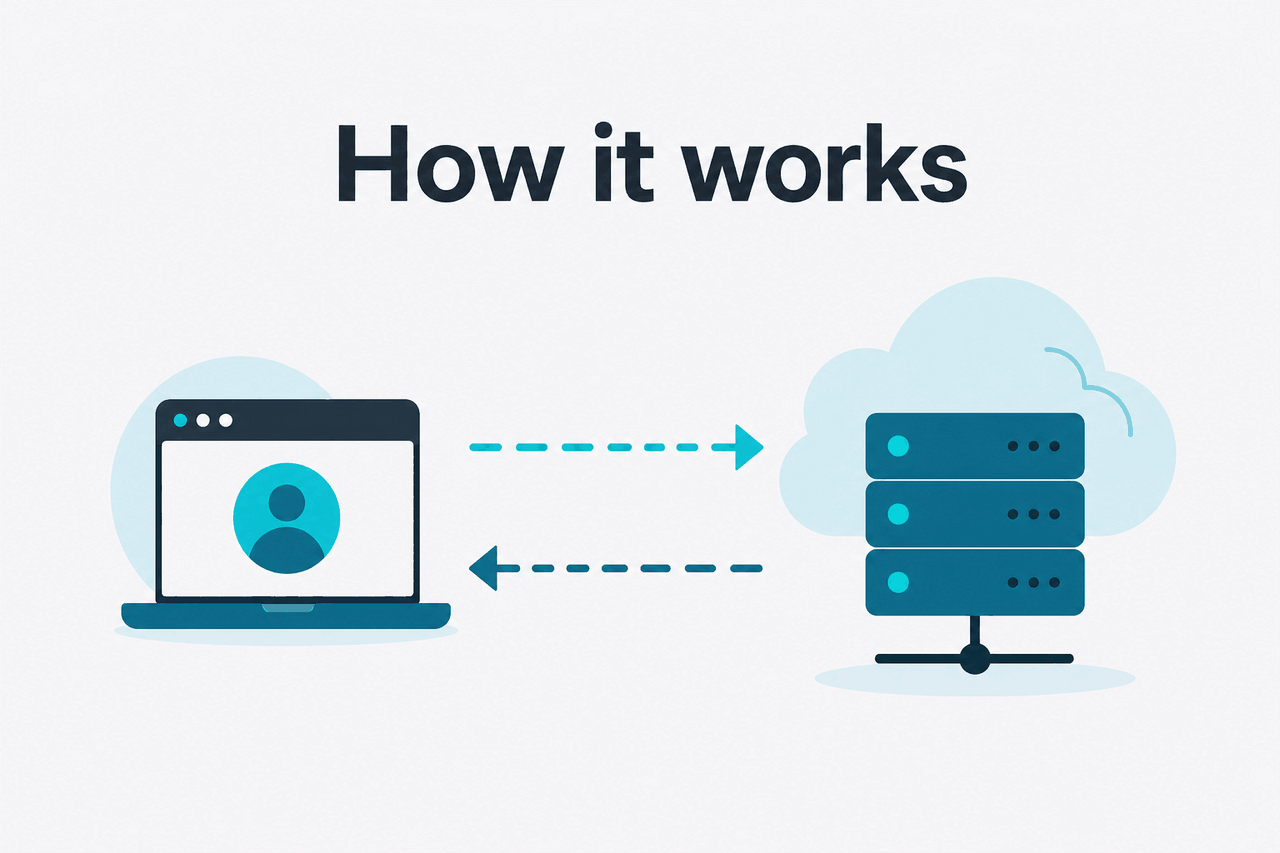
Under the hood, curl is just a raw HTTP client. You send a JSON payload to Anthropic’s API, the model processes the request, and the server replies with JSON that includes the generated content plus usage information. For most developers, the key fields are the model name, the maximum output token count, and the messages array that contains your prompt in chat format.
Anthropic’s current API documentation lives on platform.claude.com and docs.claude.com. The main thing to remember is that modern Claude requests are built around the Messages API, not a single plain-text prompt field. That matters because system instructions, user turns, tool use, long context, and structured app logic all build on the same request shape.
-
Create an API key
Generate a key in platform.claude.com and store it in an environment variable such as
ANTHROPIC_API_KEY. -
Pick a model
Use
claude-sonnet-4-6for a strong default,claude-haiku-4-5for cheaper fast calls, orclaude-opus-4-7for heavier reasoning and large-context work. -
Send a POST request
Call
https://api.anthropic.com/v1/messageswithx-api-key,anthropic-version, and a JSON body that includesmessagesandmax_tokens. -
Parse the JSON response
Read the assistant output from the response body. In scripts, many developers pipe the output into
jqto extract text or usage fields. -
Handle errors and retries
Check HTTP status codes, invalid JSON, quota issues, and transient failures before you move the request into production code.
A practical tip: test your prompt with curl before you write SDK code. It makes auth problems, malformed JSON, and header mistakes obvious. Once the raw request works, porting it to Python, JavaScript, or your framework is much easier.
Why developers use curl first: it shows the exact request and response shape without SDK abstractions getting in the way.
What it costs
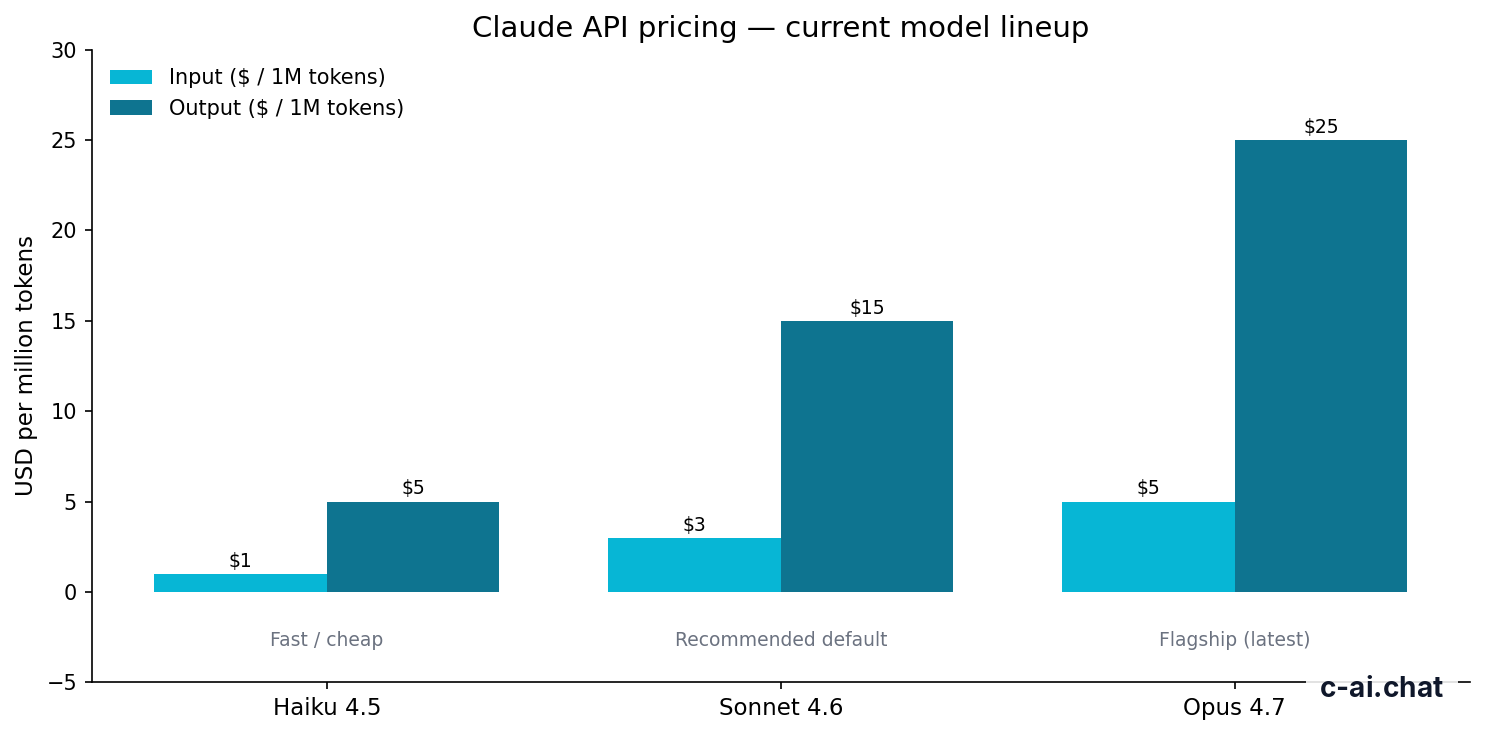
Claude API pricing is usage-based, billed per million input and output tokens. The current headline rates are straightforward: Opus 4.7 costs $5 per million input tokens and $25 per million output tokens, Sonnet 4.6 costs $3/$15, and Haiku 4.5 costs $1/$5. If you are just testing claude api curl commands, the actual dollar cost is usually tiny unless you send large prompts or request long outputs.
| Model | Best for | Input price | Output price |
|---|---|---|---|
| Claude Opus 4.7 | Flagship reasoning and long-context work | $5/M tokens | $25/M tokens |
| Claude Sonnet 4.6 | Default choice for most apps | $3/M tokens | $15/M tokens |
| Claude Haiku 4.5 | Fast, low-cost requests | $1/M tokens | $5/M tokens |
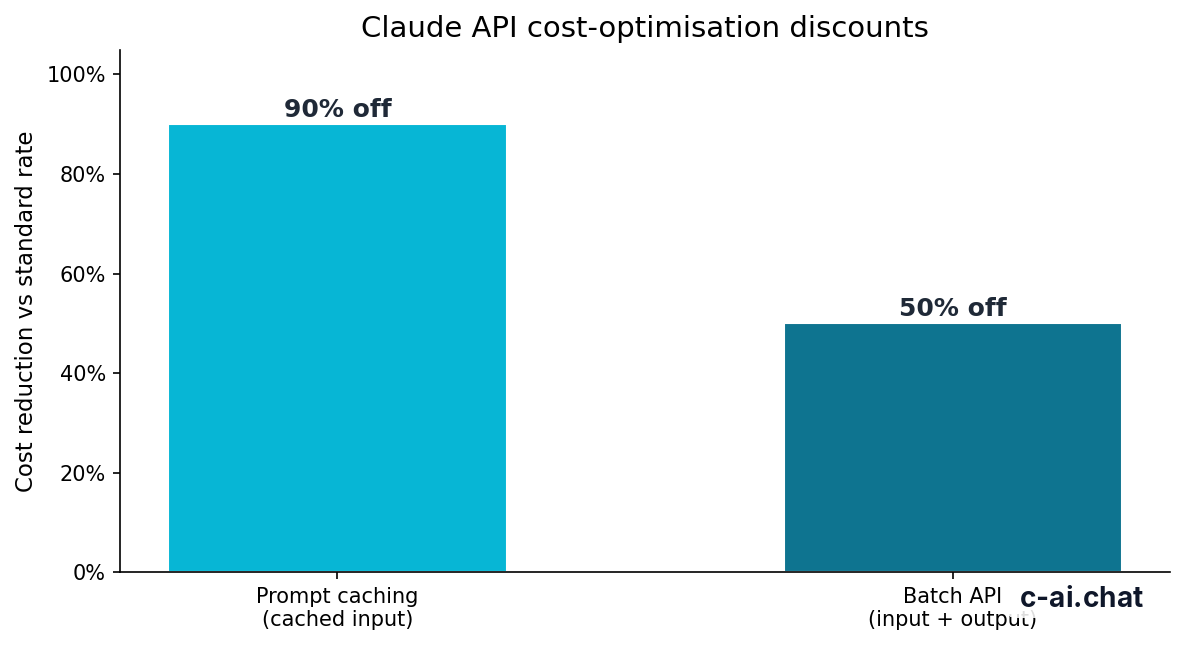
90% off
cached input tokens with prompt caching
Two optimisations matter a lot once your shell test becomes a real workload. Prompt caching can reduce the cost of cached input tokens by 90%, which is useful when your requests share a large stable prefix. Batch API can cut costs by 50% in both directions, which matters for offline processing, large evaluation runs, or queued jobs that do not need an immediate response.
Worked example
Rough cost for a small Sonnet 4.6 test call
For typical command-line testing, your main risk is not high spend but accidental loops, oversized prompts, or requesting more output than you need.
If you also use Claude through the consumer app, remember that API billing and subscription plans are separate. The web and mobile plans start with Free at $0/month, then Pro at $20/month or $17/month annual, Max from $100/month, Team Standard at $25/seat/month or $20/seat/month annual, Team Premium at $125/seat/month or $100/seat/month annual, and Enterprise at $20/seat base plus usage at API rates. Our pricing page explains when a subscription makes sense versus direct API spend.
Limits and gotchas
Most claude api curl failures are not model problems. They are request-shape problems, account limits, or assumptions copied from another provider’s API. These are the issues that show up most often.
- Wrong endpoint: many examples on the web are outdated or written for a different API. Use Anthropic’s current Messages API endpoint and current model names from the official model overview.
- Missing headers: if you forget
x-api-key,anthropic-version, orcontent-type: application/json, the request will fail. - Bad JSON quoting: shell quoting breaks easily, especially on Windows or when your prompt contains apostrophes, line breaks, or embedded JSON.
- Rate limits: accounts can hit usage or throughput limits depending on plan, tier, and endpoint. If requests suddenly fail or slow down, check your account settings and status.claude.com.
- Model availability: not every account has identical access at all times. If a model name is valid in docs but unavailable to your account, test with Sonnet 4.6 or another model you can access.
- Region and compliance constraints: enterprise controls, residency options, and availability can differ by contract and workspace setup. Do not assume every feature is globally identical.
- Output limits: the model may stop because it reached your
max_tokenssetting or the endpoint’s effective output ceiling. If the answer is truncated, increase the output budget carefully. - Large context assumptions: long context is powerful, but sending huge prompts with
curlis clumsy and expensive if repeated. Use prompt caching when your app reuses large shared context. - Streaming expectations: if you want token-by-token or chunked output, a basic one-shot
curlexample may not match the behavior you need in production. - Auth leaks in shell history: never paste raw API keys into commands that will be saved to terminal history or shared in screenshots. Use environment variables.
Pick when
- You want to validate a request fast
- You are debugging headers or JSON
- You need a copyable example for docs or scripts
Skip when
- You need robust retries and production logging
- You are sending complex multi-part payloads repeatedly
- You need richer app logic than shell scripts handle well
Other questions readers ask
The honest take
If you searched for claude api curl, the answer is simple: yes, Claude works well with curl, and it is one of the cleanest ways to understand the API before you commit to an SDK. For quick tests, docs, CI checks, and shell automation, it is a strong option. For larger apps, it should usually be your starting point, not your final architecture.
The main caveat is that raw HTTP makes mistakes visible. That is useful, but it also means you need to be precise about headers, model names, JSON, output limits, and billing. If you want the broad product picture first, go back to our independent Claude guide or the API overview. If you are ready to use the official product, go to Claude directly.
Independent guide. Not affiliated with Anthropic. For the official Claude product, visit claude.ai.
Last updated: 2026-05-10
This article is part of the Claude API for developers hub on c-ai.chat.