The Claude Batch API is Anthropic’s asynchronous bulk-processing option for submitting many Claude Messages API requests at once, checking status later, and receiving results at 50% off standard API token pricing; this independent c-ai.chat guide explains when to use it alongside our Claude API docs guide.
50% off
Batch API input and output tokens
The short answer
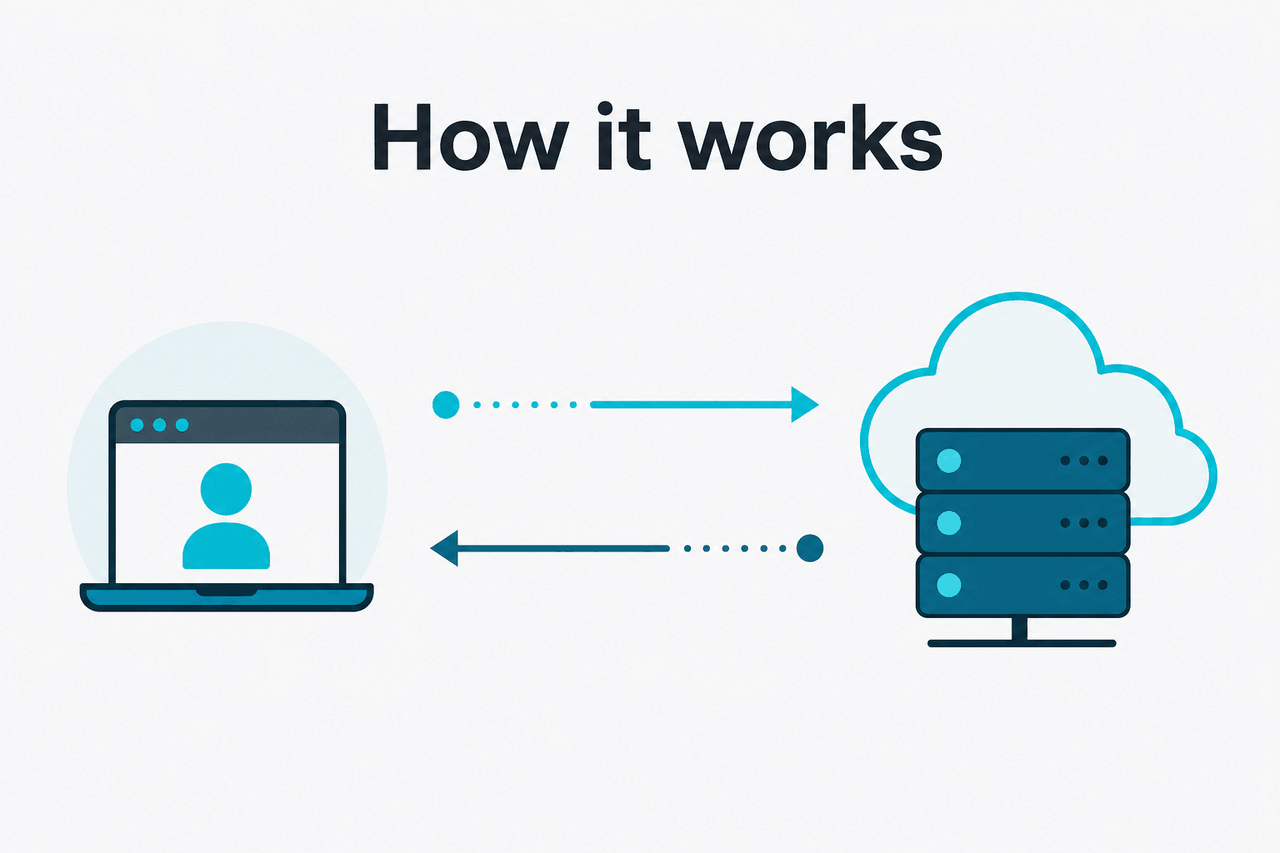
The Claude Batch API lets developers send a large group of Messages API requests in one job, then retrieve the results after Anthropic processes them.
Use it when latency does not matter. It fits back-office work: classifying support tickets, scoring leads, extracting fields from documents, running model evaluations, generating product metadata, or applying the same prompt pattern to thousands of records.
Do not use it for real-time chat, live assistants, streaming responses, or user-facing workflows that need an answer in seconds. The trade-off is simple: you accept asynchronous processing for lower token cost.
Use the Batch API when
You have many similar requests, stable record IDs, and no user waiting for an immediate reply.
Use the standard API when
You need low latency, streaming, tool use in a live product flow, or tight control over response timing.
Minimal code shape
A batch is a list of Messages API requests with your own IDs
{
  "requests": [
    {
      "custom_id": "ticket-001",
      "params": {
        "model": "claude-sonnet-4-6",
        "max_tokens": 300,
        "messages": [
          {
            "role": "user",
            "content": "Classify this support ticket as billing, bug, or account."
          }
        ]
      }
    },
    {
      "custom_id": "ticket-002",
      "params": {
        "model": "claude-sonnet-4-6",
        "max_tokens": 300,
        "messages": [
          {
            "role": "user",
            "content": "Classify this second support ticket."
          }
        ]
      }
    }
  ]
}
Use Anthropic’s current platform documentation as the source of truth before shipping.
The important field is custom_id. It lets you match each result back to your source record after the batch finishes. Without a stable ID, bulk results become hard to reconcile.
How it works
The Batch API wraps normal Claude Messages API calls inside an asynchronous job. Each item includes the same kind of parameters you would send to the Messages API: model, messages, max output tokens, and other supported options.
Treat batches as jobs. Your app should create a batch, store the returned batch ID, check for completion, retrieve results, and update your database using the original custom_id values. Do not assume results arrive in the same order as inputs.
Prepare records
Normalize your rows, documents, tickets, or evaluation cases. Assign a stable
custom_idto each item.Build Messages requests
Create one Claude Messages API request per item. Keep prompts consistent, set the model, choose a sensible
max_tokens, and include only the context each item needs.Create the batch
Submit the batch through Anthropic’s API using the current endpoint or SDK method from the platform docs.
Track status
Store the batch ID and check whether the job is queued, running, complete, canceled, expired, or failed.
Process results
Map each result back to your database using
custom_id. Save successful outputs and per-item errors.
A good batch workflow is boring. It logs inputs, records the model used, stores the prompt version, and keeps failed items for retry. This matters because batch workloads often touch large datasets. A silent prompt bug can affect thousands of rows.
If your application needs immediate responses, use the standard API flow described in our Claude API reference. If you are comparing product capabilities rather than building with code, use our Claude features guide and Claude models guide.
What it costs

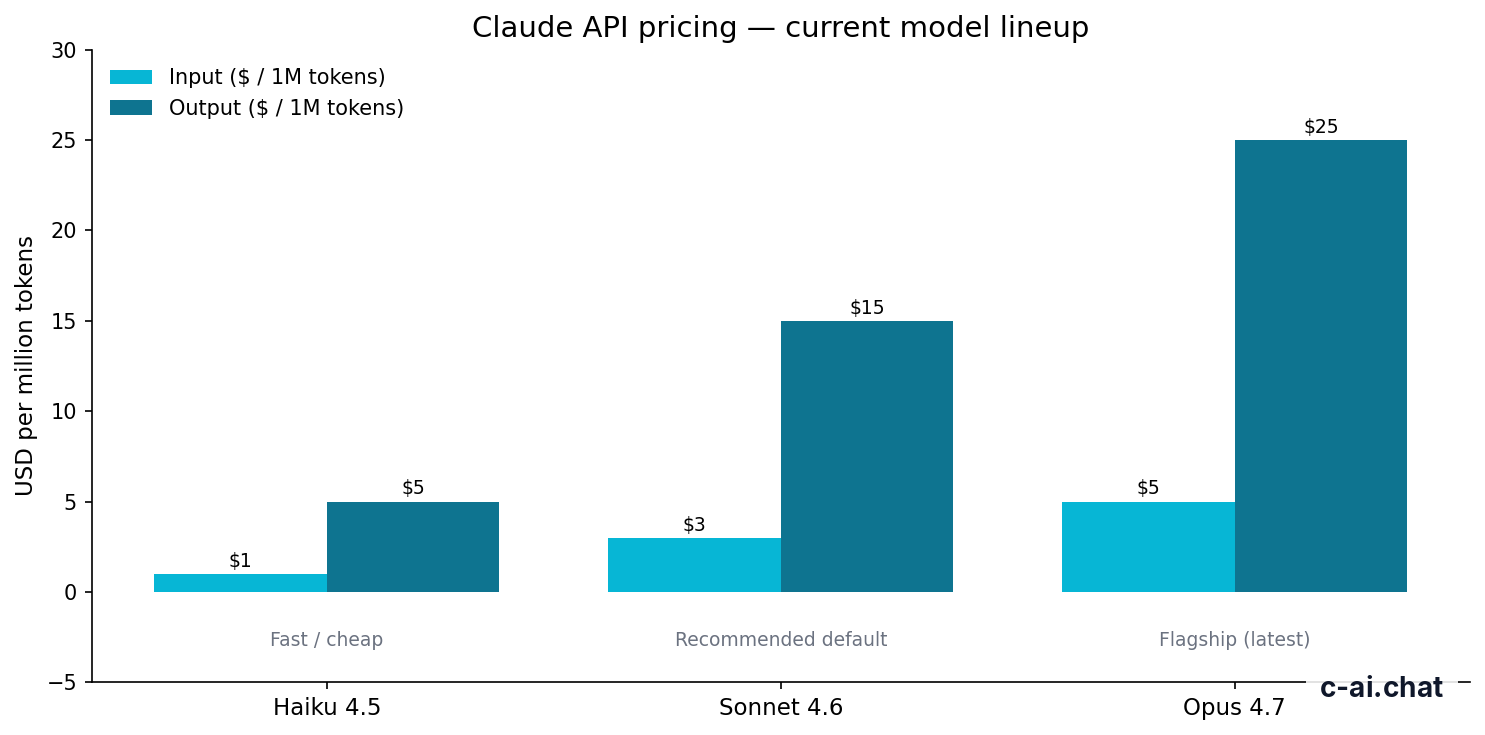
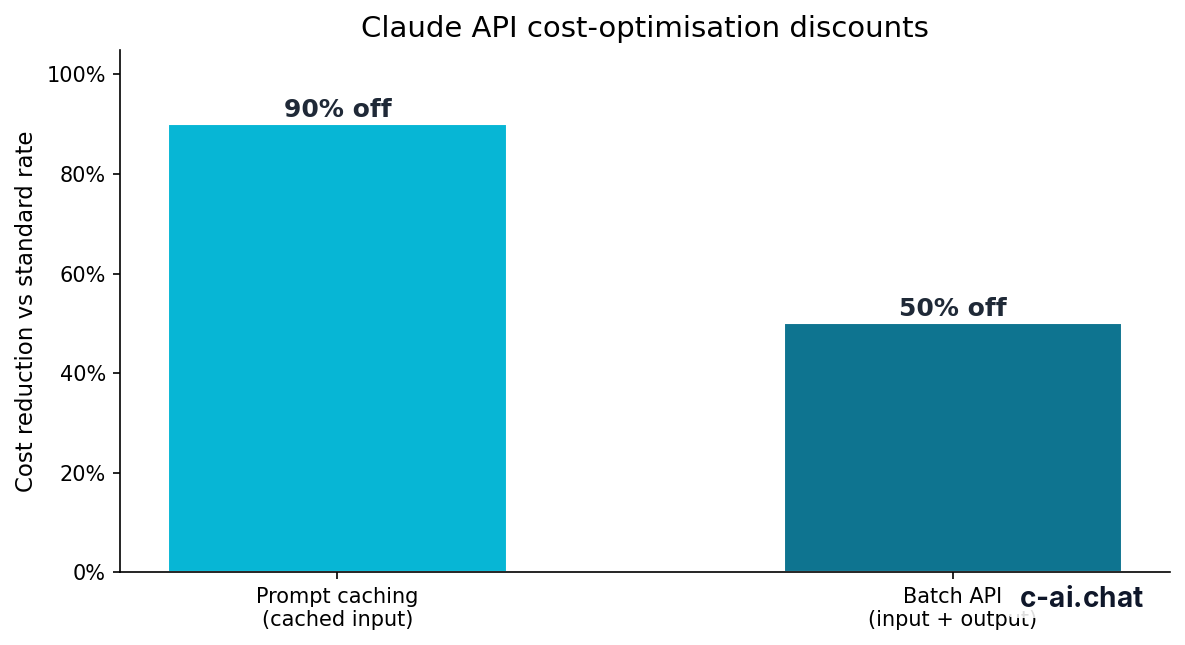
The Batch API applies a 50% discount to both input and output tokens for eligible batch processing. Standard API prices differ by model. Output tokens are usually the expensive part, so cap outputs where you can.
| Model | Best fit | Standard input price | Standard output price | Batch API effective price | Capability note |
|---|---|---|---|---|---|
| Claude Opus 4.7 | Hard reasoning and long-context analysis | $5/M tokens | $25/M tokens | $2.50/M input, $12.50/M output | 1M context |
| Claude Sonnet 4.6 | Default choice for most batch jobs | $3/M tokens | $15/M tokens | $1.50/M input, $7.50/M output | 1M context; 128K max output |
| Claude Haiku 4.5 | Simple, high-volume work | $1/M tokens | $5/M tokens | $0.50/M input, $2.50/M output | Fastest and cheapest listed option |
Haiku 4.5
$1/$5 per M tokens before batch discount
Use for simple classification, tagging, and extraction at high volume.
Sonnet 4.6
$3/$15 per M tokens before batch discount
Use as the default for quality-sensitive batch work.
Opus 4.7
$5/$25 per M tokens before batch discount
Use when harder reasoning or long-context analysis justifies the higher rate.
Prompt caching is separate. It can reduce cached input token cost by 90% when requests reuse the same large prompt prefix, instructions, schema, or reference material. Batching reduces the cost of asynchronous work. Caching reduces repeated input cost.
Worked example
Estimating a Sonnet 4.6 batch
The same workload outside the Batch API would be $60 before other optimisations.
The calculation above is only a token estimate. Real bills depend on exact token counts, model choice, cache hits, retries, failed requests, and account limits. See our Claude pricing guide for plan-level context and compare it with Anthropic’s official Claude pricing page.
Limits and gotchas
The Batch API is simple in concept, but bulk processing exposes mistakes quickly. Validate a small sample before sending a large job.
- Rate limits still matter. Batch processing has capacity and account-level constraints. Your account may be limited by request volume, token volume, or usage tier.
- It is asynchronous. Do not use it for live chat, streaming UI, support copilots, or anything where a human is waiting.
- Model availability can vary. Confirm that the model you want is supported for your account and environment before building around it.
- Compliance needs may affect deployment. Enterprise controls, regional data residency, HIPAA-ready options, and related settings depend on contract and configuration. Check Anthropic Trust and your account terms.
- Large batches need careful sizing. Anthropic documents current request-count and file-size limits in its platform docs. Build your pipeline so it can split work into smaller batches.
- One bad item should not break your process. Store per-item errors and retry only the failed records after fixing the cause.
- Output order is not your data model. Always join results using
custom_id, not array position. - Expired or canceled jobs need handling. Treat these as normal states in your job table.
- Cost can still grow quickly. A 50% discount helps, but millions of long outputs can still cost more than expected.
Common errors include malformed JSON, invalid model names, missing authentication, unsupported parameters, batches that exceed documented limits, quota issues, and per-item validation failures. Log request metadata without storing sensitive user data unnecessarily. If Anthropic has an incident, check Claude status before debugging your own queue.
Pick it when
- You have many similar API requests.
- The job can finish later.
- You can map results by stable IDs.
- You care more about unit cost than response latency.
Skip it when
- A user is waiting in a live interface.
- You need token streaming.
- Your requests require manual review before each call.
- You have not tested the prompt on a small sample.
Security review is part of the job. Batch workloads often include customer records, sales data, support messages, or documents. Minimise what you send, redact where possible, and use your normal data-retention and access-control process. For account support, use Anthropic’s official support resources.
FAQ
Another practical pattern is to run smaller batches by task type, model, or customer segment. This makes errors and costs easier to isolate. It also makes retries safer.
The honest take
The Claude Batch API is worth using when you have high-volume, non-urgent work and a clean way to match each result back to a source record. The 50% discount is meaningful for repeatable jobs such as enrichment, extraction, classification, and evaluations.
The trade-off is operational. You need job tracking, retries, validation, and monitoring. Do not use it just because it is cheaper. Use it when the product requirement fits asynchronous processing. If a person is waiting, use the standard Claude API. If a dataset is waiting, batch it.
Independent guide. Not affiliated with Anthropic. For the official Claude product, visit claude.ai.
Last updated: 2026-05-12
This article is part of the Claude API for developers hub on c-ai.chat.