The anthropic go sdk is Anthropic’s official Go library for calling the Claude API from Go applications, and this independent guide explains what it does, how it works, what it costs, and the main limits to watch before you build with it. If you need the broader API context first, start with our Claude API guide.
- The short answer
- How it works
- What it costs
- Limits and gotchas
- Other questions readers ask
- The honest take
- Official Go library for the Claude API
- API priced per million tokens
The short answer
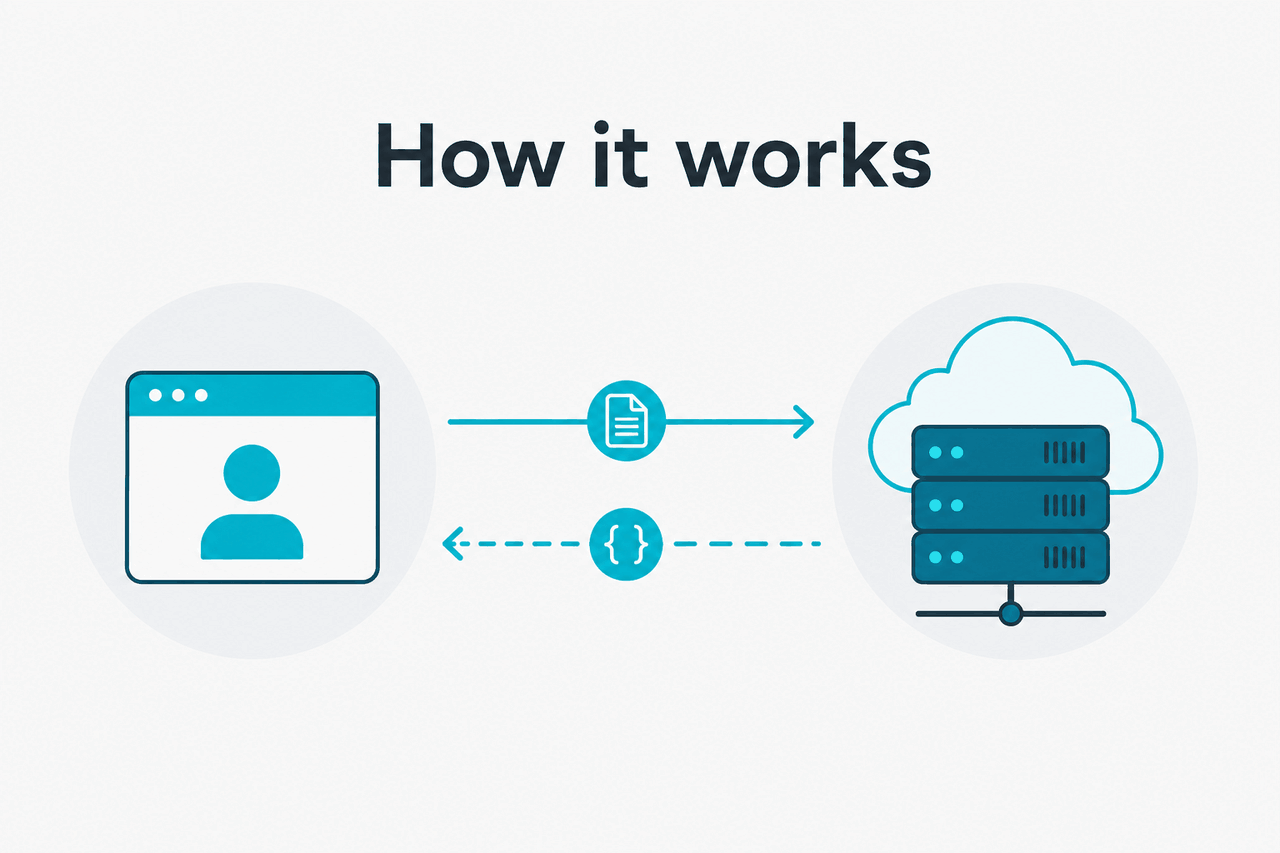
Yes — if you want to use Claude from Go, the Anthropic Go SDK is the right starting point because it wraps the Claude API with typed client methods, standard authentication, and model access through Anthropic’s official platform at platform.claude.com. You still need an API key, you still pay API token rates, and you still need to handle production concerns like retries, timeouts, and usage limits in your app.
For most developers, the SDK saves time compared with hand-rolling raw HTTP requests. It gives you a cleaner Go interface for sending prompts, reading structured responses, and switching between Claude models such as Opus 4.7, Sonnet 4.6, and Haiku 4.5. If you are comparing app subscriptions versus developer billing, our Claude pricing guide covers that split in more detail.
Worked example
Minimal Go SDK flow
A typical Go app creates a client, calls the messages endpoint, and reads text blocks from the response.
package main

import (
	"context"
	"fmt"
	"os"
)

func main() {
	apiKey := os.Getenv("ANTHROPIC_API_KEY")
	_ = apiKey

	// Pseudocode shape:
	// client := anthropic.NewClient(apiKey)
	// resp, err := client.Messages.New(context.Background(), anthropic.MessageNewParams{
	// 	Model: "claude-sonnet-4-6",
	// 	MaxTokens: 512,
	// 	Messages: []Message{
	// 		{Role: "user", Content: "Write a short Go function that validates an email address."},
	// 	},
	// })
	// if err != nil { panic(err) }
	// fmt.Println(resp.Content[0].Text)

	fmt.Println("Call the Claude Messages API from Go with your API key and chosen model.")
	_ = context.Background()
}How it works
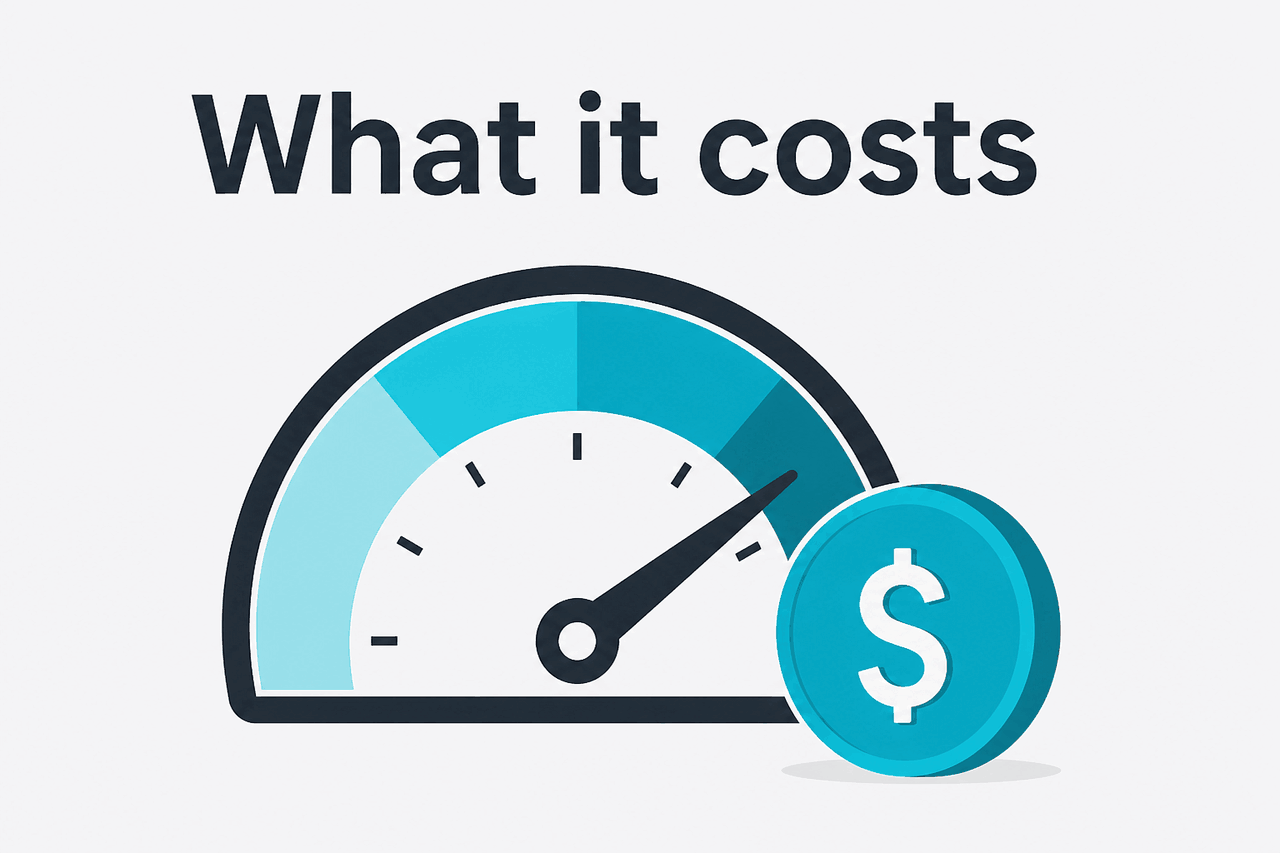
The Go SDK is a wrapper around Anthropic’s HTTP API. Your Go service sends requests to Claude through Anthropic’s platform, authenticated with an API key from platform.claude.com. In practice, you choose a model, provide one or more messages, set output limits, and then parse the returned content blocks. The SDK reduces boilerplate, but it does not hide the core API concepts: tokens, context windows, model selection, and request lifecycle still matter.
Most applications use the Messages API rather than older prompt styles. That means your Go code usually builds a request with a user message, optional system instructions, and parameters like max output tokens. From there, your app handles normal backend concerns: environment variables for secrets, retries on transient failures, request timeouts, rate limiting, and logging. Anthropic’s platform docs explain model behavior, pricing, and API semantics in more detail at the pricing docs and the models overview.
-
Create an API key
Sign in at
platform.claude.com, create a key, and store it asANTHROPIC_API_KEYin your local or server environment. -
Install and initialize the Go SDK
Add the SDK to your project, create a client, and configure basics like timeout, retry strategy, and request context.
-
Send a Messages API request
Choose a model such as
claude-sonnet-4-6, pass user content, and setmax_tokensto control output size and spend. -
Parse content blocks
Read the returned text or other response fields and map them into your app logic, API handlers, or background jobs.
-
Harden for production
Add retry handling, monitor errors, watch usage, and check
status.claude.comif requests fail unexpectedly.
If you are building coding workflows rather than a general app integration, it is also worth comparing the SDK route with Claude Code. They solve different problems. The SDK is for embedding Claude into your own Go software; Claude Code is Anthropic’s coding-focused product experience.
What it costs
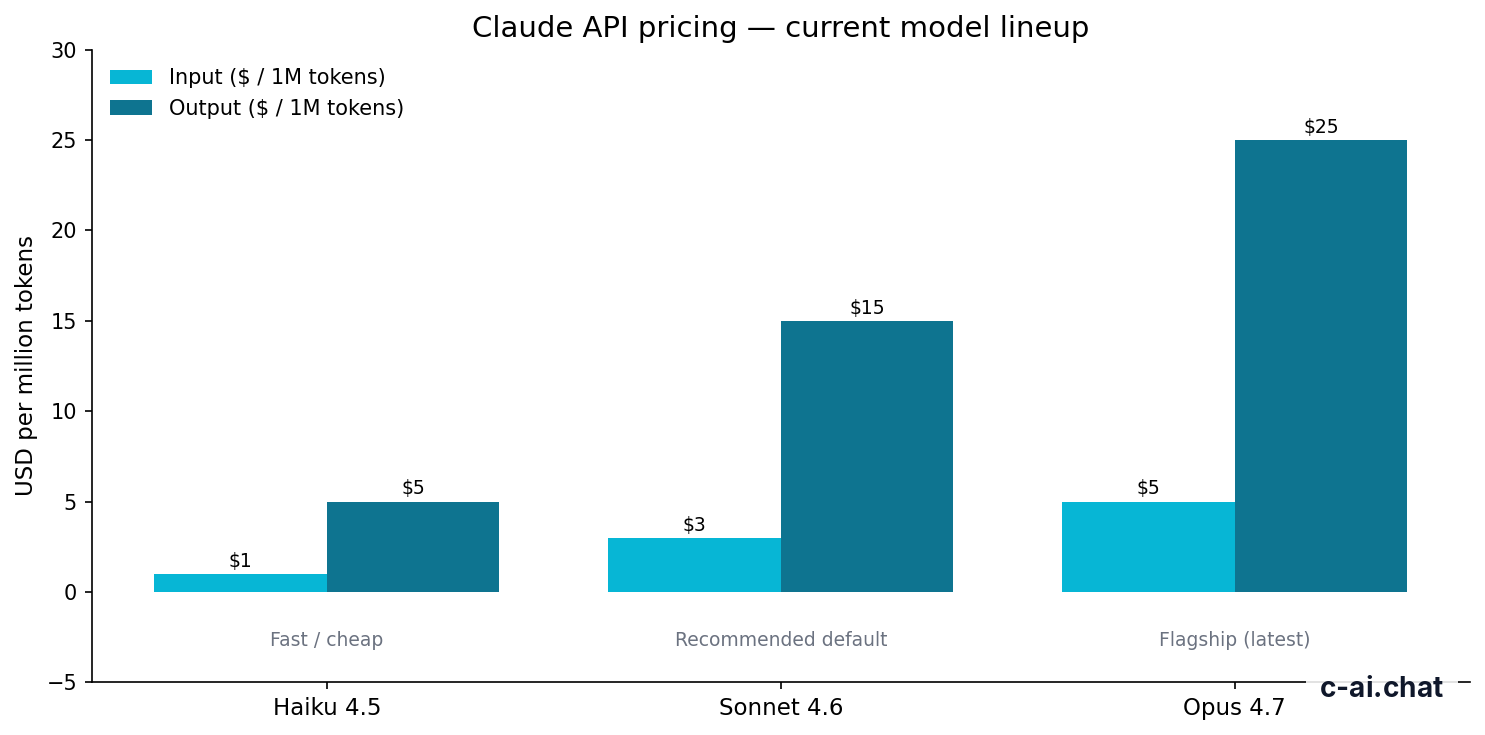
The Anthropic Go SDK itself is not the paid product. You pay for Claude API usage, billed per million input and output tokens based on the model you call. For current standard rates on the Claude API, Opus 4.7 costs $5 per million input tokens and $25 per million output tokens, Sonnet 4.6 costs $3 per million input tokens and $15 per million output tokens, and Haiku 4.5 costs $1 per million input tokens and $5 per million output tokens.
That means Go developers should think about two things at once: model choice and prompt design. Sonnet 4.6 is usually the default pick for production apps because it balances quality and cost well. Haiku 4.5 makes sense for lightweight classification, routing, and high-volume tasks. Opus 4.7 is the expensive option when the task needs the strongest reasoning. If your product also uses Claude’s consumer app plans, see our Claude features guide for what belongs in the app versus the API.
| Model | Positioning | Input price | Output price |
|---|---|---|---|
| Claude Opus 4.7 | Flagship | $5/M tokens | $25/M tokens |
| Claude Sonnet 4.6 | Recommended default | $3/M tokens | $15/M tokens |
| Claude Haiku 4.5 | Fast / cheap | $1/M tokens | $5/M tokens |
90% off
cached input tokens with prompt caching
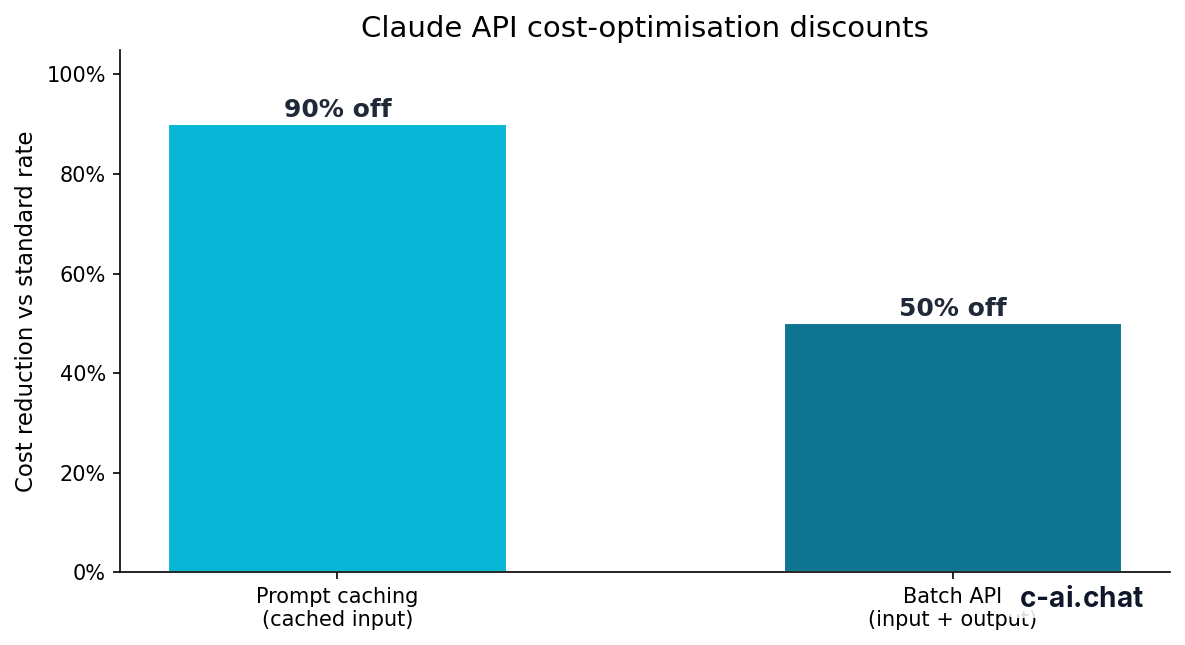
Anthropic also offers two important cost controls for API workloads. Prompt caching reduces the cost of cached input tokens by 90%, which matters for repeated long system prompts, reference material, or stable context. The Batch API cuts both input and output pricing by 50% when your use case can tolerate asynchronous processing rather than immediate responses.
Worked example
Simple Sonnet 4.6 API estimate
This kind of estimate is enough for early planning, but real spend depends on prompt length, output size, retries, and whether caching or batch pricing applies.
Long context can change the economics too. Anthropic documents up to 1,000,000 tokens of context on Opus 4.7, Opus 4.6, and Sonnet 4.6 at standard rates. That is powerful, but it also means careless prompt assembly can become expensive quickly. In Go services, it is worth measuring token usage before you ship.
Limits and gotchas
The SDK makes integration easier, but it does not remove the practical limits around the Claude API. Most developer surprises come from quota assumptions, model access differences, request size, and production reliability details rather than from Go itself.
- Rate limits exist and vary by account and usage tier. Do not assume local tests reflect production throughput. Build retry logic and backoff into your Go client behavior.
- Model availability can depend on your account. A model listed in Anthropic’s docs may still require the right workspace access, billing state, or rollout status.
- Region and compliance requirements may affect deployment choices. Enterprise customers may need controls like regional data residency, but smaller accounts should verify what is available before making compliance promises.
- Large context windows are useful but easy to misuse. Sending massive transcripts or document dumps increases latency and cost, even when the model supports 1M context.
- Output limits are separate from context limits. A model may accept a large input context while still enforcing lower output ceilings for a single response.
- Timeouts need care in Go. Use request contexts and client-level timeouts so long generations do not hang workers or web handlers.
- Streaming changes response handling. If you stream tokens, your code path, logging, and error handling differ from a simple blocking request.
- Common errors are usually operational. Invalid API keys, model name mismatches, malformed request payloads, exhausted quotas, and temporary service issues are more common than SDK bugs.
- Status checks matter. When failures spike, check status.claude.com before you start rewriting working code.
- The SDK is not a substitute for API understanding. You still need to understand token billing, model capabilities, and message formatting from the official docs.
Pick when
- You want a typed Go integration instead of raw HTTP calls.
- You need Claude inside a backend service, worker, or internal tool.
- You want official API coverage and docs-backed behavior.
Skip when
- You only need the Claude web app at
claude.ai. - You are not ready to manage API keys, billing, and observability.
- Your use case is better served by no-code app features rather than a coded integration.
Other questions readers ask
The honest take
The Anthropic Go SDK is the practical choice if you are building a Go service on top of Claude. It does not magically simplify model economics or production engineering, but it does remove a lot of repetitive API plumbing. For most teams, that is enough reason to use it unless they have a strong preference for direct HTTP clients.
The main thing to stay clear on is the boundary between the SDK and the platform. The SDK is just the developer tool. Your real decisions are still model selection, prompt design, latency tolerance, and cost control. Start with Sonnet 4.6 unless you have a reason not to, measure token usage early, and verify current behavior against Anthropic’s docs before shipping.
Independent guide. Not affiliated with Anthropic. For the official Claude product, visit claude.ai.
Last updated: 2026-05-10
This article is part of the Claude API for developers hub on c-ai.chat.