Claude API pricing is usage-based: you pay per million input and output tokens, with Opus 4.7 at $5/$25, Sonnet 4.6 at $3/$15, and Haiku 4.5 at $1/$5; our broader Claude API guide explains how these costs fit into development work.
- API billing is based on input and output tokens.
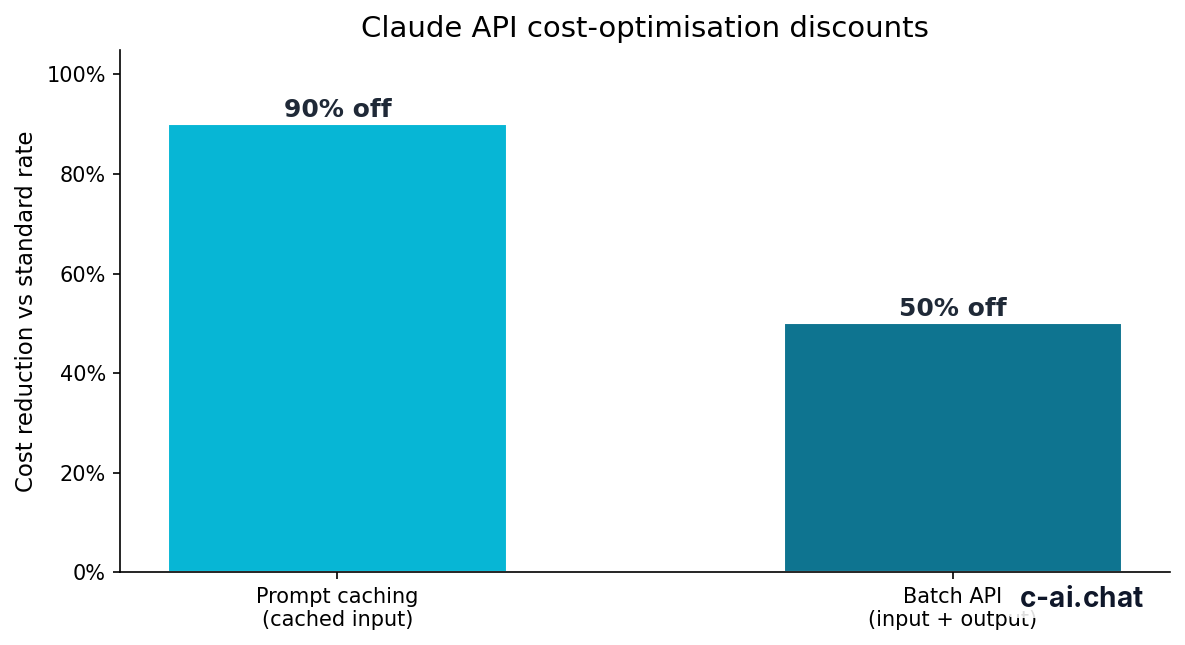
- Prompt caching can reduce cached input token cost by 90%.
- Batch API can reduce input and output token cost by 50%.
- Official billing rules live in Anthropic’s developer documentation.
Use this page to estimate app costs, compare Claude models, and avoid common billing surprises before launch. For web subscription prices, see our Claude pricing guide. For product capabilities, see our guide to Claude features.
Table of contents
- The short answer
- How Claude API billing works
- Claude API prices by model
- Limits and gotchas
- FAQ
- The honest take
- Sources
The short answer
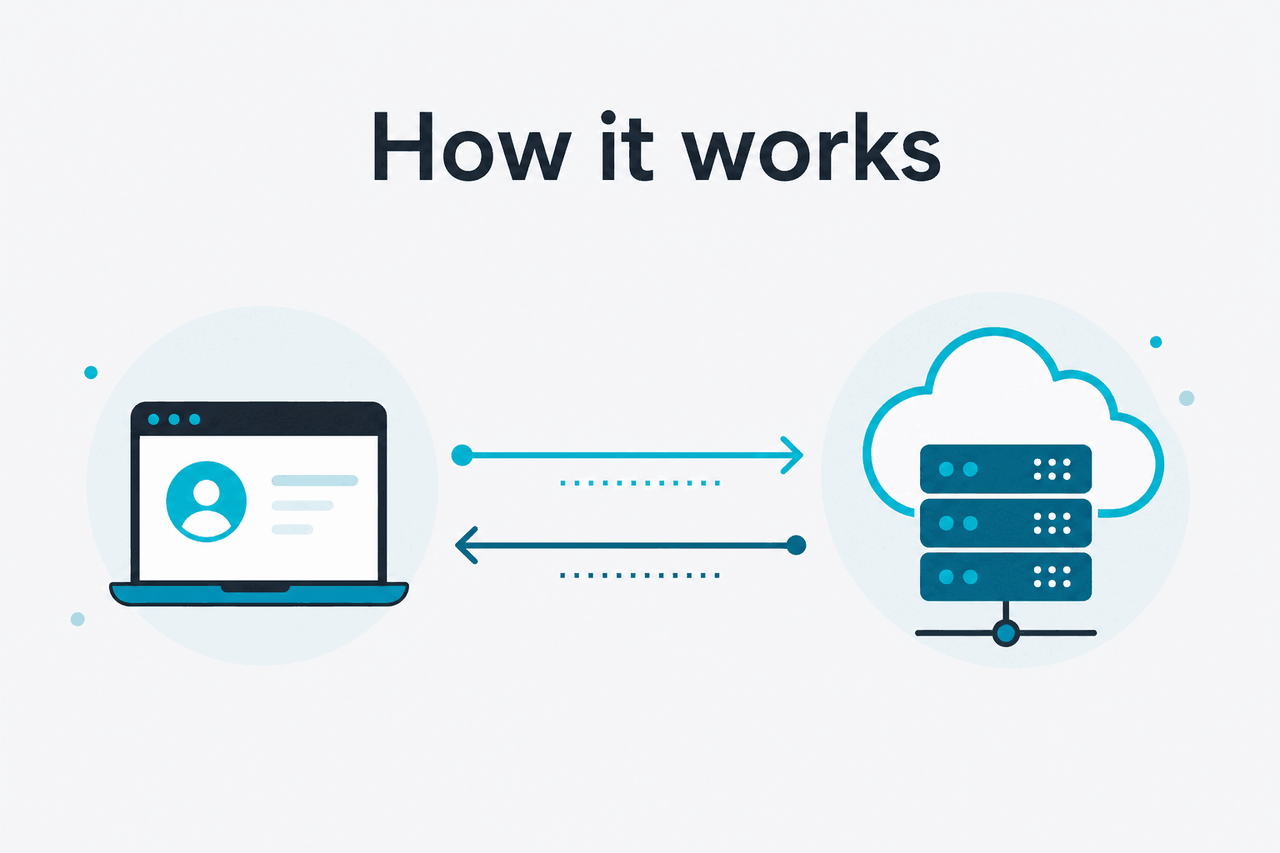
Claude API pricing charges separately for tokens you send to the model and tokens the model returns. Input tokens can include your system prompt, user message, tool definitions, retrieved documents, file content, images converted for model use, and any conversation history you include. Output tokens are the response Claude generates.
The formula is simple: input tokens multiplied by the model’s input rate, plus output tokens multiplied by the model’s output rate. Rates are quoted per million tokens, not per request. A short classification call may cost very little. A long legal review with many pages of context and a long answer costs more.
Worked example
Estimating one Sonnet 4.6 request
Use the same method for any Claude model: input cost plus output cost, adjusted for caching or batch discounts when they apply.
This example is not a quote from Anthropic and does not replace your account billing page. Production costs depend on prompt length, response length, retry behavior, tool calls, caching setup, and model choice. For official API pricing and billing rules, use Anthropic’s documentation at docs.claude.com and the API platform at platform.claude.com.
For most new API projects, Sonnet 4.6 is the practical default. Use Opus 4.7 when complex reasoning, long context, or high-stakes work justifies the higher output price. Use Haiku 4.5 for high-volume tasks where speed and cost matter more than top-end reasoning.
How Claude API billing works
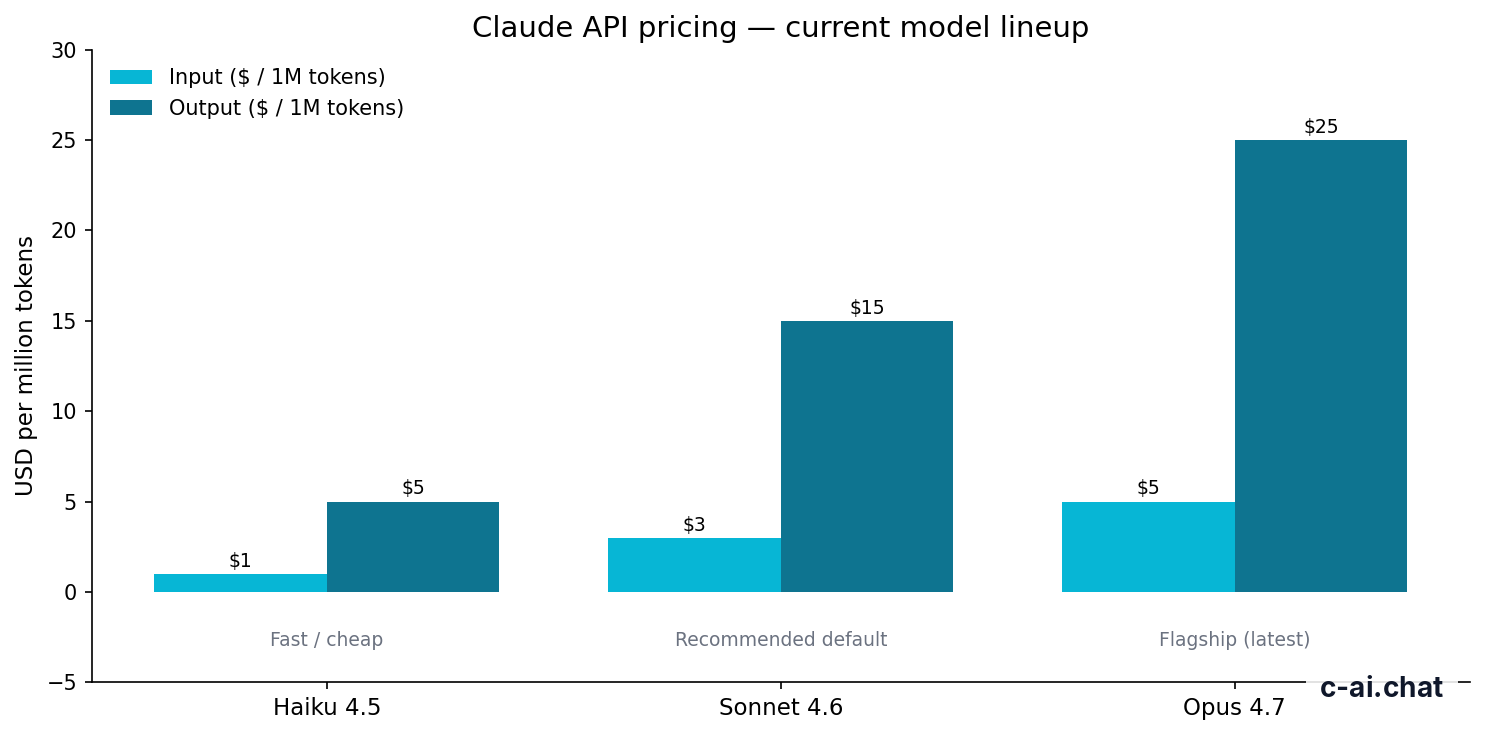
The Claude API is metered through Anthropic’s developer platform. You send a request to a model, the platform counts input tokens, the model generates a response, and the platform counts output tokens. The Messages API is the usual entry point for chat-style apps. Anthropic’s model documentation lists supported models, context windows, and model behavior.
Token billing applies to more than the visible words in a prompt. System instructions, conversation history, tool schemas, retrieved snippets, file contents, and output can all affect the bill. If your app sends the same large system prompt or reference corpus repeatedly, prompt caching can cut the cached input portion by 90%. If your workload can run asynchronously, the Batch API can cut both input and output token cost by 50%.
-
Choose a model
Select Opus 4.7, Sonnet 4.6, or Haiku 4.5 based on quality, speed, context needs, and budget. Start with Sonnet 4.6 unless you have a clear reason not to.
-
Estimate tokens before launch
Measure typical prompt size and expected output length. Include system prompts, examples, retrieved documents, and any previous turns your app sends back to Claude.
-
Apply the pricing formula
Use
(input_tokens / 1,000,000 × input_rate) + (output_tokens / 1,000,000 × output_rate). Run this across light, average, and heavy usage cases. -
Add cost controls
Set maximum output tokens, use prompt caching for repeated context, batch non-urgent jobs, and log token usage by feature.
API pricing is separate from Claude web subscriptions. A Pro, Max, Team, or Enterprise plan does not make API calls free unless your Anthropic contract says so. The web product covers use of Claude through hosted interfaces. The API is billed through the developer platform. If you are comparing web access against API access, start with our Claude pricing breakdown, then size your API workload separately.
If your main goal is to understand which model to use, see our Claude models guide. Model choice is usually the largest cost decision after prompt size and output length.
Claude API prices by model
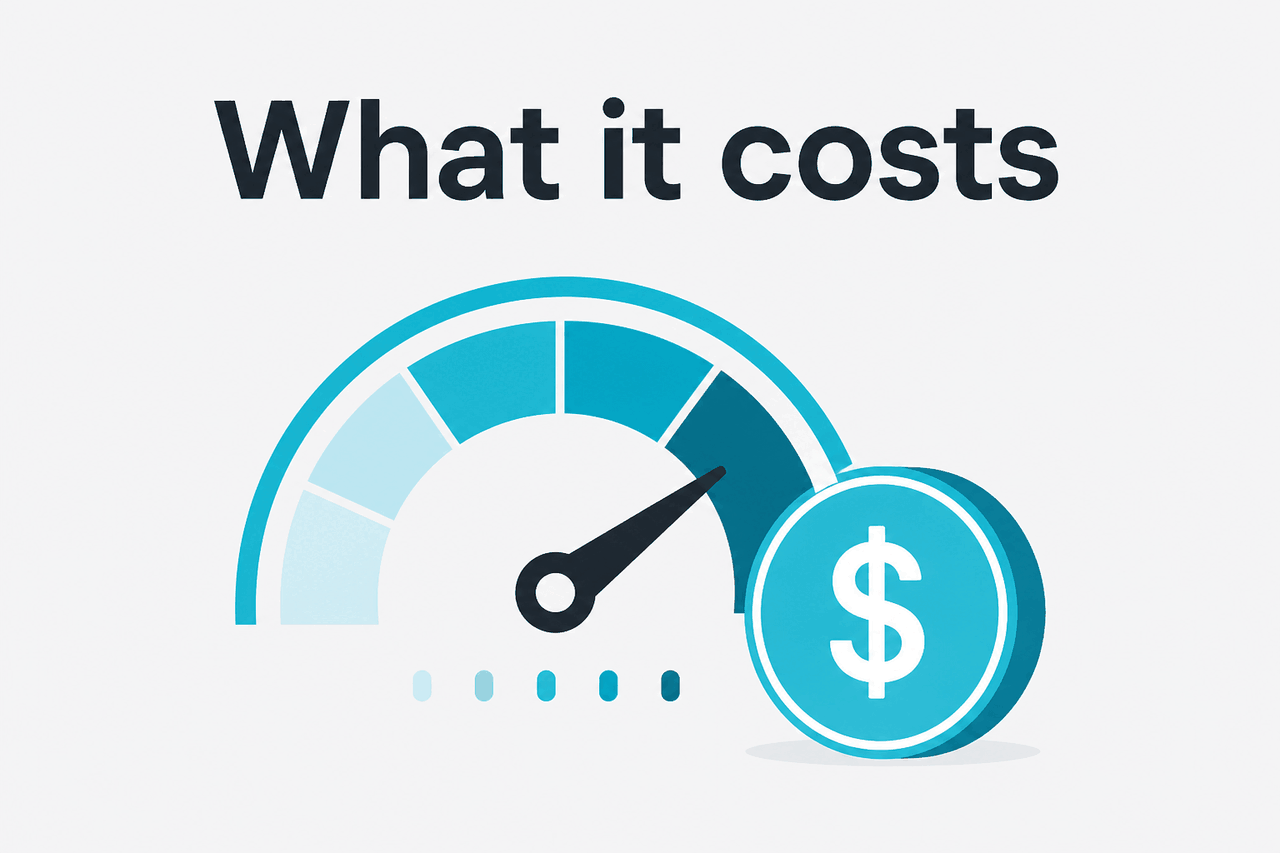
Claude API pricing is quoted per million tokens. Input tokens are cheaper than output tokens because generation requires more compute. The main models for new projects are Opus 4.7, Sonnet 4.6, and Haiku 4.5.
Claude Opus 4.7
$5/M input · $25/M output
Best for demanding reasoning, complex analysis, and high-stakes workflows.
- 1,000,000-token context
- Highest-cost option listed here
- Use selectively after testing
Claude Sonnet 4.6
$3/M input · $15/M output
Best default for most production applications.
- 1,000,000-token context
- 128,000-token maximum output
- Strong balance of cost and capability
Claude Haiku 4.5
$1/M input · $5/M output
Best for fast, lower-cost, high-volume tasks.
- Cheapest model listed here
- Good for classification and extraction
- Test quality before using it for complex reasoning
| Model | Best fit | Input price | Output price | Context and output notes |
|---|---|---|---|---|
| Claude Opus 4.7 | Hard reasoning and demanding workloads | $5/M tokens | $25/M tokens | 1,000,000-token context |
| Claude Sonnet 4.6 | Default choice for most applications | $3/M tokens | $15/M tokens | 1,000,000-token context; 128,000-token maximum output |
| Claude Haiku 4.5 | Fast, lower-cost, high-volume tasks | $1/M tokens | $5/M tokens | Check current model documentation for limits |
Opus 4.7 is the premium option. Use it when answer quality affects revenue, safety, compliance, or user trust. Do not use it by default for every background task. If your request is a simple rewrite, extraction, routing decision, or support classification, a cheaper model may be enough.
Sonnet 4.6 is the default recommendation for many developers. It offers strong capability without the top Opus output price. It is a good starting point for assistants, workflow automation, document analysis, coding support, and retrieval-augmented generation. You can route only the hardest requests to Opus after measuring where Sonnet falls short.
Haiku 4.5 is the cost-control model. It suits fast classification, basic extraction, short replies, moderation-style checks, and high-volume pipelines where the response does not need complex reasoning. A common pattern is Haiku for triage, Sonnet for the main response, and Opus only when the app detects a difficult case.
90% off
cached input tokens with prompt caching
Prompt caching matters when your app repeats the same large context across many requests. Examples include a long system prompt, a policy manual, a product catalog, or coding standards. The cached portion of input can receive a 90% discount. New input and output are still billed normally. Your app must be structured to benefit from caching; it is not a blanket discount on every token.
Long context can be valuable, but it can also become expensive. A model that supports very large context still bills for the tokens you send. Sending a full knowledge base on every request is rarely the right design. Retrieval, summarization, chunking, caching, and strict output limits usually matter more than simply choosing the largest context window.
| Cost lever | What it changes | When to use it |
|---|---|---|
| Model routing | Moves easy work to lower-cost models | Use when requests vary in difficulty |
| Prompt caching | Reduces repeated cached input by 90% | Use when the same large context appears often |
| Batch API | Reduces input and output by 50% | Use when delayed responses are acceptable |
| Output caps | Limits generated tokens | Use for chat, extraction, reports, and agents |
| Retrieval trimming | Reduces unnecessary input tokens | Use when prompts include documents or search results |
The most reliable way to forecast spend is to log real token usage during testing. Create a small evaluation set with representative user requests. Run it through your intended model, record input and output tokens, and multiply by expected monthly volume. Then repeat after adding caching, output caps, and model routing.
Limits and gotchas
Developers are often surprised less by the headline token prices and more by limits, availability, and prompt design. Check Anthropic’s API documentation and your console settings before assuming a workload can scale unchanged.
- Rate limits are separate from prices. Your account may have request-per-minute, token-per-minute, or spend limits. Higher pricing does not mean unlimited throughput.
- Model availability can vary by account and platform. Check the model overview and your API console before designing around a specific model.
- Output tokens are more expensive than input tokens. Long-form generation can dominate the bill. Set maximum output limits instead of relying only on prompt instructions.
- Retries can double spend. If your app retries after timeouts or validation failures, those attempts can create additional billable usage. Build retry rules carefully and log failed calls.
- Large context is not free capacity. A 1,000,000-token context window can support large jobs, but sending unnecessary content still raises cost and latency.
- Prompt caching needs stable repeated content. It helps when the same prefix or context is reused. It helps less when every request is unique or prompt assembly changes constantly.
- Batch API is not for live chat. The discount is useful for offline work, but user-facing apps usually need immediate responses.
- Regional and compliance requirements may affect architecture. Enterprise customers should review security and data-handling materials at trust.anthropic.com and confirm contract terms directly with Anthropic.
- Status incidents can affect availability. For production systems, monitor status.claude.com and design graceful fallbacks.
- Common errors are not always pricing errors. Authentication failures, invalid model names, context-length issues, rate limits, and malformed requests can look like billing problems if your logs are thin.
Good API cost habits
- Log tokens by feature, user tier, and model.
- Use Sonnet 4.6 as the first benchmark for general work.
- Route simple tasks to Haiku 4.5 where quality is sufficient.
- Reserve Opus 4.7 for cases where better reasoning is worth the cost.
- Test prompt caching before assuming the discount applies broadly.
Risky API cost habits
- Sending full documents when a few chunks would answer the question.
- Letting responses run long without a maximum output setting.
- Using one premium model for every task by default.
- Ignoring failed retries and validation loops.
- Mixing web subscription assumptions with API billing.
For teams, the biggest gotcha is usually cost ownership. A prototype may be cheap with one developer and a few test prompts. The same design may become expensive after you add document uploads, agent loops, background jobs, and many users. Treat token usage like infrastructure spend. Review it during product planning, not only after launch.
For common account and product questions, see our Claude FAQ. For practical setup notes, see our Claude resources.
FAQ
Is the Claude API free?
No. The Claude API is not the same as the Free plan on claude.ai. API usage is billed through the developer platform based on tokens. Account credits, trials, or promotions can change what you pay at first, but production use should be budgeted with the official token rates.
Does Claude Pro include API access?
No. Claude Pro is a web and app subscription for individual use of Claude. It does not make API calls free. If you are building an app, service, workflow, or backend integration, plan around API billing through platform.claude.com.
Which Claude model is cheapest?
Haiku 4.5 is the cheapest model listed here at $1/M input tokens and $5/M output tokens. It is best for short, fast, high-volume tasks. Test quality against Sonnet 4.6 before using it for tasks that require careful reasoning.
Why are output tokens more expensive?
Output tokens are generated by the model, so they usually cost more than tokens supplied as input. Long answers, verbose reports, and agent loops can raise costs quickly. Use concise prompts and maximum output limits when you need predictable spend.
How do I lower Claude API costs without hurting quality?
Start with routing. Use Haiku 4.5 for simple tasks, Sonnet 4.6 for the main path, and Opus 4.7 only when the request needs it. Add prompt caching for repeated context and Batch API for offline jobs.
Does a larger context window mean I should send more content?
No. A larger context window gives you capacity, not free usage. Send only the content the model needs. Use retrieval, chunking, summaries, and caching to avoid unnecessary input tokens.
Can I use Batch API for a user-facing chatbot?
Usually no. Batch API is for asynchronous work. It can reduce cost, but it is not designed for immediate chat responses. Use it for delayed jobs such as evaluations, document processing, and scheduled analysis.
The honest take
Claude API pricing is straightforward once you think in tokens instead of requests. The real work is choosing the right model and controlling prompt size. Sonnet 4.6 is the sensible starting point for most applications. Haiku 4.5 is the budget option for simpler workloads. Opus 4.7 is for cases where stronger reasoning is worth paying for.
If you are building with Claude, estimate costs from real test traffic before launch. Log input and output tokens, cap response length, test prompt caching, and consider Batch API for offline processing. Do not assume a consumer Claude plan covers API usage. Treat the API like any other metered cloud service.
Independent guide. Not affiliated with Anthropic. For the official Claude product, visit claude.ai.
Last updated: 2026-05-12
This article is part of the Claude API for developers hub on c-ai.chat.