Claude models are Anthropic’s current Opus, Sonnet, and Haiku variants, each with different speed, cost, and capability trade-offs; this independent guide on c-ai.chat explains the lineup side by side and links up to our broader Claude models guide before breaking down where each model fits.

- Which model is this?
- What it’s best at
- Where it falls short
- When to pick this model
- Other questions readers ask
- The honest take
If you are comparing the lineup rather than one specific model page, the short version is simple: Opus is the premium reasoning tier, Sonnet is the default choice for most people, and Haiku is the low-cost fast option. You can also compare how these fit with the broader Claude pricing, the developer-facing Claude API, and core Claude features if you are deciding between chat use and API use.
Which model is this?

The current Claude models lineup has three active families: Claude Opus 4.7 as the latest flagship, Claude Sonnet 4.6 as the recommended default, and Claude Haiku 4.5 as the fastest and cheapest option. If you want the precise latest flagship model, that is Opus 4.7, released on 2026-04-16.
- Input: Opus 4.7 $5/M · Sonnet 4.6 $3/M · Haiku 4.5 $1/M
- Output: Opus 4.7 $25/M · Sonnet 4.6 $15/M · Haiku 4.5 $5/M
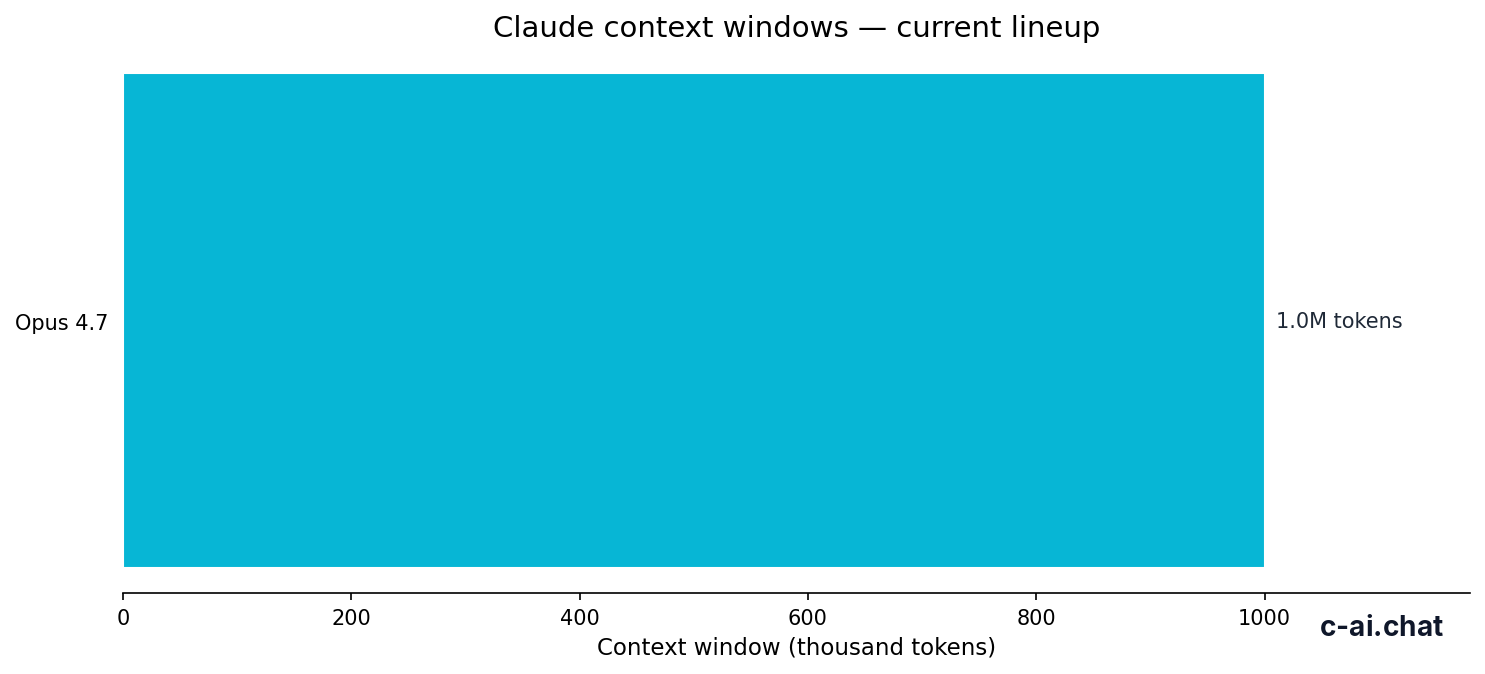
- Context window: up to 1,000,000 tokens on Opus 4.7 and Sonnet 4.6
- Max output: Sonnet 4.6 supports up to 128K output
That pricing is for API usage billed per million tokens through Anthropic’s API pricing documentation. If you are using Claude through the consumer app at claude.ai, you are choosing a subscription plan rather than paying token-by-token directly, although the underlying model differences still matter for speed, output quality, and limits.
| Claude model | Position in lineup | Input price | Output price | Best for |
|---|---|---|---|---|
| Opus 4.7 | Latest flagship | $5/M | $25/M | Hard reasoning, long multi-step work, highest quality |
| Sonnet 4.6 | Balanced default | $3/M | $15/M | Most professional use cases, coding, analysis, drafting |
| Haiku 4.5 | Fast and cheap | $1/M | $5/M | High-volume tasks, lightweight chat, classification, triage |
What it’s best at
If your question is really “which Claude model should I start with?”, the answer for most people is Sonnet 4.6. It sits in the middle of the lineup on both price and capability, and that is usually where practical value lives. It is cheaper than Opus 4.7, stronger than Haiku 4.5 on nuanced work, and broad enough for everyday chat, document analysis, coding help, structured writing, and longer-context tasks.
Opus 4.7 pulls ahead when you are asking the model to think through messy problems, compare many constraints, or produce higher-quality outputs over longer sessions. Haiku 4.5 pulls ahead when you care more about cost and speed than model depth. In other words: Sonnet is the safe default, Opus is the premium choice when the work is hard, and Haiku is the economical pick when you need scale.
- Opus 4.7: best for difficult reasoning, careful synthesis across long context, and tasks where better output quality is worth paying more.
- Sonnet 4.6: best for general-purpose professional work, coding sessions, long documents, and balanced cost-performance.
- Haiku 4.5: best for fast responses, large-volume automation, summarisation pipelines, tagging, and simple support workflows.
- Opus and Sonnet: the better picks when you need long context up to 1,000,000 tokens at standard rates.
- Sonnet 4.6 specifically: useful when you need up to 128K output and want stronger long-form responses without jumping to flagship pricing.
90% off
cached input tokens with prompt caching
That discount matters if you are building on the API and repeatedly sending large system prompts, long instructions, or stable reference material. Anthropic also offers Batch API pricing at 50% off both input and output, which can change the economics of Sonnet and Opus for offline or non-urgent jobs. For developers, that often matters as much as the raw headline model price.
Where it falls short

No single Claude model is “best” at everything. Opus 4.7 costs substantially more on output than the rest of the lineup, so it is easy to overspend if you use it for routine prompts. Sonnet 4.6 is more affordable, but it still is not the cheapest choice for high-volume background tasks. Haiku 4.5 is efficient, but you should not expect it to match Opus on difficult reasoning or Sonnet on consistently polished long-form work.
- Pick Haiku 4.5 instead of Sonnet or Opus when latency and low cost matter more than nuanced output quality.
- Pick Sonnet 4.6 instead of Opus 4.7 when the task is important but not hard enough to justify $25/M output pricing.
- Pick Opus 4.7 instead of Haiku 4.5 when errors are expensive and the task requires careful reasoning across many constraints.
- Do not assume the flagship is automatically the right app plan choice; many users are better served by plan limits and workflow features than by chasing the top model.
- For API budgeting, output-heavy workloads can become expensive faster than input-heavy workloads, especially on Opus 4.7.
When to pick this model
The clean decision rule is this: start with Sonnet 4.6, move up to Opus 4.7 only when quality gains are clear, and move down to Haiku 4.5 when speed and unit cost matter most. The pricing trade-off is straightforward: Opus gives the strongest output at $5/M input and $25/M output, Sonnet lowers that to $3/M and $15/M, and Haiku brings it down to $1/M and $5/M.
Pick when
- Opus 4.7: you need the highest-quality reasoning and can justify premium output pricing.
- Sonnet 4.6: you want the best overall balance for professional use and coding.
- Haiku 4.5: you need fast, cheap responses at scale.
- You are matching model cost to task value instead of defaulting to the most expensive option.
Skip when
- Do not pick Opus 4.7 for routine summarisation, tagging, or support triage where Haiku is often enough.
- Do not pick Haiku 4.5 for complex analysis where lower quality could create extra review work.
- Do not pick Sonnet 4.6 by habit if your workload is mostly simple and cost-sensitive.
- Do not compare app plans and API rates as if they were the same product layer.
If you are choosing through the app rather than the API, your plan still changes what is realistic. The official Claude pricing page lists Free at $0/month, Pro at $20/month or $17/month annual, Max from $100/month, Team Standard at $25/seat/month or $20/seat/month annual, Team Premium at $125/seat/month or $100/seat/month annual, and Enterprise at $20/seat base plus usage at API rates. Those plans affect access, limits, collaboration, and admin controls; the models affect output quality, speed, and token costs.
Free
$0/month
For casual users
- Web, iOS, Android, desktop access
- Daily usage limits
Pro
$20/month
For individuals who use Claude often
- Claude Code and Claude Cowork
- Unlimited Projects, Research access, additional models
Max
$100/month
For power users
- 5x or 20x Pro usage
- Higher output limits, early feature access, priority traffic
Other questions readers ask
| Question | Best short answer |
|---|---|
| Best all-round Claude model? | Sonnet 4.6 |
| Highest-quality Claude model? | Opus 4.7 |
| Fastest and cheapest Claude model? | Haiku 4.5 |
| Best model for long context? | Opus 4.7 or Sonnet 4.6, depending on budget |
| Best model for volume workloads? | Haiku 4.5 |
The honest take
If you searched for “claude models,” the answer is not just a list of names. It is a set of trade-offs. Opus 4.7 is the top-end model when quality matters most. Sonnet 4.6 is the one most people should begin with. Haiku 4.5 is the efficient option for fast, budget-sensitive workloads. That is the lineup in plain English.
For most readers, the practical move is to start with Sonnet, test Opus only on the tasks where better output would save time or reduce mistakes, and reserve Haiku for bulk work. If you want the official product experience, use claude.ai. If you are comparing limits, plans, and workflow access first, our pricing guide and API overview are the next useful stops.
Independent guide. Not affiliated with Anthropic. For the official Claude product, visit claude.ai.
Last updated: 2026-05-12