The Anthropic API is the developer interface for building Claude into apps, agents, internal tools, and workflows; c-ai.chat is an independent guide, and this page sits under our broader Claude API guide.
API reference
Official API host: platform.claude.com. API billing is separate from claude.ai subscriptions and is priced per million input and output tokens.
The short answer
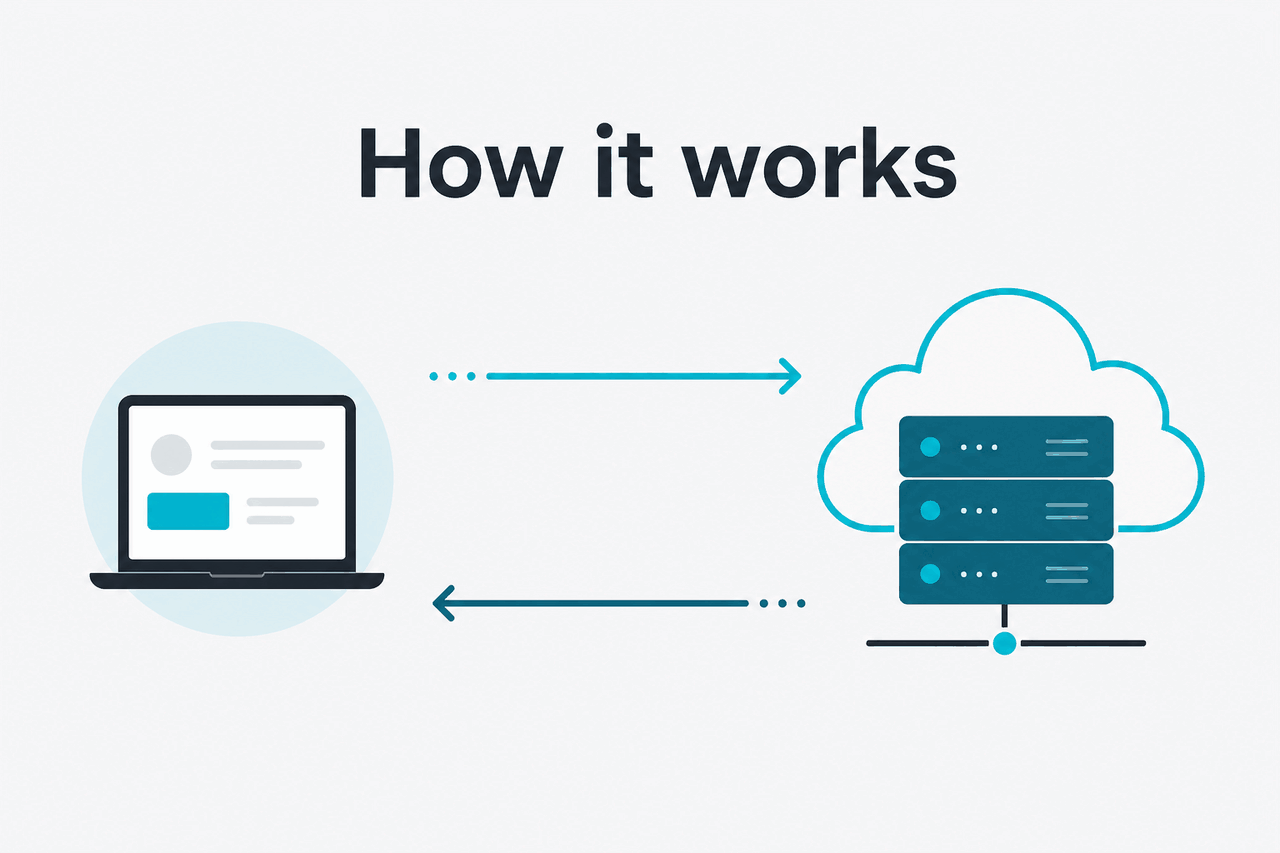
The Anthropic API lets developers send structured requests to Claude and receive model-generated responses inside their own software.
You create an API key in the official Anthropic Console, choose a Claude model, send a Messages API request, and pay for input and output tokens. The official developer reference lives on docs.claude.com. This page explains the moving parts in plain language and connects them to our guides on Claude pricing, Claude features, and Claude models.
Minimal API call
Send one message to Claude
POST /v1/messagesclaude-sonnet-4-6curl https://api.anthropic.com/v1/messages
-H "x-api-key: $ANTHROPIC_API_KEY"
-H "anthropic-version: $ANTHROPIC_VERSION"
-H "content-type: application/json"
-d '{
"model": "claude-sonnet-4-6",
"max_tokens": 256,
"messages": [
{
"role": "user",
"content": "Write a three-bullet checklist for reviewing a pull request."
}
]
}'Use environment variables for keys. Set a token limit. Keep prompts explicit. Do not put API keys in client-side code.
The Messages API is the main entry point for most applications. It supports multi-turn conversations, system prompts, streaming, tool use, files, and long-context tasks, subject to model and account settings.
If you only want to chat with Claude in a browser, use claude.ai. If you want Claude inside your product or infrastructure, use the API.
How it works
The Anthropic API uses HTTPS requests with JSON payloads. A typical request includes a model name, messages, a maximum output token setting, and optional controls such as a system prompt, tools, metadata, streaming, or caching. The model reads the supplied context and returns text blocks, tool calls, or streamed events depending on the request.
Production systems usually wrap the API call in an application layer. That layer handles authentication, retries, logging, rate-limit backoff, user permissions, and cost tracking. Treat prompts like code: version them, test them, and separate durable instructions from user-specific input.
Create access
Sign in to platform.claude.com, create an API key, and store it as an environment variable such as
ANTHROPIC_API_KEY.Choose a model
Use
claude-sonnet-4-6for most production work,claude-haiku-4-5for fast lower-cost tasks, orclaude-opus-4-7for the strongest reasoning and long-context workloads.Build the message
Send a JSON request with
model,max_tokens, and amessagesarray. Put durable behavior rules in a system prompt and user instructions in the user message.Handle the response
Read returned content blocks, stop reasons, and usage fields. If you use streaming, process server-sent events incrementally.
Monitor usage
Log input tokens, output tokens, errors, latency, and model choice. Use that data to tune prompts and control spend.
The surrounding platform matters too. The Console handles API keys and usage. The docs cover prompt caching, batch processing, files, tool use, streaming, rate limits, and model behavior. The Claude status page helps you separate your own application issues from platform incidents.
A solid integration has three layers: prompt, orchestration, and safety. The prompt layer defines instructions and examples. The orchestration layer decides when to call Claude, which model to use, and what tools or data to pass. The safety layer validates outputs, redacts sensitive data where needed, and blocks actions that require human approval.
| API feature | What it does | Typical use |
|---|---|---|
| Messages | Sends conversational input and receives Claude output | Chatbots, assistants, summarizers, content tools |
| Streaming | Returns output as events while Claude writes | Interactive apps and long responses |
| Tool use | Lets Claude request a tool call with structured arguments | Agents, database lookups, support workflows |
| Prompt caching | Reuses stable prompt context at a discounted cached-input rate | Long instructions, large reference documents, repeated workflows |
| Batch API | Runs asynchronous jobs at a discounted rate | Bulk classification, extraction, evaluation, migration tasks |
| Files and long context | Lets applications work with larger source material | Document analysis, codebase review, research workflows |
What it costs
The Anthropic API is billed by tokens, with separate prices for input and output. Input tokens are what you send to Claude: instructions, prior messages, documents, tool results, and user text. Output tokens are what Claude generates. For the current official reference, use Anthropic’s developer docs and our plain-English Claude pricing guide.
| Model | Best fit | Context and output | Input price | Output price |
|---|---|---|---|---|
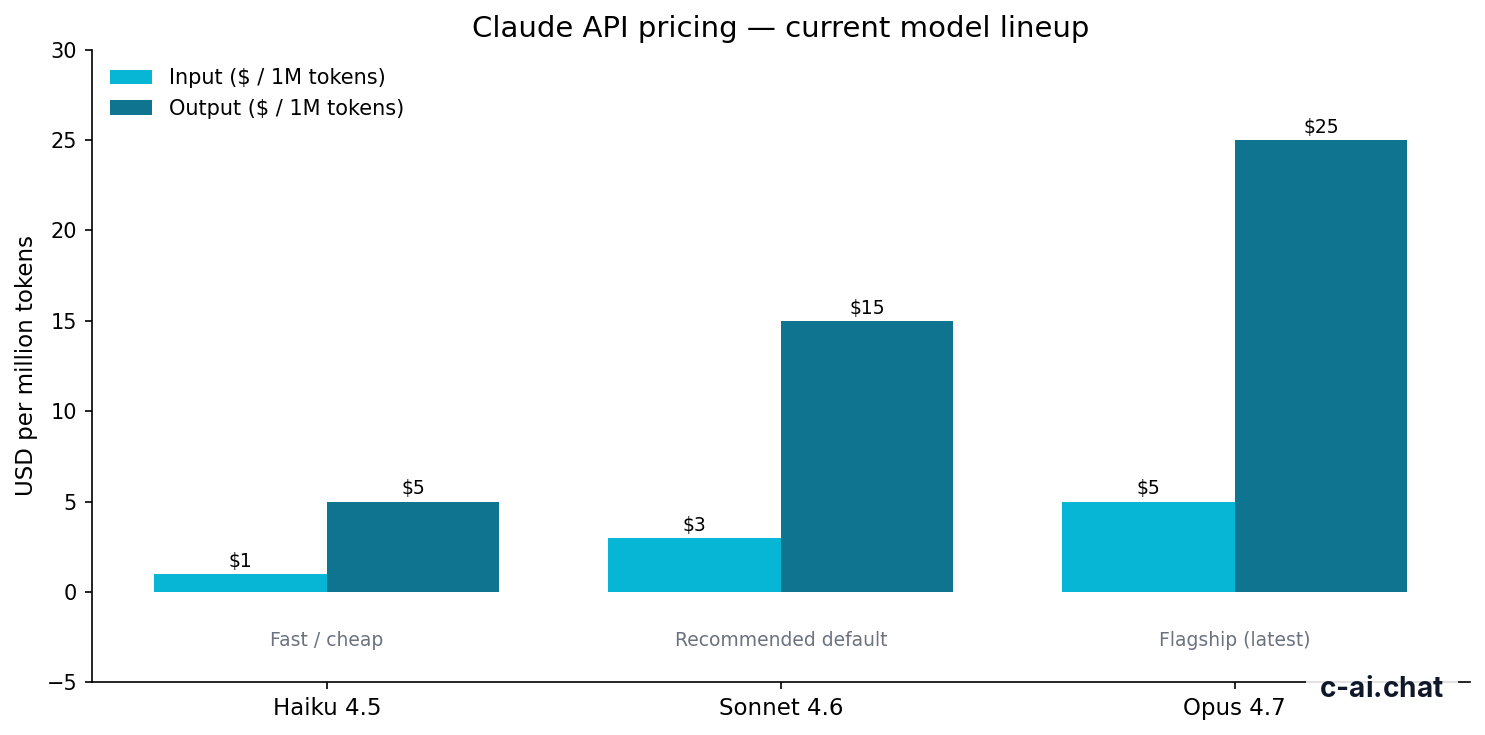
| Claude Opus 4.7 | Flagship reasoning and long-context work | 1M context | $5/M tokens | $25/M tokens |
| Claude Sonnet 4.6 | Recommended default for most apps | 1M context; 128K max output | $3/M tokens | $15/M tokens |
| Claude Haiku 4.5 | Fast, lower-cost tasks | Use official docs for account-specific limits | $1/M tokens | $5/M tokens |
For most teams, Sonnet 4.6 is the right starting point. It balances cost, quality, and speed for support assistants, internal tools, drafting, summarization, coding help, and document workflows. Haiku 4.5 fits high-volume tasks where latency and cost matter more than complex reasoning. Opus 4.7 fits work that is difficult enough to justify the higher output price.
90% off
cached input tokens with prompt caching
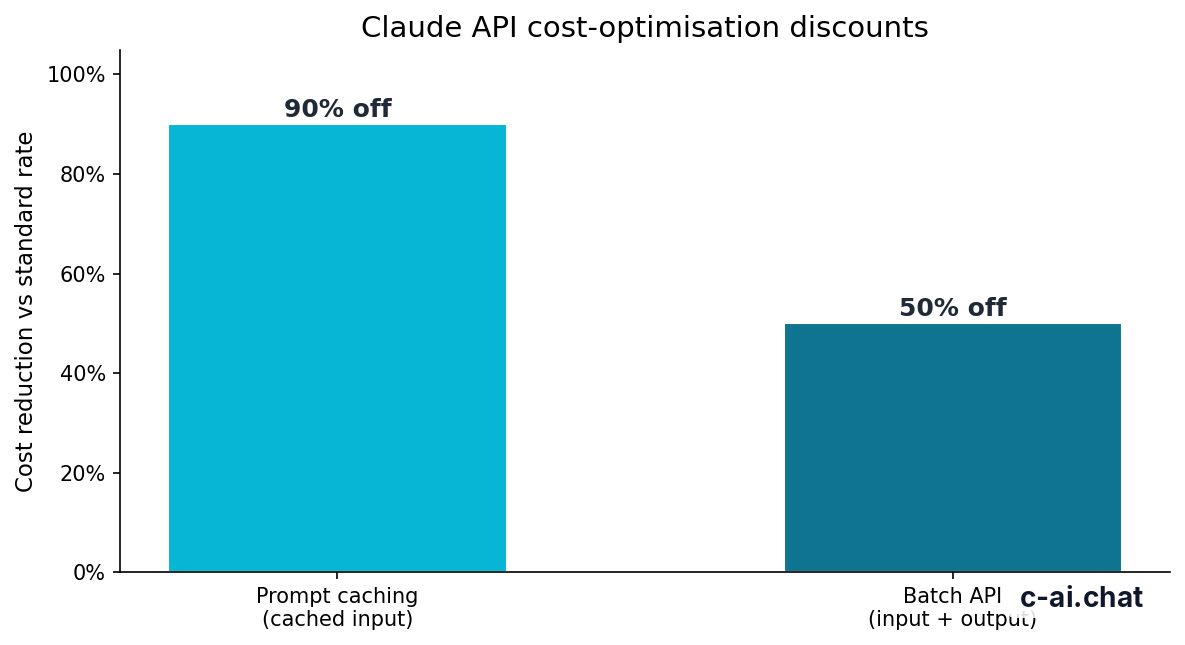
Prompt caching can cut costs when many requests share the same large context. Common examples include an assistant that repeatedly uses the same policy manual, product documentation, contract template, or codebase summary. Cached input tokens receive a 90% discount, so savings are strongest when the repeated context is large and stable.
The Batch API can reduce costs by 50% in both directions for eligible asynchronous work. It fits jobs that do not need an immediate response, such as classifying a backlog of support tickets, extracting fields from documents, evaluating test cases, or processing a content inventory. It is not a replacement for live chat or interactive product features.
Worked example
One Sonnet 4.6 request before discounts
The same pattern may be cheaper when stable input qualifies for prompt caching or when the job can run through the Batch API.
API pricing is separate from Claude subscription plans for the chat product. A Pro, Max, Team, or Enterprise plan for claude.ai does not make API calls free. Budget for app subscriptions and API usage separately.
Free
$0
Entry-level access to the Claude chat product.
Pro
$20/mo or $17/mo annual
Individual paid chat plan.
Max
From $100/mo
Higher-usage individual chat plan.
Team Standard
$25/seat or $20/seat annual
Team workspace plan.
Team Premium
$125/seat or $100/seat annual
Higher-tier team workspace plan.
Enterprise
$20/seat base + API rates
Enterprise terms and API usage are handled separately.
Limits and gotchas
The Anthropic API is simple to call, but production use has practical limits. Most issues come from rate limits, token budgeting, model access, account configuration, and assumptions copied from chat usage.
- Rate limits are account-specific. Your requests may be limited by requests per minute, tokens per minute, spend limits, or tier settings. Check the Console and official rate-limit docs before load testing.
- Token limits affect both context and output. Long prompts leave less room for output. Set
max_tokensdeliberately. - Model availability can vary. Do not hard-code only one model without a fallback. If your account cannot access a model, the API call will fail until the model name, access, or deployment setup is corrected.
- Long context is not a free quality upgrade. Supported models can accept large inputs, but large prompts cost more and still need structure. Put important instructions near the top and organize source material clearly.
- Streaming changes error handling. A request can start successfully and still fail before completion. Your client should handle partial output and user-visible failure states.
- Tool use is not automatic execution. Claude can request a tool call, but your application decides whether to run it. Validate tool arguments and require approval for purchases, account changes, email sending, data deletion, or other sensitive actions.
- Authentication errors are common. Missing keys, invalid keys, wrong headers, and disabled billing are frequent causes. Keep the
x-api-keysecret and send the required Anthropic version header. - Invalid request shapes cause failures. Wrong model names, malformed JSON, unsupported parameters, and incorrectly formatted content blocks can trigger validation errors. Compare your payload with the official Messages API examples.
- Compliance needs require planning. Enterprise deployments may need regional data residency, audit logs, role-based access, or HIPAA-ready options. Review Anthropic Trust and talk to Anthropic directly for contractual requirements.
- Platform incidents happen. If a working integration starts failing across environments, check status.claude.com before rewriting your client.
Use the API when
- You need Claude inside your own app or workflow
- You want control over prompts, routing, tools, and logging
- You need usage-based billing for variable workloads
- You are building agents, support tools, document pipelines, or coding workflows
Do not use the API when
- You only need personal chat in a browser
- You cannot safely store and protect API keys
- Your use case requires deterministic output without validation
- Your team has not planned rate limits, retries, and cost controls
The biggest design mistake is treating Claude like a database or rules engine. Claude can reason over text and produce useful structured output, but you should still validate important fields, enforce permissions outside the model, and keep source-of-truth data in your own systems.
The second mistake is sending everything on every request. Large prompts are sometimes necessary, but repeated context can be expensive. Use retrieval, prompt caching, summaries, and model routing to avoid paying for irrelevant tokens.
FAQ
These are the related Anthropic API questions developers usually ask after making the first request.
For a broader product-level view, see Claude features. For model comparisons, use Claude models. For practical learning material, see Claude resources and our Claude FAQ.
The honest take
The Anthropic API is a strong option if you want Claude’s language, coding, reasoning, and document-handling capabilities inside your own software. The basic integration is simple: send messages, receive responses, track tokens. The real work is product engineering around it: prompt versioning, model selection, cost controls, retries, tool validation, and security.
Start with Sonnet 4.6, measure quality and cost, then route selected tasks to Haiku 4.5 or Opus 4.7 when the data supports it. Use prompt caching for repeated large context and the Batch API for non-urgent bulk jobs. If you only need Claude for personal use, the browser product is easier. If you are building with Claude, use the API.
Independent guide. Not affiliated with Anthropic. For the official Claude product, visit claude.ai.
Last updated: 2026-05-12
This article is part of the Claude API for developers hub on c-ai.chat.