The Anthropic Python SDK is Anthropic’s official Python client for calling Claude models from your own applications; this independent c-ai.chat guide covers setup, request flow, pricing, limits, and how it fits into the wider Claude API ecosystem.
The short answer
The Anthropic Python SDK lets Python developers send Messages API requests, tool-use requests, and related Claude API calls without hand-writing raw HTTP requests.
- Package · commonly installed as
anthropic - API key · created in the Anthropic Console
- Main use · call Claude from Python apps, scripts, agents, and back-end services
- Official docs · Anthropic’s developer documentation at docs.claude.com
Use the SDK when you want Claude inside your own workflow: a Flask app, a FastAPI service, a data-processing script, an internal assistant, or an evaluation harness. Use claude.ai when you only need the hosted chat product.
Minimal Python example
Send one message to Claude
import os
from anthropic import Anthropic

client = Anthropic(api_key=os.environ["ANTHROPIC_API_KEY"])

message = client.messages.create(
    model=os.environ["CLAUDE_MODEL"],
    max_tokens=200,
    messages=[
        {"role": "user", "content": "Write a one-sentence project brief."}
    ],
)

print(message.content[0].text)
Set CLAUDE_MODEL to a current model identifier from Anthropic’s model documentation before deploying production code.
The SDK is a thin client around Anthropic’s API. It does not remove the need to understand tokens, model choice, rate limits, request design, or output validation. For those basics, start with our broader Claude API reference.
How it works
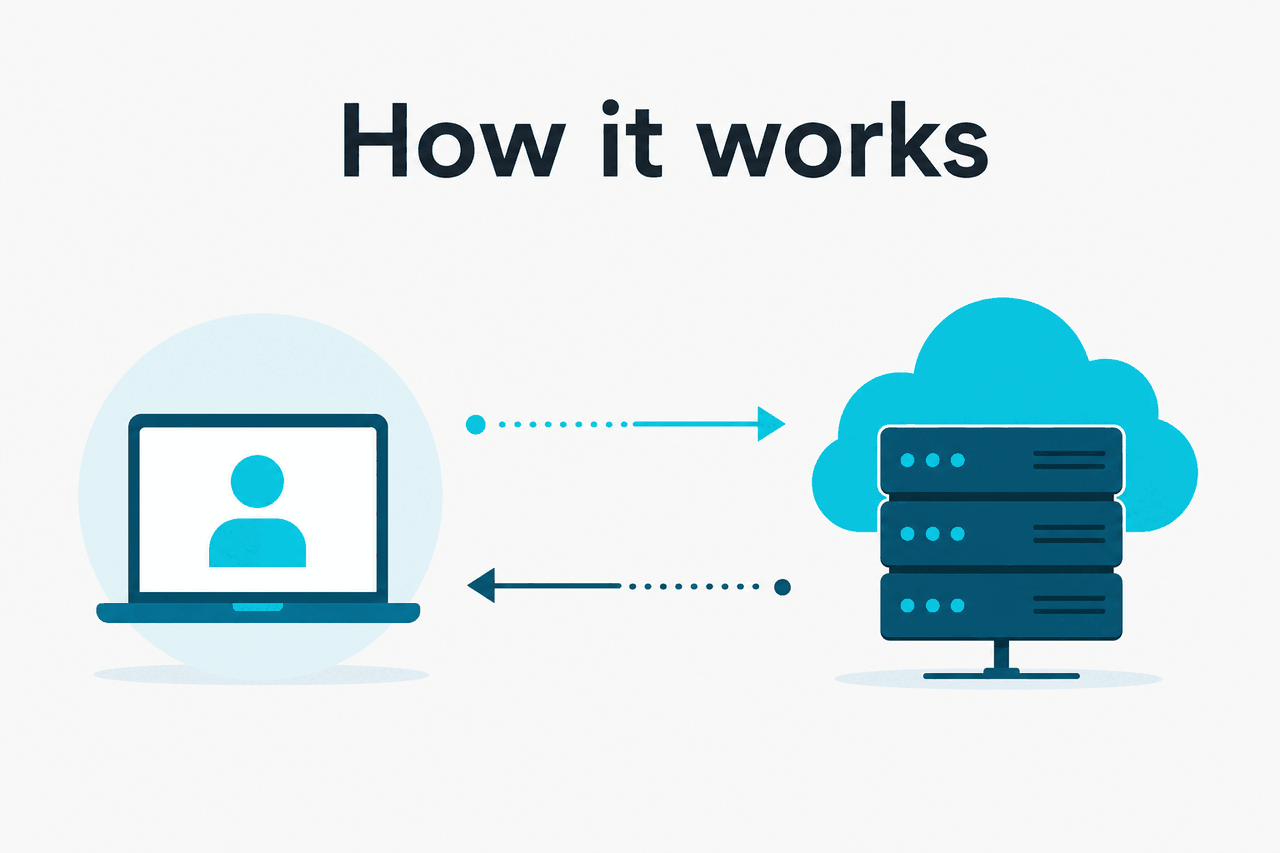
The Python SDK wraps Anthropic’s Messages API and related endpoints in Python methods. You create a client, authenticate with an API key, choose a model, send a list of messages, and receive a structured response object.
The SDK handles request formatting, headers, JSON serialization, and response parsing. Your application still controls the prompt, model, maximum output, tool definitions, retry behavior, and storage of returned content.
Anthropic’s developer docs at docs.claude.com are the source of record for parameters, model IDs, streaming behavior, tool use, prompt caching, and error formats. Treat third-party examples, including this guide, as implementation help rather than the contract.
-
Create an Anthropic account and API key
Sign in to the Anthropic Console, create an API key, and store it as an environment variable such as
ANTHROPIC_API_KEY. Do not hard-code keys in source files. -
Install the SDK
Install the Python client in your project environment with
pip install anthropic. Pin versions in production so deployments do not change unexpectedly. -
Create a client
Instantiate
Anthropic()for synchronous code, or use the async client pattern documented by Anthropic if your service runs on an async stack. -
Send a Messages API request
Pass a model,
max_tokens, and amessagesarray. A user message usually contains the task, context, and required output format. -
Handle the response and errors
Read the returned content blocks, log token usage, handle rate-limit errors, and retry only when safe for your application.
Most Python integrations follow the same pattern: define the task, pass enough context, ask for a constrained output, validate the result, and only then pass it to the next system. Claude can produce useful structured text, but you should still parse and validate JSON, citations, SQL, or code before trusting it in a downstream process.
If you are comparing implementation routes, use our Claude models guide alongside Anthropic’s docs. Model choice affects latency, quality, context size, output size, and cost.
What it costs
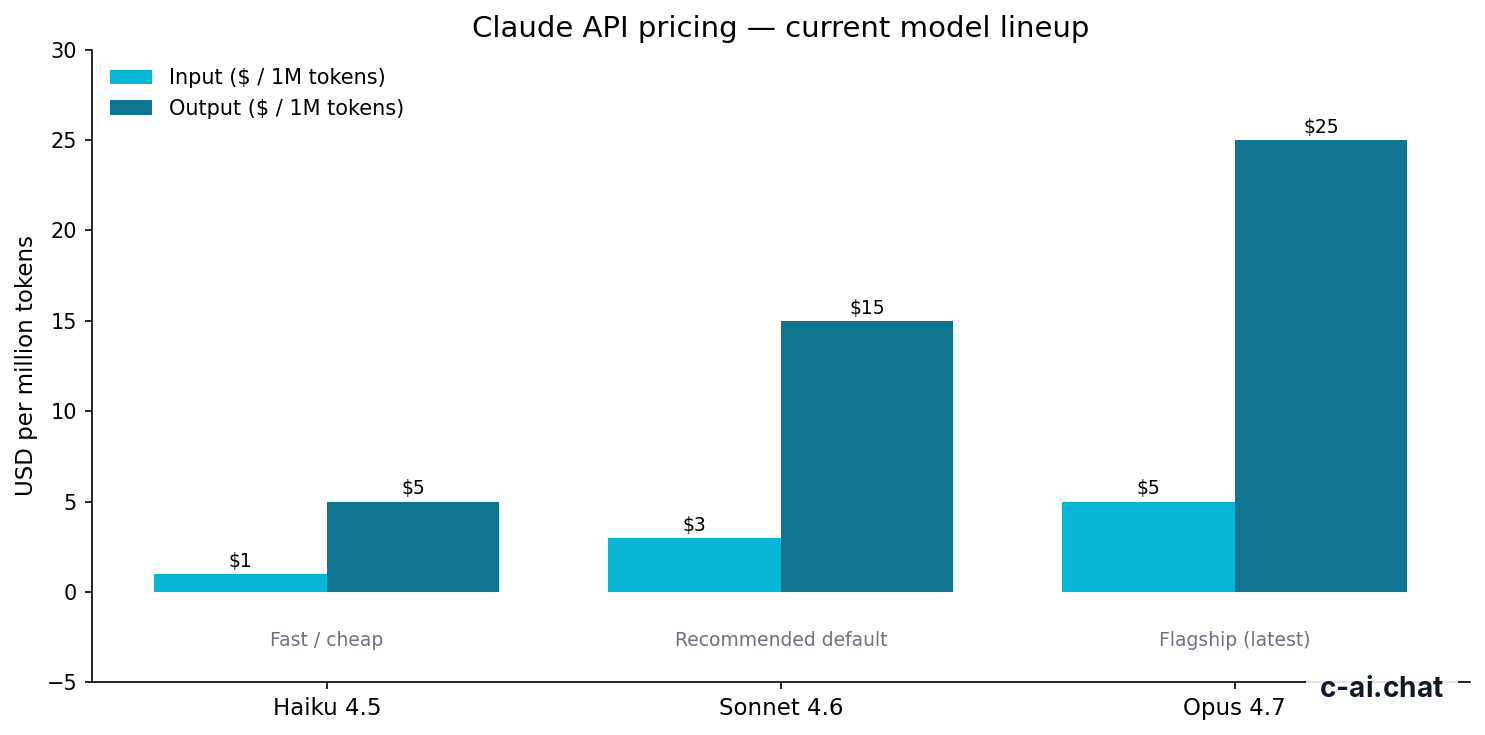
The Anthropic Python SDK does not add a separate fee. You pay for Claude API usage by model and token volume. Input tokens are the prompt and context you send. Output tokens are what Claude generates.
| Model | Common role | Input price | Output price | Context and output notes | Typical Python SDK use |
|---|---|---|---|---|---|
| Claude Opus 4.7 | Flagship model | $5/M tokens | $25/M tokens | 1M context | High-value reasoning, complex analysis, demanding agent tasks |
| Claude Sonnet 4.6 | Recommended default | $3/M tokens | $15/M tokens | 1M context; 128K max output | Most production apps, coding helpers, document workflows |
| Claude Haiku 4.5 | Fast and low-cost model | $1/M tokens | $5/M tokens | Check current docs for limits | Classification, routing, extraction, high-volume lightweight tasks |
API prices are separate from Claude subscription plans shown on claude.com/pricing. A Pro or Max subscription is mainly for the hosted Claude product. API billing is managed through Anthropic’s developer platform. See our Claude pricing guide for a fuller breakdown.
Free
$0
Pro
$20/mo or $17/mo annual
Max
From $100/mo
Team Standard
$25/seat or $20/seat annual
Team Premium
$125/seat or $100/seat annual
Enterprise
$20/seat base + API rates
90% off
cached input tokens with prompt caching
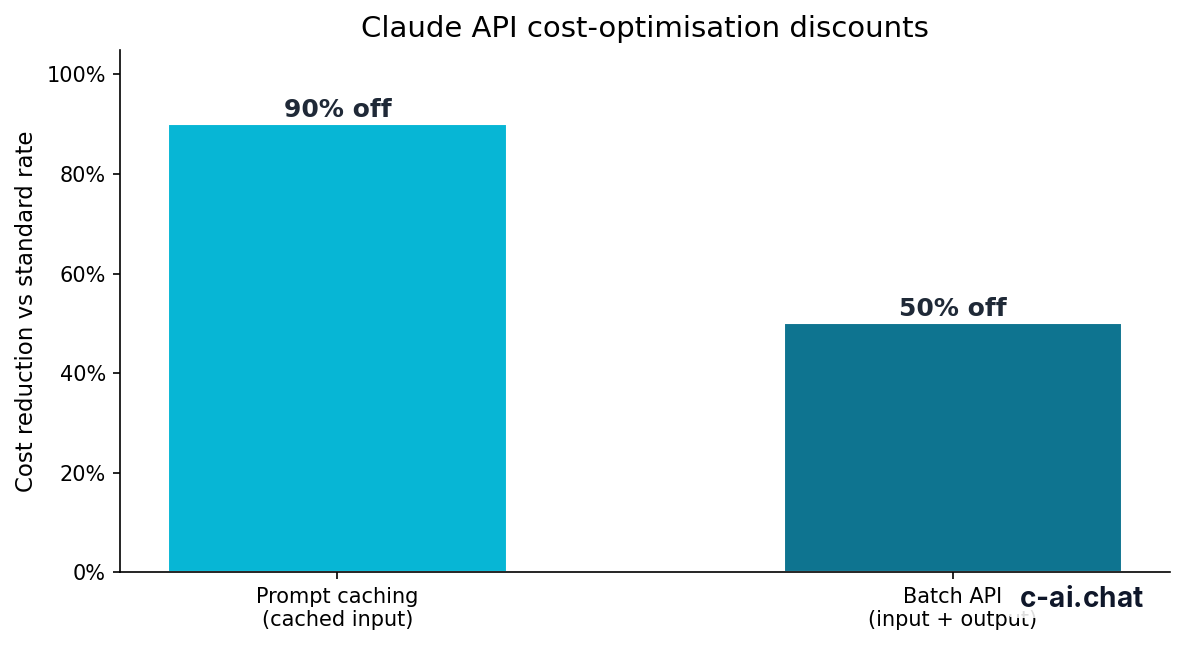
Prompt caching matters for Python applications that send the same large system prompt, policy text, documentation set, or schema on many requests. When used correctly, cached input tokens receive a 90% discount.
The Batch API can reduce costs by 50% in both directions for eligible asynchronous workloads. It usually fits offline jobs: labeling rows, extracting fields from documents, transforming datasets, or running evaluations where no user is waiting for an immediate response.
Worked example
Small Sonnet 4.6 request
Token volume, not the number of SDK calls alone, drives most API cost.
Long-context support is useful, but careless prompts can become expensive. If your Python app attaches entire documents, logs, or repositories to every request, measure token usage early. Cache stable context where possible, and route simple tasks to Haiku 4.5 instead of sending everything to a larger model.
Limits and gotchas
The SDK makes Claude easier to call, but it does not hide platform limits. Most production issues come from rate limits, token budgets, model names, authentication, and assumptions copied from chat UI usage.
- Rate limits vary by account and usage tier. Your allowed requests and tokens depend on Anthropic’s platform settings. Build retry logic for 429 responses, but avoid blind retry loops that multiply cost.
- Model identifiers must match the API docs. Display names such as Claude Sonnet 4.6 are easier to read than API IDs. Confirm the model string in Anthropic’s documentation before shipping.
- Context is not the same as output. A model may accept a large context window, but your
max_tokenssetting still controls the maximum generated output. Large context also raises input cost. - API keys belong on the server. Do not expose Anthropic API keys in browser JavaScript, mobile apps, public notebooks, or front-end bundles.
- Compliance requirements need review. If your app handles regulated data, review Anthropic’s trust and security materials at trust.anthropic.com and your contract terms before sending production data.
- Claude subscriptions do not automatically equal API quota. A paid claude.ai plan and API billing are different surfaces. Check the Anthropic Console for API access and spend settings.
- Streaming changes your application flow. Streaming can improve perceived latency, but your code must handle partial text, interrupted connections, and final usage accounting.
- Tool use still needs your code. Claude can request a tool call, but your application must execute the function, validate arguments, control permissions, and return results.
- Status incidents are separate from your code. If requests start failing across environments, check status.claude.com before rewriting your integration.
Use the SDK when
- You need Claude inside a Python service or script.
- You want streaming, tool calls, batch jobs, or repeatable API workflows.
- You need observability around token usage and cost.
- You want prompts and outputs that can be tested in production code.
Use another route when
- You only need to chat with Claude manually.
- Your team is not ready to manage API keys and billing.
- You need a no-code workspace rather than an application integration.
- Your data policy does not allow sending the relevant content to an external API.
A practical pattern is to start with Sonnet 4.6, log request size and response size, then route simple tasks to Haiku 4.5 once you understand quality needs. Use Opus 4.7 for the parts of the workflow where the extra capability is worth the higher output price.
The honest take
The Anthropic Python SDK is the right starting point if you want Claude in a Python application. It gives you a clean client for the Messages API, lets you choose between Opus 4.7, Sonnet 4.6, and Haiku 4.5, and keeps your code close to Anthropic’s documented request format.
The main work is still yours: prompt design, model routing, error handling, cost control, security, and output validation. For most teams, the sensible path is to prototype with Sonnet 4.6, measure token usage, add prompt caching where context repeats, and reserve Opus 4.7 for tasks that justify the cost.
FAQ
Is the Anthropic Python SDK official?
Yes. Anthropic maintains the developer platform and documents Python usage through its official API documentation. Use docs.claude.com for exact installation, client, and parameter details.
Can I use the SDK with Flask, Django, or FastAPI?
Yes. The SDK can be used from ordinary Python back ends. Keep API calls server-side, put keys in environment variables or a secrets manager, and use async workers or background jobs when requests may run for a long time.
Does the Python SDK work without an API key?
No. API access requires authentication through Anthropic’s developer platform. The hosted product at claude.ai has its own login and plans, but that is not a substitute for server-side API credentials.
Which Claude model should I use from Python?
Start with Claude Sonnet 4.6 for most applications. Use Claude Haiku 4.5 for high-volume lightweight tasks, and Claude Opus 4.7 for harder reasoning where quality matters more than cost. See our Claude model comparison for more context.
Can the SDK return JSON?
Claude can be prompted to return JSON-like structured output, and your app can parse it. You should still validate the result, handle parse failures, and specify the exact schema you expect.
Is the SDK the same as the Claude chat app?
No. The SDK is for building software that calls Claude through Anthropic’s API. The Claude chat app is the hosted product for direct user interaction. Product features and API features can differ, so check our Claude features guide and Anthropic’s official docs before choosing an architecture.
Where should I look when requests fail?
Check your API key, billing setup, model ID, message format, token limits, and rate-limit handling first. If the same code fails across environments, check status.claude.com.
For broader background, see our Claude resources and Claude FAQ.
Independent guide. Not affiliated with Anthropic. For the official Claude product, visit claude.ai.
Last updated: 2026-05-12
This article is part of the Claude API for developers hub on c-ai.chat.