A claude 401 error means Anthropic’s API rejected your request because authentication failed, usually due to a missing API key, an invalid key, a wrong header, or using the wrong environment; this independent guide explains the fix, how auth works, what costs apply after you connect successfully, and where to go next in our Claude API guide.
- The short answer
- How it works
- What it costs
- Limits and gotchas
- Other questions readers ask
- The honest take
The short answer
The claude 401 error is almost always an authentication problem: your x-api-key is missing, malformed, revoked, pasted from the wrong workspace, or paired with an incorrect request format. Check that you are calling the Anthropic API endpoint, sending a valid key from platform.claude.com, and including the required headers exactly as documented.
If you are using Claude in the web app at claude.ai, that login does not automatically authorize your API calls. API access is separate. If you need the broader product comparison first, see our guides to Claude pricing, Claude features, and Claude Code.
curl https://api.anthropic.com/v1/messages
  --header "x-api-key: YOUR_API_KEY"
  --header "anthropic-version: 2023-06-01"
  --header "content-type: application/json"
  --data '{
    "model": "claude-sonnet-4-6",
    "max_tokens": 128,
    "messages": [
      {"role": "user", "content": "Say hello"}
    ]
  }'
Worked example
Minimal checklist to fix a 401
https://api.anthropic.com/v1/messagesx-api-keyanthropic-version: 2023-06-01If the same request works in Anthropic’s API console but fails in your app, the problem is usually your environment variable, proxy, or header handling.
How it works
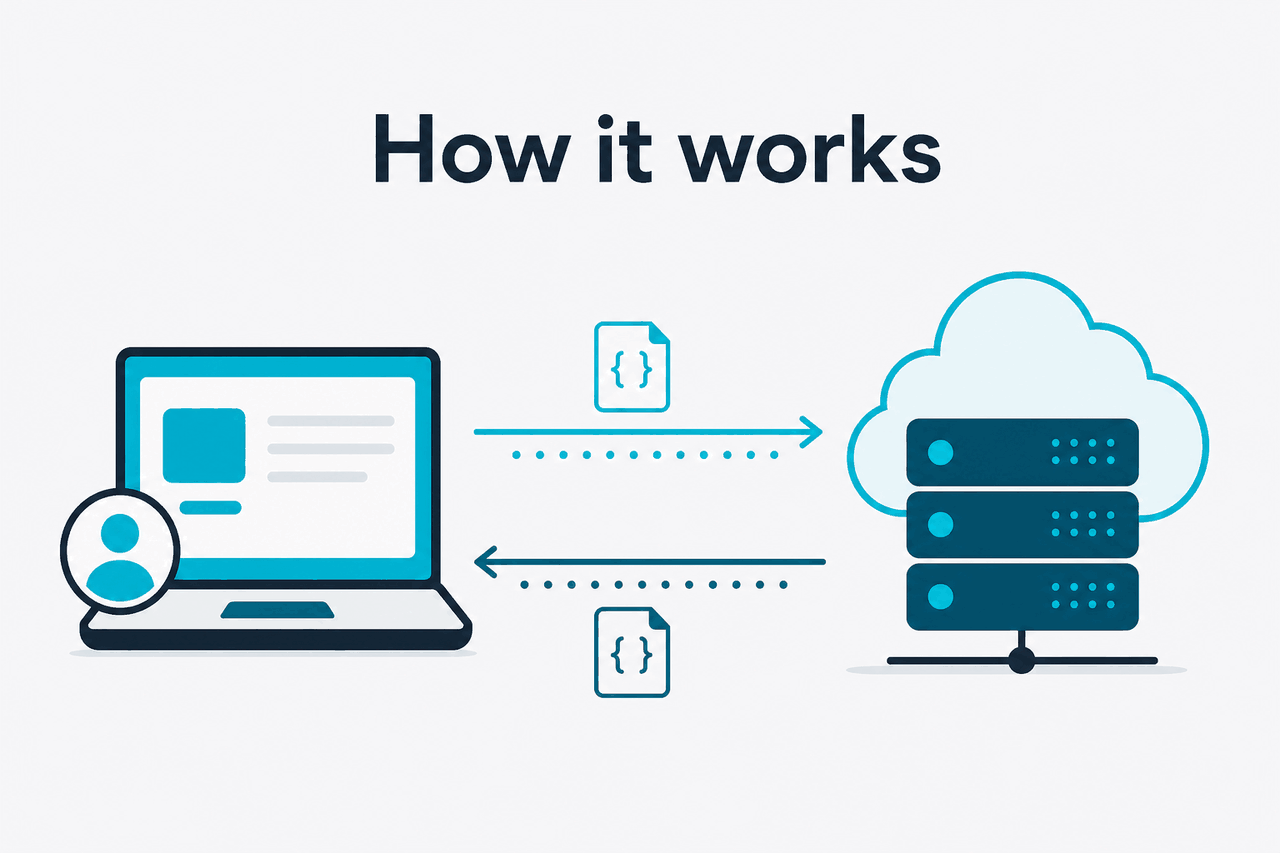
A 401 happens before model inference. Anthropic’s servers first validate the request metadata: the target endpoint, the authentication header, the API version header, and whether the key is permitted to use that API. If that validation fails, the request is rejected without running your prompt. Anthropic documents the request format and auth flow in its API docs on platform.claude.com and related reference pages.
For developers, the main trap is mixing product surfaces. Claude the app and Claude the API are related, but they are not the same credential system. A browser session for claude.ai does not replace an API key, and a valid API key still fails if your code strips the header, sends it to the wrong host, or uses an outdated client pattern.
-
Create or verify the API key
Generate the key in your Anthropic account on platform.claude.com. Copy it once and store it as an environment variable such as
ANTHROPIC_API_KEY. -
Send it in the correct header
Pass the key as
x-api-key. Do not rename it toAuthorizationunless a specific SDK handles that translation for you. -
Include the API version header
Add
anthropic-version: 2023-06-01. Missing version headers can cause requests to fail even when the key is valid. -
Use a supported model name
Call a current model such as
claude-sonnet-4-6. If your account or code references an invalid model identifier, you may see a different error after auth passes. -
Check your runtime environment
Containers, serverless functions, CI pipelines, and reverse proxies often drop or overwrite secrets. Log whether the variable exists, but never log the full key itself.
Pick when
- You want the fastest diagnosis path
- You can reproduce the request with
curl - You suspect an environment-variable or header bug
Skip when
- Your request returns 429, 400, or 5xx instead of 401
- The issue is model behavior rather than authentication
- The Claude service itself is degraded; check status.claude.com
What it costs
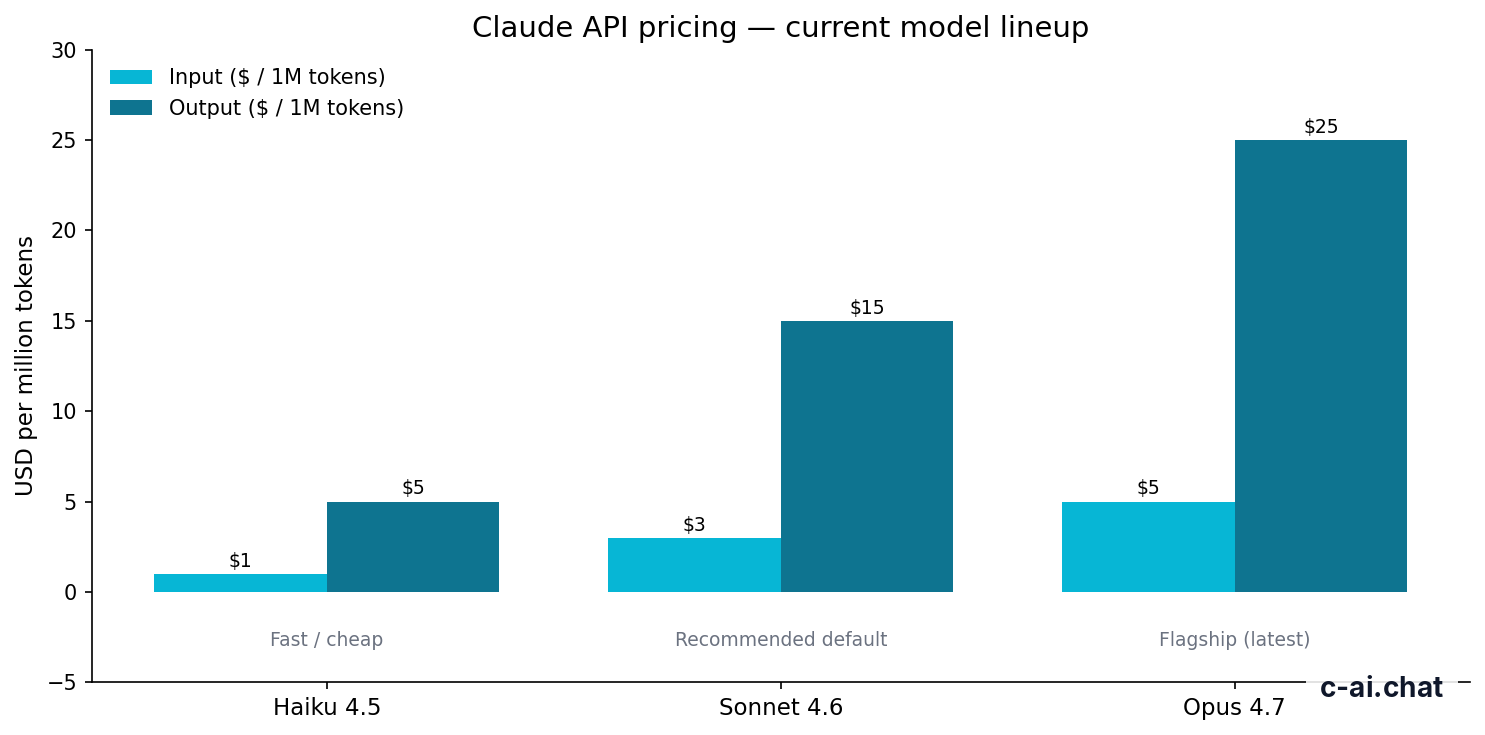
A 401 itself costs nothing because the request is rejected before generation, but once authentication works, Claude API billing is based on tokens. Anthropic’s current API pricing is per million input and output tokens, and which model you choose matters more than the act of authenticating.
- Free tier · no card
- API priced per million tokens
| Model | Positioning | Input | Output | Notes |
|---|---|---|---|---|
| Claude Opus 4.7 | Flagship | $5/M tokens | $25/M tokens | Up to 1,000,000-token context |
| Claude Sonnet 4.6 | Recommended default | $3/M tokens | $15/M tokens | Best balance for most apps |
| Claude Haiku 4.5 | Fast / cheap | $1/M tokens | $5/M tokens | Good for lightweight workloads |
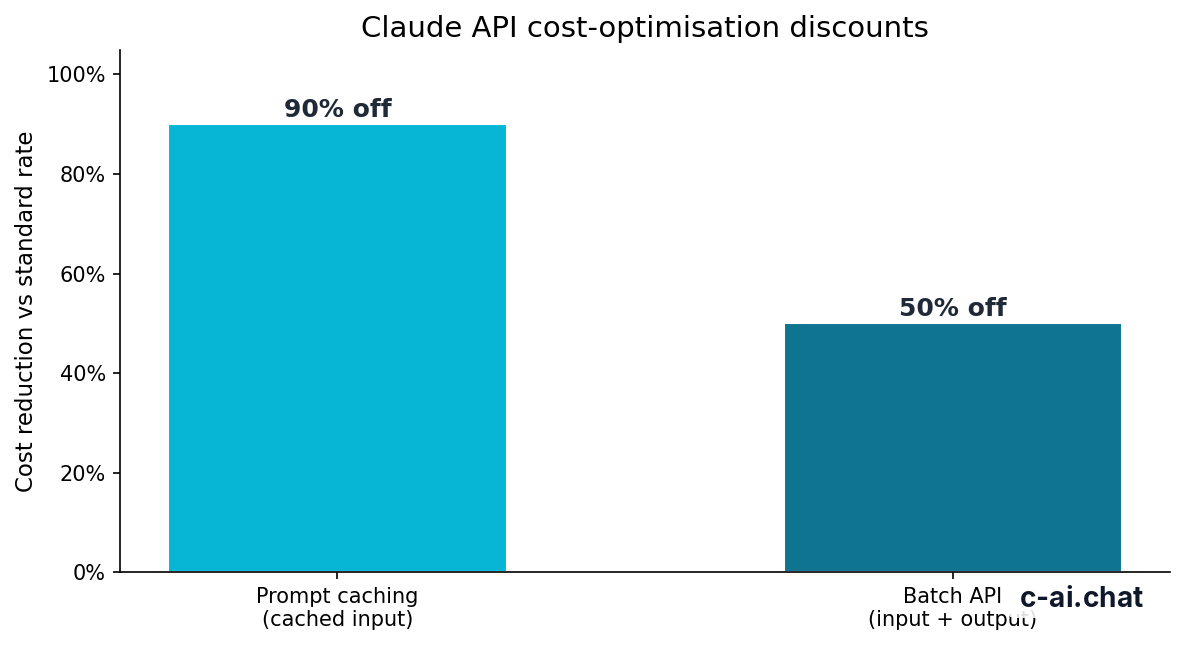
If your app repeatedly sends the same long system prompt or stable context, prompt caching can cut cached input token cost by 90%. If the workload is asynchronous and can tolerate delay, the Batch API cuts both input and output pricing by 50%. Those discounts matter after you solve the 401 and start making successful calls at scale.
90% off
cached input tokens with prompt caching
For teams deciding between app subscriptions and API usage, Anthropic also offers product plans on claude.com/pricing: Free at $0/month, Pro at $20/month or $17/month annual, Max from $100/month, Team Standard at $25/seat/month or $20/seat/month annual, Team Premium at $125/seat/month or $100/seat/month annual, and Enterprise from a $20/seat base plus usage at API rates. Our independent breakdown lives in Claude pricing.
Limits and gotchas
Authentication errors often sit next to other platform constraints, so developers fix one issue and immediately hit another. These are the surprises that come up most often.
- Rate limits are not 401s. If you are sending too many requests, you are more likely to see a 429 than a 401. Treat auth and throughput as separate checks.
- Model availability can differ by account or endpoint. A valid key may still fail later if your code requests a model name your account cannot use or a deprecated identifier.
- Region and workspace controls can matter. Enterprise setups may have policy, network, or residency controls that affect access paths even when the key itself is valid.
- Wrong host, right key still fails. Sending Anthropic headers to the wrong base URL, through a proxy that rewrites headers, or to an older wrapper service is a common cause of 401 responses.
- Missing version header is easy to miss. Anthropic requires an API version header. Some examples copied from old blog posts omit it.
- Environment variables break silently. In local development, your shell may expose the key; in production, the variable name may differ, be empty, or not be mounted into the process.
- Secret managers can add whitespace. Trailing spaces or accidental line breaks in stored keys can invalidate requests.
- Frontend use is risky. If you put the API key in browser code, you expose the credential. Use a server-side proxy instead.
- 401 vs 403 matters. A 401 usually means authentication failed. A 403 more often means the request was understood but not allowed.
- Status incidents are a separate category. If your request format is correct and the key worked earlier, check Anthropic’s status page before rotating credentials.
Other questions readers ask
The honest take
The claude 401 error is usually straightforward: your request is not proving who you are in the exact way Anthropic expects. In practice, that means checking four things in order: correct API key, correct x-api-key header, correct anthropic-version header, and correct endpoint. If those are right, the next likely culprit is your deployment environment rather than Claude itself.
For most developers, the fastest path is to reproduce the request with a tiny curl call, then compare that known-good request to your SDK or app code. Once you are past auth, choose the model that matches the workload: Sonnet 4.6 for the default balance, Haiku 4.5 for cheaper high-volume calls, or Opus 4.7 for heavier reasoning and long context. If you need a broader API overview, start with our Claude API guide or compare product capabilities in Claude features.
Independent guide. Not affiliated with Anthropic. For the official Claude product, visit claude.ai.
Last updated: 2026-05-10
This article is part of the Claude API for developers hub on c-ai.chat.