A Claude API rate limit is the maximum pace at which your Anthropic API account can send requests and tokens; it is separate from token pricing, varies by account and model, and should be planned before production traffic reaches the Claude API.
c-ai.chat is an independent guide, not Anthropic. This page explains how Claude API rate limits work, how to handle 429 errors, what the current API prices are, and what usually surprises developers as traffic grows.
- Rate limits control throughput, not model quality.
- Pricing is still based on input and output tokens.
- 429 errors usually mean your app should slow down, queue work, or retry later.
- The short answer
- How Claude API rate limits work
- Claude API pricing and rate-limit planning
- Limits and gotchas
- FAQ
- The practical take
- Sources
The short answer
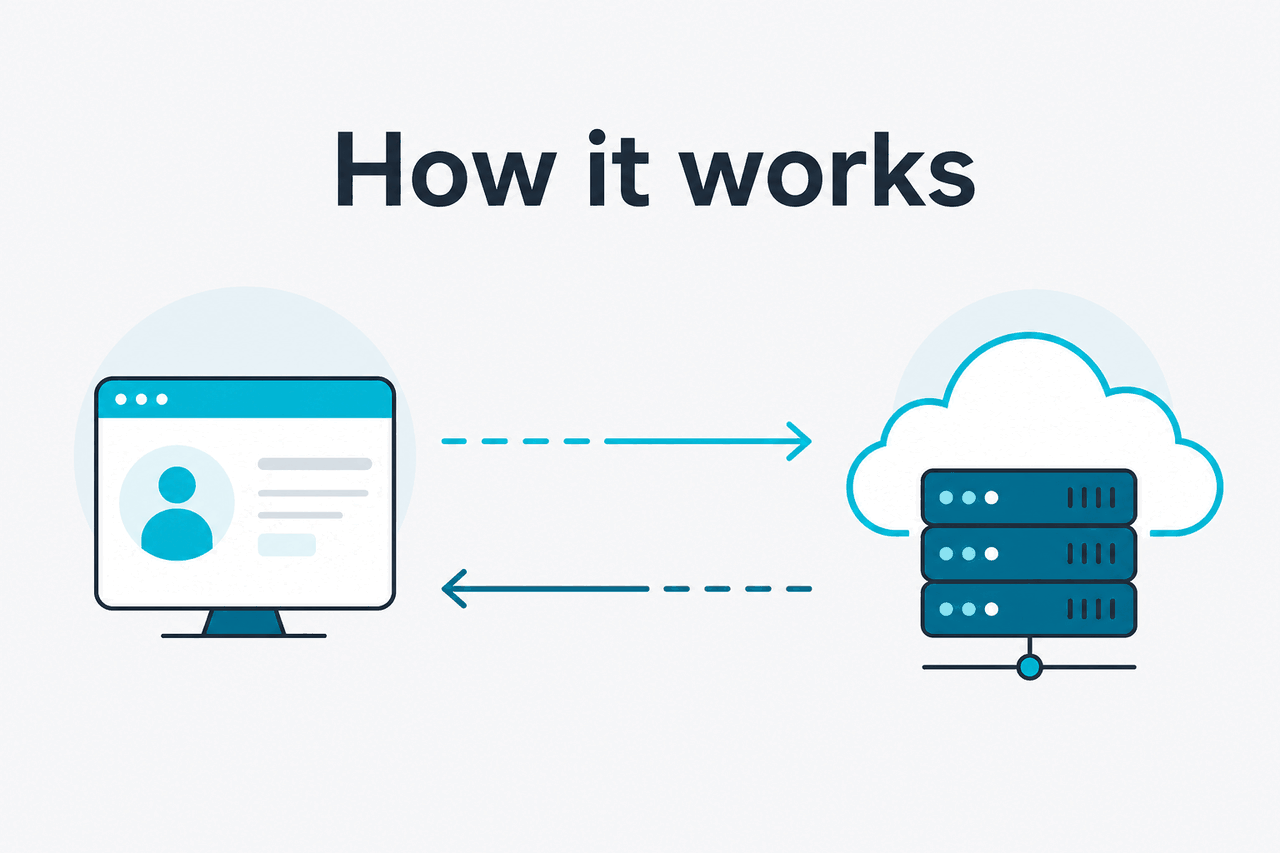
Claude API rate limits cap how quickly your application can call Anthropic’s API. They are not the same as pricing. You pay for tokens used. Rate limits decide how much traffic your account can send within a short window. If you exceed a limit, the API can return a 429 error, and your app should back off before retrying.
Anthropic documents rate-limit behavior in the official developer docs at docs.claude.com. Exact limits can depend on your organization, usage tier, model, and enabled features. Treat the Anthropic Console and official docs as the source of truth for your account.
Best default
Throttle before Anthropic has to reject requests.
Use a queue, cap concurrency, estimate token load, and retry 429 responses with backoff. Do not let every worker call the API independently.
Minimal retry pattern
Handle a Claude API 429 without hammering the endpoint
async function callClaudeWithRetry(sendRequest, maxAttempts = 5) {
  for (let attempt = 1; attempt <= maxAttempts; attempt++) {
    const response = await sendRequest();

    if (response.status !== 429) {
      return response;
    }

    const retryAfter = response.headers.get("retry-after");
    const delayMs = retryAfter
      ? Number(retryAfter) * 1000
      : Math.min(1000 * 2 ** attempt, 30000);

    await new Promise(resolve => setTimeout(resolve, delayMs));
  }

  throw new Error("Claude API rate-limit retry budget exhausted");
}
Use this around your API call. Add a shared queue when traffic becomes predictable.
For most applications, the fix is not “retry harder.” Control concurrency. Keep token sizes predictable. Cache repeated prompts. Route lower-priority work through batch processing when latency does not matter.
How Claude API rate limits work
Anthropic can limit API traffic by request volume and token volume. A few very large prompts can hit token limits even when request count is low. Many tiny prompts can hit request limits even when token use looks modest.
The main API flow uses the Messages API, documented at docs.claude.com. Your app sends a model name, messages, optional system instructions, and token settings. Anthropic returns a response or an error. If the request exceeds your current allowance, you may receive a rate-limit response instead of a model completion.
Check your actual limits
Use the Anthropic Console and official rate-limit docs before designing production throughput. Do not copy another account’s numbers.
Estimate token load
Track input tokens, expected output tokens, and peak request bursts. Long-context requests can consume capacity quickly.
Throttle before the API does
Add a queue, concurrency cap, or token bucket in your application. Prevent bursts from reaching Anthropic all at once.
Handle
429cleanlyRetry with exponential backoff and jitter. If a
retry-afterheader is present, follow it.Separate urgent and background work
Send user-facing requests through low-latency paths. Move non-urgent processing to batch jobs where possible.
Good rate-limit design starts before the first production incident. A chat UI, document pipeline, coding assistant, and analytics job have different traffic shapes. A chat UI needs low latency. A document job can often wait. If you are still choosing a model, compare trade-offs in our Claude models guide.
Rate limits also interact with context length. Claude can accept large inputs on supported models, but longer prompts still consume throughput and cost money. If you send the same policy document, codebase context, or schema repeatedly, use caching or restructure the request.
Design for the peak minute, not the average day. Many Claude API rate-limit problems appear when several workers, users, or jobs start at the same time.
The safest architecture is usually a thin API layer in front of Anthropic. That layer can count requests, estimate tokens, enforce per-user quotas, apply backoff, and send background jobs to a queue. This gives you control before Anthropic has to reject requests.
Claude API pricing and rate-limit planning
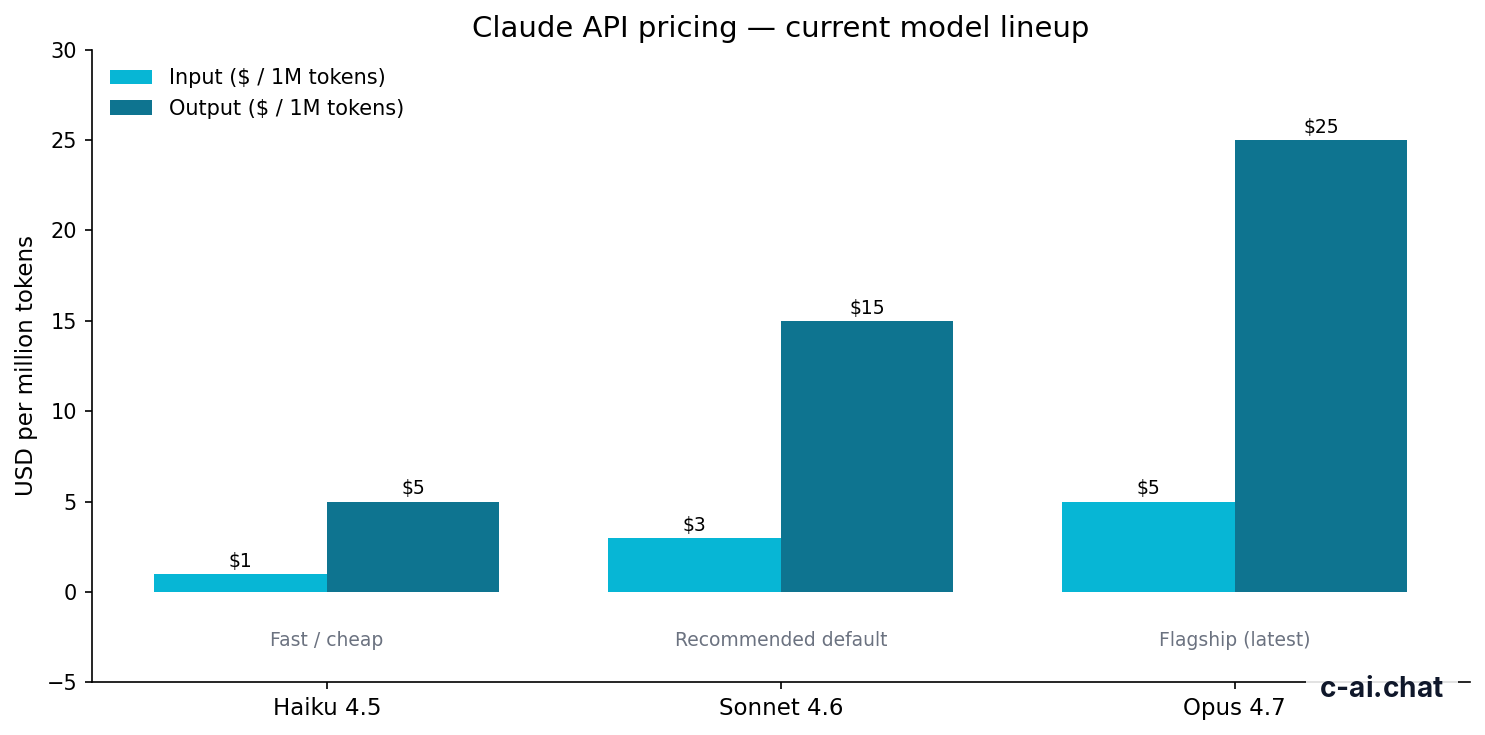
Claude API rate limits do not replace usage-based billing. The API is priced per million tokens. Input and output are billed separately, and output tokens usually cost more than input tokens. For the official pricing table, use claude.com/pricing and Anthropic’s pricing docs at docs.claude.com.
| Model | Typical role | Input price | Output price | Notable planning point |
|---|---|---|---|---|
| Claude Opus 4.7 | Flagship model for complex work | $5/M tokens | $25/M tokens | Supports a 1M-token context window; reserve it for tasks that justify the cost. |
| Claude Sonnet 4.6 | Balanced default for many apps | $3/M tokens | $15/M tokens | Supports a 1M-token context window and 128K max output. |
| Claude Haiku 4.5 | Fast, lower-cost tasks | $1/M tokens | $5/M tokens | Useful when volume, latency, or cost matters more than maximum reasoning strength. |
Cost and rate limits should be planned together. A workload can be affordable but rate-limited if it arrives in sharp bursts. The opposite can also happen: a workload can stay under the rate limit while still becoming expensive because prompts or outputs are large.
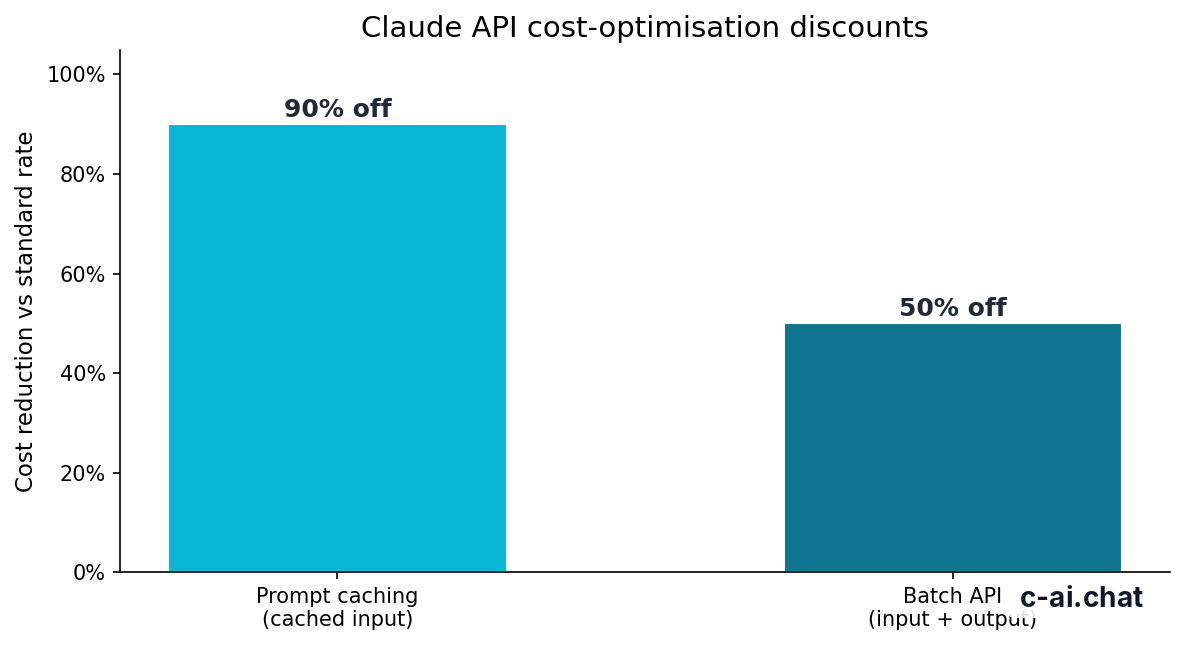
90% off
cached input tokens with prompt caching
Prompt caching can reduce the price of repeated cached input tokens by 90%. This is useful when apps resend the same instructions, schemas, examples, or reference text. Caching does not remove every rate limit, but it can reduce repeated input cost and make traffic more efficient.
50% off
input and output tokens with the Batch API
The Batch API can cut token cost by 50% for eligible asynchronous workloads. Use it when results do not need to return immediately. Examples include offline classification, document enrichment, nightly analysis, and large-scale test generation. If a user is waiting on a web page, batch processing is usually the wrong fit.
Worked example
Why output size matters
The same number of output tokens costs more than input tokens, so cap maximum output where you can.
For production systems, set explicit max_tokens values. Do not let every request ask for the largest possible answer. Shorter, structured outputs are cheaper, easier to validate, and less likely to consume throughput unexpectedly.
If you are comparing API use with Claude’s web subscription plans, see our Claude pricing guide. Subscriptions and API billing solve different problems. A subscription gives a person access to Claude features in the product. The API lets software call Claude programmatically and bills by token usage.
Free
$0
Product access on Claude, not API billing.
Pro
$20/month or $17/month annual
Individual product plan.
Max
From $100/month
Higher-usage individual product plan.
Team Standard
$25/seat or $20/seat annual
Team product plan.
Team Premium
$125/seat or $100/seat annual
Higher-usage team product plan.
Enterprise
$20/seat base + API rates
Enterprise access with API usage billed separately.
Limits and gotchas
The hard part is rarely the existence of a Claude API rate limit. The hard part is that limits show up differently depending on traffic shape, account status, and model choice. Plan for these issues early.
- Requests and tokens are different constraints. A high number of small requests and a small number of large requests can fail for different reasons.
- Limits can vary by account and model. Do not assume a value from a tutorial, another company, or a test account applies to production.
- Bursts can fail even when daily usage looks modest. A queue that starts many workers at once can create a short spike that exceeds the current allowance.
- Long context increases token pressure. Large inputs may be valid for the selected model, but they still consume input-token capacity and cost money.
- Retries can make outages worse. Immediate retries after a
429can multiply traffic. Use exponential backoff and jitter. - Model availability can differ by endpoint, feature, or account. Check Anthropic’s model overview at docs.claude.com before hard-coding model names.
- Regional and compliance needs may affect architecture. Enterprise controls, data handling, and trust information are documented at trust.anthropic.com.
- Service incidents are separate from your rate limit. If many requests fail unexpectedly, check status.claude.com before changing your code.
- Error classes need different responses. A
429suggests throttling or retrying later. A malformed request needs code changes. A service availability problem may need fallback behavior.
A common mistake is to build retry logic only inside the HTTP client. That handles one request, but it does not coordinate the rest of the system. A better approach is to centralize Claude API calls through a service that can see all traffic and enforce limits across users, jobs, and workers.
Another common mistake is treating rate limits as a launch-day detail. If your app has a public release, customer import, scheduled cron job, or sales demo, test the peak flow. You do not need perfect prediction, but you do need a queue and failure mode that protect users from repeated errors.
Good rate-limit design
- Queues background work
- Caps concurrent API calls
- Uses smaller models where suitable
- Sets clear output limits
- Retries with backoff and jitter
Risky design
- Lets every worker call Claude directly
- Retries immediately after errors
- Sends full context on every request
- Uses one model for every task
- Ignores official account limits
Feature choices also matter. If your product sends files, tool calls, long instructions, or structured JSON schemas, estimate total tokens rather than message count alone. If you are still mapping Claude’s broader capabilities, our Claude features guide explains the main product and developer features in plain language.
FAQ
If you are new to the ecosystem, start with our independent Claude guide or our Claude FAQ before building against the API. Claude’s product, API, model names, and account types are related, but they are not the same thing.
The practical take
The Claude API rate limit is not a blocker for most well-designed applications. It is a throughput constraint you should engineer around. Know your account’s limits, keep prompts efficient, cap concurrency, retry politely, and use batch processing for non-urgent work.
The mistakes are predictable. Do not treat every request as urgent. Do not send repeated long context without caching. Do not let every worker call Anthropic independently. If you plan for rate limits early, they become an operational detail rather than a production incident.
For implementation checklists, routing patterns, and operational notes, see our Claude resources.
Independent guide. Not affiliated with Anthropic. For the official Claude product, visit claude.ai.
Last updated: 2026-05-12
This article is part of the Claude API for developers hub on c-ai.chat.