The Claude API console usually means the developer area on platform.claude.com where you create API keys, manage billing, test requests, and use Anthropic’s tools around Claude models; this guide is an independent walkthrough from c-ai.chat, not Anthropic, and it will show you what the console does, how it works, what it costs, and the limits to watch.
If you want the broader developer context first, see our Claude API guide. If you are comparing web app subscriptions with developer billing, our Claude pricing breakdown covers both. For coding-specific workflow, we also have a guide to Claude Code and a feature overview at Claude features.
- The short answer
- How it works
- What it costs
- Limits and gotchas
- Other questions readers ask
- The honest take
- Free tier · no card
- API priced per million tokens
The short answer
The Claude API console is Anthropic’s developer dashboard for the Claude API. It is separate from the consumer chat app at claude.ai. In practice, you use the console to get an API key, view model options, manage usage and billing, and send test requests before wiring Claude into your app.
If you only need a quick mental model: claude.ai is the app, platform.claude.com is the API console. The app is for direct use in chat, while the console is for developers building products, scripts, agents, or internal tools on top of Claude.
Worked example
Minimal API request from the console to your app
You create the key in the console, test the request there or locally, then use the same pattern in your application code.
curl https://api.anthropic.com/v1/messages
  --header "x-api-key: YOUR_API_KEY"
  --header "anthropic-version: 2023-06-01"
  --header "content-type: application/json"
  --data '{
    "model": "claude-sonnet-4-6",
    "max_tokens": 300,
    "messages": [
      {"role": "user", "content": "Give me a 3-bullet summary of the Claude API console."}
    ]
  }'
Anthropic documents the API, models, and pricing in the official developer docs on platform.claude.com and docs.claude.com. This page explains how those pieces fit together so you can tell whether the console is the right starting point for your project.
How it works
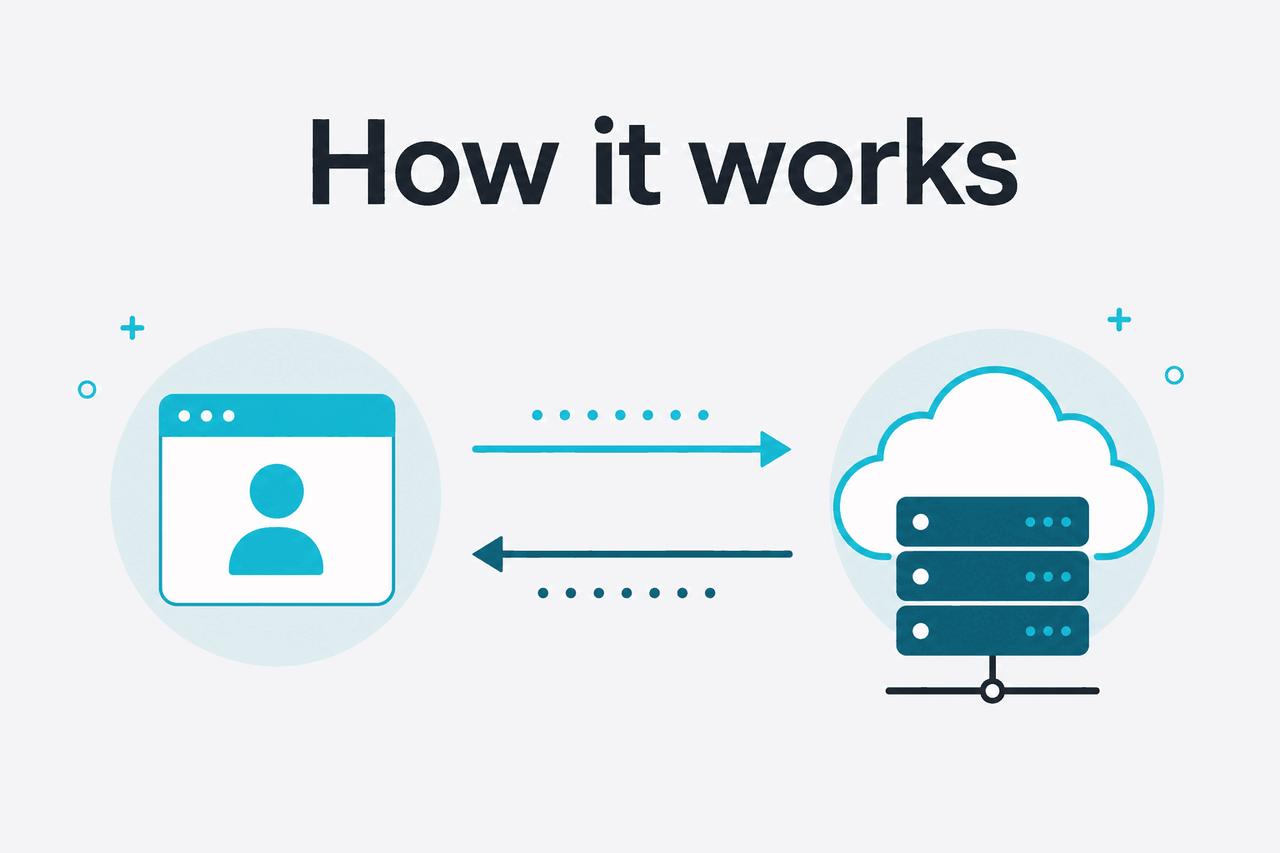
The console sits between the public documentation and the live API. You sign in, create a workspace or use your existing account, add billing if needed, generate an API key, and then send requests to Claude models through Anthropic’s API endpoints. The console is where account-level settings, usage visibility, and access controls live; the actual inference happens through API calls from your code.
Under the hood, the main developer flow is simple: pick a model, structure a request, send it to the Messages API, then handle the response in your app. Depending on the feature, you may also use prompt caching, batch processing, longer context windows, or team controls. Anthropic’s official references for pricing, models, and API behavior are on platform.claude.com/docs and docs.claude.com.
Create or access your developer account
Go to
platform.claude.comand sign in. This is the developer console, not the consumer chat interface atclaude.ai.Generate an API key
Create a key in the console and store it securely. Do not hard-code it into client-side code or commit it to Git.
Choose a model
Pick
claude-opus-4-7,claude-sonnet-4-6, orclaude-haiku-4-5based on quality, speed, and cost needs.Send a Messages API request
Use the documented endpoint format and include headers such as
x-api-keyandanthropic-version.Monitor usage and optimize
Check token usage, tune prompts, use caching where appropriate, and move high-volume async work to batch processing if the workflow allows it.
For many developers, the Claude API starts with Sonnet because it balances capability and cost well. If your work is code-heavy, you may also want to compare the console workflow with Claude Code, which is closer to an agentic coding tool than a plain dashboard.
What it costs
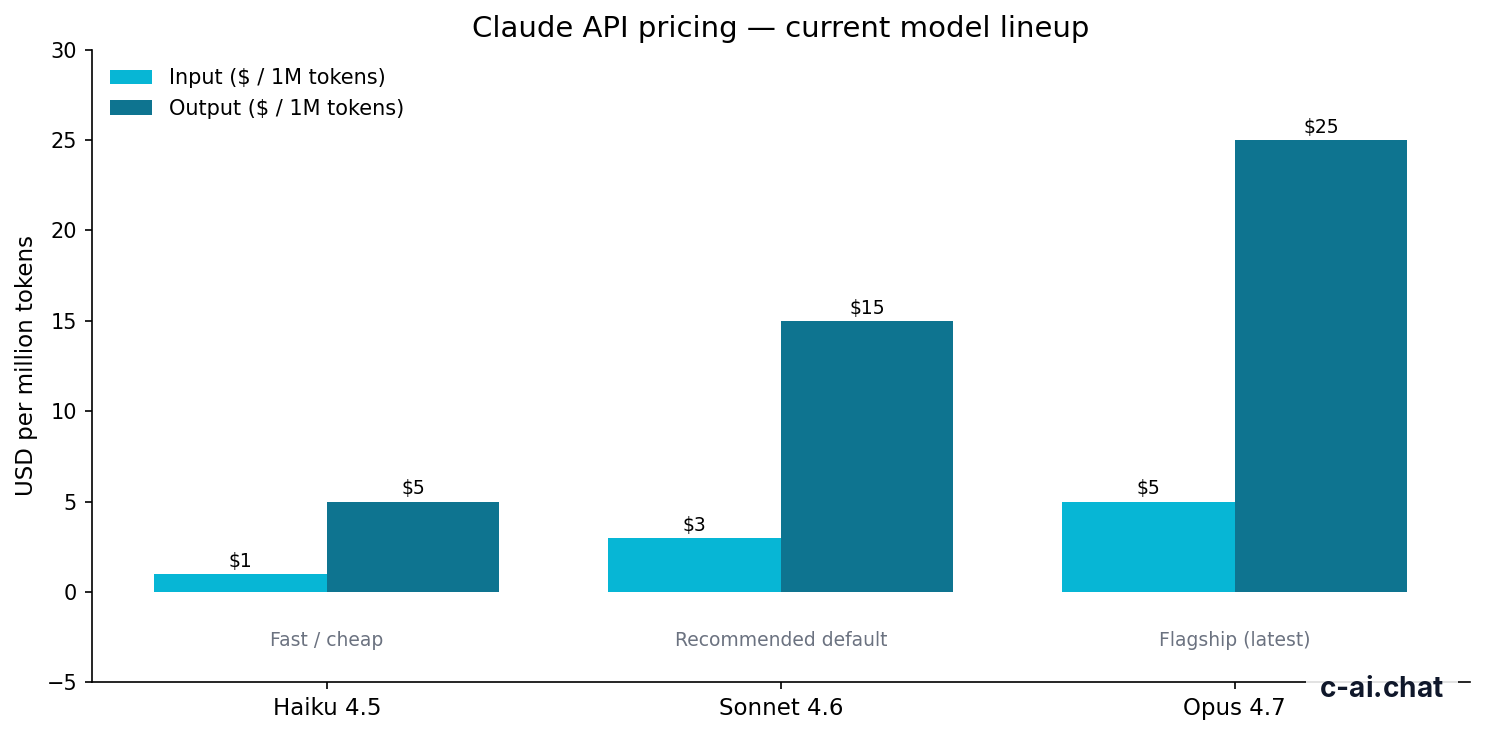
Claude API pricing is usage-based and charged per million tokens, not per seat. The three active models most developers compare are Claude Opus 4.7 at $5/M input and $25/M output, Claude Sonnet 4.6 at $3/M input and $15/M output, and Claude Haiku 4.5 at $1/M input and $5/M output.
If you use the Claude web app instead of the API, pricing works differently. The free plan is $0/month. Pro is $20/month or $17/month annual. Max starts at $100/month. Team Standard is $25/seat/month or $20/seat/month annual, Team Premium is $125/seat/month or $100/seat/month annual, and Enterprise starts with a $20/seat base plus usage at API rates. Those subscription plans matter if you are comparing personal chat access against developer usage from the console.
| Model | Best for | Input price | Output price | Context |
|---|---|---|---|---|
| Claude Opus 4.7 | Highest capability | $5 per million tokens | $25 per million tokens | Up to 1,000,000 tokens |
| Claude Sonnet 4.6 | Recommended default | $3 per million tokens | $15 per million tokens | Up to 1,000,000 tokens |
| Claude Haiku 4.5 | Fast, low-cost workloads | $1 per million tokens | $5 per million tokens | See model availability in console/docs |
90% off
cached input tokens with prompt caching
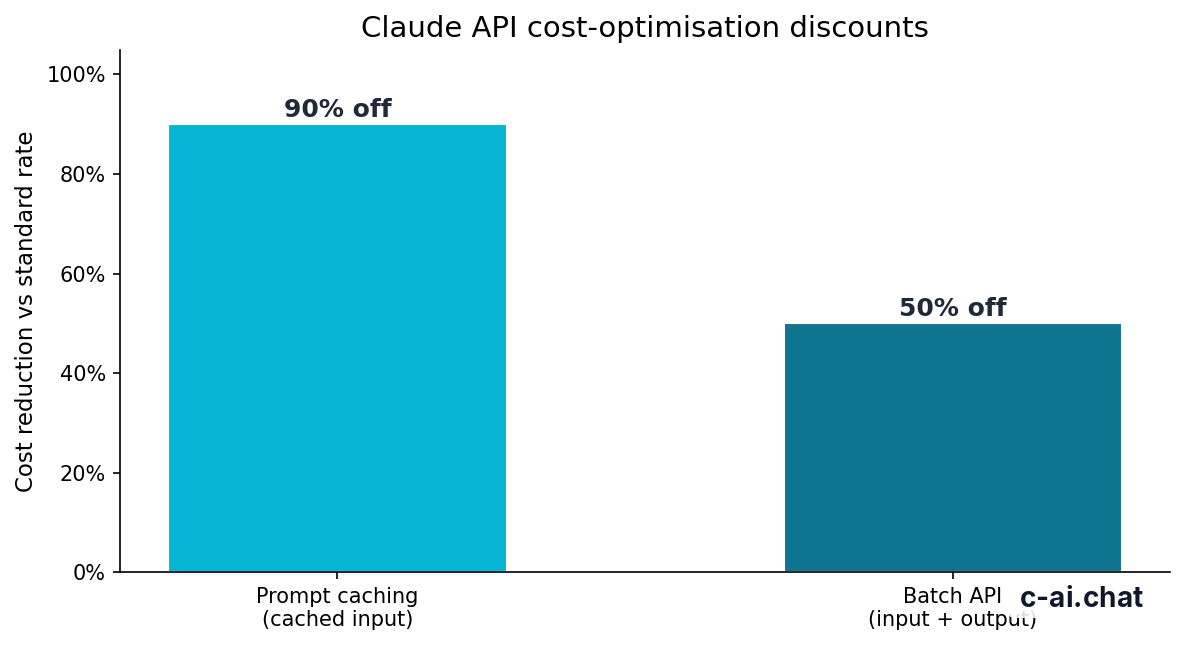
Two cost controls matter a lot in the console. First, prompt caching can cut the price of cached input tokens by 90%, which is useful when large prompt sections repeat across requests. Second, the Batch API can reduce costs by 50% on both input and output when your workload is asynchronous and does not need an instant response.
Pick when
- You need direct API access, not just the chat app
- You want token-based billing and model choice
- You can optimize repeated prompts with caching
- Your async jobs can use Batch API pricing
Skip when
- You only want a chat interface with no coding
- You prefer a flat personal subscription over usage billing
- Your project is too small to justify API setup
- You need features that are only in a managed app workflow
Worked example
Basic Sonnet 4.6 API cost estimate
If much of that input is reusable and cacheable, your effective cost can drop sharply.
For official numbers, use claude.com/pricing and the API pricing page on platform.claude.com. If you are deciding between app subscriptions and developer usage, our Claude pricing guide lays that out side by side.
Limits and gotchas
The console is straightforward, but a few things catch developers off guard. Most of them come down to rate limits, account setup, model access, or mixing up the chat product with the API product.
- Rate limits exist and can vary by account and usage tier. Do not assume you can send unlimited concurrent requests from a new account. Check your console settings and the official docs for current limits.
- Model availability may differ by account or feature rollout. If you do not see a model you expected, verify access in the console and in the official model overview.
- The chat app and API billing are different products. A Claude Pro subscription does not mean you have unlimited API usage included.
- Region, compliance, and data controls can depend on plan type. Team and Enterprise plans add controls such as SSO, SCIM, audit logs, spend controls, role-based access, and regional data residency options.
- 1,000,000-token context does not mean every request is cheap. Long context is available on Opus 4.7, Opus 4.6, and Sonnet 4.6 at standard rates, but large prompts still increase token spend and latency.
- Common errors are usually auth or formatting issues. Wrong API key, missing
anthropic-versionheader, malformed JSON, bad model name, or token limits set too low are common causes. - Status incidents happen. If requests fail unexpectedly, check status.claude.com before rewriting your code.
- Prompt caching only helps when input is actually reused. If every request is unique, you will not get the main cost benefit.
- Batch API is not for real-time UX. It is cheaper, but it is designed for asynchronous workloads, not instant chat interactions.
One more practical point: if your real goal is coding assistance inside a development workflow, compare the console with Claude Code. They overlap, but they are not the same tool.
Other questions readers ask
The honest take
The Claude API console is easy to understand once you separate it from the chat app. It is the right tool if you are building software with Claude, need API keys, want model control, or care about token-level costs. It is not the right tool if you only want to open a browser tab and chat.
For most developers, the practical path is simple: start in the console, test with Sonnet 4.6, watch token usage, then optimize with caching or batch processing if volume grows. Keep an eye on access limits, pricing, and status pages, and use the official docs for implementation details. If you still need the product-level view, compare this with our Claude API guide and pricing overview.
Independent guide. Not affiliated with Anthropic. For the official Claude product, visit claude.ai.
Last updated: 2026-05-10
This article is part of the Claude API for developers hub on c-ai.chat.