Claude API production work means choosing the right model, controlling cost and latency, handling rate limits and errors, and shipping with clear guardrails; this independent guide from c-ai.chat explains the practical setup most teams use and links to the official Anthropic docs where needed.
- The short answer
- How it works
- What it costs
- Limits and gotchas
- Other questions readers ask
- The honest take
- Claude API is priced per million tokens
- Sonnet 4.6 is the default production choice for many apps
If you are still comparing options, see our Claude API guide for the broader platform overview, Claude pricing guide for plan details, and Claude features for product capabilities outside the API.
The short answer
For claude api production, start with Claude Sonnet 4.6, keep prompts structured and versioned, set strict timeouts and retry rules, log token usage and failure rates, and add fallback paths for model errors, rate limits, and degraded service. Use Haiku 4.5 for low-cost high-volume tasks, and move to Opus 4.7 only when the extra reasoning quality materially changes outcomes.
The simplest reliable pattern is: send a small, well-scoped request; cap output size; validate the response format; store request IDs and usage metrics; and monitor service health through status.claude.com. Anthropic’s official model and pricing references live at platform.claude.com and the pricing docs.
Worked example
Minimal production request pattern
Start simple, measure real traffic, then add caching, batching, and model routing.
curl https://api.anthropic.com/v1/messages
  -H "x-api-key: $ANTHROPIC_API_KEY"
  -H "anthropic-version: 2023-06-01"
  -H "content-type: application/json"
  -d '{
    "model": "claude-sonnet-4-6",
    "max_tokens": 512,
    "system": "You are a concise support assistant. Return plain text only.",
    "messages": [
      {"role": "user", "content": "Summarise this ticket in 3 bullets."}
    ]
}'How it works

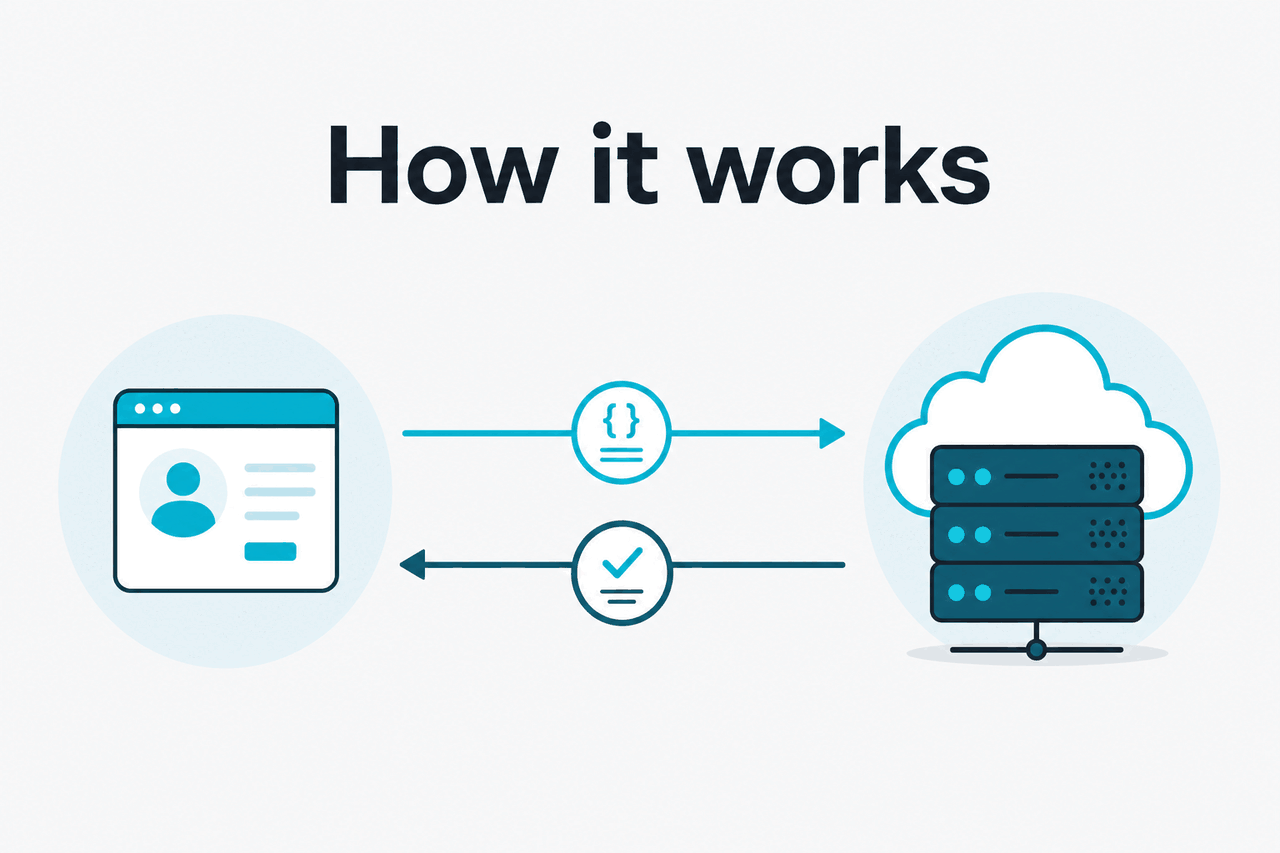
At a technical level, Claude API production is just an HTTP integration, but reliable deployments depend on everything around the request: prompt design, token budgeting, response validation, retries, timeout policy, and model selection. Anthropic documents the core request flow, model options, and platform behaviour at platform.claude.com and docs.claude.com.
In practice, most teams build a thin service layer between their app and Claude. That layer handles authentication, maps product features to model settings, enforces output schemas, records usage, and decides whether to retry, downgrade to a cheaper model, or fail gracefully. If you are also using coding workflows, our Claude Code guide covers the separate product path for developer assistance outside a standard API call.
-
Choose one default model
Start with
claude-sonnet-4-6for most production use cases. Only route toclaude-haiku-4-5orclaude-opus-4-7when speed or reasoning quality clearly matters. -
Keep prompts modular
Separate system instructions, user input, and any reusable context. This makes prompt versioning, caching, and debugging much easier.
-
Set hard limits
Always define
max_tokens, request timeouts, and retry counts. Production failures often come from unbounded outputs or retry storms. -
Validate every response
Check HTTP status, response shape, refusal cases, and usage metadata before your app trusts the output.
-
Instrument cost and latency
Track input tokens, output tokens, total request time, and error rates per feature, customer segment, and model.
A good production workflow also assumes that not every request needs the same model. Short classification, tagging, and basic extraction often fit Haiku 4.5. Customer-facing assistants, search helpers, and general app copilots usually sit well on Sonnet 4.6. High-stakes reasoning or long-context synthesis may justify Opus 4.7, especially where output quality directly affects revenue or team time.
Pick when
- You can define clear tasks and output formats
- You have metrics for latency, cost, and success rate
- You can route different workloads to different models
Skip when
- You have no monitoring or alerting yet
- You expect one prompt to solve every use case
- You treat generated text as trusted truth without validation
The production challenge is rarely “how do I call the API?” It is “how do I make outputs predictable enough for real users and real budgets?”
What it costs
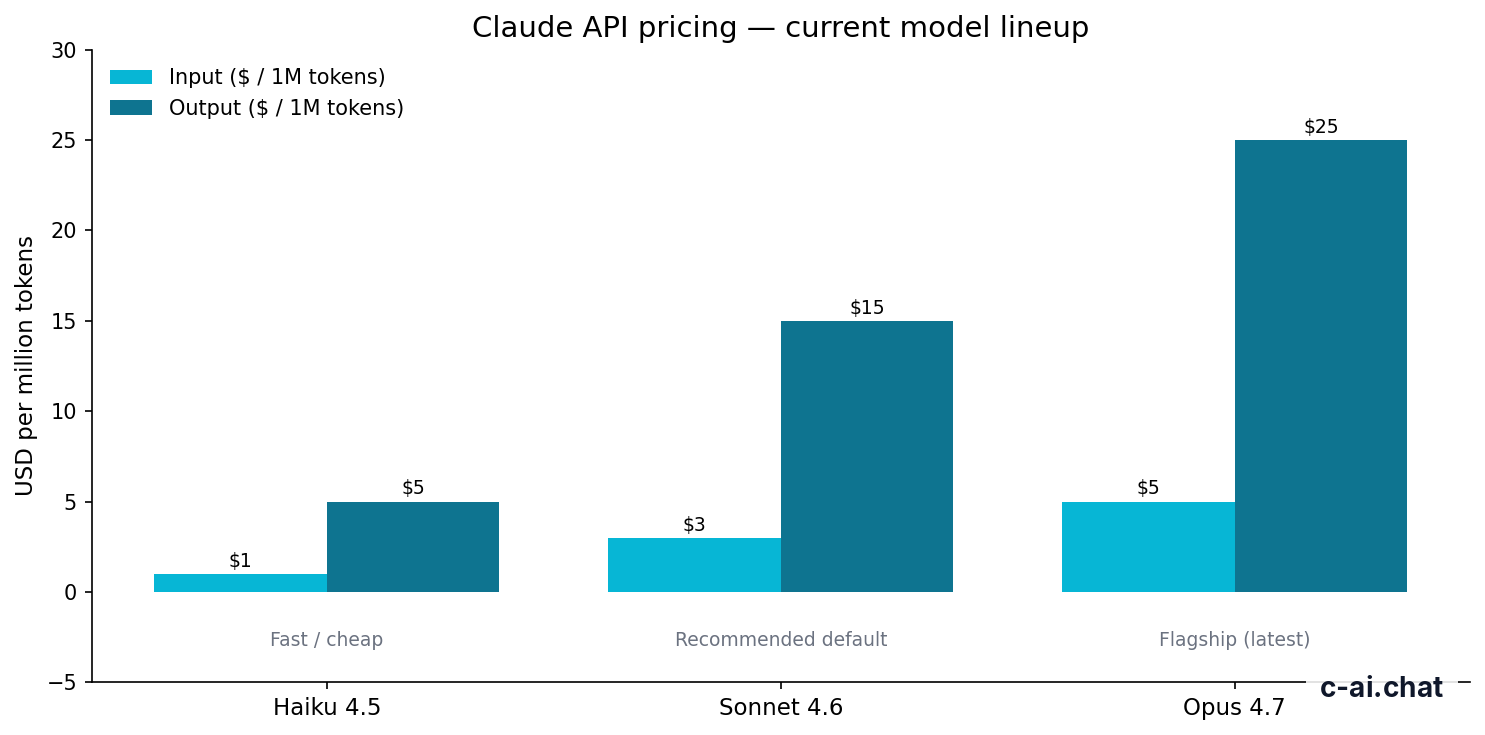
Claude API pricing is per million tokens, with separate rates for input and output. The current production lineup is straightforward: Claude Opus 4.7 costs $5 per million input tokens and $25 per million output tokens, Claude Sonnet 4.6 costs $3 input and $15 output, and Claude Haiku 4.5 costs $1 input and $5 output. The official references are claude.com/pricing and the API pricing docs.
| Model | Best use | Input | Output |
|---|---|---|---|
| Claude Opus 4.7 | Highest-end reasoning and long complex tasks | $5 / M tokens | $25 / M tokens |
| Claude Sonnet 4.6 | Default production choice for most apps | $3 / M tokens | $15 / M tokens |
| Claude Haiku 4.5 | Fast, cheap, high-volume workloads | $1 / M tokens | $5 / M tokens |
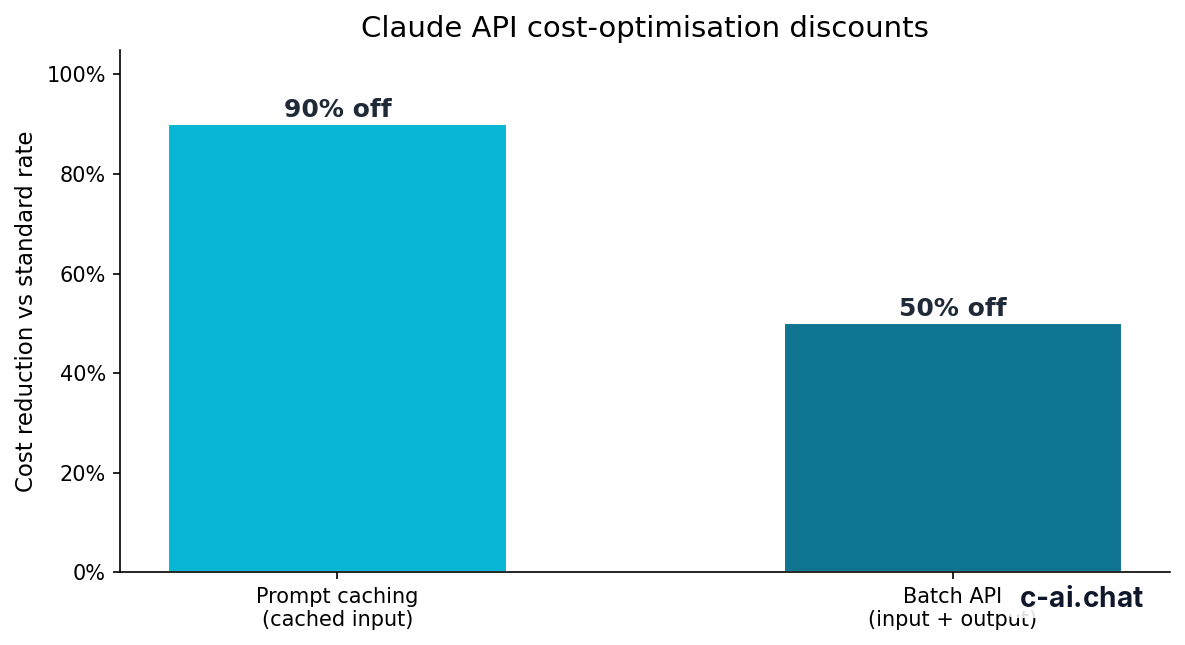
Two cost controls matter a lot in production. Prompt caching can cut cached input token cost by 90%, which is useful when you reuse large system prompts, policy text, or stable context across many requests. Batch API can cut both input and output costs by 50% for workloads that do not need immediate responses, such as overnight enrichment, bulk summarisation, or document classification.
90% off
cached input tokens with prompt caching
Long context can also affect your budget, not because the rate changes, but because more context means more billable input tokens. Opus 4.7, Opus 4.6, and Sonnet 4.6 support up to 1,000,000 tokens of context at standard rates, which is useful for large document sets and retrieval-heavy workflows. The practical rule is simple: just because you can send huge context windows does not mean you should. Trim and rank context first.
Worked example
Approximate Sonnet 4.6 request cost
Cost scales quickly with large prompts and verbose outputs, so output caps matter as much as model choice.
If your team is comparing API cost against subscription plans, keep them separate. API billing is usage-based. Claude app plans like Free, Pro, Max, Team, and Enterprise are priced differently for the hosted product experience. We break that out in our Claude pricing page.
Limits and gotchas
Most production issues are not model quality problems. They are operational surprises: rate limits during traffic spikes, larger-than-expected token usage, missing fallback logic, or region and workspace constraints that only show up after launch.
- Rate limits exist and can change by account tier. Do not hard-code assumptions. Check your current limits in the Anthropic platform and design for backoff, queueing, and graceful degradation.
- Model availability may differ by account or feature. A model listed in the docs does not guarantee immediate access in every account context.
- Region and compliance requirements need confirmation. If your product needs regional data controls, audit logs, or enterprise governance, review Anthropic Trust Center and enterprise options before rollout.
- Long context is easy to misuse. Sending huge prompts can increase latency and cost without improving answers. Retrieval and prompt trimming usually help more.
- Output length is a hidden cost driver. Teams often optimise input prompts but forget that output tokens are much more expensive on stronger models.
- Prompt changes can break formatting. Treat prompts like code. Version them, test them, and do not edit production prompts casually.
- Retries can amplify outages. If the platform is degraded, aggressive client retries can make your app slower and more expensive. Check the status page before escalating retry volume.
- Common errors need explicit handling. Expect authentication failures, invalid request payloads, rate limiting, timeouts, and occasional malformed outputs when the model does not follow the requested format.
Another common gotcha is using one model for everything because it simplifies routing. That is understandable at first, but expensive over time. A better pattern is to map features to quality tiers: Haiku 4.5 for bulk and speed, Sonnet 4.6 for most interactive tasks, and Opus 4.7 only where the output quality is worth the premium.
| Production concern | What usually goes wrong | Better approach |
|---|---|---|
| Rate limiting | Sudden spikes trigger errors | Queue requests, back off, and cap concurrency |
| Cost control | Large prompts and long answers inflate spend | Trim context, cap output, use caching and batch jobs |
| Reliability | One failed call breaks user flow | Add retries, fallbacks, and status-page aware logic |
| Output quality | Free-form text is hard to parse | Request structured outputs and validate schema |
| Model routing | Premium model used everywhere | Match task difficulty to model tier |
Other questions readers ask
The honest take
Claude API is production-ready when you treat it like infrastructure, not magic. The model choice matters, but your real wins come from request discipline, schema validation, prompt versioning, cost tracking, and sensible fallbacks. For most teams, Sonnet 4.6 is the practical starting point. Haiku 4.5 is the budget workhorse. Opus 4.7 is the premium option when quality pays for itself.
If you are launching a new feature, keep the first version boring: one model, one prompt path, strict output limits, and clear monitoring. Then optimise with prompt caching, Batch API, and selective model routing once you have real traffic data. That is the shortest path to stable claude api production.
Independent guide. Not affiliated with Anthropic. For the official Claude product, visit claude.ai.
Last updated: 2026-05-10
This article is part of the Claude API for developers hub on c-ai.chat.