If you are checking Claude API status, the official place to verify live uptime, incidents, and degraded performance is Anthropic’s status page; c-ai.chat is an independent guide, not Anthropic, and this page explains what the status page shows, how outages usually affect developers, and what to check next.
If you need broader context before troubleshooting, start with our Claude API guide, then come back here for status-specific checks.
- The short answer
- How it works
- What it costs
- Limits and gotchas
- Other questions readers ask
- The honest take
- Official status lives at status.claude.com
- API priced per million tokens
The short answer
The fastest way to check claude api status is to open status.claude.com. That page is Anthropic’s official incident feed for API and product availability. If the status page shows all systems operational but your app still fails, the problem is often account-level limits, model access, bad request formatting, authentication, or a regional network issue rather than a platform-wide outage.
For developers, the practical rule is simple: check the status page first, then confirm your API key, model name, request size, and response handling against the model docs and the Claude documentation. If you use Claude through the consumer app rather than the API, a partial app outage at claude.ai does not always mean the API is down too.
Worked example
Fast status triage for a failing API call
Most “Claude is down” reports turn out to be one of these two buckets.
curl https://api.anthropic.com/v1/messages
  --header "x-api-key: $ANTHROPIC_API_KEY"
  --header "anthropic-version: 2023-06-01"
  --header "content-type: application/json"
  --data '{
    "model": "claude-sonnet-4-6",
    "max_tokens": 128,
    "messages": [{"role":"user","content":"Reply with OK"}]
  }'
If that minimal request fails while the status page shows an active incident, wait or fail over gracefully. If it fails while the status page is green, compare your request format with the official examples in Platform Claude and review your usage setup.
How it works
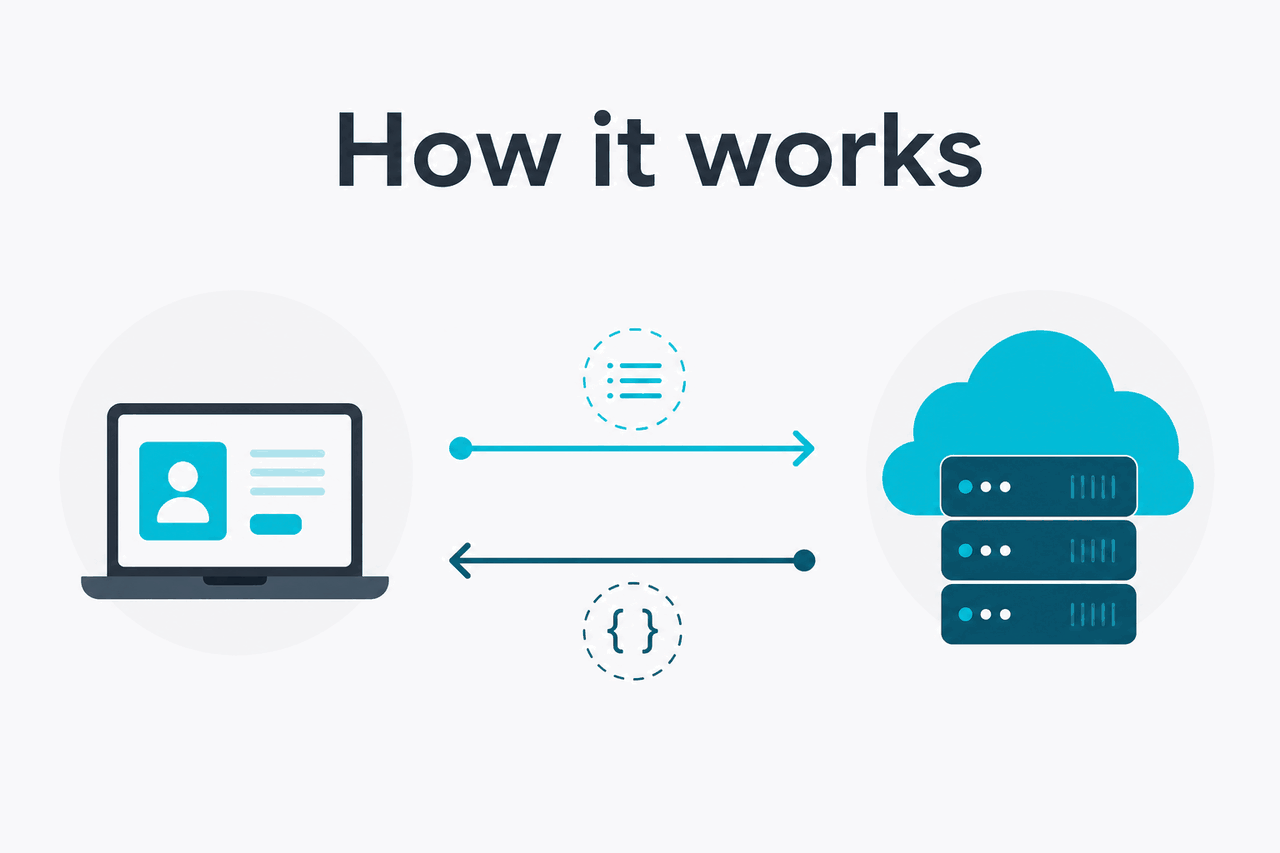
Anthropic publishes service health on status.claude.com. That status system usually separates incidents by component, such as API availability, response latency, console access, or the Claude app. For developers, that matters because a slowdown in one component does not always mean a complete API outage. You may see elevated latency, streaming interruptions, or higher error rates before you see a full service failure.
At the application level, your API request passes through authentication, quota checks, model routing, token processing, and response delivery. A failure at any one of those stages can look like “Claude API status is down” from the outside. The official docs at platform.claude.com and docs.claude.com help you separate platform incidents from request-level errors such as invalid headers, unsupported parameters, or limits on token output.
-
Check the official service state
Open
https://status.claude.comand confirm whether the API component is operational, degraded, or in an active incident. -
Run a minimal test request
Use a short request against a supported model such as
claude-sonnet-4-6to remove prompt complexity as a variable. -
Validate auth and headers
Confirm your API key,
anthropic-version, content type, and model name match the current docs. -
Check limits and account access
Review whether your workspace, plan, or team policy allows the model you requested and whether you are hitting throughput or spend controls.
-
Handle failures by type
Retry transient 5xx or timeout conditions with backoff. Fix 4xx request errors directly. Do not blindly retry malformed requests.
If you are still setting up, our guides to Claude features and Claude Code help explain which tools live in the app versus the API. That distinction matters during incidents because the web app, desktop app, and developer API can degrade in different ways.
What it costs
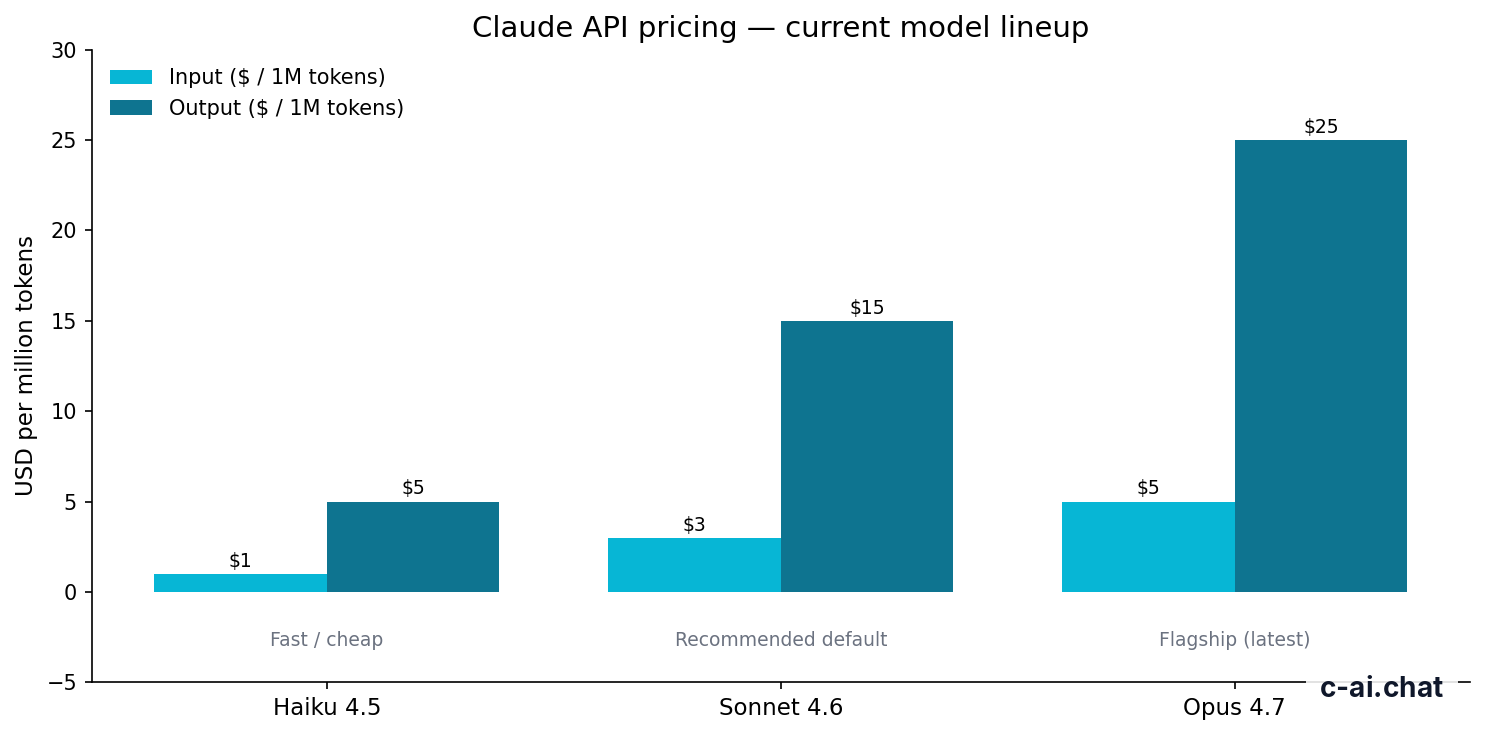
Checking claude api status itself costs nothing. What costs money is actual API usage, billed per million input and output tokens. If you are debugging outages or testing retries, use the cheapest model that can reproduce the issue cleanly, because repeated test calls add up.
| Model | Positioning | Input price | Output price |
|---|---|---|---|
| Claude Opus 4.7 | Flagship | $5/M tokens | $25/M tokens |
| Claude Sonnet 4.6 | Recommended default | $3/M tokens | $15/M tokens |
| Claude Haiku 4.5 | Fast / cheap | $1/M tokens | $5/M tokens |
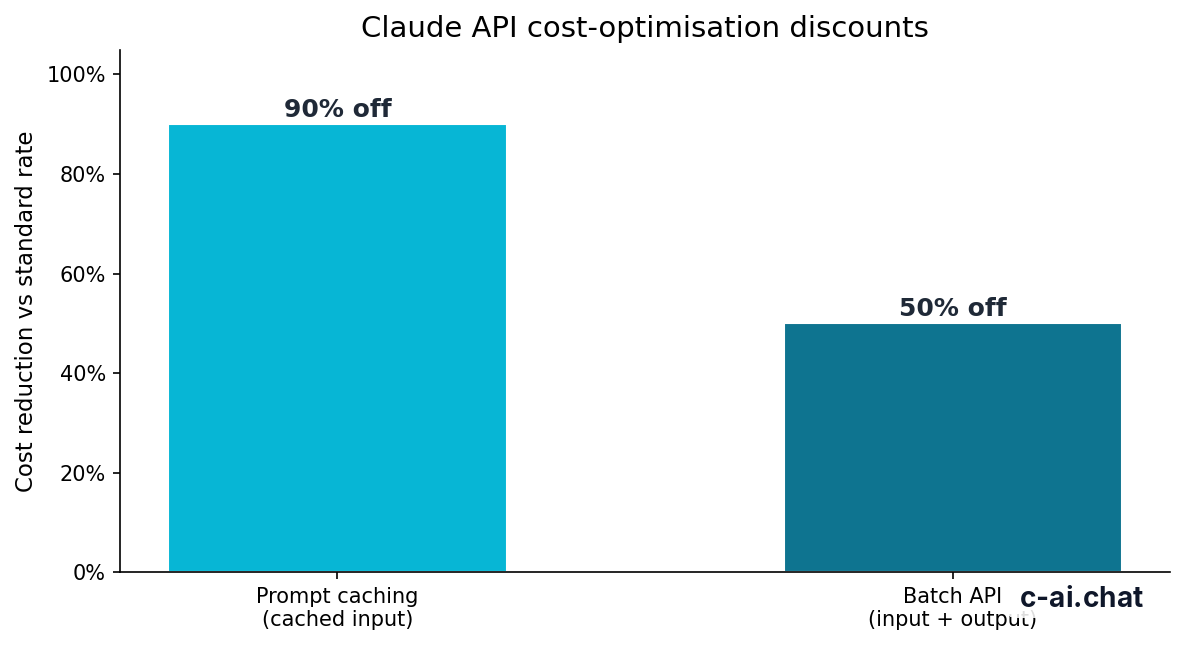
Anthropic also offers cost controls that matter when you are polling, batch-processing, or reusing long prompts during incident recovery. Prompt caching cuts cached input token cost by 90%, and Batch API cuts both input and output pricing by 50%. Opus 4.7, Opus 4.6, and Sonnet 4.6 support long context up to 1,000,000 tokens at standard rates, which is useful for large-document workflows but expensive if you retry carelessly.
90% off
cached input tokens with prompt caching
Worked example
Cheap health check pattern
For uptime probes and simple “is the API responding” checks, Haiku 4.5 is usually the sensible choice.
If you are comparing app subscriptions with API billing, keep them separate. The Claude app has Free, Pro, Max, Team, and Enterprise plans on claude.com/pricing, while API usage is billed by token through Platform Claude pricing. Our Claude pricing guide breaks down when subscription plans matter and when API billing is the real cost driver.
Limits and gotchas
Most confusion around claude api status comes from issues that look like downtime but are really normal limits or request problems. These are the ones developers hit most often.
- Rate limits can look like outages. A burst of requests may trigger throttling, slow responses, or errors that feel like downtime from your side even when the status page is green.
- Model availability is account-dependent. Not every workspace or plan gets identical access to every model at the same time. A rejected model name is not proof the API is down.
- App issues and API issues are not always the same incident. Problems on claude.ai do not automatically mean the developer API is unavailable.
- Region and network routing matter. Corporate firewalls, VPNs, or local ISP issues can block or slow requests while Anthropic’s systems remain healthy.
- Large prompts increase timeout risk. Long context requests, file-heavy workflows, and high output caps are more likely to expose latency during degraded service.
- Common 4xx errors are usually your request. Invalid authentication, unsupported parameters, missing headers, malformed JSON, or output limits are local issues, not platform-wide outages.
- Streaming failures can be partial failures. You may get a successful request start but an interrupted stream if the service is degraded.
- Status pages can lag by a few minutes. Early signs often show up first in your logs, then on the official incident page after confirmation.
- Enterprise controls can add another layer. Spend limits, admin restrictions, SSO policies, or workspace rules may block requests even when Anthropic is fully operational.
Pick when
- You need a quick way to separate real outages from local bugs
- You want a repeatable status-check workflow for your team
- You are building retries, fallbacks, or internal runbooks
Skip when
- You have not yet confirmed your API key and model access
- Your error is a clear 4xx validation problem
- You are troubleshooting the consumer app rather than the API
Other questions readers ask
The honest take
For claude api status, the answer is straightforward: use the official Anthropic status page first, not social posts or generic outage sites. It is the fastest way to tell whether you are dealing with a real platform incident or a problem in your own integration. In practice, many reported “outages” are actually authentication mistakes, unsupported model names, request formatting issues, or account limits.
Claude’s API is easy to sanity-check if you keep a tiny test request ready and know where the official health page lives. Build that into your runbook, use low-cost models for canary checks, and do not treat every failed request as a global incident. That saves time, money, and avoidable support loops.
Independent guide. Not affiliated with Anthropic. For the official Claude product, visit claude.ai.
Last updated: 2026-05-10
This article is part of the Claude API for developers hub on c-ai.chat.