Claude API errors are the HTTP and validation responses you get when a request to Anthropic’s Claude API is malformed, unauthorised, too large, rate limited, or blocked by a temporary service issue; this independent guide explains the common patterns, what they usually mean, and how to fix them fast. If you need the broader developer context first, start with our Claude API guide.
- The short answer
- How it works
- What it costs
- Limits and gotchas
- Other questions readers ask
- The honest take
The short answer
Most Claude API errors fall into a small set of buckets: 400 for invalid request structure, 401 for bad or missing API credentials, 403 for access restrictions, 404 for wrong endpoints or resources, 413 when the payload is too large, 429 when you hit rate or usage limits, and 5xx when the service is temporarily failing. In practice, fixing claude api errors usually means checking the model name, headers, request JSON, token volume, and account-level limits before you retry.
If you are building against the Messages API, a good first pass is simple: verify your API key, confirm the endpoint and model are current, keep your payload under the allowed size, and log the full response body instead of only the HTTP status. That response body often contains the exact field that failed validation.
Worked example
Minimal request checks before you debug further
/v1/messagesx-api-keyanthropic-versionclaude-sonnet-4-6When one of these fields is wrong, the API usually tells you quickly with a 4xx response.
curl https://api.anthropic.com/v1/messages
  -H "content-type: application/json"
  -H "x-api-key: $ANTHROPIC_API_KEY"
  -H "anthropic-version: 2023-06-01"
  -d '{
    "model": "claude-sonnet-4-6",
    "max_tokens": 256,
    "messages": [
      {"role": "user", "content": "Say hello"}
    ]
  }'
If that request fails, inspect the exact error payload before changing anything else. Many developers lose time by retrying a bad request instead of reading the validation message. For model selection and request format context, our Claude features overview and Claude Code guide can help if your error appears inside a tool or workflow rather than in a raw API call.
How it works
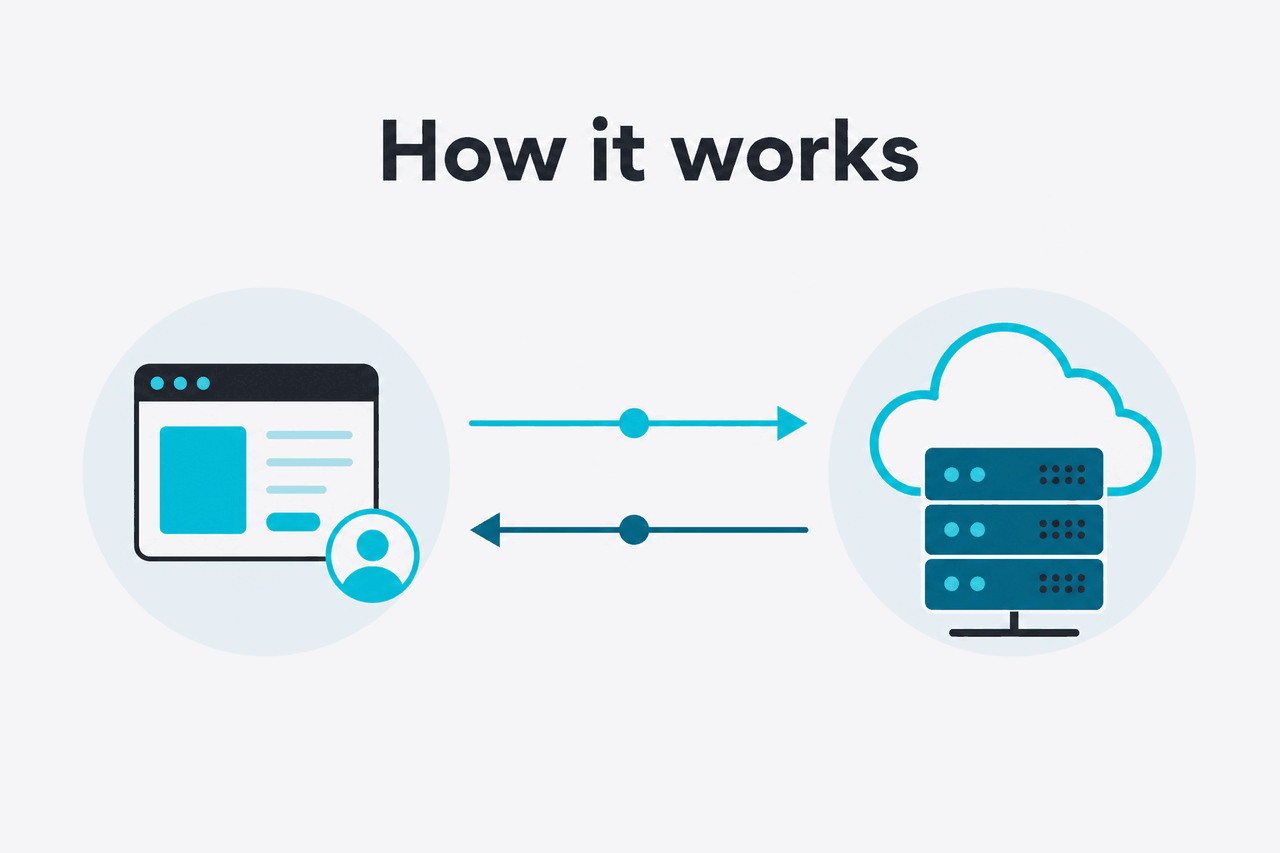
Claude API error handling follows a standard pattern: the server returns an HTTP status code plus a structured JSON error body. The status code tells you the category of failure, while the body gives the specific reason, such as an invalid field, unsupported model, missing permission, or temporary overload. Anthropic documents the current API shape, model names, and pricing on platform.claude.com and related developer docs.
For developers, the useful mental model is this: 4xx means fix your request or account setup; 5xx means retry with backoff. A 400 or 404 usually stays broken until you change the payload, headers, endpoint, or model. A 429 may clear after waiting or reducing concurrency. A 500, 502, 503, or 504 is more likely to be transient, so you should retry with jitter and also check status.claude.com if failures persist.
-
Capture the full error response
Log the HTTP status, response body, request ID if present, and the exact model name. Do not rely on a generic SDK exception string alone.
-
Separate 4xx from 5xx
Treat
400,401,403,404,413, and many429responses as request or account problems. Treat5xxas transient unless repeated for the same call pattern. -
Validate endpoint, headers, and JSON shape
Check
x-api-key,anthropic-version, endpoint path,messagesstructure, andmax_tokens. Small schema mistakes are a common source of400errors. -
Confirm model access and account state
Make sure the model exists, your account can use it, and any workspace or billing constraints are cleared. Model naming mistakes often look like access or validation failures.
-
Retry safely when appropriate
Use exponential backoff for
429and5xx. Do not hammer the API with identical immediate retries; that can make a bad limit situation worse.
| Error class | What it usually means | What to do next |
|---|---|---|
400 Bad Request | Invalid JSON, missing field, wrong parameter, unsupported request shape | Validate payload against current docs and inspect the message field by field |
401 Unauthorized | Missing, invalid, or malformed API key | Check x-api-key, secret source, and environment loading |
403 Forbidden | Key recognised but action not allowed | Check workspace access, policy limits, or restricted model usage |
404 Not Found | Wrong endpoint or missing resource | Verify URL path and resource identifiers |
413 Payload Too Large | Request body exceeds allowed size | Reduce input size, attachments, or message history |
429 Too Many Requests | Rate limit or usage throttle | Back off, reduce concurrency, and monitor request volume |
5xx | Temporary platform-side failure | Retry with jitter and check status page |
What it costs
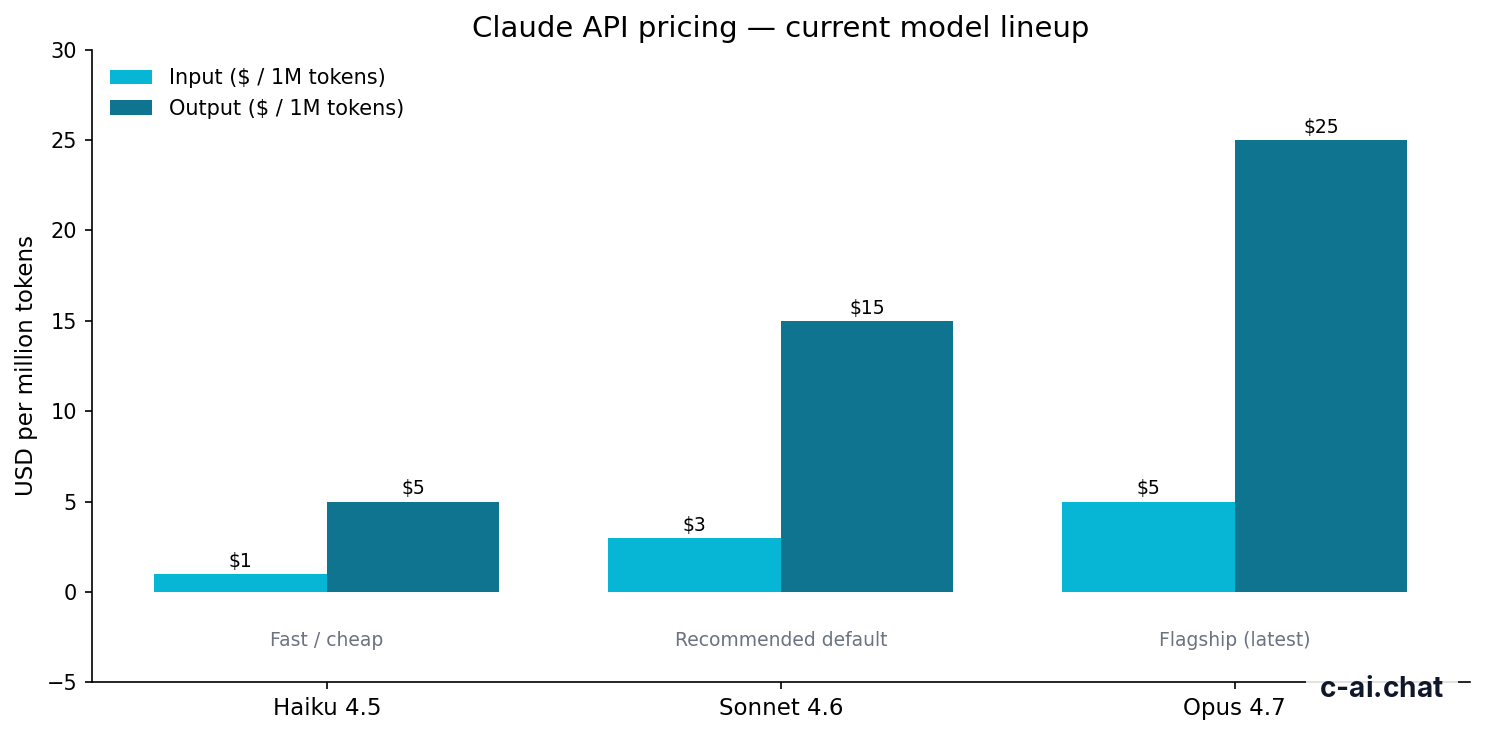
Claude API errors themselves do not have a separate fee, but failed requests can still matter for cost control if your application repeatedly sends oversized or inefficient payloads. Claude API pricing is charged per million tokens, so cleaner requests reduce both debugging time and spend. If you are comparing account plans beyond the API, see our Claude pricing guide.
- Free tier · no card
- API priced per million tokens
| Model | Input price | Output price | Typical use |
|---|---|---|---|
| Claude Opus 4.7 | $5/M tokens | $25/M tokens | Highest-capability work, complex reasoning, long-context tasks |
| Claude Sonnet 4.6 | $3/M tokens | $15/M tokens | Recommended default for most production apps |
| Claude Haiku 4.5 | $1/M tokens | $5/M tokens | Fast, lower-cost classification, extraction, routing, and simple chat |
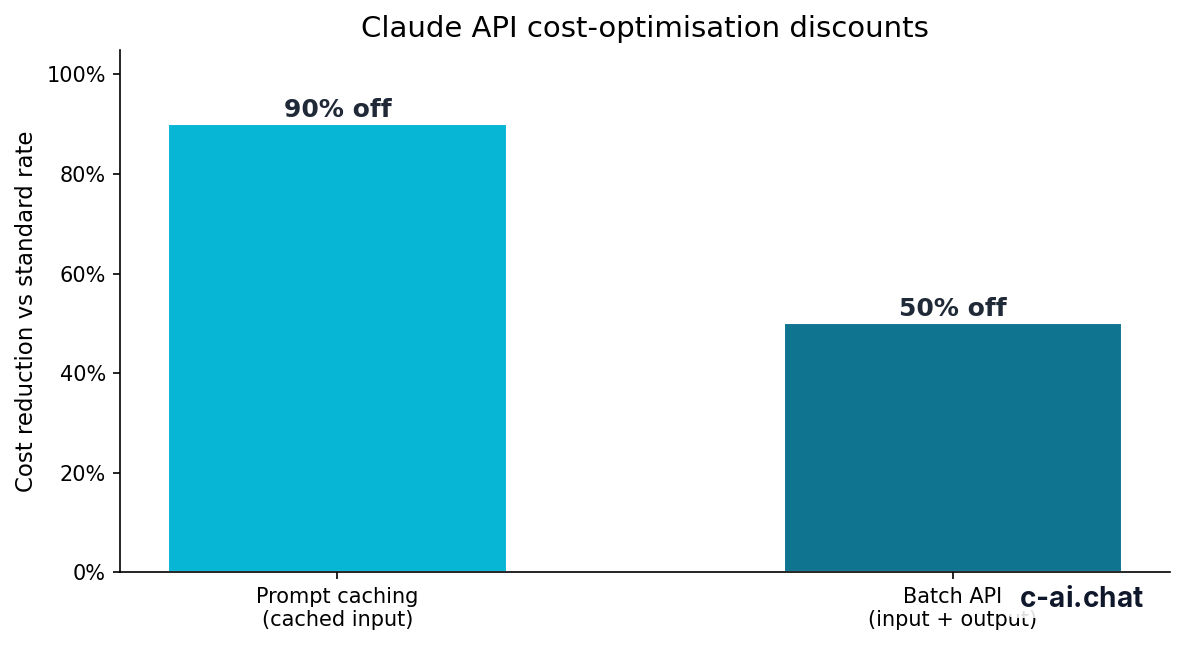
Anthropic also offers cost optimisation features that matter when debugging and scaling. Prompt caching can reduce cached input token cost by 90%, which helps if your app repeatedly sends the same long system or reference context. The Batch API can reduce both input and output costs by 50% for workloads that do not require immediate responses.
90% off
cached input tokens with prompt caching
Long context can also affect error rates. On supported models such as Opus 4.7, Opus 4.6, and Sonnet 4.6, Anthropic lists long context up to 1,000,000 tokens at standard rates, but large requests still need careful payload construction. If your app keeps hitting size or validation errors, shrinking request history and reusing cached prompts can lower both failure frequency and cost.
Worked example
Why repeated bad requests can become expensive
Error handling is partly a billing problem: if your app keeps retrying malformed requests, you are paying for poor request hygiene.
Limits and gotchas
The biggest surprises with Claude API errors are usually not exotic bugs. They are ordinary operational limits: request size, rate limits, model access, and account setup mismatches. Below are the issues developers hit most often.
- Rate limits can look random if you only test locally. A request pattern that works in manual testing may hit
429once real users arrive. Track concurrency, queue depth, and retry bursts. - Model availability is not the same as model name guesswork. Use the current official model identifiers from the model overview. Old or assumed names can trigger validation or not-found style failures.
- Headers matter. Missing
x-api-keyoranthropic-versioncan break an otherwise valid request. This is one of the fastest checks to run. - Large payloads fail before model quality becomes relevant. If you are sending long chat history, documents, or tool results, watch for
413or input validation errors before tuning prompts. - Workspace or billing state can block access. A valid key does not guarantee every model or feature is available to every account or team setup.
- Temporary platform issues happen. If a previously healthy request starts returning
5xx, check the status page before rewriting your client. - Region, trust, or enterprise controls can change behavior. For managed deployments, data residency, security, or policy settings may limit specific actions. Anthropic publishes security and trust information at trust.anthropic.com.
- Retries need backoff. Immediate retries on
429or503can turn a temporary limit into a sustained outage for your own app. - SDK abstractions can hide the useful part. Some wrappers collapse distinct API failures into one generic exception. Keep raw request and response logging in non-production-safe form during development.
- Web app features and API features are not identical. If something works in claude.ai, that does not always mean your API request format is correct or that the same account path applies.
Pick when
- You want a simple debugging checklist for 4xx and 5xx responses
- You need to separate request problems from platform-side failures
- You are tuning retries, payload size, and model selection together
Skip when
- You only need consumer app help instead of API troubleshooting
- Your issue is billing, workspace admin, or account access only
- You need official support escalation rather than self-diagnosis
If your issue sits higher up the stack, not just in the API call, our homepage independent Claude guide maps the product areas quickly. That helps when an “API error” is really a plan, workspace, or feature mismatch.
Other questions readers ask
The honest take
Claude API errors are usually straightforward once you stop treating them as mysterious model failures. Most are ordinary integration problems: bad headers, wrong model names, oversized payloads, or rate limits that only show up under load. If you log the full error body, separate 4xx from 5xx, and test with a minimal valid request, you can resolve the majority of issues quickly.
The harder cases are operational, not conceptual. Production traffic introduces retries, concurrency spikes, workspace rules, and cost pressure. That is why a good Claude integration needs three things at once: request validation, rate-limit-aware retry logic, and awareness of current model and pricing details from the official docs. For live usage, go to the official product or continue with the broader API reference on this site.
Independent guide. Not affiliated with Anthropic. For the official Claude product, visit claude.ai.
Last updated: 2026-05-10
This article is part of the Claude API for developers hub on c-ai.chat.