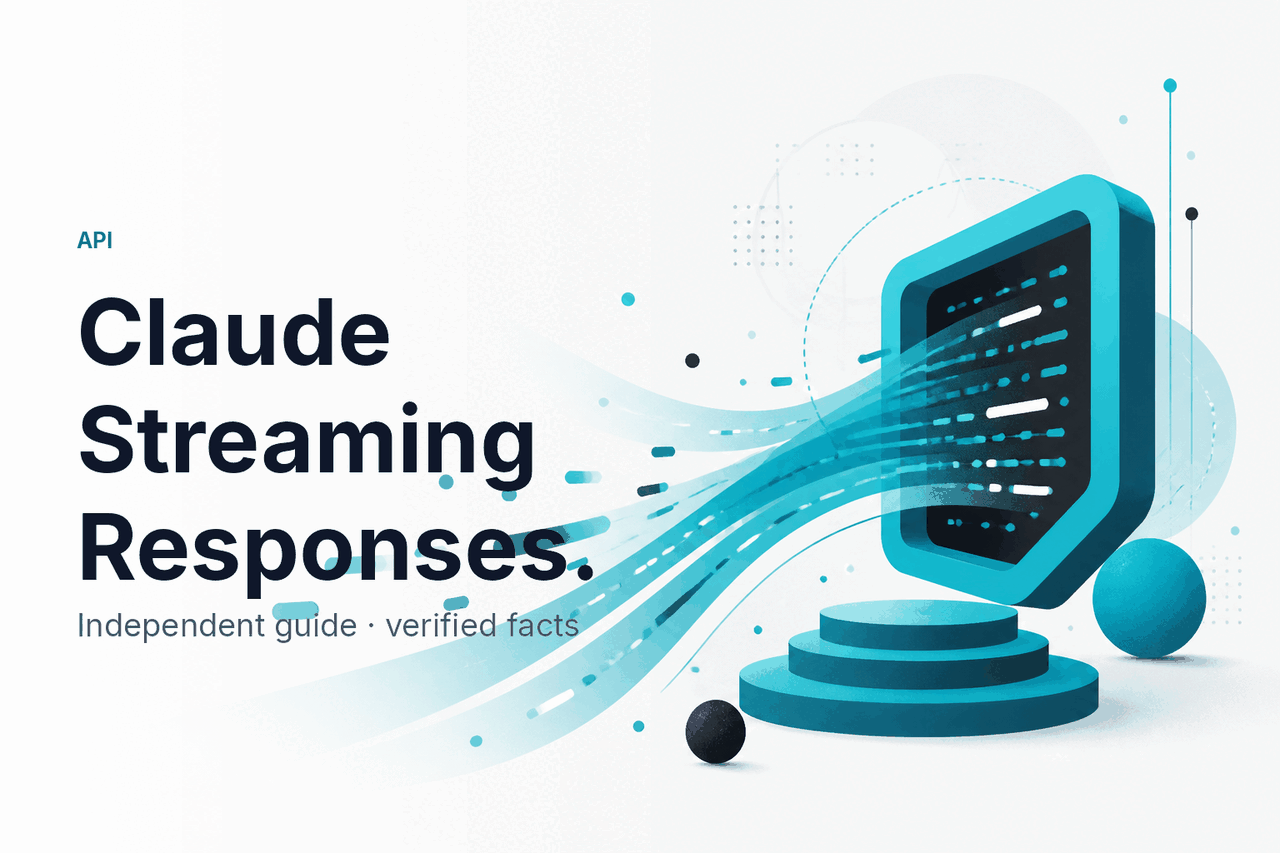
Claude API streaming sends a Claude response to your app token by token over server-sent events, so users can see the answer begin before the full message is complete. For the broader developer overview, start with our Claude API guide.
The short answer
Use streaming when you want lower perceived latency in chat, coding, agent, or document workflows. In Anthropic’s Messages API, you enable streaming with the SDK streaming helper or by setting stream to true. The response arrives as events, so your app can render text as Claude generates it.
Minimal Python example
Print Claude output as it streams
import os
from anthropic import Anthropic

client = Anthropic(api_key=os.environ["ANTHROPIC_API_KEY"])

with client.messages.stream(
    model=os.environ["CLAUDE_MODEL"],
    max_tokens=512,
    messages=[
        {"role": "user", "content": "Explain server-sent events in one sentence."}
    ],
) as stream:
    for text in stream.text_stream:
        print(text, end="", flush=True)
Set CLAUDE_MODEL to a current model ID from Anthropic’s model docs before using this in production.
Streaming is a delivery method, not a different model. It does not make Claude think less, skip safety checks, or reduce token prices by itself. It mainly changes how quickly the user sees the answer start.
How it works
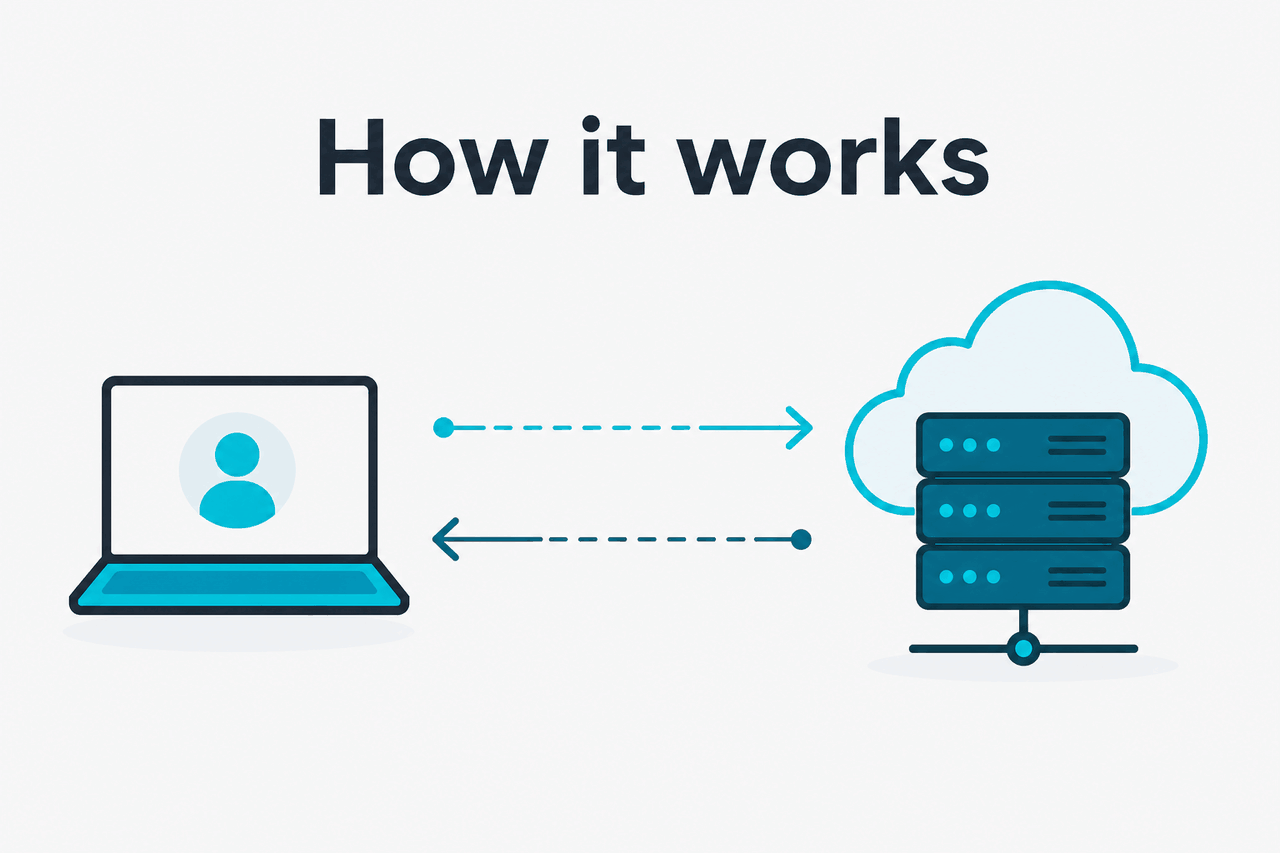
Claude streaming uses server-sent events, or SSE. Your server opens a request to Anthropic’s Messages API and keeps the HTTP connection open while Claude generates the response. Anthropic sends structured events, including message start, content block start, content deltas, message deltas, pings, and message stop.
The SDKs can expose plain text chunks or lower-level events. Plain text is enough for many chat UIs. Lower-level events are better when you need tool use, usage data, custom progress states, or careful separation between visible text and internal actions.
Most apps should stream from their own backend rather than directly from a browser. This keeps your API key private, lets you enforce user limits, and gives you a place to handle retries, logging, cancellation, and disconnects.
Create the request
Send a Messages API request with your model, messages, tool definitions if needed, and a maximum output limit. Use the SDK streaming method or set
stream: true.Open the stream
Your backend receives an SSE stream from Anthropic. Keep the connection alive. Avoid middleware that buffers the full response before forwarding it.
Handle events
Render text deltas as they arrive. If you use tools, track content block events and partial JSON input separately from normal text.
Close cleanly
Wait for the final stop event. Store the completed assistant message if your app keeps conversation history. Record token usage for cost tracking.
A typical user experience is simple: the answer appears quickly, then fills in line by line. The engineering details are less simple. You need to choose whether your frontend receives raw text, structured events, or your own simplified event format.
For chat, raw text chunks may be enough. For an IDE assistant, workflow agent, or tool-using app, structured events are safer. Compare related capabilities in our Claude features guide and current model options in our Claude models guide.
What it costs
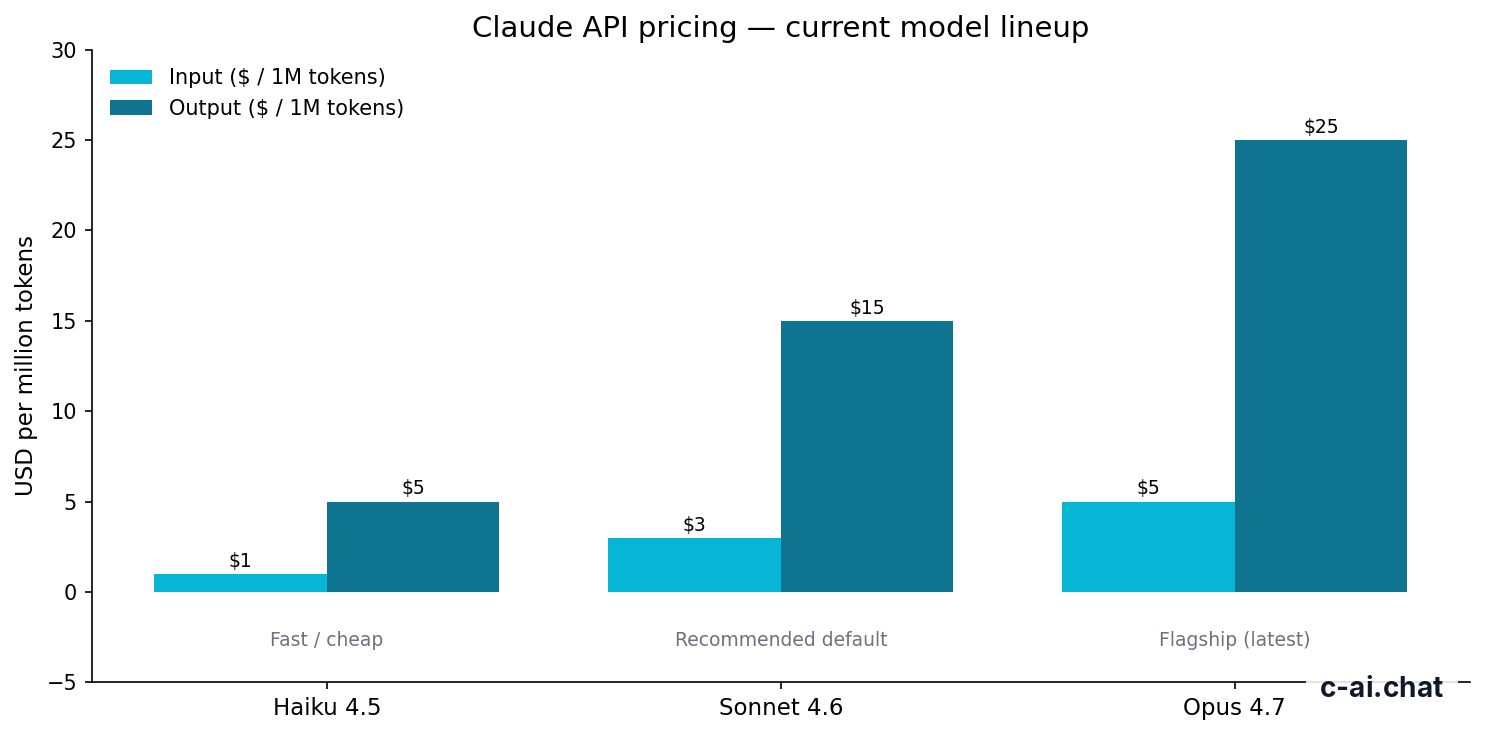
Streaming does not add a separate fee. Claude API usage is priced per million input tokens and per million output tokens. The same token prices apply whether you receive the response all at once or as a stream.
| Model | Typical role | Context | Max output | Input price | Output price |
|---|---|---|---|---|---|
| Claude Opus 4.7 | Flagship model for the hardest reasoning and writing tasks | 1M tokens | Check official model docs | $5/M tokens | $25/M tokens |
| Claude Sonnet 4.6 | Balanced default for quality, speed, and cost | 1M tokens | 128K tokens | $3/M tokens | $15/M tokens |
| Claude Haiku 4.5 | Fast, low-cost model for lightweight tasks | Check official model docs | Check official model docs | $1/M tokens | $5/M tokens |
For official prices, check claude.com/pricing and the API pricing docs at docs.claude.com. Our plain-English breakdown is on the Claude pricing guide.
90% off
cached input tokens with prompt caching
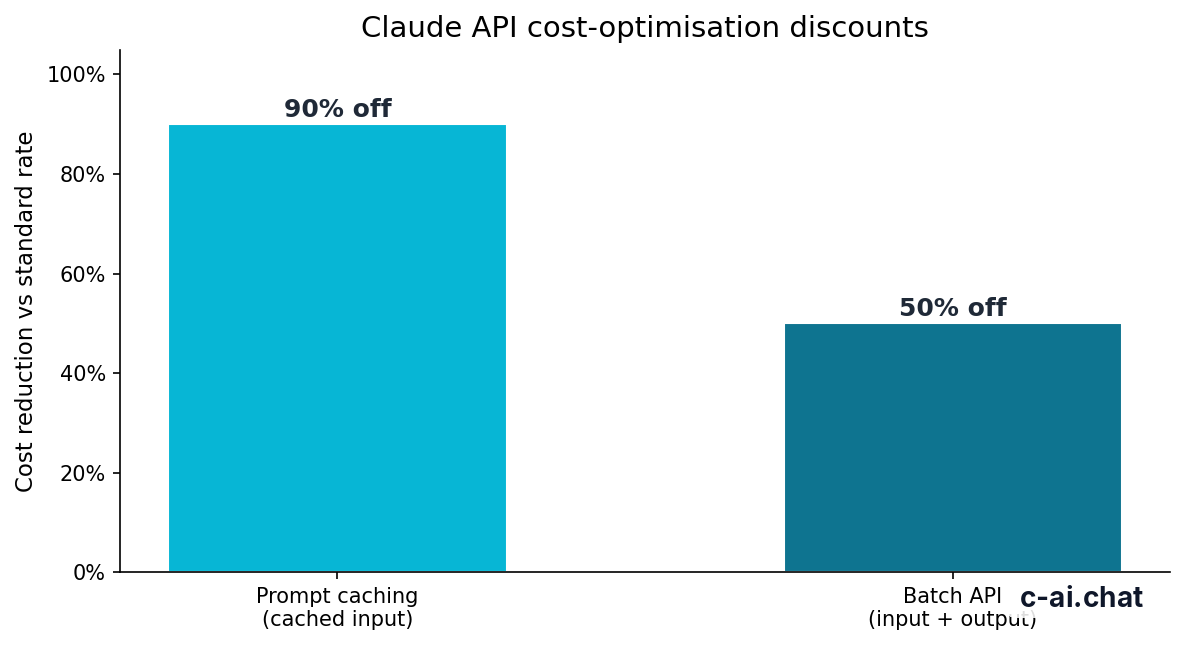
Prompt caching matters for streaming apps because many chat and agent requests reuse the same system prompt, instructions, tool definitions, policy text, or document context. If those repeated inputs are eligible for caching, cached input tokens receive a 90% discount. The user still gets a streamed response, but your repeated-input cost can fall sharply.
The Batch API is different. It offers 50% off both input and output tokens, but it is designed for asynchronous jobs rather than live interfaces. Use Batch API for offline classification, enrichment, evaluation, or bulk document processing. Use streaming when the user is waiting.
Claude app plans
Free $0 · Pro $20/mo or $17/mo annual · Max from $100/mo
These plans affect access to Anthropic’s hosted Claude product. They do not include general API streaming usage.
Team plans
Team Standard $25/seat or $20/seat annual · Team Premium $125/seat or $100/seat annual
Team plans are for organisation use in the Claude product. API billing remains a separate developer-platform cost.
Enterprise and API
Enterprise $20/seat base + API rates
Enterprise terms can include account-level controls. Streaming still uses API token pricing when you build with the API.
Use streaming when
- The user is watching a chat, editor, or agent interface.
- Perceived latency matters more than simple request handling.
- You need to show progress while Claude writes a long answer.
Skip streaming when
- The job runs in the background.
- You only need the final JSON object.
- Your infrastructure buffers SSE and you cannot change it.
Claude subscriptions and API billing are separate. A paid claude.ai plan gives more product access in Anthropic’s hosted app. API usage is billed through the developer platform.
Limits and gotchas
Most Claude streaming bugs are not model bugs. They usually come from network buffering, frontend assumptions, rate limits, or treating a partial event as a complete message.
- Rate limits still apply. Streaming does not bypass request, token, or acceleration limits. Check your Anthropic console and the official rate-limit docs for your account.
- Model availability can vary. Use the model IDs listed in Anthropic’s official model overview at docs.claude.com. Do not hard-code an old model name without a migration plan.
- Some infrastructure buffers responses. Certain reverse proxies, serverless platforms, CDNs, and framework defaults wait for the full response before sending data to the browser. Disable buffering for the streaming route.
- Browser clients should not hold API keys. Stream from your backend to the browser. Never expose an Anthropic API key in client-side JavaScript.
- Partial JSON is normal during tool use. Tool input may arrive as fragments. Do not parse each fragment as final JSON. Accumulate the content block and parse after the relevant stop event.
- Timeouts need explicit handling. Long generations can exceed defaults in load balancers, hosting platforms, or HTTP clients. Set sensible read timeouts and user-visible cancellation behavior.
- Disconnects are not a cost-control strategy. If the user closes the tab, your backend should cancel the upstream request where possible. Still design billing and logging around completed and partially completed requests.
- Common API errors are predictable. Authentication problems usually produce authorization errors. Invalid model names or parameters produce client errors. Rate limits produce rate-limit errors. Temporary overload can produce service errors. Check status.claude.com if failures appear widespread.
- Regional and compliance requirements need review. Data residency, HIPAA-ready options, audit logs, and related controls depend on product tier and contract terms. Review Anthropic’s trust materials at trust.anthropic.com if your use case is regulated.
A small implementation detail can remove the benefit. If your backend streams correctly but your frontend waits for the final response, users still see a blank screen. Test the full path: Anthropic to backend, backend to browser, browser rendering, cancellation, retries, logging, and error display.
FAQ
The honest take
Claude API streaming is the right default for interactive AI interfaces. It makes chat, code, research, and writing tools feel responsive without changing the underlying model or token pricing.
The trade-off is engineering complexity. You need SSE handling, cancellation, partial-event parsing, proxy configuration, and clear error states.
If your app is user-facing and the answer may take more than a moment, stream it. If the work is offline, structured, or bulk, skip streaming and optimise with prompt caching or Batch API instead.
Independent guide. Not affiliated with Anthropic. For the official Claude product, visit claude.ai.
Last updated: 2026-05-12
This article is part of the Claude API for developers hub on c-ai.chat.