The anthropic node sdk is Anthropic’s official JavaScript and TypeScript client for calling Claude from Node.js apps; this independent c-ai.chat guide explains how it fits into the broader Claude API, what it costs, and what to watch before production.
- Package: @anthropic-ai/sdk
- Runtime: Node.js
- Language support: JavaScript and TypeScript
- Main endpoint: Claude Messages API
- Billing: per million input and output tokens
The short answer
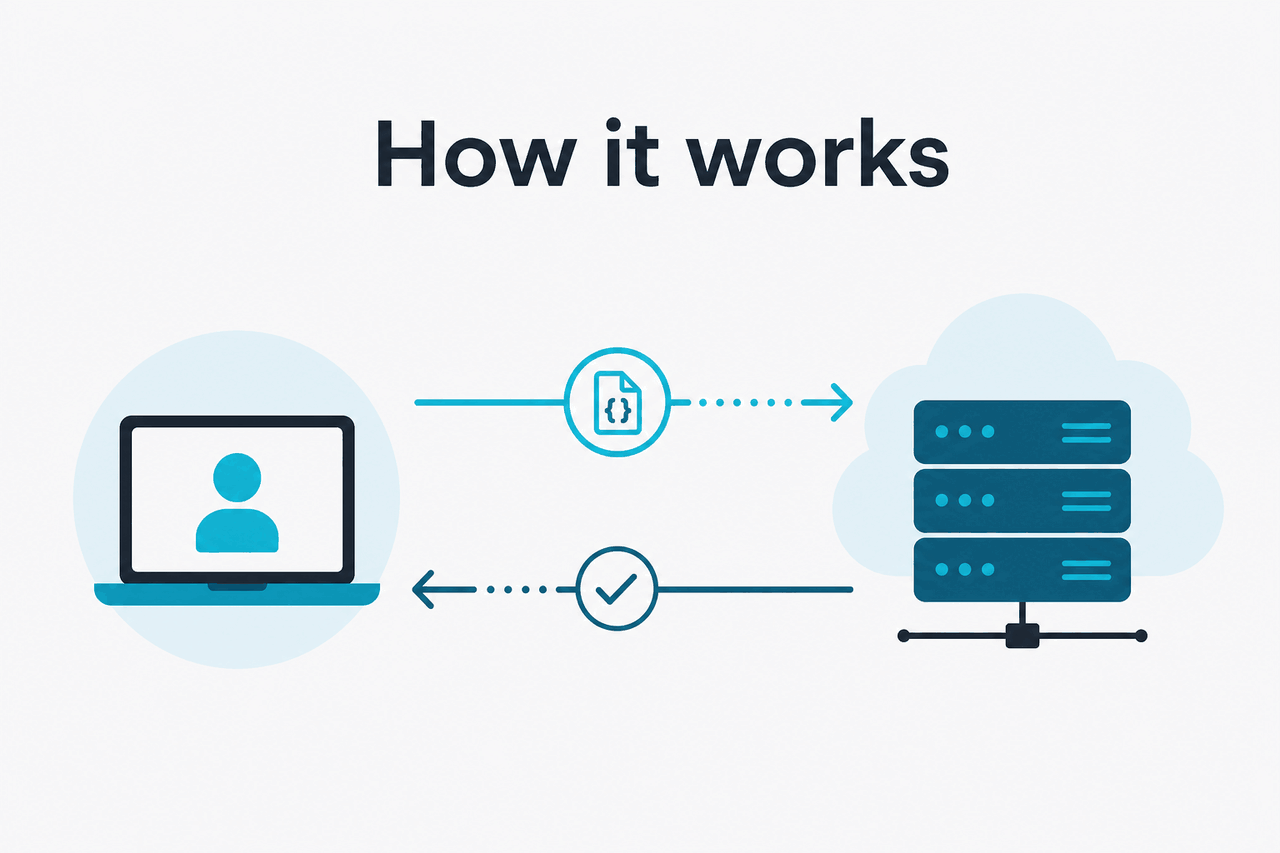
Use the Anthropic Node SDK when you want a maintained JavaScript client for Claude instead of hand-writing HTTP requests. Install @anthropic-ai/sdk, set an API key, choose a model, and send a Messages API request. The SDK handles request formatting, response parsing, streaming helpers, and TypeScript types. You still need to design prompts, handle errors, track usage, and secure your keys.
Decision guide
- Use the Node SDK for server-side Node.js apps, workers, CLIs, internal tools, and TypeScript projects.
- Use direct HTTP if you need minimal dependencies, a non-standard runtime, or a language-specific integration.
- Use claude.ai if you want the official consumer or team product rather than building your own API integration.
Minimal Node.js example
Send one message to Claude
import Anthropic from "@anthropic-ai/sdk";

const client = new Anthropic({
  apiKey: process.env.ANTHROPIC_API_KEY,
});

const message = await client.messages.create({
  model: process.env.ANTHROPIC_MODEL,
  max_tokens: 300,
  messages: [
    {
      role: "user",
      content: "Write a three-bullet brief on token pricing."
    }
  ],
});

console.log(message.content);
Set ANTHROPIC_MODEL to a supported model ID from Anthropic’s model documentation before using this in production.
The SDK is a wrapper around Anthropic’s API, not a separate Claude product. Anthropic makes Claude and operates the official product at claude.ai. c-ai.chat is independent and explains the Claude ecosystem from a third-party point of view.
For installation details, supported methods, streaming examples, and model IDs, use Anthropic’s official developer documentation at docs.claude.com and platform.claude.com/docs. Treat this page as the practical map: what the SDK does, where pricing comes from, and where developers usually make mistakes.
How it works
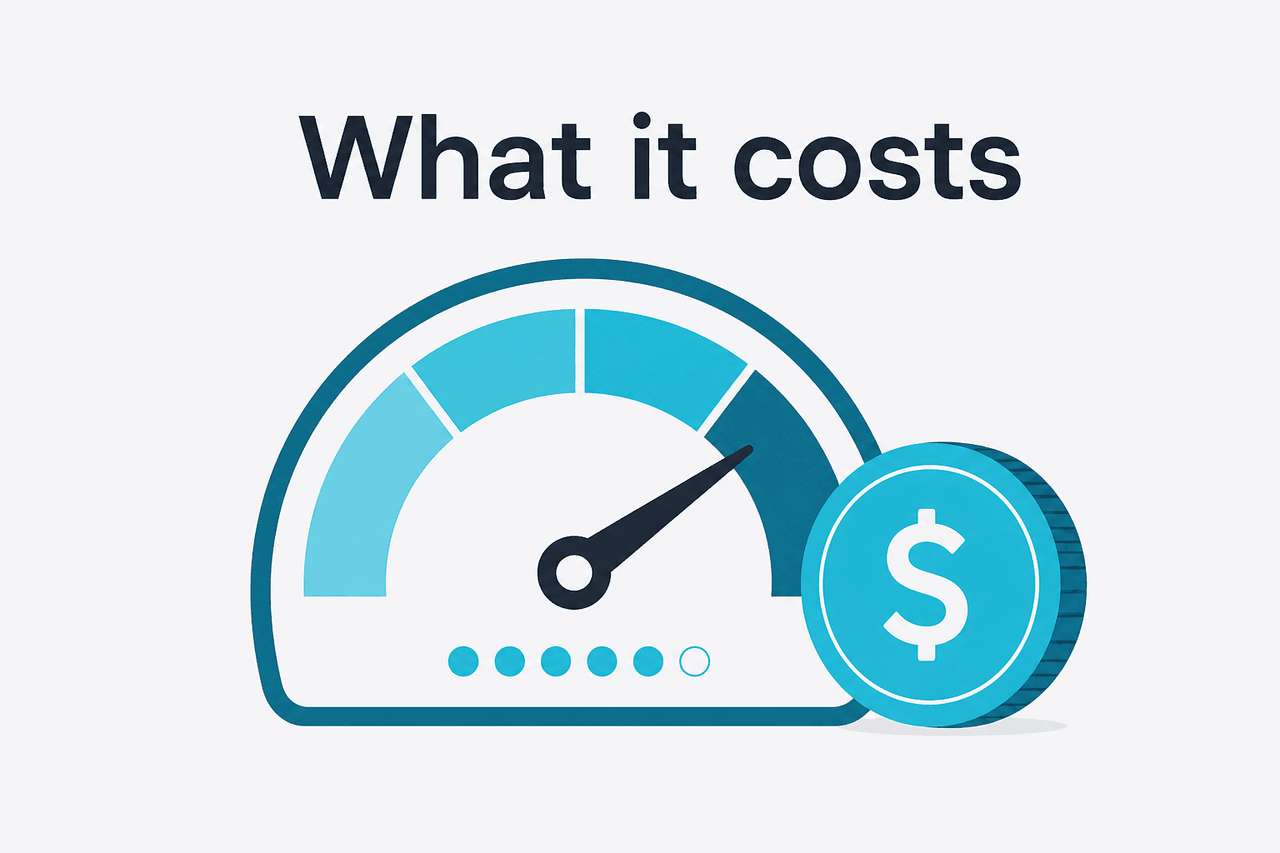
The Anthropic Node SDK gives JavaScript and TypeScript applications a typed interface for Claude API calls. In most apps, you create one client with your API key, call client.messages.create(), pass a model, set max_tokens, and provide a list of messages. The SDK sends the request to Anthropic’s API and returns a structured response.
The important object is still the Messages API request. Your app controls the system instruction, user messages, tool definitions, output limit, streaming behavior, and error handling. The SDK reduces boilerplate. It does not remove the need to understand the API contract. For model choice, compare our Claude models guide with Anthropic’s official model documentation.
Install the package
Run
npm install @anthropic-ai/sdkor the equivalent command for your package manager.Create an API key
Generate a key in the Anthropic Console. Store it as an environment variable such as
ANTHROPIC_API_KEY. Do not ship it to browsers or mobile clients.Choose a model
Pick the model based on quality, latency, context needs, and cost. Keep the model ID in configuration.
Send a Messages API request
Call
client.messages.create()withmodel,max_tokens, and amessagesarray.Handle production behavior
Add retries for transient failures, log token usage, enforce user-level limits, and monitor errors. For live apps, check status.claude.com before assuming every failure is your code.
A typical production setup keeps the SDK on a server-side route, queue worker, CLI tool, or backend service. The frontend sends your own app request to your backend. Your backend validates the user, builds the Claude prompt, calls Anthropic, and returns only the result the client should see. This protects your API key and gives you one place to enforce budgets, rate limits, and logging.
If you are building developer workflows rather than an app feature, compare the SDK with Claude’s coding tools and the options in our Claude resources. The Node SDK is the better fit when Claude needs to sit inside your own product, automation, data pipeline, or internal service.
What it costs
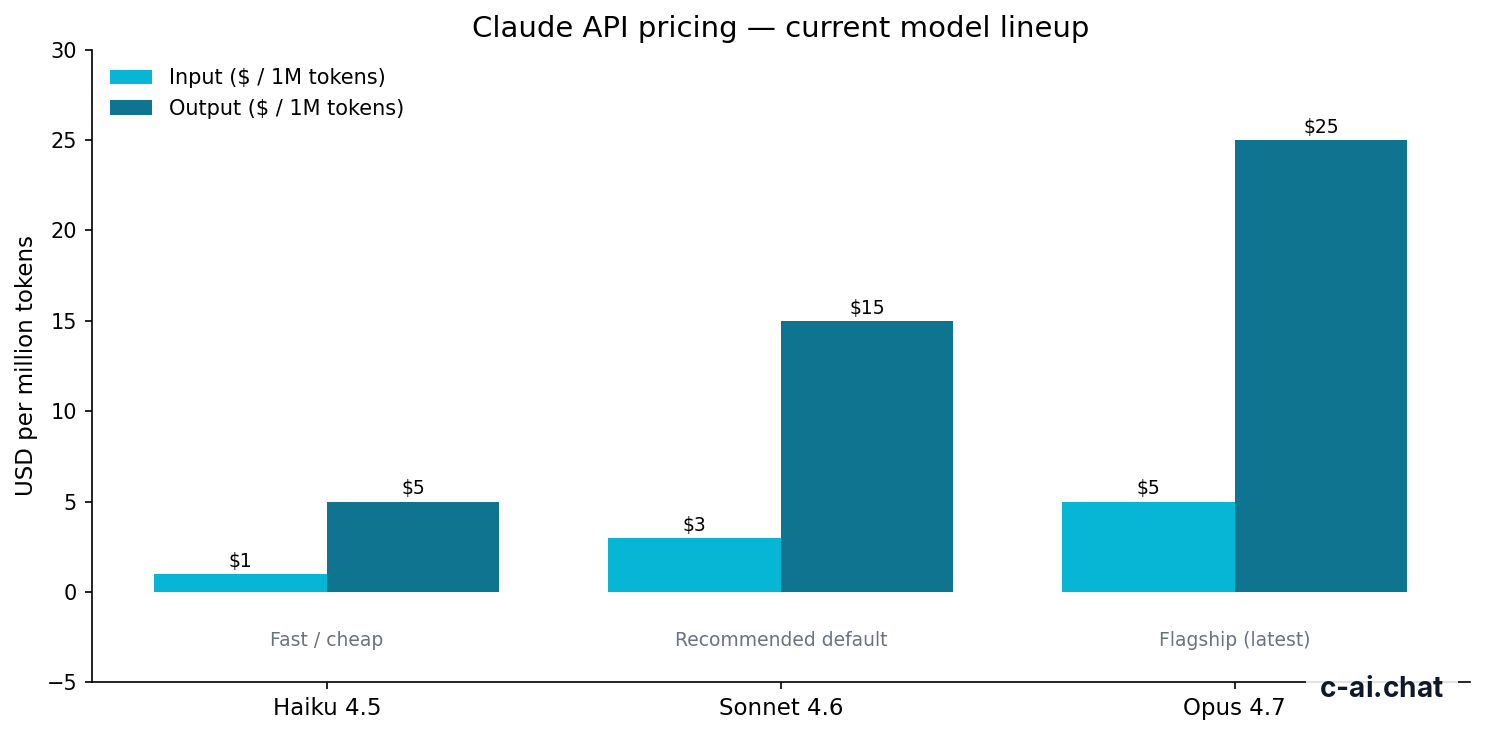
The Anthropic Node SDK is free to install. API billing comes from Claude model usage, measured in tokens. Anthropic prices API calls per million input tokens and per million output tokens. Subscription plans for claude.ai are separate from API billing.
| Model | Best fit | Context | Max output | Input price | Output price |
|---|---|---|---|---|---|
| Claude Opus 4.7 | Highest-capability work, complex reasoning, large-context tasks | 1M tokens | Not listed here | $5/M tokens | $25/M tokens |
| Claude Sonnet 4.6 | Recommended default for most production apps | 1M tokens | 128K tokens | $3/M tokens | $15/M tokens |
| Claude Haiku 4.5 | Low-latency, lower-cost automation | Check official docs | Check official docs | $1/M tokens | $5/M tokens |
For most Node.js apps, Sonnet 4.6 is the practical starting point. Use Opus 4.7 when you need the strongest reasoning or a 1M-token context. Use Haiku 4.5 for high-volume classification, routing, extraction, lightweight chat, and other tasks where speed and unit cost matter more than maximum capability.
90% off
cached input tokens with prompt caching
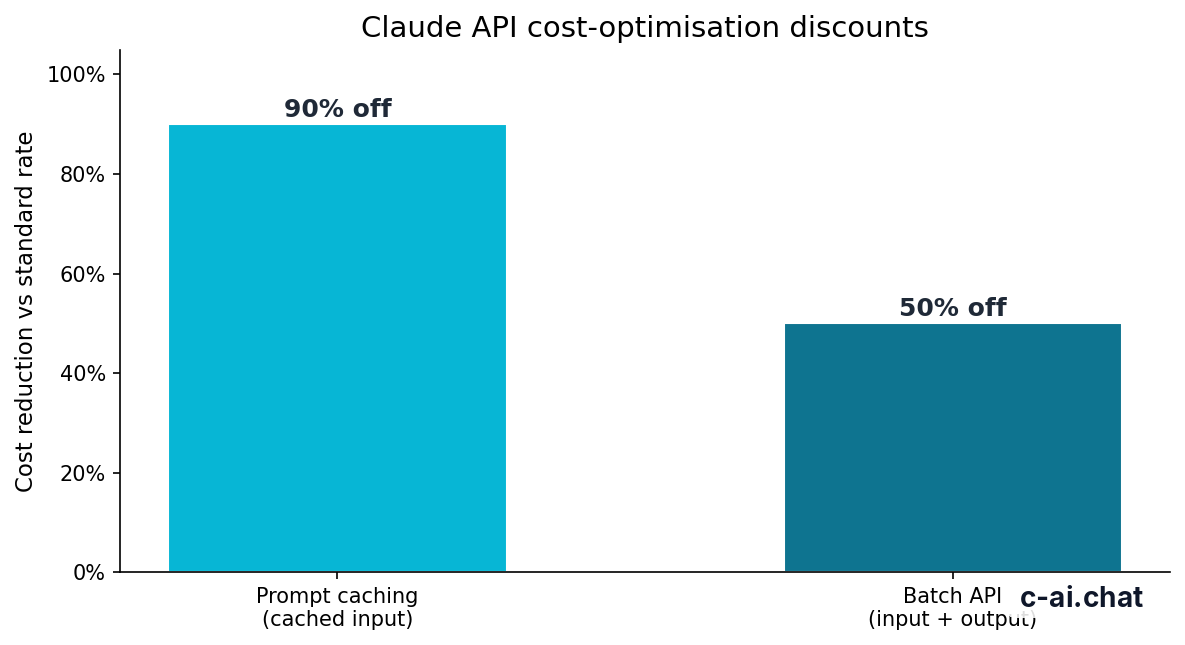
Prompt caching can reduce the cost of repeated input by 90% for cached tokens. This matters when your Node app sends the same long system prompt, policy text, product catalog, tool schema, or reference document many times. The saving applies to the reusable cached input portion, not to every token in every request.
The Batch API can reduce costs by 50% in both directions for eligible asynchronous workloads. It is useful for document enrichment, offline classification, dataset labeling, and nightly analysis. It is not a replacement for interactive chat because batch jobs trade latency for price.
Worked example
Small Sonnet 4.6 request
Output tokens usually cost more than input tokens. Keep generated answers as short as your product allows.
API usage
Node SDK calls are billed by model input and output tokens. Prompt caching and Batch API discounts can reduce eligible costs.
Individual claude.ai plans
Free is $0. Pro is $20/month, or $17/month on annual billing. Max starts at $100/month.
Team and Enterprise plans
Team Standard is $25/seat, or $20/seat on annual billing. Team Premium is $125/seat, or $100/seat on annual billing. Enterprise is $20/seat base plus API rates.
For a broader breakdown of web plans, Team plans, Enterprise, and API usage, see our independent Claude pricing guide. A Pro or Max subscription does not make your app’s API calls free.
Limits and gotchas
The SDK makes Claude easier to call, but most production issues come from API behavior, account limits, prompt design, or deployment choices. Check these before you build around a local prototype.
- Do not expose your API key. The Node SDK belongs on the server side. If you put an Anthropic key in browser code, users can extract it and spend against your account.
- Rate limits are account-specific. Anthropic applies request and token limits by tier and usage history. A test account may work locally and still hit
429errors under real traffic. - Model access can vary. Newer models, larger context windows, and beta features may depend on account access, region, or API surface. Check the official models page before hard-coding a model ID.
- Model IDs can change. Keep model names in configuration, not scattered through your codebase. This makes upgrades and fallbacks easier.
- Output length is not automatic. Set
max_tokensdeliberately. Large output limits increase possible spend and may slow responses. - Long context can be expensive if repeated. A 1M-token context is useful for some tasks, but sending huge context on every call can become costly. Use retrieval, summarisation, and prompt caching where appropriate.
- Streaming changes your app architecture. Streaming improves perceived latency, but your backend and frontend need to handle partial events, user cancellation, timeouts, and retries safely.
- Common errors need different responses.
400usually means your request is malformed.401points to authentication.429means rate limiting.500or529can be transient service-side trouble. - Compliance requirements need review. Availability, data handling, and residency options can differ by plan and contract. For regulated workloads, review Anthropic’s Trust Center and your legal requirements.
- Status matters during incidents. If a stable integration starts failing across environments, check status.claude.com before rewriting your client code.
TypeScript helps catch shape errors before runtime, but it cannot validate whether your prompt is safe, economical, or reliable. Add tests for the prompts you care about. Save representative inputs, expected behavior, and failure cases. For product features such as file analysis, tool use, or extended thinking, check Anthropic’s docs and our independent Claude features guide before assuming every feature is available through every route.
FAQ
Is the Anthropic Node SDK official?
Yes. @anthropic-ai/sdk is Anthropic’s official JavaScript and TypeScript SDK for the Claude API. Use Anthropic’s platform documentation as the source of truth for installation, supported methods, and model IDs.
Can I use the Anthropic Node SDK in the browser?
You should not put your Anthropic API key in browser code. Use a server-side route or backend function that calls Claude, then return only the response your UI needs.
Does the SDK support TypeScript?
Yes. TypeScript support is one of the main reasons to use the SDK instead of raw HTTP calls. Types help with request and response structure, but they do not replace runtime error handling.
Should I use the SDK or direct HTTP requests?
Use the SDK if you are building in Node.js or TypeScript and want less boilerplate. Use direct HTTP requests if you need a very small dependency footprint, a non-standard runtime, or a language where another official SDK fits better.
Is Claude Code the same as the Node SDK?
No. Claude Code is a coding assistant and agentic development tool. The Node SDK is a developer library for adding Claude API calls to your own software.
Which Claude model should I start with in Node.js?
Start with Sonnet 4.6 for most production apps. Move to Opus 4.7 for harder reasoning or very large context needs. Use Haiku 4.5 for lower-cost, low-latency automation.
Where can I troubleshoot SDK and API errors?
Check the error response, your account limits, and Anthropic’s status page. For general questions, see our Claude FAQ and Anthropic’s official support site.
These questions often come from the same search path: a developer starts with the SDK, then has to decide where the code runs, how pricing works, which model to pick, and whether a higher-level Claude product would be simpler. If your goal is a user-facing chat app or workflow automation, the SDK is usually the right layer. If your goal is personal coding help, the official Claude product may be faster.
The honest take
The Anthropic Node SDK is the sensible default for JavaScript and TypeScript teams building on Claude. It keeps your integration close to Anthropic’s official API, reduces request boilerplate, and gives you better typing than hand-rolled fetch calls. It does not solve product design, cost control, prompt testing, key security, or compliance by itself.
What it does well
- Reduces request and streaming boilerplate.
- Works cleanly with TypeScript.
- Keeps your app close to Anthropic’s official API surface.
- Fits backend services, workers, tools, and product features.
What it does not do
- Protect API keys if you put them in client-side code.
- Choose the right model automatically.
- Control spend without your own limits and logging.
- Make prompts reliable without testing.
Start with Sonnet 4.6 unless you have a clear reason to choose Opus 4.7 or Haiku 4.5. Keep model IDs in configuration, log token usage from the beginning, and treat prompt caching or Batch API as design choices rather than last-minute cost fixes. For most teams, the strongest Claude integration is the smallest reliable request that gives the user the answer they need.
Last updated: 2026-05-12
This article is part of the Claude API for developers hub on c-ai.chat.