The anthropic ruby sdk is the Ruby client developers use to call Claude from Ruby apps, usually by sending requests to Anthropic’s API with an API key; this guide explains what it does, how the request flow works, what it costs, and where the practical limits show up. If you want the broader developer overview first, start with our Claude API guide.
- The short answer
- How it works
- What it costs
- Limits and gotchas
- Other questions readers ask
- The honest take
- Ruby SDK wraps Claude API requests
- API priced per million tokens
The short answer
Yes: if you are building in Ruby, the anthropic ruby sdk is the straightforward way to talk to Claude without hand-rolling raw HTTP calls. It handles the request shape for models, messages, and authentication, while you still choose the model, prompt, token budget, and any tool use or structured output patterns your app needs.
In practice, most Ruby apps use the SDK for a simple flow: set an API key from platform.claude.com, create a client, send a message request, and read back text blocks from the response. If you are comparing app subscriptions versus API usage, our Claude pricing guide covers that distinction separately.
Worked example
Minimal Ruby request shape
A Ruby app usually sends one structured request and then extracts text from the returned content blocks.
require "anthropic"

client = Anthropic::Client.new(
  api_key: ENV["ANTHROPIC_API_KEY"]
)

response = client.messages.create(
  model: "claude-sonnet-4-6",
  max_tokens: 300,
  messages: [
    { role: "user", content: "Explain prompt caching in one paragraph." }
  ]
)

puts response.content.map { |block| block.text if block.type == "text" }.compact.join("n")
If your app needs code generation, refactoring help, or agent-like workflows, you may also want to compare the API route with Claude Code. They solve related problems, but the API is for application integration, while Claude Code is aimed at developer tooling and coding workflows.
How it works
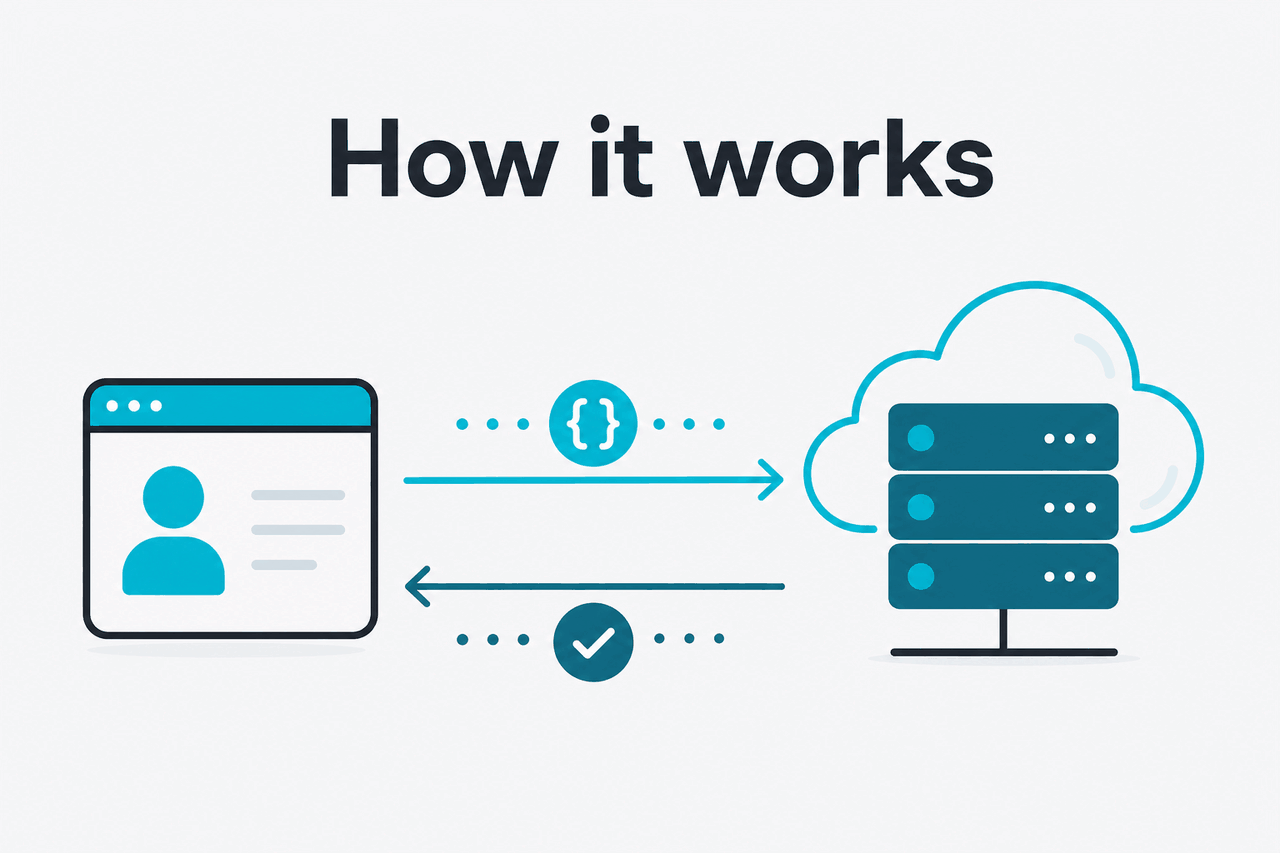
The Ruby SDK is a wrapper around Anthropic’s API endpoints. Instead of manually building JSON, headers, retries, and parsing logic for every request, you create a client and call methods that map to Claude API features such as messages, model selection, and token limits. The underlying ideas stay the same as the official API docs at platform.claude.com: you pick a supported model, pass structured input, and receive structured output.
For developers, the useful mental model is simple. The SDK does not change how Claude reasons; it just makes Ruby integration cleaner. You still need to manage prompt design, cost control, error handling, and response validation yourself. If you are new to Claude capabilities, our Claude features overview is a good companion before you start wiring advanced workflows into production.
Create credentials
Generate an API key in
platform.claude.comand store it inENV["ANTHROPIC_API_KEY"], not in source control.Instantiate the client
Initialize the Ruby SDK once per app process or request context, depending on your architecture.
Send a messages request
Pass a
model,max_tokens, and amessagesarray with user content.Parse the response
Claude responses often contain typed content blocks, so extract text safely instead of assuming a single raw string.
Add production controls
Handle timeouts, retries, token budgeting, logging, and any schema checks before you ship.
The SDK reduces integration friction, but it does not remove the need for careful model choice, prompt design, and output validation.
That matters because many searchers looking for the anthropic ruby sdk are really asking a broader question: “Do I need an SDK at all?” Strictly speaking, no. You can call Claude with plain Ruby HTTP libraries. The SDK becomes worthwhile when you want a cleaner interface, fewer request-format mistakes, and easier upgrades as Anthropic updates models and API features.
What it costs
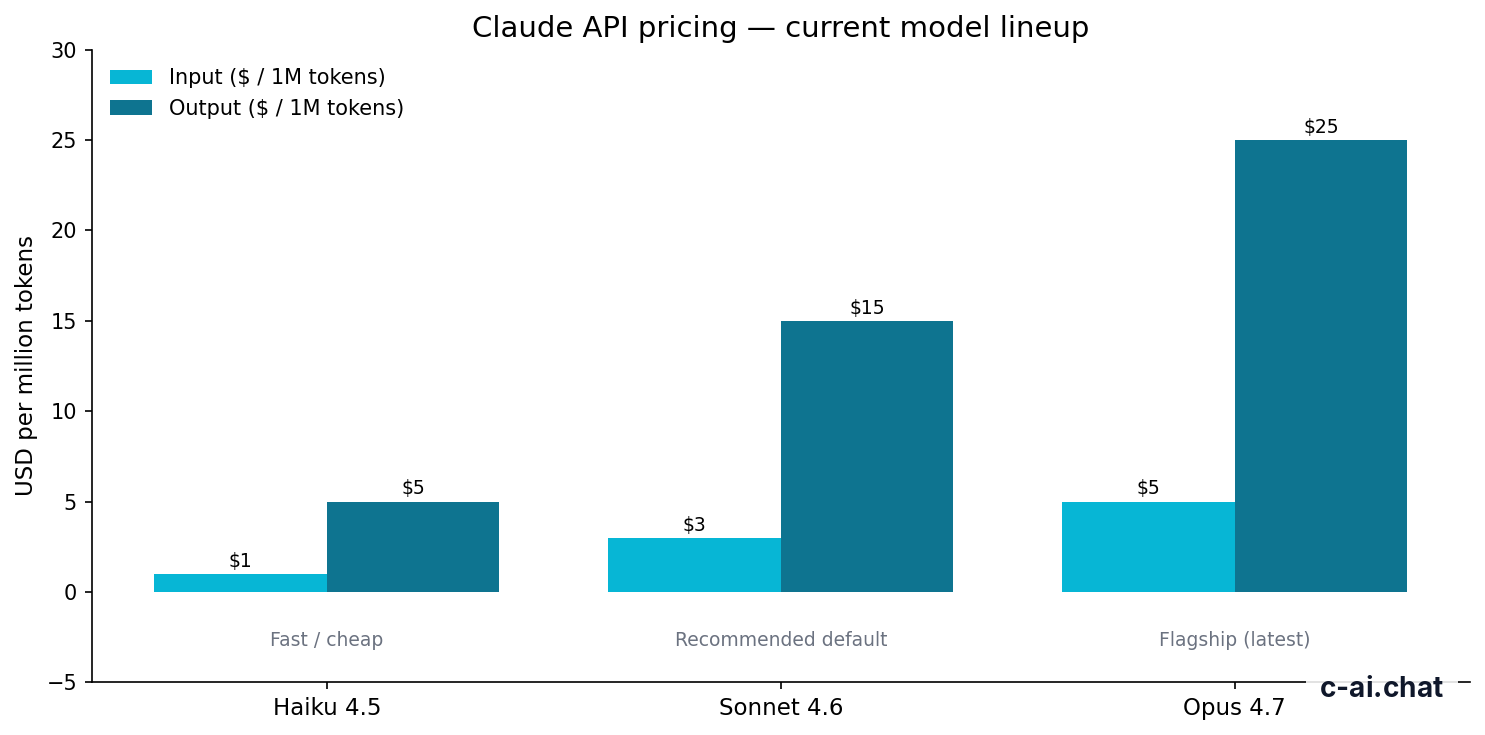
The anthropic ruby sdk itself is not the main cost. You pay for API usage behind it, priced per million input and output tokens. For most Ruby applications, the real decision is which model to call and how often, not whether to use the SDK wrapper.
| Model | Positioning | Input price | Output price |
|---|---|---|---|
| Claude Opus 4.7 | Flagship | $5/M tokens | $25/M tokens |
| Claude Sonnet 4.6 | Recommended default | $3/M tokens | $15/M tokens |
| Claude Haiku 4.5 | Fast / cheap | $1/M tokens | $5/M tokens |
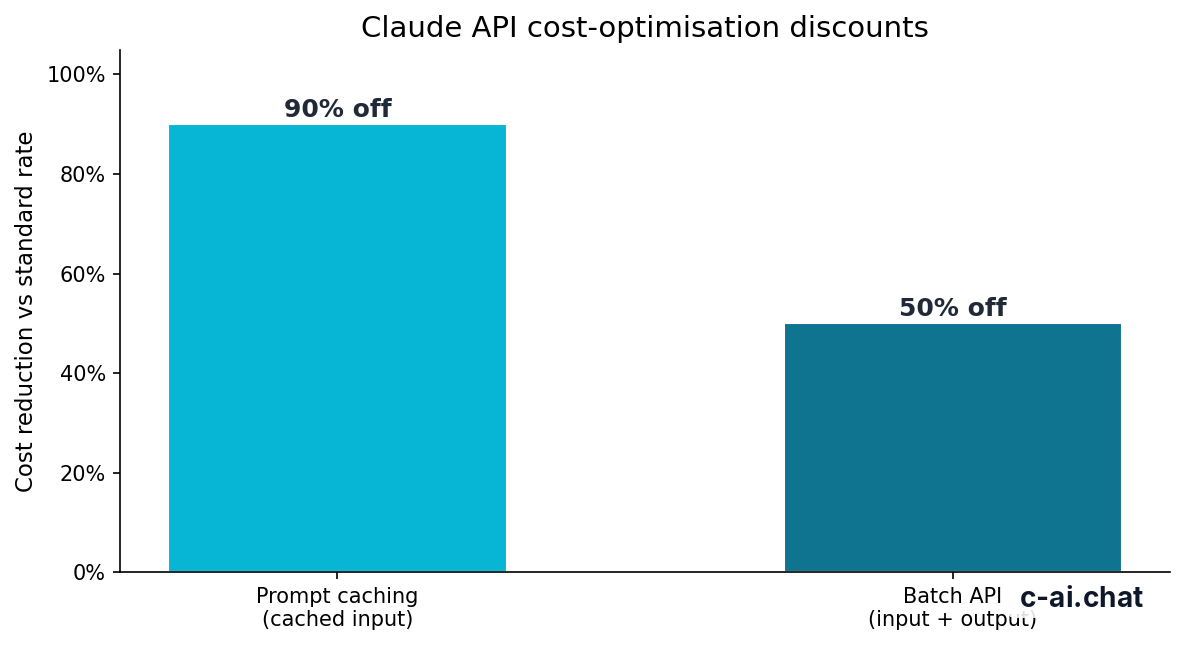
Those rates come from Claude’s official pricing pages at claude.com/pricing and platform.claude.com. If your Ruby app handles large repeated prompts, prompt caching can cut cached input cost by 90%. If your workloads are asynchronous and do not need instant replies, the Batch API cuts both input and output pricing by 50%.
90% off
cached input tokens with prompt caching
Long context also matters for budgeting. Opus 4.7, Opus 4.6, and Sonnet 4.6 support up to 1,000,000 tokens of context at standard rates, which is useful for document-heavy Ruby apps, but large prompts can still get expensive quickly if you resend the same material over and over. That is where caching becomes more than a nice extra.
Worked example
Simple API cost estimate for a Ruby app
If much of that input is cacheable, the effective input cost can drop sharply.
Do not confuse API pricing with Claude app plans. The Free, Pro, Max, Team, and Enterprise subscriptions are for the Claude product experience on web, desktop, and mobile, plus related workspace features. The Ruby SDK is for API use. If you need the app plan breakdown, see our pricing page.
Limits and gotchas
Most integration problems with the anthropic ruby sdk are not Ruby-specific. They come from API limits, account setup, unsupported assumptions about response shape, or choosing the wrong model for the job.
- Rate limits vary by account and usage tier. Do not hard-code assumptions. Check your limits in the Anthropic platform and design retries with backoff.
- Model availability can change. A model name that worked in older examples may not match the current lineup. Verify against the official models overview before shipping.
- Region and compliance constraints may apply. Enterprise features such as regional data residency depend on contract terms, not just SDK usage.
- Large context is available, but not free. Sending huge prompts in every request can raise cost and latency even when the model supports 1,000,000 tokens.
- Common parsing mistake: assuming the response is one plain string. Claude responses often contain content blocks, so inspect type fields and extract text deliberately.
- Authentication errors are usually simple. Missing or invalid
ANTHROPIC_API_KEYvalues are more common than SDK bugs. - Timeouts need explicit handling. Longer outputs and bigger contexts can increase response time. Set reasonable client timeouts for your workload.
- Prompt caching is not automatic savings unless your inputs repeat. You only benefit when the same cacheable input is reused.
- Batch API is cheaper, not faster. It is useful for offline or queued jobs, not latency-sensitive user interactions.
- Status issues happen. If requests fail unexpectedly, check status.claude.com before rewriting your code.
Pick when
- You already build in Ruby or Rails
- You want cleaner API calls than raw HTTP
- You need structured request and response handling
- You plan to maintain Claude integration over time
Skip when
- You only need the Claude web app
- Your workload fits a no-code tool better
- You want zero maintenance for prompts and validation
- You expect the SDK to remove API limits or costs
Other questions readers ask
The honest take
If you are building with Ruby, the anthropic ruby sdk is usually the right starting point. It gives you a cleaner path into Claude than raw HTTP without changing the fundamentals: you still need to pick the right model, control token spend, validate outputs, and handle operational issues like retries and timeouts.
The main trap is expecting the SDK to be the solution by itself. It is a useful wrapper, not a product strategy. For simple prototypes, it can save time immediately. For production systems, it is one layer in a larger setup that includes prompt design, observability, fallbacks, and cost discipline. If you are ready to use Claude directly, the official product is at claude.ai; if you still need the broader API context, go back to our Claude API guide.
Independent guide. Not affiliated with Anthropic. For the official Claude product, visit claude.ai.
Last updated: 2026-05-10
This article is part of the Claude API for developers hub on c-ai.chat.