The Claude API guide you want is the Messages API: it is Anthropic’s current chat-style interface for Claude, while the older Text Completions API is legacy and should only matter if you are maintaining older integrations. c-ai.chat is an independent guide, not Anthropic, and this page explains the differences, pricing, workflow, and the main migration gotchas.
- The short answer
- How it works
- What it costs
- Limits and gotchas
- Other questions readers ask
- The honest take
- Messages API is the current Claude interface
- API priced per million tokens
The short answer
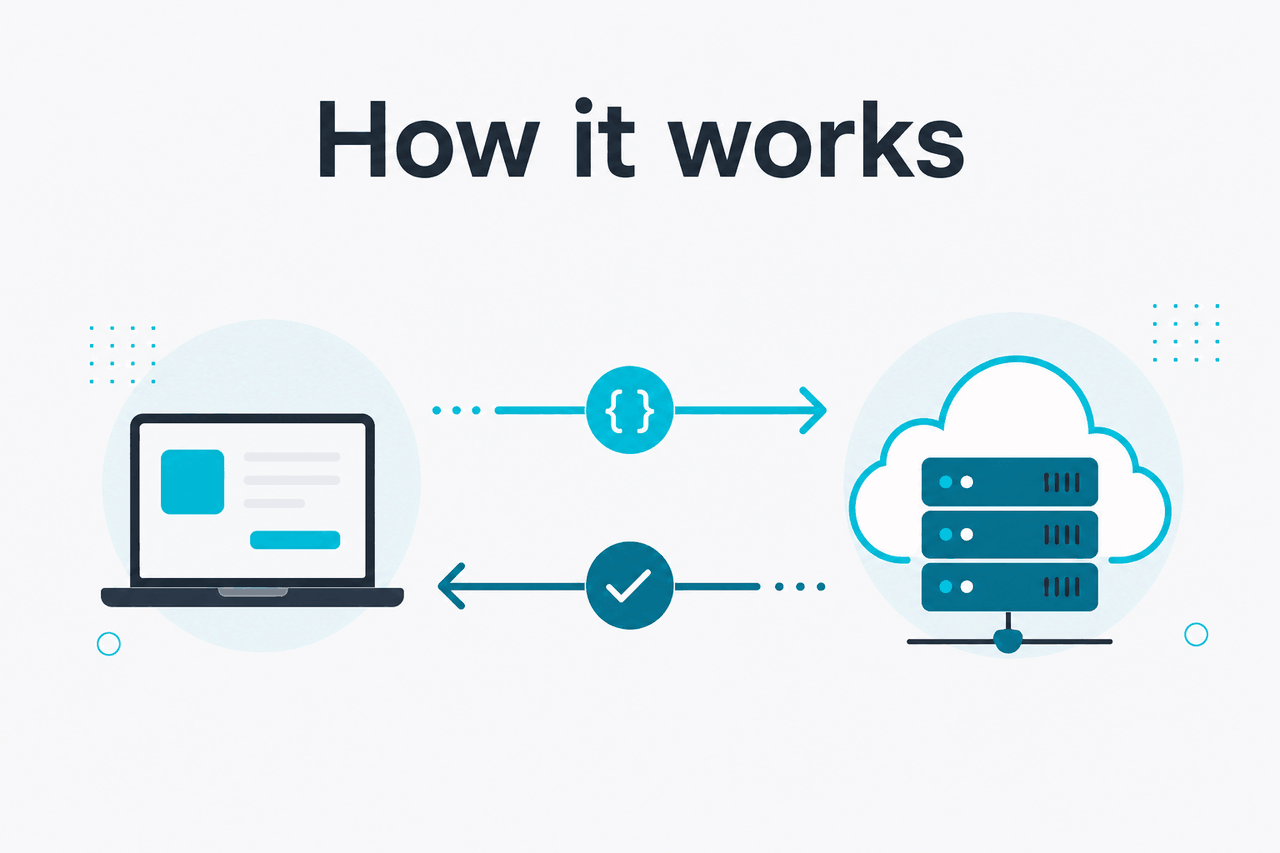
The Claude Messages API is Anthropic’s current API format for sending structured conversations to Claude using messages, system, and model names like Claude Sonnet 4.6 or Claude Haiku 4.5; the older Completions API used a single prompt string and is no longer the right default for new work. If you are building anything new, use Messages.
The practical difference is simple: Completions treated the whole interaction as one text prompt, while Messages treats it as a sequence of user and assistant turns. That makes tool use, multi-turn context, system instructions, and newer Claude capabilities easier to manage. Anthropic documents the current approach in the Claude model overview and related API docs on docs.claude.com.
Worked example
Minimal Messages API request
messagesclaude-sonnet-4-6messages: [{ role, content }]curl https://api.anthropic.com/v1/messages
-H "content-type: application/json"
-H "x-api-key: YOUR_API_KEY"
-H "anthropic-version: 2023-06-01"
-d '{
"model": "claude-sonnet-4-6",
"max_tokens": 300,
"system": "Answer briefly.",
"messages": [
{"role": "user", "content": "Explain the difference between messages and completions."}
]
}'
How it works
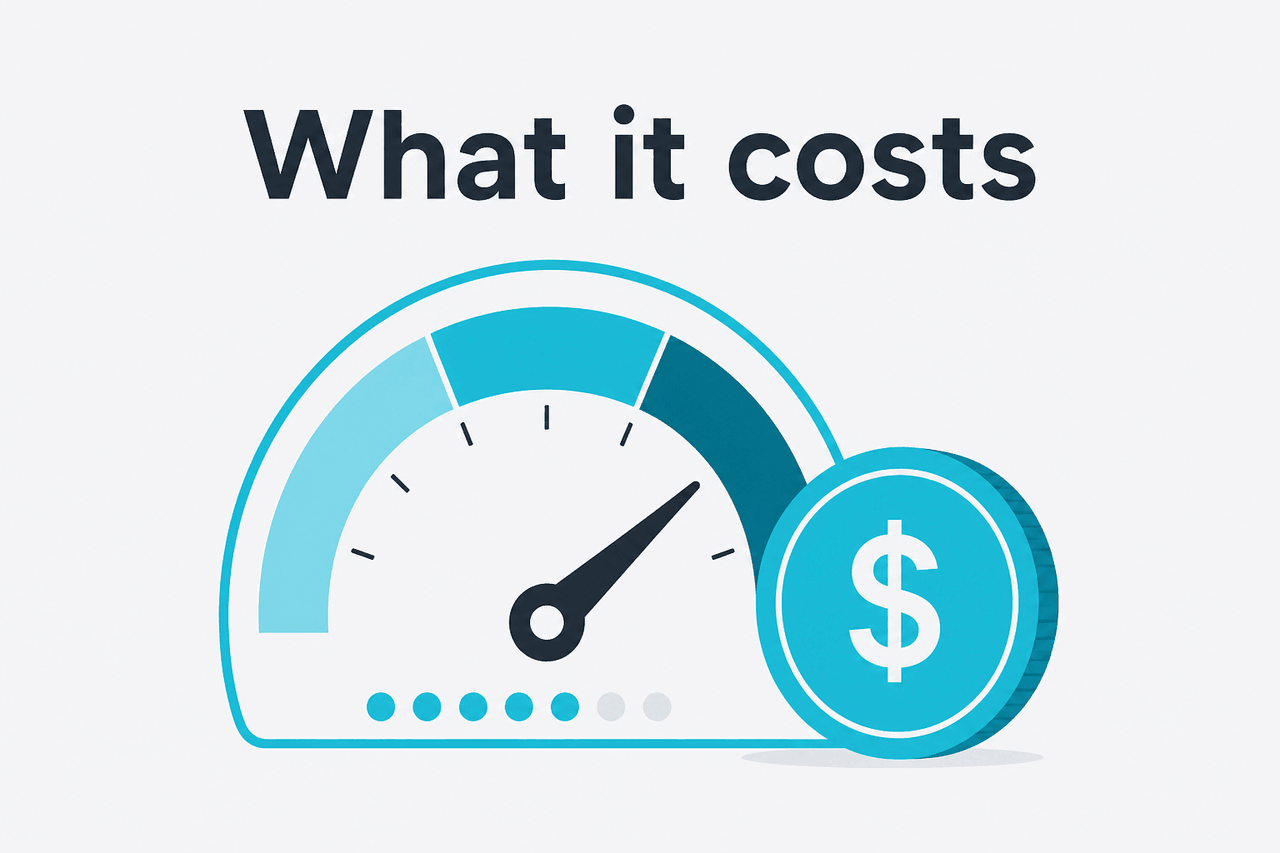
With the Claude Messages API, you send a JSON request that names a model, sets a token budget, optionally includes a system instruction, and passes one or more conversation turns in a messages array. Each item has a role and content. Claude then returns a structured response rather than just a raw text blob. That structure is the main reason Messages replaced Completions for most real applications.
For developers, this means less prompt string stitching and fewer brittle parsing hacks. Instead of manually embedding markers like Human: and Assistant: inside one long prompt, you give Claude a conversation state directly. This also lines up with current Anthropic documentation on platform.claude.com and the official developer docs at docs.claude.com, where newer capabilities are documented around the Messages model.
-
Choose a model
Select the Claude model that fits your speed, cost, and quality target. For many apps, Sonnet 4.6 is the default starting point.
-
Set the system instruction
Put global behavior in
system, such as tone, output constraints, or formatting rules. This is cleaner than repeating instructions in every user turn. -
Pass conversation turns
Send user and assistant messages as structured objects in
messages. That preserves turn order and makes multi-step workflows easier to maintain. -
Control output length
Use
max_tokensto cap the response. This affects both output size and spend. -
Parse the response safely
Read the returned content blocks instead of assuming one plain string. This matters if you later add tools or richer outputs.
If you are comparing this with other Claude capabilities, the broader Claude features guide explains how API functionality differs from the consumer app, and our Claude Code guide covers the coding-focused workflow that sits on top of the same Claude model family.
| Topic | Messages API | Completions API |
|---|---|---|
| Input format | Structured messages array | Single prompt string |
| System behavior | Separate system instruction | Usually embedded in prompt text |
| Multi-turn chat | Native fit | Manual prompt assembly |
| Current Claude docs focus | Yes | Legacy relevance |
| Best choice for new apps | Yes | No |
What it costs
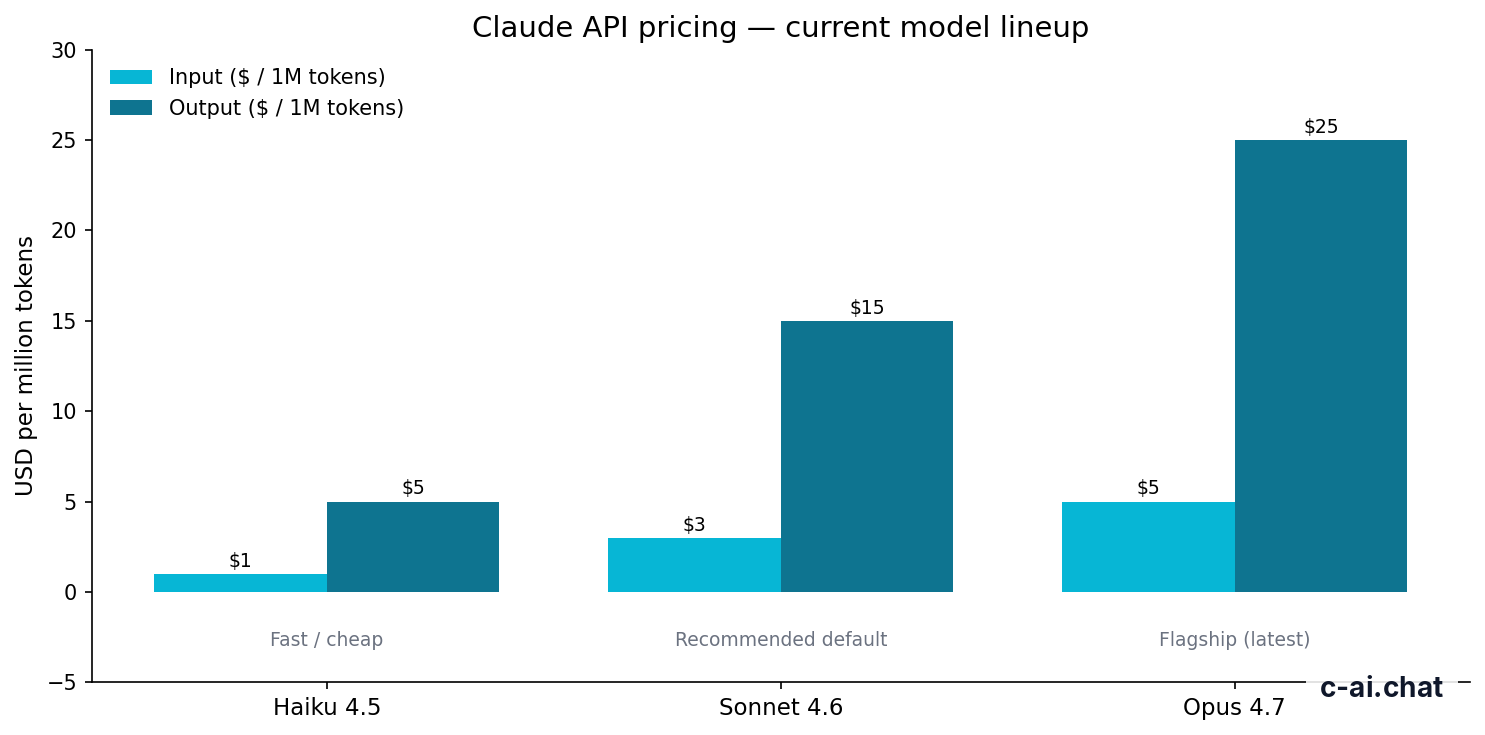
Claude API pricing is based on tokens, billed per million input and output tokens. The API choice is not really “Messages costs X, Completions costs Y.” Pricing depends on the model you use. For current Claude models, Anthropic lists Claude Opus 4.7 at $5 per million input tokens and $25 per million output tokens, Claude Sonnet 4.6 at $3/$15, and Claude Haiku 4.5 at $1/$5.
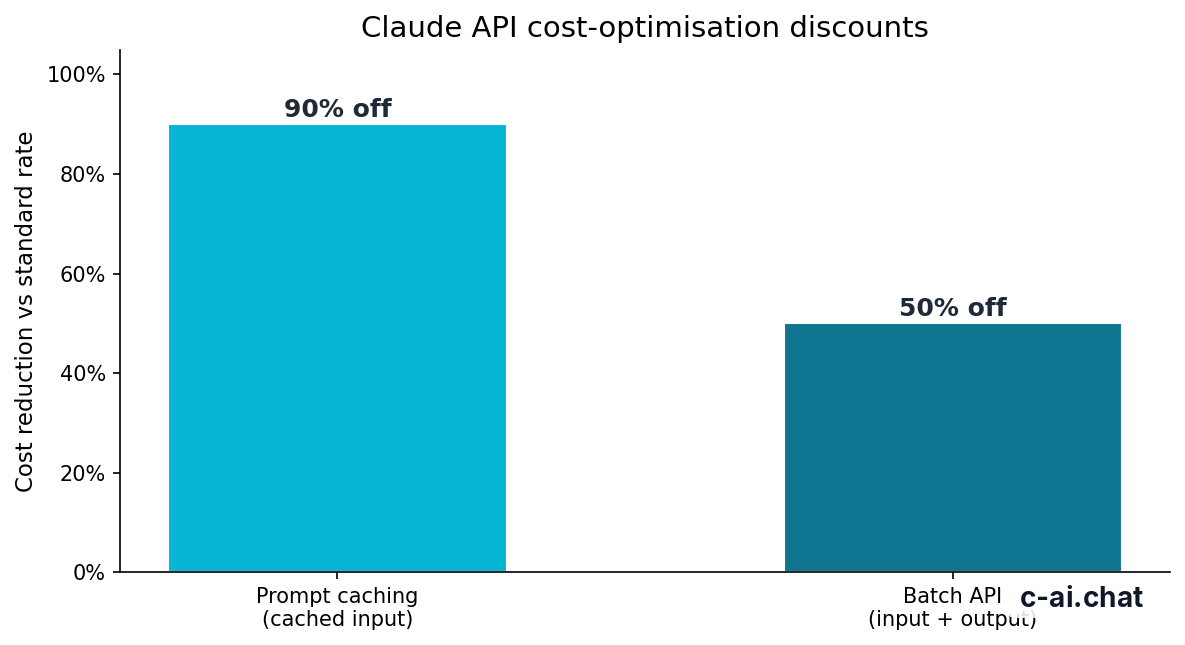
If you are cost-sensitive, two optimisations matter a lot. Prompt caching can reduce cached input token cost by 90%, and the Batch API can reduce both input and output costs by 50% for workloads that do not need instant responses. Long context is available on Opus 4.7, Opus 4.6, and Sonnet 4.6 at standard rates, which matters if you are comparing Claude for large-document tasks against smaller-context alternatives.
90% off
cached input tokens with prompt caching
| Model | Best for | Input price | Output price |
|---|---|---|---|
| Claude Opus 4.7 | Highest-quality work | $5/M tokens | $25/M tokens |
| Claude Sonnet 4.6 | General default | $3/M tokens | $15/M tokens |
| Claude Haiku 4.5 | Fast, low-cost tasks | $1/M tokens | $5/M tokens |
Worked example
Simple Sonnet 4.6 API cost estimate
If much of that input is cacheable, the real cost can drop sharply. If the workload can run async, Batch API can reduce it further.
Do not confuse API pricing with Claude app subscriptions. The consumer and team plans on claude.com/pricing cover the Claude app on web, desktop, and mobile, while API use is metered separately in the developer platform. If you need the bigger picture, our Claude pricing guide explains app plans versus API billing in one place.
Limits and gotchas
The main surprises are usually not about syntax. They are about quotas, model access, response length, and assumptions carried over from the old Completions style.
- Rate limits vary by account and tier. Anthropic can apply different request and token limits depending on your usage level and account status. Check your developer console and official docs instead of assuming a public default.
- Model availability is not always identical across every account. Some models or capabilities may depend on access level, rollout status, or commercial plan.
- Region and compliance controls can affect deployment choices. For enterprise environments, data residency and admin controls depend on plan and contract details rather than the base API alone.
- Messages is structured; Completions-era prompt tricks do not always map cleanly. If your old integration relied on one giant prompt string with custom delimiters, migration may require a small rewrite rather than a search-and-replace.
- Long context does not mean infinite output. You can send very large inputs on supported models, but output still depends on model limits and your
max_tokenssetting. - Pricing mistakes usually come from output, not input. Developers often optimise prompts but forget that verbose answers raise output-token spend, especially on higher-tier models.
- Prompt caching only helps when inputs repeat. It is powerful for stable instructions, repeated context, or reused documents, but less useful for totally unique requests.
- Batch API is cheaper, not faster. It is a cost optimisation for asynchronous work, not a low-latency path.
- Status issues happen. If requests fail unexpectedly, check status.claude.com before debugging your code for an hour.
- Support and trust details live outside the API reference. For account, billing, and trust questions, use support.anthropic.com and trust.anthropic.com.
Pick when
- You are building a new Claude integration
- You need cleaner multi-turn conversation handling
- You want current docs and model support
- You plan to use modern Claude capabilities
Skip when
- You only need to keep an old legacy integration running temporarily
- You are not ready to refactor prompt-string logic
- You need a drop-in replacement without any response parsing changes
Other questions readers ask
If you are still deciding whether you need the API at all, start with the main c-ai.chat Claude guide, then compare the broader feature breakdown and our API overview before choosing a model and billing setup.
The honest take
If you searched for “claude messages api,” the direct answer is that this is the Claude API interface you should learn and use now. It is the current, structured, developer-facing format for working with Claude models. The old Completions API only matters if you inherited older code.
Messages is better because it matches how modern Claude apps are built: system instructions are separate, turns are explicit, newer capabilities fit naturally, and the official docs are centered on it. The tradeoff is that migrations can require a bit of cleanup. That is usually worth it, because you end up with code that is easier to reason about and cheaper to optimise.
Independent guide. Not affiliated with Anthropic. For the official Claude product, visit claude.ai.
Last updated: 2026-05-10
This article is part of the Claude API for developers hub on c-ai.chat.