A Claude API key is created in Anthropic’s developer console at platform.claude.com; sign in, choose an organization, add billing if required, and generate a key under API keys. c-ai.chat is independent of Anthropic and the official Claude product. For broader setup context, start with our Claude API guide.
API keys live in Anthropic’s platform console
Use the x-api-key header. Store the secret server-side. API billing is separate from Claude chat plans.
The short answer
To get a Claude API key, open platform.claude.com, sign in with an Anthropic account, create or select an organization, add a payment method if prompted, then generate a new key from the API keys area. Copy the key when it appears. You may not be able to view the full secret again.
The key is for Anthropic’s developer API. It is not the same as a Claude chat subscription. If you only want to use Claude in a browser, you do not need an API key. If you want your app, script, workflow, or backend to call Claude, you do.
Use the API if
You need automation, app integration, server-side workflows, logging, or custom interfaces.
Use the web app if
You want personal chat, document help, brainstorming, or coding assistance without building software.
Minimal API test
Send one message with environment variables
export ANTHROPIC_API_KEY="sk-ant-..."
export ANTHROPIC_VERSION="set-this-from-the-current-docs"
export CLAUDE_MODEL="set-this-from-the-current-model-list"

curl https://api.anthropic.com/v1/messages
  -H "x-api-key: $ANTHROPIC_API_KEY"
  -H "anthropic-version: $ANTHROPIC_VERSION"
  -H "content-type: application/json"
  -d '{
    "model": "'"$CLAUDE_MODEL"'",
    "max_tokens": 200,
    "messages": [
      {"role": "user", "content": "Write a one-sentence product description."}
    ]
  }'
Use a server-side environment variable or secret manager. Do not paste a real Claude API key into public code, browser JavaScript, screenshots, or client-side apps.
If the request succeeds, the API returns a message object with Claude’s generated text and token usage. If it fails, check the model ID, account status, billing setup, request headers, and rate limits before changing your application code.
How it works
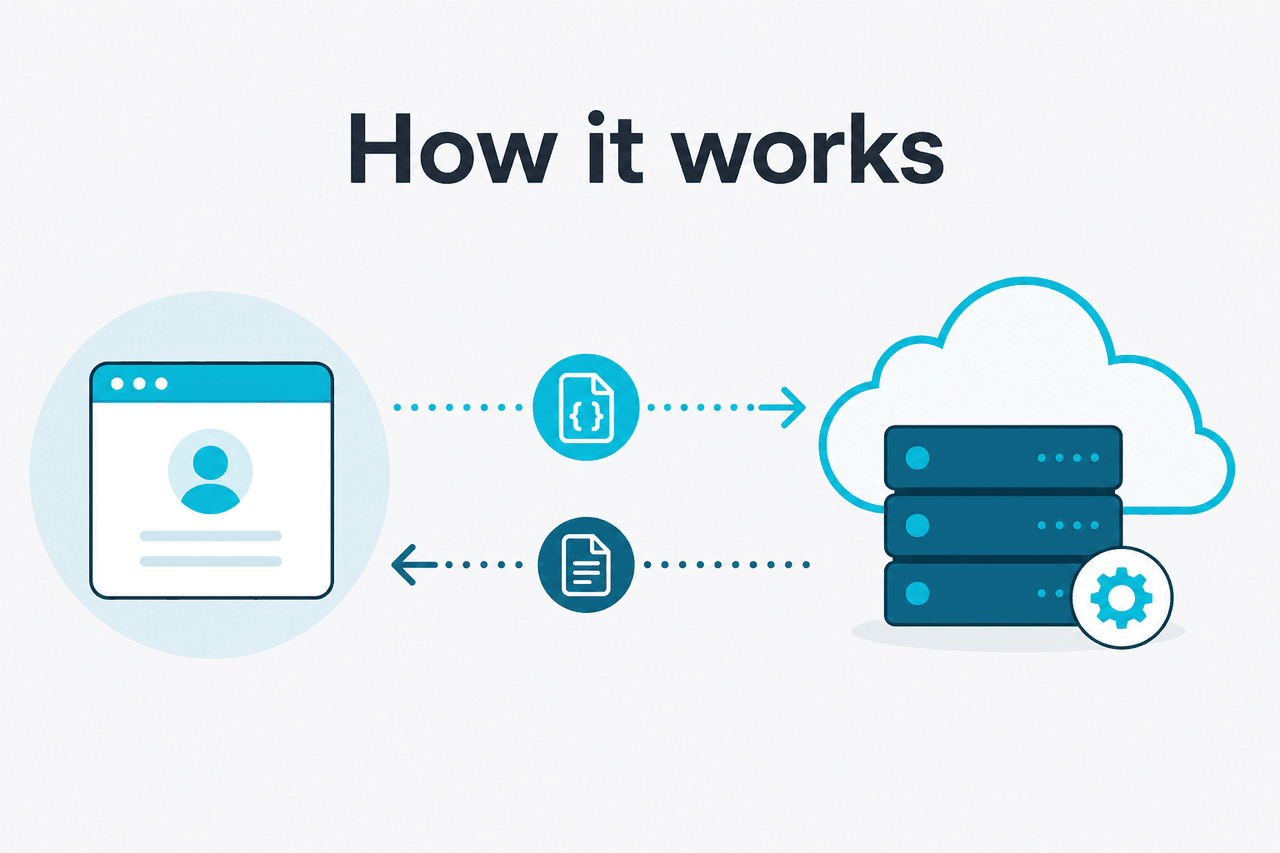
A Claude API key identifies your organization when your software calls Anthropic’s API. Your app sends HTTPS requests to the Messages API with the key in the x-api-key header, a supported model ID, a message array, and settings such as max_tokens. Anthropic’s developer documentation is the source of truth for request formats, SDKs, model IDs, authentication headers, and versioning.
Treat the key like a password. Store it in a backend secret manager. Rotate it when staff leave or a repository leak is suspected. Use separate keys for local development, staging, and production. If your team is building more than a test script, assign ownership for billing, error monitoring, and model changes. Our overview of Claude features can help you decide which capabilities matter before you build.
Create or sign in to an Anthropic account
Go to platform.claude.com. Use the account you want tied to your API organization, billing, and usage history.
Select the right organization
If you belong to more than one organization, check the organization switcher before creating a key. Usage, limits, and invoices are scoped to the selected organization.
Add billing if required
The console may require a payment method before API traffic is allowed. This is separate from any Claude chat plan.
Generate the key
Create a new API key, give it a clear name such as
prod-web-backendorlocal-dev, then copy the secret into a password manager or secret manager.Test with a small request
Call the Messages API with a short prompt and low
max_tokens. Confirm that authentication, model access, and billing work before sending large documents or automated traffic.Move the key out of code
Use an environment variable such as
ANTHROPIC_API_KEY. Never ship the key in frontend JavaScript, mobile app bundles, public repositories, or shared notebooks.
Product names and API IDs are not always identical. Use Anthropic’s model documentation for exact identifiers. Our Claude models guide explains how the main models compare at a practical level.
What it costs
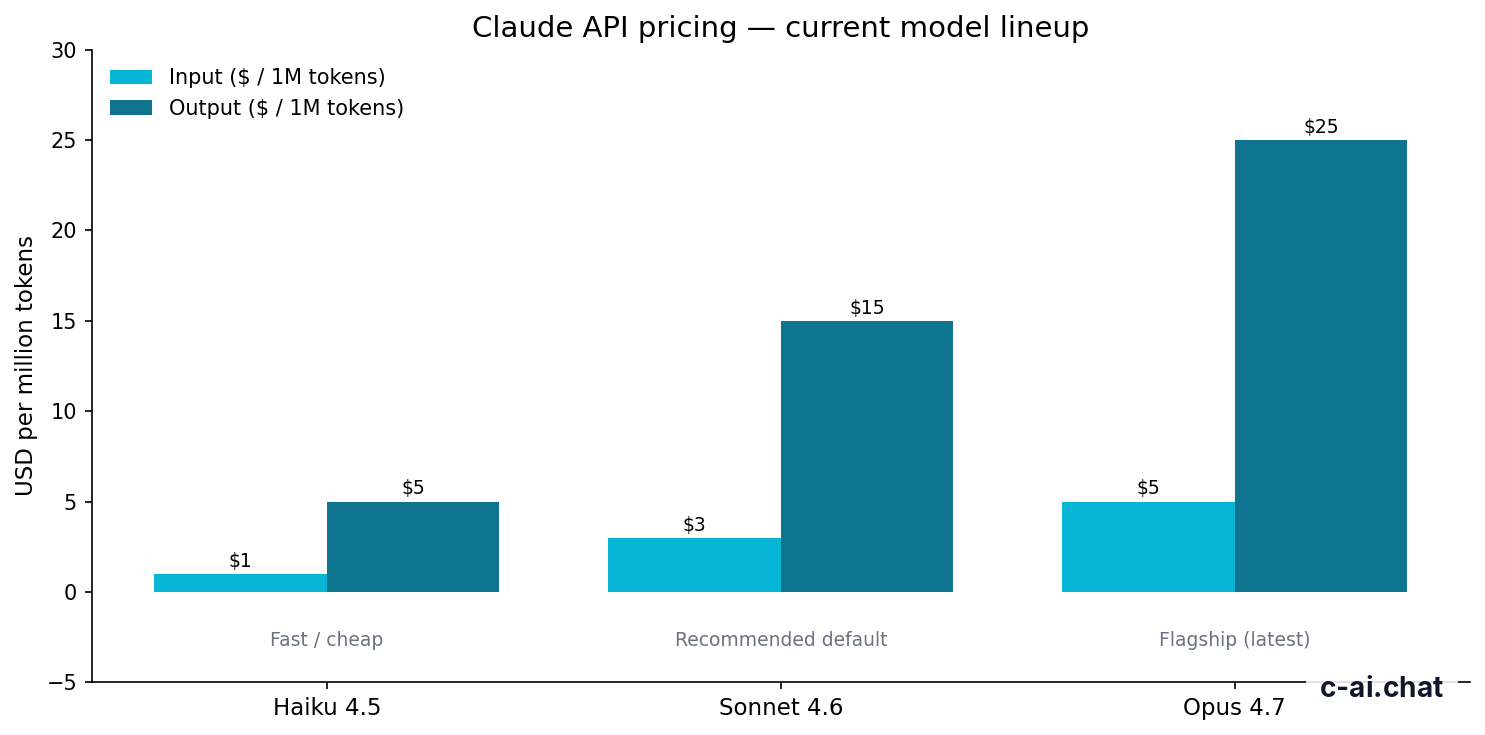
Claude API access is usage-based. Anthropic charges separately for input tokens sent to the model and output tokens generated by the model. Claude chat plans do not include API usage. For plan-level context, see our independent Claude pricing guide, then confirm live API details in Anthropic’s official API pricing documentation.
| Model | Best fit | Input price | Output price | Context and output |
|---|---|---|---|---|
| Claude Opus 4.7 | Highest-capability work | $5/M tokens | $25/M tokens | 1M context |
| Claude Sonnet 4.6 | Recommended default | $3/M tokens | $15/M tokens | 1M context; 128K max output |
| Claude Haiku 4.5 | Fast, lower-cost tasks | $1/M tokens | $5/M tokens | Good for classification, extraction, routing, and utility work |
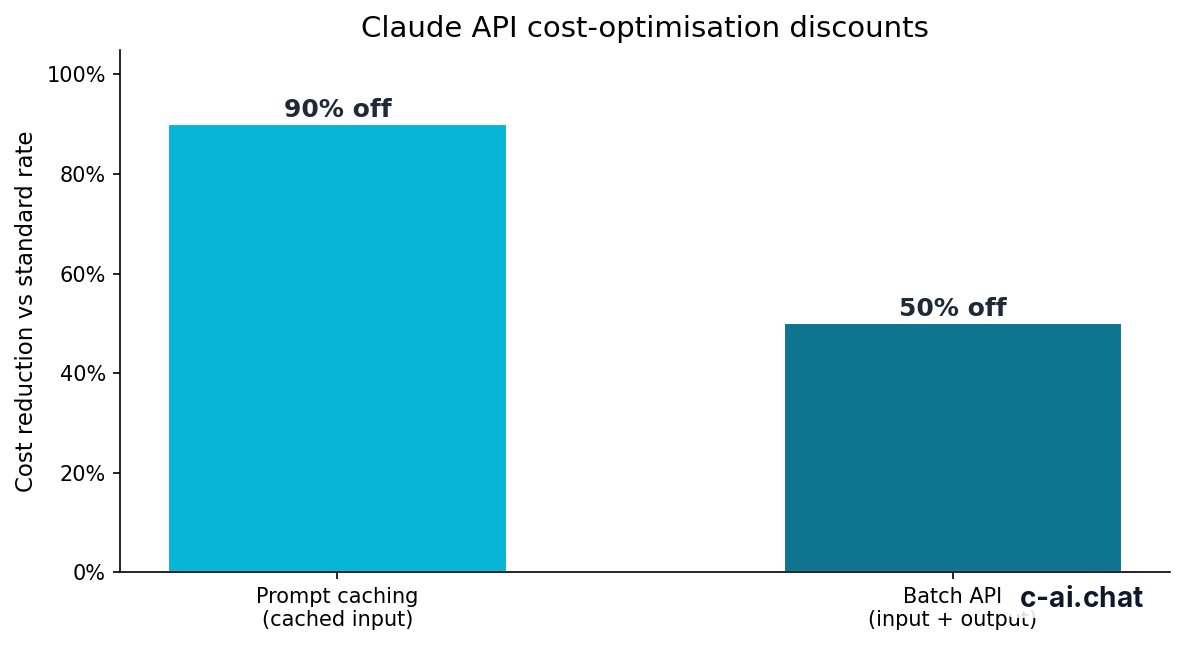
90% off cached input
Prompt caching can reduce repeated input cost. The Batch API gives 50% off both input and output for suitable asynchronous jobs.
Token pricing makes small tests cheap and uncontrolled automation expensive. A short classification request may cost very little. A workflow that sends long documents, tool results, chat history, and large outputs can grow quickly. Measure both sides: input and output.
Worked example
Simple Sonnet 4.6 API cost estimate
This estimate excludes prompt caching, Batch API discounts, taxes, credits, and account-specific terms.
Start with Claude Sonnet 4.6 unless you have a clear reason to use Opus 4.7 or Haiku 4.5. Sonnet is the usual default for assistants, drafting, analysis, coding help, and tool use. Use Opus for the hardest reasoning or quality-sensitive tasks. Use Haiku for high-volume background tasks where speed and cost matter most.
Free
$0
Chat access only. API usage is billed separately through the developer platform.
Pro
$20/mo or $17/mo annual
Chat plan pricing. It does not replace API billing.
Max
From $100/mo
Higher-use chat plan. API usage still follows API rates.
Team Standard
$25/seat or $20/seat annual
Team chat plan. API keys and usage remain platform-managed.
Team Premium
$125/seat or $100/seat annual
Team chat plan with separate API costs.
Enterprise
$20/seat base plus API rates
Enterprise terms can combine seat pricing with API usage rates.
Limits and gotchas
Most Claude API key problems are not caused by the key creation screen. They come from billing state, organization selection, model IDs, rate limits, or unsafe key handling.
- Chat subscriptions do not replace API billing. Paying for a Claude chat plan does not automatically cover API usage. The developer platform has its own billing and usage controls.
- The organization matters. If you create a key under the wrong organization, requests may use the wrong billing account, limits, or model access.
- Rate limits can stop valid keys. A correct key can still receive rate-limit errors during bursts or high-volume jobs. Handle retryable errors with backoff.
- Model IDs must match the API. Use the identifiers listed in Anthropic’s model documentation. Do not assume a display name is the exact API string.
- Model availability can vary by account. Some models, betas, or higher-capacity features may require account access, platform settings, or plan changes.
- Region restrictions can block access. Anthropic services are not available in every country or region. If signup or billing is unavailable, consult Anthropic Support.
- Client-side exposure is a serious mistake. Anyone who sees your key can spend against your account until you revoke it. Never put the key in browser code, public repositories, mobile binaries, or shared demos.
- Long context is useful but not automatically cheap. 1M context can help with large files and repositories, but huge prompts increase cost and latency. Use retrieval, chunking, caching, and concise prompts where possible.
- Status incidents can look like app bugs. If requests fail across environments, check status.claude.com before rewriting code.
| Error pattern | Likely cause | What to check |
|---|---|---|
| 401 unauthorized | Missing, invalid, revoked, or malformed API key | Header name, secret value, environment variable loading, key rotation history |
| 403 forbidden | Account, organization, billing, or model access problem | Selected organization, billing setup, model availability, platform permissions |
| 429 rate limited | Too many requests or too much token volume | Retry strategy, concurrency, rate-limit headers, workload batching |
| 400 bad request | Invalid payload | Model ID, JSON structure, message roles, tool schema, max token settings |
| 5xx server error | Temporary service-side failure or network issue | Retry with backoff, logs, Anthropic status page |
What API keys make possible
- Server-side automation
- Custom product workflows
- Usage logging and evaluation
- Model routing across tasks
What you must manage
- Secret storage and rotation
- Usage-based costs
- Rate limits and retries
- Model ID changes and testing
If you are using Claude in developer workflows, keep the API key separate from project files. Secrets belong in environment variables or managed secret stores, not in source control. For related setup material, see our Claude resources.
FAQ
If you are still deciding whether API access is the right route, compare it with the official Claude web app. The web app is simpler for personal use. The API is the right choice when you need automation, integration, logging, custom interfaces, or backend control. Our Claude FAQ covers more product-level questions.
The honest take
Getting a Claude API key is straightforward: use Anthropic’s platform console, create the key, store it securely, and test it with a small request. The important part is not the button you press. It is understanding that the key controls paid API usage and must be protected like any other production secret.
For most developers, the sensible path is to start with Claude Sonnet 4.6, set conservative token limits, log usage, and add prompt caching or the Batch API only when the workload pattern justifies it. Use c-ai.chat as an independent reference, but use Anthropic’s official docs for exact API syntax, model IDs, account controls, and live pricing.
Independent guide. Not affiliated with Anthropic. For the official Claude product, visit claude.ai.
Last updated: 2026-05-12
This article is part of the Claude API for developers hub on c-ai.chat.