Claude Code hooks are local automation rules that run before, after, or at the end of Claude Code tool actions, so developers can enforce formatting, command blocking, logging, and tests without relying on the model to remember project policy.
c-ai.chat is an independent guide, not Anthropic. For related Claude capabilities, see our Claude features overview; for implementation details, use Anthropic’s official Claude Code hooks documentation.
- The short answer
- How it works
- Practical examples
- How hooks compare with other controls
- Pricing and usage notes
- Should you use Claude Code hooks?
- FAQ
- Sources
The short answer
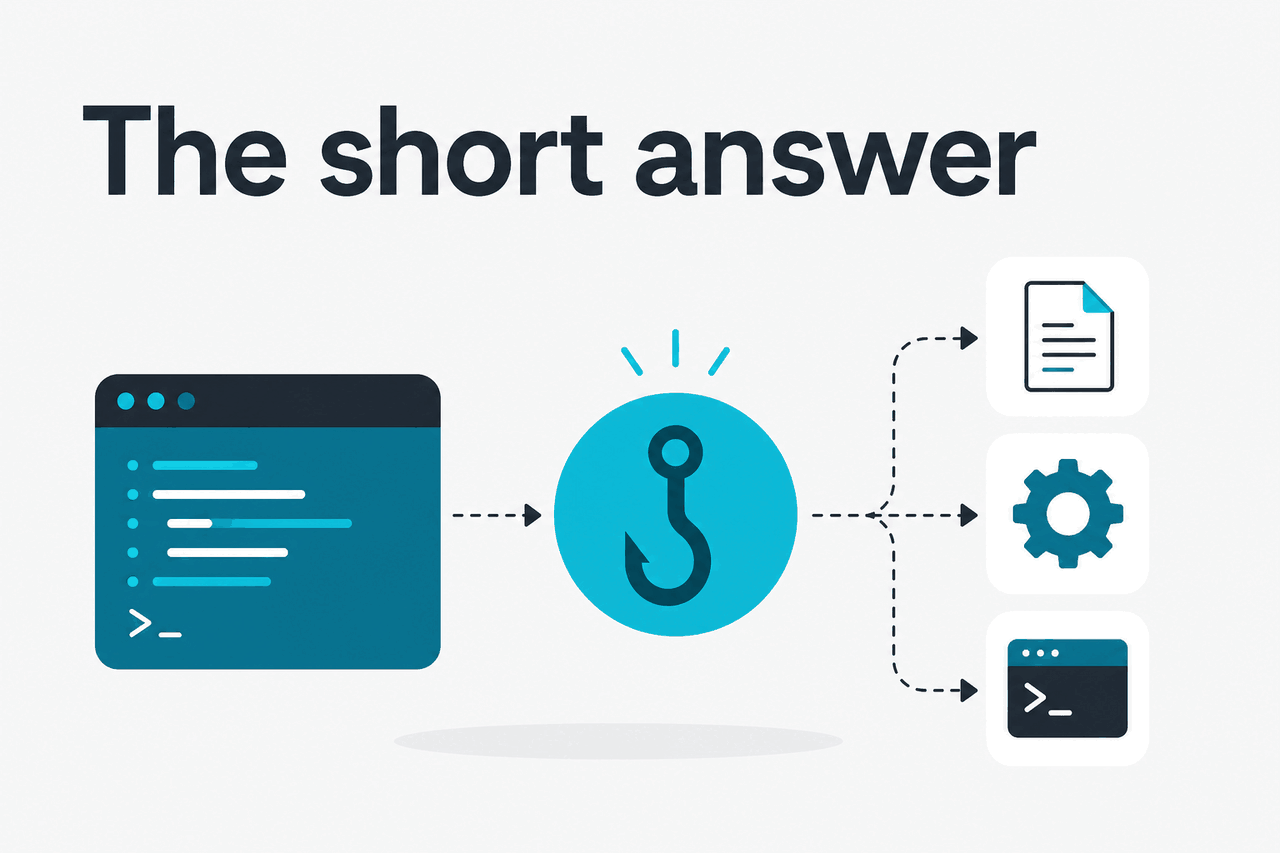
Claude Code hooks attach deterministic shell commands to Claude Code events. They are useful when a rule must run every time: block a risky command, format edited files, write an audit log, or run a final test before the session ends.
Hooks are not prompts. A prompt asks Claude to behave a certain way. A hook runs code on your machine at a defined point in the workflow. That makes hooks better for repeatable guardrails and team policy.
- What it does: runs shell commands around Claude Code tool events.
- Where it runs: locally in your Claude Code environment.
- What it costs: Anthropic does not document a separate hook fee; Claude Code access depends on your Claude plan or API setup.
- Who it is for: developers and teams that need repeatable local controls.
Common hook events include PreToolUse, PostToolUse, UserPromptSubmit, and Stop. Use PreToolUse before a tool call, PostToolUse after a successful tool call, UserPromptSubmit when a user submits a prompt, and Stop when Claude Code is about to finish.
How it works
Claude Code lets Claude inspect files, propose edits, and use tools inside a developer workflow. Hooks sit around those tool events. You define them in Claude Code settings, usually as JSON. Each hook chooses an event, optionally filters by tool name, and runs one or more commands.
When an event fires, Claude Code passes structured event data to your command. Your script can inspect that input, allow the workflow to continue, or block the action according to Anthropic’s documented exit behavior.
This is different from writing a rule in CLAUDE.md. Project instructions influence model behavior. Hooks enforce behavior outside the model. Many teams use both: instructions for style and workflow preferences, hooks for actions that must run reliably.
Choose the event
Use
PreToolUseto inspect an action before it runs,PostToolUseafter a successful tool call,UserPromptSubmitwhen a prompt is submitted, orStopbefore Claude Code finishes.Add the hook to settings
Start with a small hook, such as a logger that writes the event payload to a local file.
Move policy logic into a script
Use a script such as
./scripts/claude-precheck.sh. It is easier to test and review than a long inline command.Test with a harmless action
Trigger a simple file read or edit. Confirm the hook receives the expected input and exits with the behavior you intended.
Document shared rules
If the hook belongs to the project, document it for the team. Avoid hooks that depend on private local paths or broad destructive commands.
A minimal settings pattern looks like this. Treat it as illustrative, then verify the exact schema in Anthropic’s docs before using it in a shared repository.
{
  "hooks": {
    "PreToolUse": [
      {
        "matcher": "Bash",
        "hooks": [
          {
            "type": "command",
            "command": "./scripts/check-bash-command.sh"
          }
        ]
      }
    ],
    "PostToolUse": [
      {
        "matcher": "Edit|MultiEdit|Write",
        "hooks": [
          {
            "type": "command",
            "command": "npm run format:changed"
          }
        ]
      }
    ],
    "Stop": [
      {
        "hooks": [
          {
            "type": "command",
            "command": "npm test -- --runInBand"
          }
        ]
      }
    ]
  }
}Practical examples
Good hooks are small and specific. They reduce repeated manual checks. They should not replace code review, CI, or security review.
Worked example
Block risky shell commands before Claude Code runs them
This pattern can block broad deletes, credential searches, production deployment commands, or infrastructure destruction commands from an interactive AI session.
Example script logic:
#!/usr/bin/env bash
set -euo pipefail

payload="$(cat)"
command_text="$(printf '%s' "$payload" | jq -r '.tool_input.command // ""')"

if printf '%s' "$command_text" | grep -E 'rm -rf /|kubectl delete|terraform destroy'; then
  echo "Blocked by Claude Code hook: command matches a dangerous pattern." >&2
  exit 2
fi

exit 0
This is a local guardrail, not a complete security system. Keep the pattern list tight, test it, and avoid false confidence. If you need API-level controls or service integration, see our Claude API documentation guide.
Format edited files after Claude changes code
A common PostToolUse hook runs a formatter after Claude Code writes or edits a file. This keeps generated changes close to your project’s style before you inspect the diff.
{
  "hooks": {
    "PostToolUse": [
      {
        "matcher": "Edit|MultiEdit|Write",
        "hooks": [
          {
            "type": "command",
            "command": "npm run format"
          }
        ]
      }
    ]
  }
}
For larger repositories, prefer a script that formats only changed files. Running the full formatter after every edit can slow the session and make diffs noisy.
Run tests before Claude Code stops
A Stop hook can run a test command when Claude Code is about to finish. If the test fails, Claude Code handles that failure according to Anthropic’s documented hook behavior, instead of quietly handing you a broken final state.
{
  "hooks": {
    "Stop": [
      {
        "hooks": [
          {
            "type": "command",
            "command": "./scripts/claude-final-check.sh"
          }
        ]
      }
    ]
  }
}
A practical final check might run a focused unit test, type check, or linter. Avoid making every stop run a long integration suite. Long-running hooks interrupt the local development loop.
Add project context when a prompt is submitted
A UserPromptSubmit hook can add short local context, such as the current branch, issue ID, or changed files. This can reduce repeated setup text in prompts.
#!/usr/bin/env bash
set -euo pipefail

echo "Current branch: $(git branch --show-current)"
echo "Changed files:"
git diff --name-only HEAD
Keep injected context short. Large automatic context can make the session less focused and may increase token use. If cost is a concern, see our Claude pricing guide.
Write a local audit log of AI-assisted edits
Teams sometimes want a lightweight record of what Claude Code touched during a session. A PostToolUse hook can append event details to a local log file. This helps with debugging and process review, but it is not compliance by itself.
#!/usr/bin/env bash
set -euo pipefail

mkdir -p .claude-logs
cat >> .claude-logs/tool-events.jsonl
printf 'n' >> .claude-logs/tool-events.jsonl
Do not log secrets, credentials, customer data, or sensitive source snippets unless your team has explicitly approved that storage. Treat hook logs with the same care as build logs.
How hooks compare with other controls
Claude Code hooks are an automation layer around AI coding work. They overlap with pre-commit hooks, CI, editor tasks, and repository instructions, but they run at a different point in the workflow.
| Option | Where it runs | Best for | Main trade-off |
|---|---|---|---|
| Claude Code hooks | Local Claude Code lifecycle events | Blocking or reacting to Claude Code tool use | Only applies inside Claude Code sessions |
| pre-commit hooks | Git commit workflow | Formatting, linting, and secrets checks before commits | Runs later than the AI edit and can interrupt commits |
| CI checks | Remote build pipeline | Team-wide enforcement before merge or deploy | Feedback arrives after local work and can be slower |
| Editor rules and settings | Editor workspace | Guiding AI behavior inside an IDE | Depends on editor-specific behavior |
| Repository instructions | Model prompt context | Style guidance, workflow preferences, and project conventions | Instruction following is not deterministic shell enforcement |
If you already rely on CI, keep it. Hooks should catch problems earlier, not replace the source of truth. A strong setup uses local hooks for fast feedback, pre-commit hooks for commit hygiene, and CI for shared enforcement.
Use Claude Code hooks when
- You want guardrails at the moment Claude Code uses a tool.
- You need local checks that do not depend on the model remembering instructions.
- Your team already uses Claude Code for edits, refactors, or command-line work.
Skip hooks when
- You do not use Claude Code.
- CI or pre-commit hooks already cover the need.
- You cannot safely maintain local shell scripts across developer machines.
For users still deciding whether Claude is the right assistant, our independent Claude AI guide covers the product family, official app, models, and common limitations.
Pricing and usage notes
Anthropic does not list a separate price for Claude Code hooks. Your cost comes from the Claude access path you use and any API usage tied to your workflow.
Free
$0
Entry-level Claude access. Check Anthropic’s current product limits before assuming Claude Code availability.
Pro
$20/month or $17/month annual
Individual paid access for heavier use.
Max
From $100/month
Higher-limit individual access.
Team
Standard: $25/seat or $20/seat annual
Premium: $125/seat or $100/seat annual
Enterprise
$20/seat base plus API rates
Enterprise pricing depends on seat count, controls, and usage.
If your hook scripts also call the Claude API, API pricing applies. Prompt caching gives 90% off cached input. Batch API gives 50% off both input and output. See our Claude models guide and Claude pricing guide for model and cost context.
Should you use Claude Code hooks?
Use Claude Code hooks if Claude Code is already part of your development workflow and you have specific actions that must run every time.
They are strongest for guardrails around tool use: blocking risky shell commands, formatting generated edits, running focused tests, and recording local events.
Do not use hooks as a substitute for secure permissions, code review, or CI. Start with one low-risk hook, test it, then add more only where the workflow clearly improves.
The best hook setup is small enough that every developer on the project understands what it runs and why.
FAQ
Are Claude Code hooks the same as MCP?
No. Hooks run local shell commands at Claude Code lifecycle events. MCP connects Claude to external tools and data sources through a protocol. They can complement each other, but they solve different problems.
Can a PreToolUse hook block a command?
Yes. A typical setup inspects a proposed Bash command or file operation, then exits in a way that Claude Code treats as a block. Check Anthropic’s hook docs for the exact exit-code behavior before enforcing a team policy.
Should hooks live in the repository or only on my machine?
Personal preferences belong in local settings. Shared safety or formatting rules can live with the project if the team reviews them and documents setup. Be careful with hooks that assume a specific operating system, shell, path, or private tool.
Do hooks make Claude Code safe for production changes?
No. Hooks can reduce obvious local mistakes, but production access still needs normal controls: permissions, reviews, CI, deployment approvals, and audit trails. Do not give an AI coding session broad production authority because a hook checks commands.
Can hooks run long test suites?
They can run commands, but long test suites are usually a poor fit for every hook event. Prefer focused checks locally and leave slower integration tests to CI unless your team has a clear reason to run them in the Claude Code loop.
Where do I check official availability and service issues?
Use Anthropic’s official docs for setup and Claude status for incidents. c-ai.chat explains the ecosystem independently, but Anthropic controls the product, docs, and availability.
Independent guide. Not affiliated with Anthropic. For the official Claude product, visit claude.ai.
Last updated: 2026-05-12
This article is part of the Claude Code hub on c-ai.chat.