The Claude context window is the token budget Claude can use for your prompt, files, chat history, tool output, and answer in one request; the largest documented window is 1,000,000 tokens on supported models, and c-ai.chat explains it as an independent guide, not Anthropic, within our Claude features guide.
- What it does at a glance
- How it works
- When this feature actually helps
- What it can’t do
- Other questions readers ask
- The honest take
- Sources
What it does at a glance
The Claude context window defines how much information Claude can hold in view while generating an answer. It includes your instructions, uploaded content, conversation history, tool results, and the response Claude is about to produce. A larger window helps with bigger documents and longer conversations. It does not make every answer more accurate.
- Up to 1,000,000 tokens on supported long-context Claude models
- Input and output share the budget, so files and answers both matter
- Best for large supplied context, not permanent memory
- API cost scales with tokens, unless caching or batching applies
Anthropic documents model limits in the official Claude models overview and pricing in the API pricing documentation. If you are choosing between models, see our Claude models guide. If you are building with Claude through endpoints rather than the web app, start with our Claude API guide.
| Term | What it means | Why it matters |
|---|---|---|
| Context window | The total token budget Claude can consider in a request or conversation turn. | Sets the ceiling for long files, long chats, and tool output. |
| Input tokens | Your prompt, instructions, files, prior messages, and retrieved content. | Large documents increase input size and API cost. |
| Output tokens | The answer Claude generates. | A long answer uses budget and may hit a separate output cap. |
| Long context | Support for very large prompts, including 1,000,000-token workloads on supported models. | Useful for codebases, contracts, transcripts, research packs, and multi-document analysis. |
| Model | Documented context | Max output | API price |
|---|---|---|---|
| Claude Opus 4.7 | 1,000,000 tokens | Check official model entry | $5/M input, $25/M output |
| Claude Sonnet 4.6 | 1,000,000 tokens | 128K tokens | $3/M input, $15/M output |
| Claude Haiku 4.5 | Check official model entry | Check official model entry | $1/M input, $5/M output |
How it works
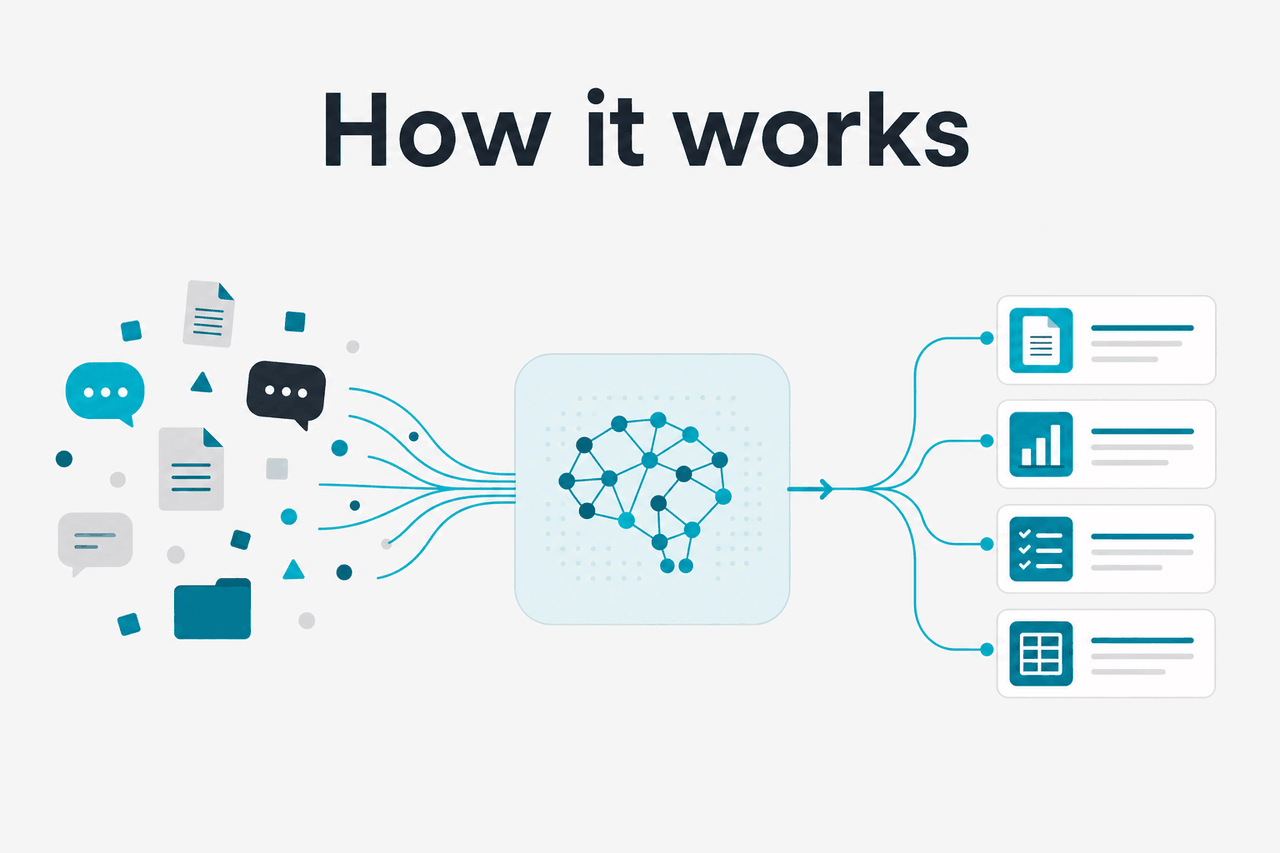
Claude does not remember a whole file because you mentioned it once. The relevant material has to be present in the context, available through a connected feature, or supplied again by the application. When you send a request, Claude receives a sequence of tokens. Tokens are chunks of text, code, numbers, punctuation, and formatting. If the request is too large, the app or developer must shorten, split, retrieve, or summarise content before Claude answers.
The context window is shared. A 1,000,000-token request does not mean you can paste 1,000,000 tokens of source material and also ask for an unlimited response. Instructions, documents, prior turns, tool calls, and the final answer all compete for space. Product interfaces such as claude.ai can also apply upload, message, plan, or usage limits that differ from raw API capability.
Free
$0
Good for light testing. Usage limits apply.
Pro
$20/mo or $17/mo annual
Individual subscription with higher usage than Free.
Max
From $100/mo
For heavier individual use.
Team Standard
$25/seat or $20/seat annual
Team workspace plan.
Team Premium
$125/seat or $100/seat annual
Higher-tier team plan.
Enterprise
$20/seat base plus API rates
Enterprise terms and API usage are billed separately.
Plan price is not the same thing as model context. A subscription controls access and usage in the product. The API exposes models through developer endpoints with separate token pricing, rate limits, and implementation choices.
Worked example
Reviewing a large policy pack
This fits inside a large context window, but Claude still needs precise instructions about what to compare, what to ignore, and what format to use.
For API users, context size also affects cost. Claude Opus 4.7 is listed at $5/M input tokens and $25/M output tokens. Claude Sonnet 4.6 is listed at $3/M input tokens and $15/M output tokens. Claude Haiku 4.5 is listed at $1/M input tokens and $5/M output tokens. Prompt caching can reduce cached input cost by 90% when you repeatedly send the same long instructions or reference material. Batch API workloads can reduce both input and output cost by 50% when asynchronous processing fits the product design.
90% off
cached input tokens with prompt caching
A useful mental model is open-book reasoning, not perfect memory. Claude can inspect a large amount of supplied material, but it still needs a clear question, enough structure, and a realistic output target. Ask for a specific comparison, extraction, or decision. Do not ask it to “find every issue” across thousands of pages without a checklist or review plan.
When this feature actually helps
A large Claude context window helps when the answer depends on many details that cannot be reduced safely to a short prompt. It is less useful when the task is simple, when the source material is noisy, or when you need a database query, calculator, or deterministic program.
- Large document review. Claude can compare long contracts, policies, manuals, grant applications, discovery files, research packets, or meeting transcripts. Strong prompts ask for a specific comparison, risk list, extraction table, or contradiction check.
- Codebase understanding. Developers can provide multiple files, architecture notes, logs, and error traces. This can help with refactors, migration planning, test-writing, and debugging. For related developer workflows, see our Claude resources.
- Research synthesis. Long context is useful when you need Claude to hold many sources in view and separate evidence from interpretation. Ask for citations to supplied material and verify important claims.
- Long-running project conversations. A bigger window reduces the need to restate every decision in the same thread. It does not replace project documentation, version control, or an external source of truth.
- Structured extraction from bulky material. Claude can turn large unstructured text into tables, issue logs, summaries, timelines, requirements, or JSON-like records. Accuracy improves when you define the schema and include examples.
Pick long context when
- The answer depends on many pages, files, or prior turns.
- You need cross-document comparison, not a short rewrite.
- The source material can be supplied or retrieved reliably.
- You can check the result against the original text.
Skip long context when
- A short prompt contains all relevant facts.
- You need exact arithmetic, database joins, or guaranteed exhaustive search.
- The cost of sending the whole corpus outweighs the benefit.
- The task is better solved with retrieval, indexing, or code.
The best results usually come from combining long context with structure. Give Claude a role, scope, source hierarchy, decision rules, and output format. Tell it whether to prioritise the newest document, how to handle contradictions, whether to quote exact passages, and what to do when evidence is missing. Long context gives the model room. Instructions decide how that room is used.
Define the task
Ask for a concrete output, such as a risk table, migration plan, contradiction list, or brief with cited evidence.
Mark the source material
Use headings, filenames, section labels, or delimiters so Claude can refer to the right document.
Set priority rules
Tell Claude what to do when documents conflict, when a section is missing, or when the evidence is weak.
Limit the response shape
Request columns, bullets, JSON fields, or a maximum length. This preserves output budget and makes review easier.
What it can’t do
A large context window does not make Claude infallible. It increases how much material Claude can inspect, but the model can still miss details, over-weight recent text, misunderstand tables, compress nuance, or produce a confident answer that needs checking. Treat long-context output as analysis to review, not as a guaranteed audit.
- It is not permanent memory. Context applies to the active request or product feature. If the material is not present or retrievable, Claude may not use it.
- It is not the same as output length. A model can have a large context window and still have a separate maximum response size.
- It may not scan everything equally. Very long prompts can dilute attention. Put critical instructions at the start and restate key constraints near the task.
- It can be expensive in the API. Sending hundreds of thousands of tokens repeatedly can add cost quickly unless caching, batching, retrieval, or summarisation is used.
- It does not replace retrieval systems. If you need to search a changing knowledge base, a retrieval pipeline may be more efficient than sending the entire corpus every time.
- It does not guarantee legal, medical, financial, or security correctness. Use qualified review for high-stakes decisions.
- Product limits can differ from model limits. File upload limits, plan usage limits, rate limits, and interface rules may apply even when the model supports a larger context through the API.
For production systems, design around failure modes. Split critical work into stages. Ask Claude to cite file names and sections. Run a second pass for omissions. Use deterministic checks where possible. Monitor API usage, latency, and errors with the official platform documentation and Claude status.
Other questions readers ask
These are the related questions people usually mean when they search for Claude context window size.
Bigger context can reduce manual preparation because you can send more source material directly. It can also increase API spend if you resend the same large prompt many times. If the repeated material is stable, evaluate prompt caching first. If the workload is asynchronous, Batch API pricing may fit better.
The honest take
The Claude context window is useful when you need to reason across large documents, code, transcripts, or research packs. The headline number matters, but the workflow matters more. A huge prompt with vague instructions can still produce a shallow answer. A structured prompt with labelled sources, clear rules, and a review step gives Claude a better chance of producing useful work.
Use the largest context only when the task needs it. For everyday prompts, a smaller and cheaper model or a retrieval step may be faster and easier to control. For large reviews, migrations, audits, and synthesis work, Claude’s long-context models can save time if you verify important outputs against the source material.
Independent guide. Not affiliated with Anthropic. For the official Claude product, visit claude.ai.
Last updated: 2026-05-12