Claude Cowork plugins are best understood as Claude-connected workspace capabilities: they can help Claude work with supported tools, files, and workflows, but Anthropic does not document a separate public plugin store for Claude Cowork.
This independent guide explains what “Claude Cowork plugins” can mean in practice, how they fit into the broader Claude features landscape, and what to check before you rely on them. c-ai.chat is not Anthropic. Anthropic makes Claude, and claude.ai is the official Claude product.
- What it does at a glance
- How it works
- When this feature actually helps
- What it can’t do
- FAQ
- The honest take
- Sources
What it does at a glance
Claude Cowork plugins, as searchers usually use the phrase, are connected Claude workflows that move beyond a blank chat box. They may involve files, Projects, workspace context, Office workflows where available, or approved integrations controlled by your plan and workspace settings.
- No verified public plugin marketplace: Anthropic does not present Claude Cowork as an open plugin store.
- Plan-dependent: Claude Cowork appears in paid Claude plan offerings.
- Context is the value: the benefit comes from shared files, instructions, Projects, and workflow context.
- Admins matter: Team and Enterprise workspaces may restrict access, integrations, and data use.
The key distinction is simple. “Claude Cowork” is a plan feature. “Plugins” is often user shorthand for connected tools, integrations, or add-ons. Those are not always the same thing. Do not assume every account can install third-party plugins freely.
Use this decision rule: if the capability is visible in your Claude account, enabled by your workspace, and documented by Anthropic for your plan, treat it as available. If not, treat it as unavailable until verified.
For feature comparisons across Claude, start with our Claude features guide. For plan-level differences, see our Claude pricing guide.
How it works
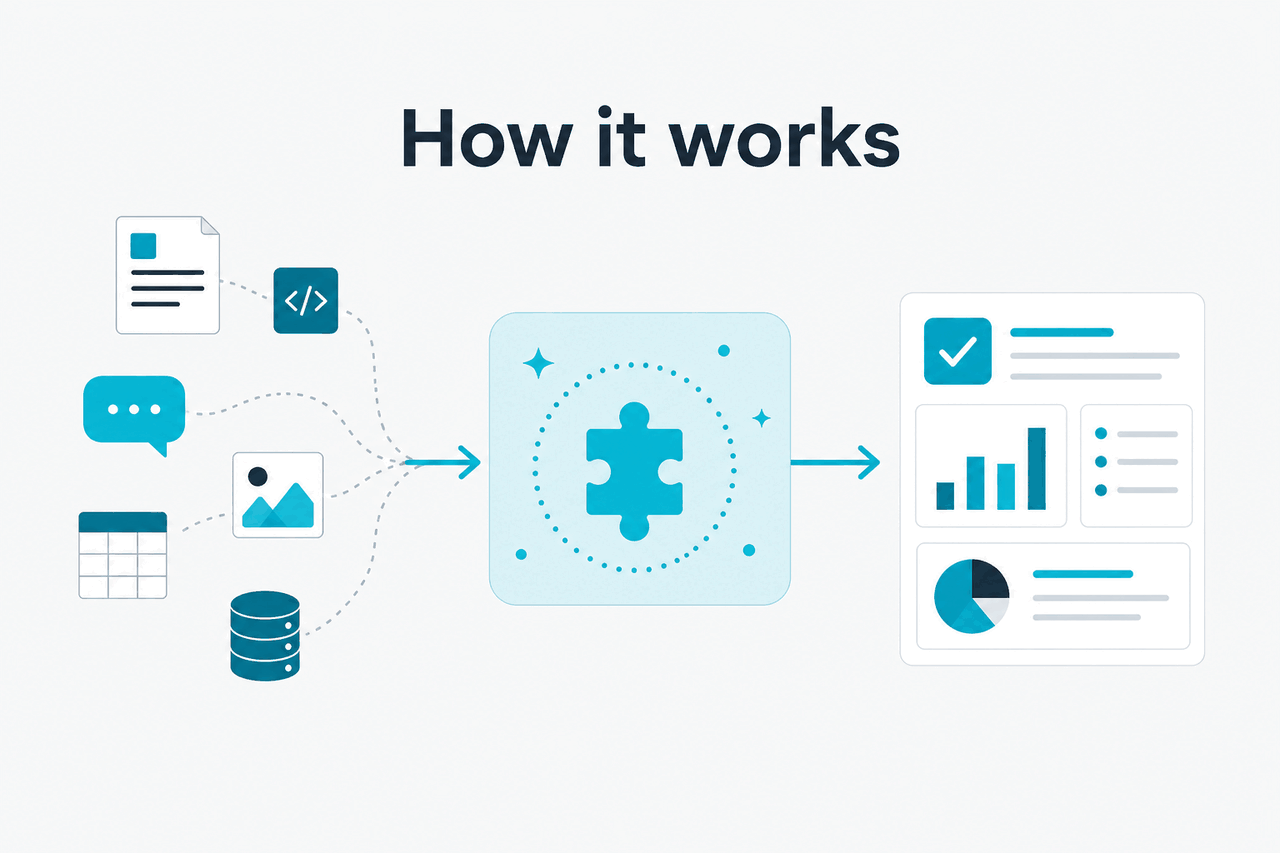
Claude Cowork-style workflows work by giving Claude more structured context than a single prompt. You may be working in a Claude workspace, a Project, a document workflow, or a supported integration. Claude can then use the context you provide to help draft, analyse, compare, organise, or revise work.
The “plugin” part usually means a connection point. That could be a native integration, a workspace feature, a document tool, or an approved connector. Claude still works as a language model. It does not gain access to a system unless that access is enabled, permitted, and visible in the product.
Worked example
Using Claude Cowork-style context for a document workflow
The useful part is shared context. The risky part is assuming Claude checked facts or business rules that were never supplied.
Developers can build a more technical version with the Claude API. You can connect Claude to your own app, tools, retrieval system, or workflow layer. That is separate from installing a Claude Cowork plugin inside Claude. If you are building a custom integration, start with our Claude API docs guide and Anthropic’s official developer documentation at docs.claude.com.
Model choice also matters. Claude Opus 4.7 is the flagship model, with a 1M-token context window and API pricing of $5 per million input tokens and $25 per million output tokens. Claude Sonnet 4.6 costs $3 per million input tokens and $15 per million output tokens, supports a 1M-token context window, and has a 128K maximum output. Claude Haiku 4.5 costs $1 per million input tokens and $5 per million output tokens. For a broader comparison, see our guide to Claude models.
When this feature actually helps
Claude Cowork plugins help most when a task depends on context that is too large, scattered, or repetitive for a one-off prompt. Claude does not do the job for you. It reduces copying, pasting, and re-explaining.
Good use cases include:
- Document review: compare a draft against a brief, find unclear claims, suggest rewrites, and produce a change list.
- Meeting follow-up: turn notes, decisions, and open questions into tasks, risks, or stakeholder updates.
- Office file support: where available, use Claude with Excel, PowerPoint, or Word workflows for analysis, structure, summaries, and draft content.
- Team knowledge work: use Projects and workspace context to keep recurring instructions, reference material, and working files together.
- Code-adjacent planning: ask Claude to explain technical proposals, draft implementation notes, or prepare issues before coding work begins.
Use it when
- You already work inside Claude Projects or a Claude team workspace.
- Your task depends on multiple files, recurring instructions, or shared context.
- You need drafting, review, comparison, extraction, or planning support.
- Your organisation allows the relevant integrations and data access.
Skip it when
- You need a confirmed third-party plugin marketplace.
- Your admin has disabled the integration you want.
- The work requires audited system-of-record changes without human review.
- You cannot share the relevant files or context with Claude under your policy.
Free
$0
Basic Claude access with usage limits. Do not assume Claude Cowork availability.
Pro
$20/month or $17/month annual
Adds paid-plan features, including Claude Cowork where available.
Max
From $100/month
For heavier individual use, with more capacity and priority access.
Team Standard
$25/seat or $20/seat annual
For shared workspaces, admin controls, and team use.
Team Premium
$125/seat or $100/seat annual
For teams that need higher capacity and expanded controls.
Enterprise
$20/seat base + API rates
For organisations that need contract, security, admin, and usage controls.
For individuals, Claude Cowork is most relevant on paid plans. For teams, the real question is not “Which plugin do I install?” It is “Which workspace controls, permissions, and data policies do we need?”
| Scenario | What Claude Cowork-style integrations can help with | What still needs human control |
|---|---|---|
| Consultant preparing a client deck | Summarising research, structuring slides, tightening language | Client facts, legal claims, numbers, final tone |
| Product manager reviewing feedback | Clustering themes, drafting tickets, identifying unclear requests | Priority calls, roadmap trade-offs, customer commitments |
| Finance analyst working with spreadsheet notes | Explaining trends, drafting commentary, checking consistency | Source data accuracy, formulas, approvals |
| Engineering lead planning a feature | Turning notes into specs, risks, and acceptance criteria | Architecture decisions, security review, deployment ownership |
What it can’t do
Claude Cowork plugins are not a universal access layer for every app you use. Claude can only work with the context, files, tools, and permissions available in your Claude environment.
- No verified universal plugin store: do not assume Claude has a ChatGPT-style public plugin marketplace.
- Plan differences apply: Free, Pro, Max, Team, and Enterprise accounts do not have identical limits, controls, or feature access.
- Rollouts can vary: beta features and integrations may not appear in every region, organisation, or workspace at the same time.
- Permissions still matter: Claude cannot access private files, systems, or user data unless access is granted.
- Generated work can be wrong: Claude may miss details, misunderstand instructions, or produce plausible but incorrect text.
- Compliance is not automatic: regulated teams still need policy, logging, review, and contract controls.
- Availability can change: check status.claude.com if Claude or a related service is not behaving as expected.
There is also a terminology trap. Some users say “plugins” when they mean “integrations.” Others mean browser extensions, document add-ons, API tools, or Claude Desktop capabilities. Those are different categories. If you are troubleshooting, use the exact product language shown in your Claude account or in Anthropic’s support materials at support.anthropic.com.
FAQ
The honest take
Claude Cowork plugins are useful if you define them carefully: connected Claude workflows that bring the assistant closer to your files, documents, Projects, and team processes. They are not a confirmed open plugin marketplace unless Anthropic documents that for your account or plan.
If you are an individual, check whether your Claude plan includes Claude Cowork and the integrations you care about. If you are a team, focus on workspace controls, permissions, data policy, and admin visibility. If you are a developer, the API may be the more flexible route.
Independent guide. Not affiliated with Anthropic. For the official Claude product, visit claude.ai.
Last updated: 2026-05-12