Claude web search is Claude’s built-in ability to look up current information on the internet when a query needs fresher facts than its training data alone can provide; this guide from c-ai.chat explains what it does, how it works, where it helps, and where you should still verify results yourself.
- What it does at a glance
- How it works
- When this feature actually helps
- What it can’t do
- Other questions readers ask
- The honest take
What it does at a glance
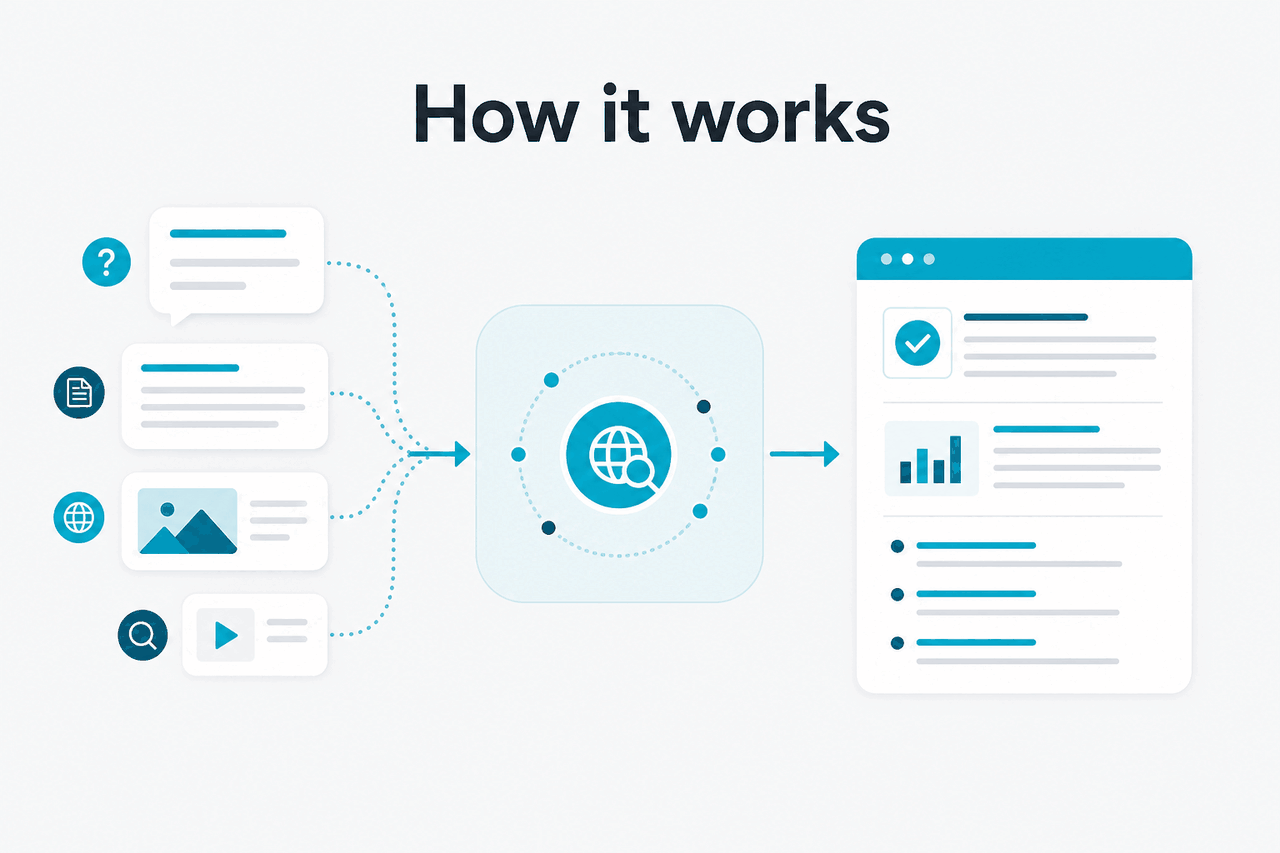
Claude web search means Claude can fetch and use live web information inside a chat, so it is useful for questions about recent events, product changes, documentation updates, pricing, status pages, and other topics where stale answers are a real risk.
- Built-in internet access for current information
- Best for time-sensitive questions like prices, releases, and status
- Not every answer needs search; Claude may rely on existing knowledge when enough
- Still requires verification for high-stakes work and edge cases
If you are comparing Claude features more broadly, see our Claude features guide. If you want the official product itself, use claude.ai. Anthropic makes Claude; c-ai.chat is an independent reference site.
How it works
In plain English, Claude web search works by deciding that a question needs live information, retrieving relevant pages from the web, and then using those pages as evidence for its answer. That is different from a normal model response based only on prior training. The practical effect is simple: if you ask about something current, Claude can ground the reply in fresh sources instead of guessing from older knowledge.
That does not mean Claude is “browsing the whole internet” in the human sense. It is selecting sources, extracting useful details, and synthesising them into a response. Sometimes that process is accurate and efficient. Sometimes it misses context, picks a weak source, or gives a correct fact with an incomplete explanation. The same caution applies here as with any search-assisted AI output: useful first draft, not automatic truth. For API-related context, see our Claude API guide, and for model behaviour differences, see Claude models.
Worked example
Checking whether a product detail is current
This is where web search is strongest: current, factual, source-backed questions.
One good mental model is that Claude web search is not a separate product. It is a capability inside Claude that expands what the assistant can answer well. It pairs especially well with documentation lookup, market snapshots, release-note checks, and research tasks that need current references. It is less useful when your question is analytical, personal, or based on private files you already supplied.
When this feature actually helps
Claude web search helps most when the value comes from recency, not just reasoning. If the answer could have changed recently, search can materially improve the result.
- Checking current pricing or plans. This is one of the clearest uses. Product tiers, usage limits, and add-ons change often enough that old answers become misleading.
- Looking up documentation changes. If you are working with developer docs, SDK guidance, or platform announcements, web search helps Claude pull in newer details than its baseline memory may contain.
- Verifying outage or service-status questions. For “Is Claude down?” type queries, current pages matter more than model knowledge. The relevant official destination is usually status.claude.com.
- Summarising recent news from official sources. If Anthropic posts a product update or capability launch, Claude can often summarise it faster than reading every page yourself.
- Comparing live information across a few sources. For example, checking whether a feature appears on the product site, support pages, and platform docs at the same time.
Pick when
- You need current facts, not just general explanation
- You are checking product pages, docs, support articles, or status pages
- You want a fast synthesis of several live sources
- You plan to verify the source links before acting
Skip when
- Your task is mostly reasoning, writing, or brainstorming
- You already have the needed text in a file or prompt
- The topic is private, internal, or not on the public web
- You need guaranteed completeness or legally sensitive accuracy
For example, if you are using Claude Code and want the latest setup detail from official documentation, web search can save time. If you are asking Claude to improve an argument, draft an email, or explain a concept that has not changed, search adds little. The best results come from knowing when “freshness” is the real bottleneck.
What it can’t do
Claude web search improves freshness, but it does not remove the normal limits of AI-assisted retrieval. It can still misunderstand the query, prefer an incomplete source, miss a newer page, or present a tidy answer that hides uncertainty. For high-stakes decisions, you should inspect the cited source material directly, especially if a small wording difference changes the meaning.
- It cannot guarantee perfect source selection. The most visible page is not always the most authoritative page.
- It may miss paywalled, blocked, or poorly indexed content. If the web page is inaccessible, Claude cannot reliably use it.
- It can compress nuance. A source may contain conditions, caveats, or regional differences that get shortened in the summary.
- It does not replace domain judgment. Legal, medical, financial, and compliance questions still need human review.
- It may struggle with ambiguous names. If a product, company, or feature shares a common phrase, retrieval can drift.
- It is not a private web crawler for your internal systems. Public web search is different from working with your own files, apps, or databases.
- It can still hallucinate around real facts. Even if the retrieved source is valid, Claude may add an unsupported inference.
This is also why official pages still matter. If you are checking product details, the most relevant references are usually the product site, support articles, trust pages, and platform documentation from Anthropic, not third-party summaries.
Other questions readers ask
These are closely related questions people usually mean when they search for Claude web search.
If your real question is broader than search alone, start at our Claude AI guide or compare capabilities in Claude features. Many people searching this topic are really deciding whether Claude is suitable for research-heavy workflows.
The honest take
Claude web search is useful because it fixes one of the most obvious weaknesses of any language model: outdated information. When you need current facts, it can make Claude meaningfully more practical. That is the real value. Not magic, not perfect browsing, just a better way to answer questions that depend on what is true now.
The trade-off is that you still need judgment. Claude can retrieve and summarise, but it can also miss nuance or overstate certainty. Use it when freshness matters, trust it more for source-backed summaries than for unsupported claims, and verify official pages before you act on anything important.
Independent guide. Not affiliated with Anthropic. For the official Claude product, visit claude.ai.
Last updated: July 16, 2026