Claude marketing is the use of Anthropic’s Claude to research audiences, shape campaign strategy, draft assets, review messaging, and automate repeatable marketing workflows; c-ai.chat is an independent guide, not Anthropic, and this tutorial sits under our broader Claude features coverage for readers who want a clear route from idea to execution.

What you’ll learn
By the end, you will know how to use Claude as a structured marketing assistant without handing it the parts of the job that still need human judgement.
- Build a reusable workflow for briefs, research synthesis, messaging, copy, and review.
- Write prompts that give Claude enough context to produce useful marketing output.
- Choose between Claude’s web app, paid plans, and API routes for marketing work.
- Use Claude for SEO, email, paid social, product marketing, and content operations.
- Spot the main risks: invented facts, weak positioning, generic copy, privacy mistakes, and poor measurement.
- Best fit · research synthesis, campaign drafts, long-form editing, persona work, and content repurposing
- Human review required · claims, pricing, legal language, brand voice, and performance decisions
- Official product · use claude.ai or Anthropic’s API platform
Claude is useful for marketers because it handles long context, follows structured instructions, and can turn messy source material into coherent drafts. It does not replace customer interviews, analytics, positioning decisions, legal review, or creative taste. Treat it as a drafting and analysis partner, not the owner of your marketing strategy.
| Marketing job | Good Claude use | Human responsibility |
|---|---|---|
| Audience research | Summarise interviews, survey comments, sales notes, and support themes. | Check that the sample is representative and decide which insights matter. |
| Positioning | Generate angles, objections, proof points, and category comparisons. | Choose the actual position and confirm it matches the product. |
| Content creation | Draft outlines, landing pages, emails, ads, social posts, and briefs. | Edit for accuracy, brand voice, differentiation, and originality. |
| SEO | Cluster keywords, map search intent, write briefs, and improve structure. | Validate search data, SERP evidence, internal links, and publication quality. |
| Reporting | Turn campaign notes and metrics into clear summaries. | Interpret causality and decide what to change next. |
Step by step
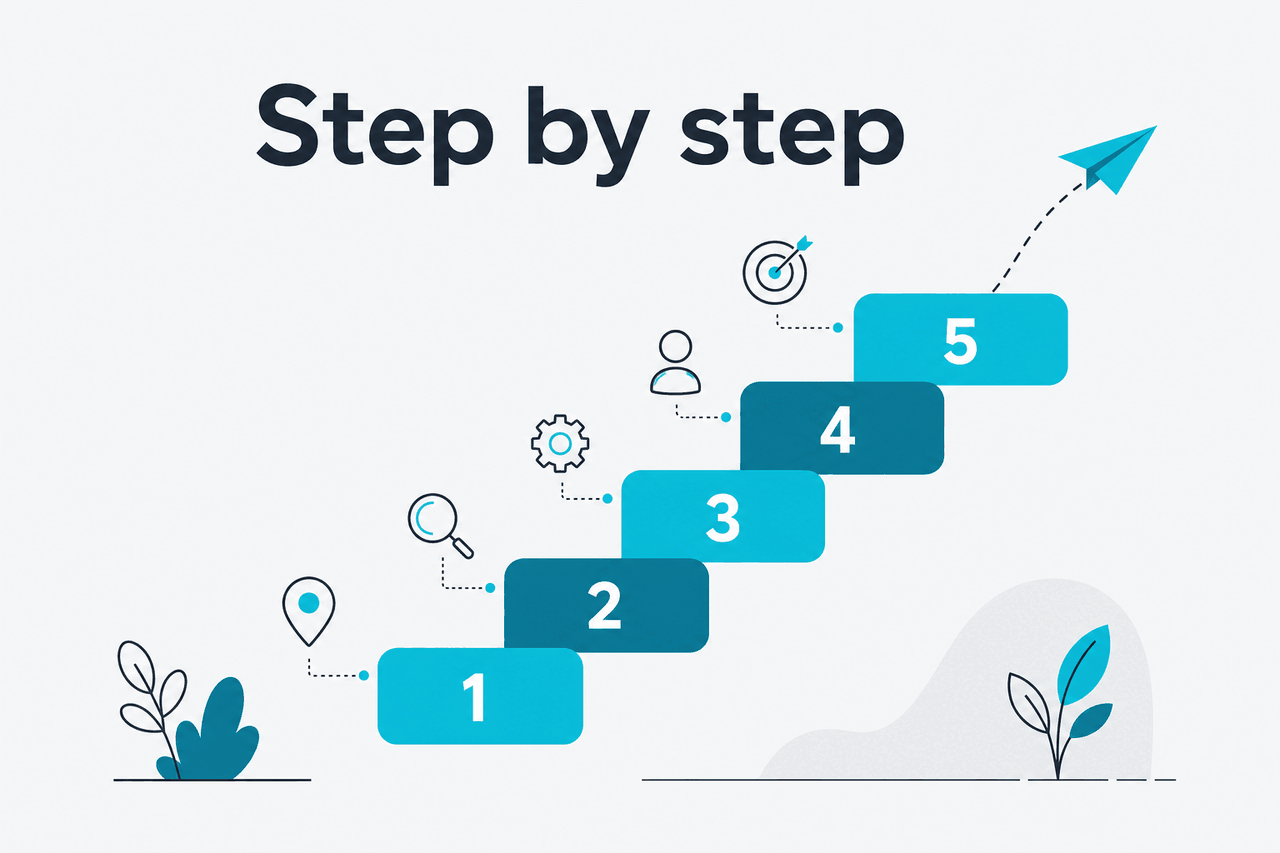
Use this workflow in order: define the job, supply source material, create a brief, draft channel assets, review the work, and feed results back into the next cycle.
Free
$0/month
For occasional drafts and prompt testing
- Good for trying Claude before changing a team workflow
- Useful for one-off drafts, outlines, and edits
- Limited by usage caps
Pro
$20/month
For individual marketers and consultants
- $17/month with annual billing
- Better fit for regular drafting, research synthesis, and editing
- Use with campaign source packs and repeatable prompts
Team Standard
$25/seat/month
For small marketing teams
- $20/seat/month with annual billing
- Better fit when several people share prompts and campaign context
- Use when team governance matters
For a full plan comparison, see our Claude pricing guide and the official Claude pricing page.
| Plan | Price | Marketing fit |
|---|---|---|
| Free | $0 | Occasional prompts, tests, and simple drafts. |
| Pro | $20/month, or $17/month with annual billing | Individual marketers who use Claude regularly. |
| Max | From $100/month | Heavy individual use and larger workloads. |
| Team Standard | $25/seat/month, or $20/seat/month with annual billing | Small teams sharing Claude across campaigns. |
| Team Premium | $125/seat/month, or $100/seat/month with annual billing | Teams that need a higher-tier workspace plan. |
| Enterprise | $20/seat base plus API rates | Organisations that need enterprise terms and API usage. |
-
Define the marketing job before you open Claude
Do not start with “write me a campaign.” Start with the job: campaign brief, landing page, nurture sequence, keyword cluster, sales enablement one-pager, or research synthesis. Claude performs better when the task has a defined output, audience, constraints, and success measure.
A useful format is:
Role + audience + source material + output format + constraints + quality bar. For example: “Act as a B2B SaaS product marketer. Use the customer interview notes below. Create a launch messaging brief for finance leaders. Keep claims evidence-based. Flag weak assumptions.” -
Create a source pack
Claude’s output depends on the context you provide. Build a source pack with your product description, ideal customer profile, customer quotes, pricing, competitor notes, objections, proof points, brand voice rules, and banned claims. If you use Claude Projects, keep this material in a dedicated project for each product, client, or campaign.
Keep sensitive data out unless your organisation has approved the workflow. For enterprise use, review Anthropic’s trust and security information at trust.anthropic.com and your own company policy before uploading customer data.
-
Ask Claude for a brief, not finished copy
The first Claude output should usually be a strategy brief. Ask for the audience, problem, message hierarchy, objections, proof, channels, and open questions. This stops you from polishing copy before you know whether the angle is right.
-
Turn the brief into channel-specific prompts
Different channels need different constraints. A landing page needs hierarchy and proof. Email needs sequence logic. Paid social needs fast clarity and testable variants. SEO content needs search intent, topical coverage, internal links, and factual accuracy. Do not ask Claude to produce every asset in one pass.
Split the work by channel. Give Claude the approved brief each time, then ask it to adapt the idea to that channel’s job. This keeps the campaign consistent without making every asset sound identical.
-
Draft assets in batches, then choose the best direction
Claude is strong at generating options. Ask for three to five distinct directions, not ten minor rewrites. Label the directions by strategy: pain-led, outcome-led, proof-led, comparison-led, or objection-led. Then pick one direction before expanding it.
For copy work, require a rationale. Claude should explain why each version might work, what assumption it depends on, and what would make it fail. This gives you material for human review instead of a pile of similar drafts.
-
Use Claude for SEO structure, not search volume truth
Claude can help cluster topics, write briefs, compare search intent, and improve article structure. It should not be your only source for keyword volume, ranking difficulty, or live search results. Use your SEO tools and manual checks for that data, then give the verified inputs to Claude.
A good SEO workflow is: collect keywords and search notes outside Claude, ask Claude to group the intents, build an outline, identify missing subtopics, draft sections, then check every factual claim before publication.
-
Run a review pass for accuracy and brand voice
After Claude drafts an asset, change its role from creator to reviewer. Ask it to find unsupported claims, vague language, repetitive phrasing, weak differentiation, compliance concerns, and places where the copy does not match your audience. Then edit manually.
Use a checklist. For example: “Find every claim that needs evidence,” “Mark any sentence that could apply to any competitor,” and “Rewrite only the weakest sections while preserving the approved message hierarchy.”
-
Convert approved assets into reusable templates
Once a campaign works, ask Claude to turn the approved outputs into reusable templates. Save the prompt, the context pack, the review checklist, and a short note explaining what changed after human editing. This creates a marketing operating system rather than a one-off chat.
Templates are especially useful for launch briefs, webinar promotion, customer story extraction, email nurture, social repurposing, and monthly reporting.
-
Use the API when the workflow becomes repetitive
If your team repeats the same Claude marketing task every week, the API may be a better route than manual chat. Common examples include tagging support tickets by theme, summarising call transcripts, drafting first-pass product descriptions, or generating structured content briefs from a content database.
For API cost planning, compare the current model prices in the official API pricing documentation, then map those costs to your expected input and output tokens. Our Claude API docs guide explains when an API workflow makes more sense than manual use.
| Model | API price | Context and output facts | Marketing fit |
|---|---|---|---|
| Opus 4.7 | $5/M input tokens and $25/M output tokens | 1M context | Nuanced synthesis, strategy review, and high-stakes drafts. |
| Sonnet 4.6 | $3/M input tokens and $15/M output tokens | 1M context and 128K max output | Balanced choice for most marketing workflows. |
| Haiku 4.5 | $1/M input tokens and $5/M output tokens | Check official model docs for current limits | High-volume tagging, summaries, and lower-cost first passes. |
For model selection, see our Claude models guide and Anthropic’s model overview.
Worked example
Campaign brief prompt
You are a B2B product marketing strategist. Use only the source material below. Create a campaign brief for a new workflow automation feature. Include: target audience, pain points, primary message, three secondary messages, objections, proof points, channel ideas, and five questions we must answer before launch. Flag any unsupported claims instead of inventing evidence.
Worked example
Email sequence prompt
Using the approved campaign brief, draft a three-email sequence for trial users who have not activated the feature. Keep each email under 140 words. Use a direct tone. Give each email one job. After the drafts, list the assumption behind each email and the metric that would show whether it worked.
Worked example
Structured API output for content operations
{
  "audience": "Who this content is for",
  "primary_pain": "The main problem in the source material",
  "proof_points": ["Evidence from the notes"],
  "content_angle": "Recommended angle",
  "claims_to_verify": ["Any claim that needs human checking"]
}| Claude route | Best for marketers | When to avoid |
|---|---|---|
| claude.ai | Briefs, drafts, research synthesis, content editing, campaign planning, and one-off analysis. | High-volume repeatable workflows that need structured outputs or system integration. |
| Projects | Keeping campaign context, brand rules, product notes, and source material together. | Work that requires strict programmatic processing across many records. |
| API | Automated tagging, summaries, content briefs, localisation drafts, and internal marketing tools. | Teams without engineering support, governance, or cost monitoring. |
| Claude Code | Marketing operations scripts, data cleanup, lightweight automations, and analytics helpers. | Pure copywriting tasks where a normal Claude chat is faster. |
90% off
cached input tokens with prompt caching
Prompt caching can matter for marketing teams that reuse the same long brand guide, product documentation, or campaign source pack across many API calls. Anthropic also lists a Batch API option at 50% off both directions. These savings only help when the workflow is designed for reuse; they do not fix vague prompts or unnecessary token use.
Common mistakes to avoid
Most bad Claude marketing output comes from weak inputs, missing review, or asking the model to make decisions it cannot validate.
- Starting with finished copy. Fix it by asking for a brief, assumptions, message hierarchy, and open questions before drafting assets.
- Using generic prompts. Fix it by providing customer language, product facts, offer details, brand rules, and examples of what good looks like.
- Publishing unsupported claims. Fix it by asking Claude to mark every claim that needs evidence, then checking product docs, analytics, customer proof, or legal guidance.
- Letting every channel sound the same. Fix it by adapting the same campaign idea to each channel’s job rather than copying one asset everywhere.
- Uploading sensitive data without approval. Fix it by following your organisation’s data policy and checking Anthropic’s official privacy, trust, and support resources before using confidential material.
- Ignoring measurement. Fix it by asking Claude to attach a metric and test assumption to each asset, then using real performance data to guide the next prompt.
Pick when
- You have source material but need structure.
- You want multiple campaign angles before choosing one.
- You need to turn long notes into usable briefs.
- You can review facts and brand voice before publishing.
Skip when
- You need verified live market data with no external checks.
- You cannot provide product or audience context.
- The task involves legal, medical, financial, or regulated claims without expert review.
- Your team wants fully automated publishing with no approval layer.
Where to go next

Once the basic Claude marketing workflow is in place, move into the adjacent skills that make it more reliable and scalable.
- Claude resources — Build better prompt habits, project workflows, and practical Claude routines.
- Claude API guide — Use this when marketing tasks need automation, structured outputs, or integration with your CMS, CRM, data warehouse, or internal tools.
- Claude models — Compare Opus, Sonnet, and Haiku before choosing a model for marketing workloads.
- Claude FAQ — Check common questions about access, privacy, plans, and capabilities.
FAQ
These are the related Claude marketing questions that usually come up once teams move beyond simple copy prompts.
The honest take
Claude is a strong marketing assistant when you use it to structure messy inputs, generate strategic options, draft channel assets, and review weak spots. It is weakest when you ask it to invent insight from no source material, verify live market facts without external checks, or publish copy without human editing.
The best Claude marketing workflow is not “prompt once and publish.” It is a loop: provide real context, ask for a brief, draft variants, review for claims and brand voice, ship the best version, measure results, and feed the learning back into the next prompt.
Independent guide. Not affiliated with Anthropic. For the official Claude product, visit claude.ai.
Last updated: 2026-05-12
This article is part of the Claude tutorials hub on c-ai.chat.