A Claude prompt library is a reusable set of tested prompts for common work; this independent c-ai.chat guide gives you 100 templates and a practical method for adapting them. For broader context, see our independent guide to Claude AI.
Table of contents
- What you’ll learn
- Step by step
- 100 Claude prompt templates
- Common mistakes to avoid
- Where to go next
- FAQ
- The honest take
- Sources
- 100 prompts for writing, research, coding, analysis, planning, support, product, and study.
- Use them in claude.ai, Claude Projects, and API workflows with task-specific edits.
- Independent guide. c-ai.chat is not Anthropic and does not operate Claude.
What you’ll learn
Use this page to turn prompt templates into a repeatable Claude workflow, not a folder of copied instructions.
- Choose the right prompt pattern for writing, research, coding, data, business, support, and study tasks.
- Adapt each template with role, context, constraints, examples, and output format.
- Apply Anthropic’s official prompt engineering guidance without copying it mechanically.
- Build a personal or team prompt library that improves with real use.
- Know when prompts are not enough and when to use files, Projects, models, or the API instead.
Fast tasks
Use a short task brief with the goal, audience, constraints, and output format.
Review work
Use a role plus rubric so Claude can score, critique, and explain trade-offs.
Repeatable workflows
Use stepwise prompts, saved examples, and stricter output rules.
Automation
Use API-ready prompts with schemas, labels, validation rules, and error handling.
Anthropic publishes official guidance in its prompt engineering documentation. The table below translates that guidance into practical prompt patterns.
| Prompt pattern | Best for | Include |
|---|---|---|
| Task brief | Fast one-off work | Goal, audience, constraints, output format |
| Role plus rubric | Review, editing, critique | Role, scoring criteria, examples of strong and weak output |
| Stepwise workflow | Research, strategy, planning | Stages, decision points, required questions |
| Data transformation | Tables, extraction, classification | Input schema, labels, rules, output schema |
| Developer prompt | Code, debugging, tests | Stack, error, expected behaviour, files, constraints |
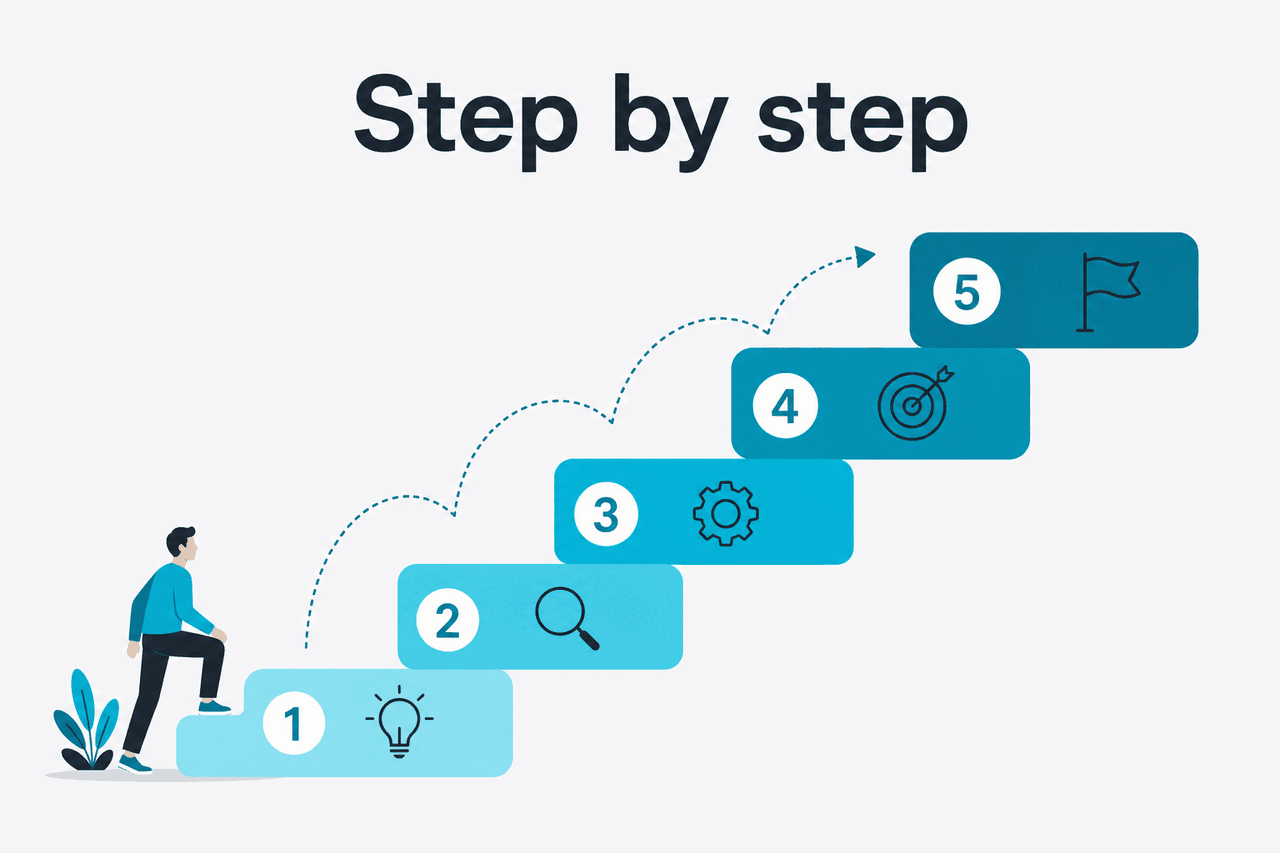
Step by step
Pick a template, customise it, test it on a small task, and save the version that works.
Step 1: Define the job before you open Claude
Write one sentence that states the outcome. Replace vague requests such as “make this better” with a concrete target such as “rewrite this sales email for finance directors in a calm, practical tone.”
Step 2: Add context Claude cannot infer
Give Claude the audience, constraints, source material, format, and success criteria. If the task depends on private files or company rules, paste the relevant parts or use a Claude Project.
Step 3: Pick the closest template
Choose the best match below. Replace placeholders such as
{audience},{topic}, and{format}. Keep the structure. Edit the wording.Step 4: Specify the output shape
Ask for bullets, a table, JSON, a draft email, a checklist, or a ranked recommendation. Claude usually follows instructions better when the expected structure is explicit.
Step 5: Add quality rules
Tell Claude what to avoid. Examples: “do not invent statistics,” “flag uncertainty,” “use short sentences,” “cite only the supplied source text,” or “ask clarifying questions before drafting.”
Step 6: Run a small test
Try the prompt on a short sample before using it on high-value work. Check whether Claude follows the constraints, handles missing information, and returns the right format.
Step 7: Iterate once or twice
If the first answer is close but wrong, refine the prompt. Do not keep adding instructions forever. A bloated prompt becomes harder to use and harder to debug.
Step 8: Save the working version
Store the final prompt with a name, use case, owner, and example output. For repeatable application workflows, see our Claude API guide.
Reusable prompt shape
A strong Claude prompt has five parts
Most templates below follow this pattern, so you can adapt them without starting from a blank page.
Decision rule
If the task repeats, save the prompt. If the task needs fixed formatting, use stricter output rules. If the task needs automation, move it into an API workflow.
100 Claude prompt templates
Replace the placeholders with your own context. For factual work, tell Claude whether to use only the supplied material or whether general knowledge is allowed.
- Rewrite this {draft} for {audience}. Keep the meaning, improve clarity, and return a polished version plus three key edits.
- Turn these notes into a concise executive summary for {audience}. Use headings: Context, Decision, Risks, Next Actions.
- Write a first draft of a {document type} about {topic}. Use a direct tone and include placeholders where facts are missing.
- Edit this text for plain English. Keep technical accuracy and list any sentences that may change the meaning.
- Create five headline options for {page or campaign}. Avoid hype. Explain the strongest option in one sentence.
- Convert this long article into a LinkedIn post for {audience}. Keep it useful, specific, and under {length}.
- Write an email asking {person} for {request}. Make it respectful, brief, and easy to answer.
- Make this message warmer without making it casual. Keep the original intent and length roughly the same.
- Find weak claims in this copy. Mark each claim as supported, unsupported, or needs evidence.
- Create a style guide from this sample text. Include tone, sentence length, formatting, and words to avoid.
- Build a research plan for {question}. Include search terms, source types, validation checks, and likely blind spots.
- Extract the main claims from this source text. For each claim, quote the supporting line and flag uncertainty.
- Compare {option A} and {option B} for {use case}. Use a table with strengths, limits, cost factors, and recommendation.
- Turn this transcript into structured notes. Use sections for decisions, objections, evidence, and follow-up tasks.
- Generate ten interview questions for an expert on {topic}. Order them from broad context to specific detail.
- Create a reading list for learning {topic}. Group by beginner, intermediate, and advanced level.
- Review this research summary for gaps. List missing data, unclear assumptions, and follow-up questions.
- Explain {concept} to a smart non-specialist. Use one analogy and one concrete example.
- Make a fact-checking checklist for this article. Include source quality, time sensitivity, and unsupported claims.
- Summarise these sources into a neutral briefing. Separate facts, interpretations, and open questions.
- Create a project plan for {goal}. Include milestones, owners, dependencies, risks, and a weekly review rhythm.
- Turn this messy task list into a prioritised plan. Use impact, effort, urgency, and blockers.
- Draft a decision memo for {decision}. Include recommendation, alternatives, trade-offs, and next step.
- Create a meeting agenda for {meeting}. Include objective, pre-work, discussion items, and expected decisions.
- Write a status update for {project}. Use green/yellow/red status and include risks without padding.
- Identify risks in this plan. Rank them by likelihood and impact, then suggest mitigation actions.
- Create a stakeholder map for {initiative}. Include stakeholder, interest, influence, concern, and engagement plan.
- Turn this strategy into quarterly objectives. Make each objective measurable and list possible leading indicators.
- Draft a one-page operating plan for {team}. Include mission, priorities, metrics, rituals, and decision rights.
- Review this proposal as a sceptical CFO. Identify cost risks, assumptions, and questions to ask before approval.
- Create a content brief for an article about {keyword}. Include search intent, angle, outline, internal links, and evidence needed.
- Generate SEO title options for {topic}. Keep them accurate, non-clickbait, and aligned with search intent.
- Cluster these keywords by intent. Return a table with cluster name, primary keyword, secondary terms, and page type.
- Rewrite this landing page section for {audience}. Focus on outcomes, proof, and objections.
- Create a customer persona from these notes. Separate observed facts from assumptions.
- Draft a product positioning statement for {product}. Include category, audience, problem, differentiator, and proof.
- Write ten ad concepts for {offer}. Include hook, audience, message, and risk of misunderstanding.
- Review this campaign plan. Find weak targeting, unclear offers, and missing measurement points.
- Create an email nurture sequence for {audience}. Include subject, goal, message, and call to action for each email.
- Turn these customer reviews into messaging themes. Quote the phrases that support each theme.
- Explain this code file. Describe purpose, inputs, outputs, dependencies, and risky areas.
- Debug this error. Ask for missing information first if needed, then suggest likely causes and tests.
- Write unit tests for this function. Cover normal cases, edge cases, invalid inputs, and regression risks.
- Review this pull request. Focus on correctness, security, readability, performance, and missing tests.
- Refactor this code for clarity without changing behaviour. Explain each change before showing the final version.
- Create API documentation for this endpoint. Include method, path, parameters, request, response, errors, and examples.
- Convert this script from {language A} to {language B}. Preserve behaviour and note any library differences.
- Design a database schema for {use case}. Include tables, fields, relationships, indexes, and trade-offs.
- Write a prompt for a Claude API workflow that classifies {input type}. Return strict JSON and include error handling rules.
- Create a debugging checklist for {stack}. Include logs, configuration, dependencies, network, and recent changes.
- Turn this CSV sample into insights. Identify trends, anomalies, missing values, and questions for further analysis.
- Create a data dictionary from this table. Include field name, meaning, type, example, and quality concerns.
- Write SQL to answer {business question}. Explain assumptions and include a validation query.
- Classify these items into categories. Return item, category, confidence, and reason in a table.
- Extract entities from this text. Return people, organisations, dates, locations, products, and unresolved references.
- Create a dashboard outline for {team}. Include metric, definition, owner, data source, and review cadence.
- Analyse this survey feedback. Group comments by theme, sentiment, severity, and suggested action.
- Find contradictions in this dataset description. List each conflict and the information needed to resolve it.
- Create a scoring model for {decision}. Include criteria, weights, scoring rules, and sensitivity risks.
- Turn these raw notes into a clean table. Preserve every meaningful detail and mark uncertain fields.
- Explain {topic} for a beginner. Use simple language, a worked example, and a short quiz.
- Create a study plan for learning {skill} in {timeframe}. Include weekly goals, practice tasks, and review checkpoints.
- Make flashcards from this text. Use question, answer, and difficulty columns.
- Quiz me on {topic}. Ask one question at a time, wait for my answer, then explain corrections.
- Create an analogy for {concept}. Include where the analogy works and where it breaks.
- Turn this lecture transcript into revision notes. Include definitions, examples, and likely exam questions.
- Explain the difference between {concept A} and {concept B}. Use a table and two examples.
- Create a rubric for grading {assignment}. Include criteria, levels, and examples of strong work.
- Teach me {topic} using the Socratic method. Ask questions before giving the full explanation.
- Make a glossary for this document. Include term, definition, context, and related terms.
- Draft a support reply to this customer. Acknowledge the issue, explain next steps, and avoid overpromising.
- Summarise this customer conversation. Include problem, attempted fixes, sentiment, and escalation need.
- Create troubleshooting steps for {issue}. Start with the easiest checks and state when to contact support.
- Classify this ticket by urgency, product area, likely cause, and next owner.
- Rewrite this help article for clarity. Use numbered steps, prerequisites, warnings, and expected result.
- Create a macro for responding to {common issue}. Include placeholders for account-specific details.
- Find the root cause hypotheses from this incident report. Rank by evidence and list verification steps.
- Turn these support tickets into product feedback themes. Include frequency, examples, and possible fixes.
- Draft a bug report from this user message. Include environment, steps to reproduce, expected result, actual result, and severity.
- Create a customer onboarding checklist for {product}. Include setup, first success, education, and handoff.
- Review this contract clause in plain English. Flag risks and questions, but do not provide legal advice.
- Create an internal policy draft for {topic}. Include purpose, scope, rules, exceptions, and owner.
- Summarise this compliance document. Separate mandatory requirements from recommendations.
- Identify privacy risks in this workflow. Include data collected, purpose, access, retention, and safeguards.
- Create a vendor assessment checklist for {tool}. Include security, data handling, support, cost, and exit risk.
- Draft a risk register for {initiative}. Include risk, cause, impact, likelihood, owner, and mitigation.
- Review this public statement for ambiguity. Mark phrases that could be misread and suggest clearer wording.
- Create a checklist for approving {process}. Include required evidence, approvers, and audit trail.
- Explain this policy to employees. Use plain language, examples, and a short do/don’t list.
- Prepare questions for counsel about this issue. Group them by contract, privacy, employment, and operational risk.
- Act as a product manager reviewing this feature idea. Assess user problem, market need, risk, effort, and success metric.
- Create user stories for {feature}. Include acceptance criteria and edge cases.
- Prioritise this backlog. Use impact, confidence, effort, dependency, and risk.
- Write a product requirements document for {feature}. Include problem, scope, non-goals, user flows, metrics, and open questions.
- Create a release note for {feature}. Explain what changed, who it helps, and any limits.
- Analyse these customer requests. Group by job-to-be-done, urgency, and revenue relevance.
- Draft a usability test plan for {prototype}. Include tasks, prompts, success criteria, and observation notes.
- Create onboarding copy for {feature}. Make it short, useful, and tied to the user’s next action.
- Review this roadmap for sequencing risks. Identify dependencies, overloaded teams, and unclear outcomes.
- Create a feature comparison table for {product} versus {competitors}. Use only the supplied facts and mark unknowns.
For coding and automation, pair the developer templates with our Claude API documentation guide. If you are comparing product capabilities before choosing a workflow, use our Claude features guide or our Claude models guide.
Common mistakes to avoid
Most weak outputs come from missing context, vague success criteria, or asking Claude to invent facts it does not have.
Do
- Replace every placeholder before using a template.
- Name the audience, tone, length, and purpose.
- State whether Claude may use general knowledge or only supplied material.
- Split research, drafting, critique, and formatting into separate turns when needed.
- Save one good input and one good output with each prompt.
Avoid
- Using a template without editing it.
- Asking for “better” without defining better.
- Combining too many jobs in one prompt.
- Trusting confident output without checking important facts.
- Letting prompts grow until no one can maintain them.
Where to go next
Once your prompt library works, apply it in repeatable workflows.
- Claude resources — find practical guides for writing, research, files, and everyday Claude tasks.
- Claude API guide — turn reliable prompts into automated workflows, classification jobs, and internal tools.
- Claude pricing guide — compare plans before you choose where to run a workflow.

FAQ
Does Anthropic have an official prompt library?
Anthropic publishes prompt engineering guidance and examples in its official documentation. Third-party prompt libraries vary in quality. Treat any template as a starting point, not a guaranteed answer.
Can I use the same prompts in claude.ai and the API?
Usually yes, but API workflows often need stricter formatting. For example, you may ask Claude to return valid JSON, apply classification labels, or follow a fixed schema in Anthropic’s developer platform.
What makes a Claude prompt better than a short instruction?
A stronger prompt gives Claude the job, context, constraints, and expected output. Short prompts can work for simple tasks. High-value work needs enough detail to reduce guessing.
Should I use XML tags in Claude prompts?
Anthropic recommends clear structure, and XML-style tags can help separate instructions, examples, and source text. They are not required for every prompt. Use them when they make the prompt easier to read and maintain.
Can prompts replace review by a human expert?
No. Claude can draft, organise, and critique, but legal, medical, financial, security, and other high-stakes decisions still need qualified human review.
How should a team manage a Claude prompt library?
Store prompts with owners, use cases, examples, and change notes. Remove prompts that no longer work. Review important prompts against real outputs, not only against how they read.
When should I stop improving a prompt?
Stop when the prompt reliably produces acceptable output on realistic examples. If it still fails, the issue may be missing context, the wrong workflow, or a task that needs human judgement.
The honest take
A Claude prompt library is useful when it saves repeated work and helps a team produce more consistent output. It is not useful if you treat templates as fixed formulas. The best prompts are edited for the task, tested on real inputs, and saved with examples.
Start with the template closest to your job, add the missing context, and ask Claude for a specific output format. If the task repeats, move the prompt into a Project, a team workflow, or an API process. For official product access, use claude.ai; for independent context, use c-ai.chat.
Independent guide. Not affiliated with Anthropic. For the official Claude product, visit claude.ai.
Last updated: 2026-05-12
This article is part of the Claude tutorials hub on c-ai.chat.