Claude Projects are persistent workspaces in Claude that keep related chats, instructions, and uploaded knowledge together, making them one of the most useful Claude features for recurring work.
c-ai.chat is an independent guide, not Anthropic. Anthropic makes Claude, and the official product is available at claude.ai.
- What it does at a glance
- How it works
- When this feature actually helps
- What it can’t do
- FAQ
- The honest take
- Sources
What it does at a glance
A Claude Project is a named workspace inside Claude. It lets related chats share the same background material, preferences, and purpose instead of starting from a blank chat each time.
- Persistent workspace: keep related chats and tasks together.
- Project knowledge: add uploaded reference files where your plan supports them.
- Custom instructions: guide tone, role, format, and recurring rules.
- Team use: share context more consistently when your plan supports shared workspaces.
A Project is not a separate Claude model. It is a container around Claude conversations. You still use Claude subject to your plan, usage limits, model access, and Anthropic’s product rules. If you need to choose a model for work inside a Project, see our guide to Claude models.
The main benefit is context reuse. Instead of pasting the same brand guide, coding conventions, research notes, or client brief into every new chat, you place the relevant material in a Project and ask Claude to use it when answering.
Project access and limits depend on plan. For a wider cost breakdown, see our Claude pricing guide and Anthropic’s official Claude pricing page.
Free
$0
Entry-level access with usage limits.
Pro
$20/month or $17/month annual
For individual users who need more Claude usage.
Max
From $100/month
For heavier individual use.
Team Standard
$25/seat or $20/seat annual
For shared team workspaces.
Team Premium
$125/seat or $100/seat annual
For teams needing higher-tier controls and capacity.
Enterprise
$20/seat base + API rates
For organisations with custom requirements.
How it works
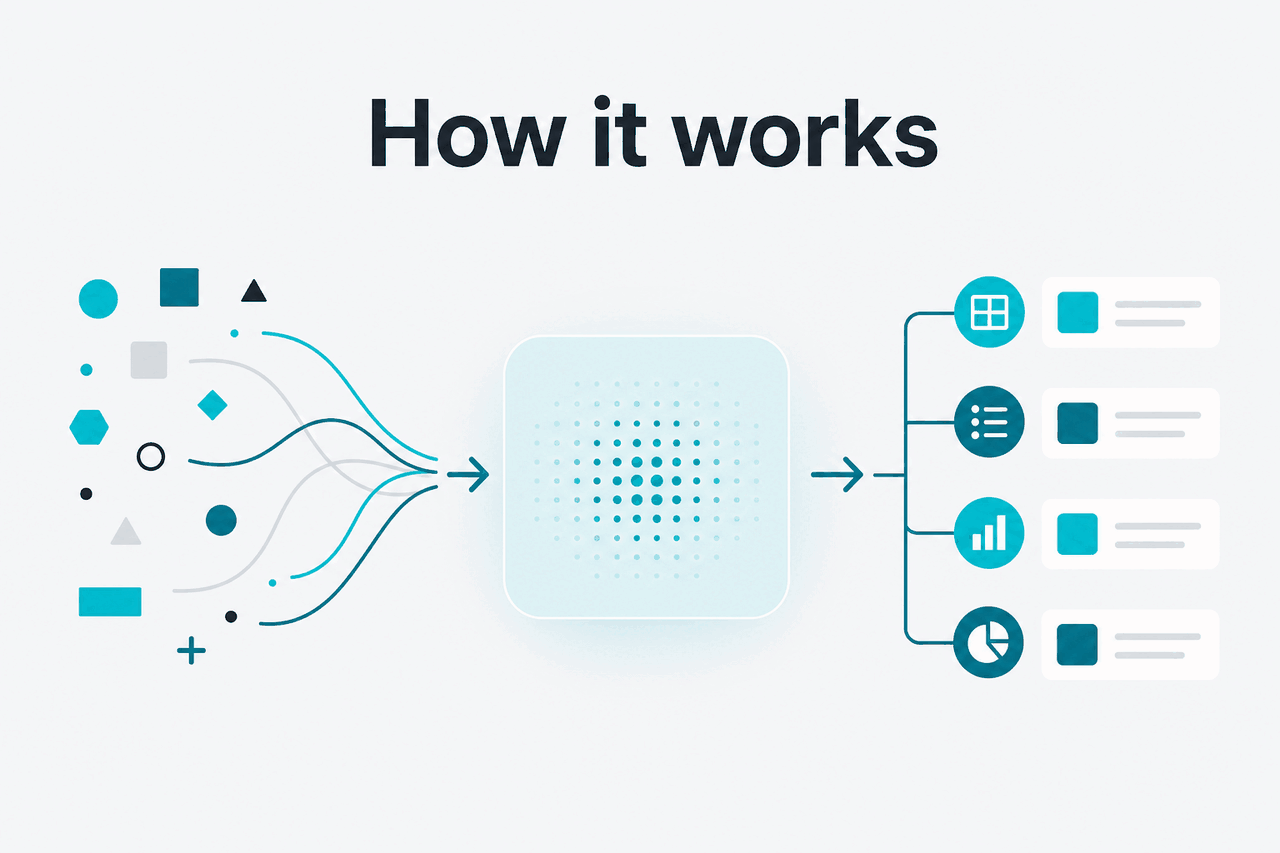
A Claude Project attaches reusable context to a group of conversations. You create a Project, add instructions, upload or add relevant knowledge, then start chats inside that workspace. Claude can use the Project’s configured context along with the current chat messages.
This does not mean Claude “knows” everything like a database. It works from the information available to it in the product context. It can miss details, misread ambiguous material, or sound more certain than the documents justify. Treat Projects as workspace context, not as a legal archive, compliance system, or source of truth.
Worked example
Using a Project for a product launch
The Project keeps the background material in one place, so each new chat can focus on the next task instead of rebuilding the brief.
A common pattern is one Project per durable workstream. A marketer might create one Project per client or campaign. A developer might create one for product requirements or documentation. A founder might create one for investor materials, hiring plans, and market research. If the same reference material will help across several chats, it probably belongs in a Project.
| Option | Best for | Main limit |
|---|---|---|
| Normal Claude chat | Quick one-off questions | Context usually has to be provided again in later chats |
| Claude Project | Recurring work with shared instructions and reference material | Still needs clean files, clear instructions, and human review |
| Claude API | Programmatic workflows, integrations, and custom apps | Requires development work and token management |
| External document system | Source control, records, compliance, and publishing | Does not provide Claude’s chat interface by itself |
Projects also work with Claude’s broader toolset. For coding workflows, a Project can hold requirements, architecture notes, and style rules while separate tools handle repository operations. For developer workflows, see our Claude API documentation guide and Anthropic’s official developer documentation.
When this feature actually helps
Claude Projects help most when the work has stable background context and repeated outputs. They are less useful for one-off questions where a normal chat is faster.
Client or account work. Agencies, consultants, and freelancers can keep a client’s brand voice, product notes, meeting summaries, and deliverable preferences in one workspace. This keeps client-specific rules separate from other work.
Research and synthesis. A Project can collect source notes, interview transcripts, survey exports, and draft outlines for a single research question. Claude can help compare themes, propose structures, turn notes into memos, or generate follow-up questions. You still need to verify citations, numbers, and claims against original sources.
Documentation and support content. Product teams can use Projects to draft help articles, onboarding emails, release notes, and internal FAQs from the same product background. This helps keep tone, terminology, and known limitations consistent.
Team alignment. On team plans, shared workspaces and admin controls can make Projects more useful for groups. A team can keep common instructions and reference material in one place instead of scattering prompts across private chats. Teams should also define rules for sensitive information and review Anthropic’s trust resources at trust.anthropic.com.
Repeated content production. Content teams can use Projects for newsletters, product pages, social posts, scripts, and editorial planning. The Project can hold voice rules and recurring facts. It cannot guarantee originality, accuracy, or brand safety by itself, so editorial review remains necessary.
Pick when
- You reuse the same instructions or documents across many chats.
- The work belongs to a specific client, product, research topic, or team.
- You need consistent tone, terminology, or output structure.
- You want less prompt setup before each task.
Skip when
- You only need a quick one-off answer.
- The source material changes constantly and must stay perfectly current.
- You need access controls beyond what your Claude plan provides.
- You need automated app-to-app workflows, where the API is a better fit.
Think of Projects as an organisation layer. They work best when people define the goal, provide the right context, and review the output. They work poorly when the source material is messy, outdated, or contradictory.
What it can’t do
Claude Projects do not make Claude infallible, automatically private in every business sense, or connected to all of your tools. They organise context. They do not remove the need for source checking, permissions, version control, or judgment.
- It can still make mistakes. Claude may produce plausible but incorrect statements, especially when documents conflict or the question is underspecified.
- It is not a records system. Use your document management system, CRM, repository, or compliance archive as the source of truth.
- It may use stale material. If Project knowledge is outdated, Claude can repeat outdated assumptions unless you refresh the context.
- It does not replace security review. Handle sensitive data according to your organisation’s policies and Anthropic’s current terms, trust materials, and plan controls.
- It is not API memory. Projects in Claude’s interface do not automatically create a memory layer for your own application.
- It cannot fix unclear instructions. If your Project instructions are vague or contradictory, outputs will vary.
- It does not guarantee exact citation handling. Ask for quotes and references, then check them against the original documents.
Too much context can also hurt quality. A Project packed with unrelated files, old drafts, and broad instructions may produce worse answers than a clean chat with a precise prompt. Keep Projects narrow. Remove obsolete material. Put the most important rules in plain language.
FAQ
Are Claude Projects free? Claude has a Free plan, but Project access and limits depend on Anthropic’s current packaging. Pro costs $20/month, or $17/month annual. Check claude.com/pricing for official plan details.
What is the difference between a Project and a normal Claude chat? A normal chat is a single conversation. A Project is a workspace that can hold related chats plus shared context such as instructions and reference material. Use a normal chat for quick questions and a Project for repeated work around the same subject.
Can Claude Projects access my files automatically? Do not assume Claude can see every file on your computer, drive, or company system. Projects use the context and integrations available in the Claude product and your plan. For official help, use Anthropic’s support site at support.anthropic.com.
Are Projects better than long prompts? Projects are better when you reuse the same context many times. A long prompt is fine for one task, but it becomes annoying and error-prone when you paste it repeatedly. A Project turns recurring context into a reusable workspace.
Should developers use Projects or the API? Use Projects when a person is working inside Claude. Use the API when software needs to call Claude programmatically, pass structured data, or run automated workflows. See our Claude API guide for the practical differences.
Can a Project replace a team knowledge base? No. A Project can help Claude use selected background material during work, but your knowledge base, document system, repository, or CRM should remain the source of truth.
Where can I learn more about Claude workflows? Start with our Claude FAQ for common questions and our Claude resources page for related guides.
The honest take
Claude Projects are useful for people who do recurring knowledge work. They make Claude less like a blank chat box and more like a set of organised workspaces. The value is practical: less repeated setup, cleaner context, and more consistent outputs.
They are not magic memory, automated governance, or a substitute for source systems. The best results come from narrow Projects, clear instructions, current reference material, and human review. If you often ask Claude to work from the same background documents, create a Project. If you only need a quick answer, a normal chat is enough.
Independent guide. Not affiliated with Anthropic. For the official Claude product, visit claude.ai.
Last updated: 2026-05-12