Free
$0
For light personal use and initial evaluation.
- Claude access with usage limits
- Good for trying the product
- Not the right plan for a managed team rollout

Claude Cowork is Anthropic’s agentic environment for executing multi-step knowledge work with Claude; it is not a wiki, a Slack replacement, or an API product, and this independent c-ai.chat guide to Claude AI is not Anthropic or claude.ai.

Contents
Claude Cowork is best understood as an agentic task-execution environment inside Claude. Use it when you want to delegate a complex, multi-step task to Claude — providing the context, documents, and desired outcome — and supervise it to a reviewable result, rather than doing every step yourself in a private chat. It is strongest for active work: drafting, reviewing, comparing, analysing, and turning messy inputs into useful outputs. Keep durable records in approved systems such as your wiki, repository, ticketing tool, CRM, contract store, or data warehouse. Check the official Claude pricing page, your account settings, and Anthropic support for exact availability in your workspace.
Delegated agentic work
Best fit: delegating multi-step drafting, research, analysis, and file preparation for your review.
Do not make Cowork your only record of approved decisions. Publish final artefacts where your organisation already manages permissions, history, and search.
Cowork remote sessions run in an isolated, temporary sandbox on Anthropic-managed infrastructure — created when the session starts and destroyed when it ends — while your sessions and files are saved separately to your Claude account. Local files, the browser and computer use need the Claude Desktop app on that device to be online and connected. In a local session the agent loop runs on your own device, with shell commands and generated code executing inside a dedicated, isolated Linux VM. Your Projects remain persistent workspaces with their own files, links, instructions and memory — separate from the temporary execution sandbox.
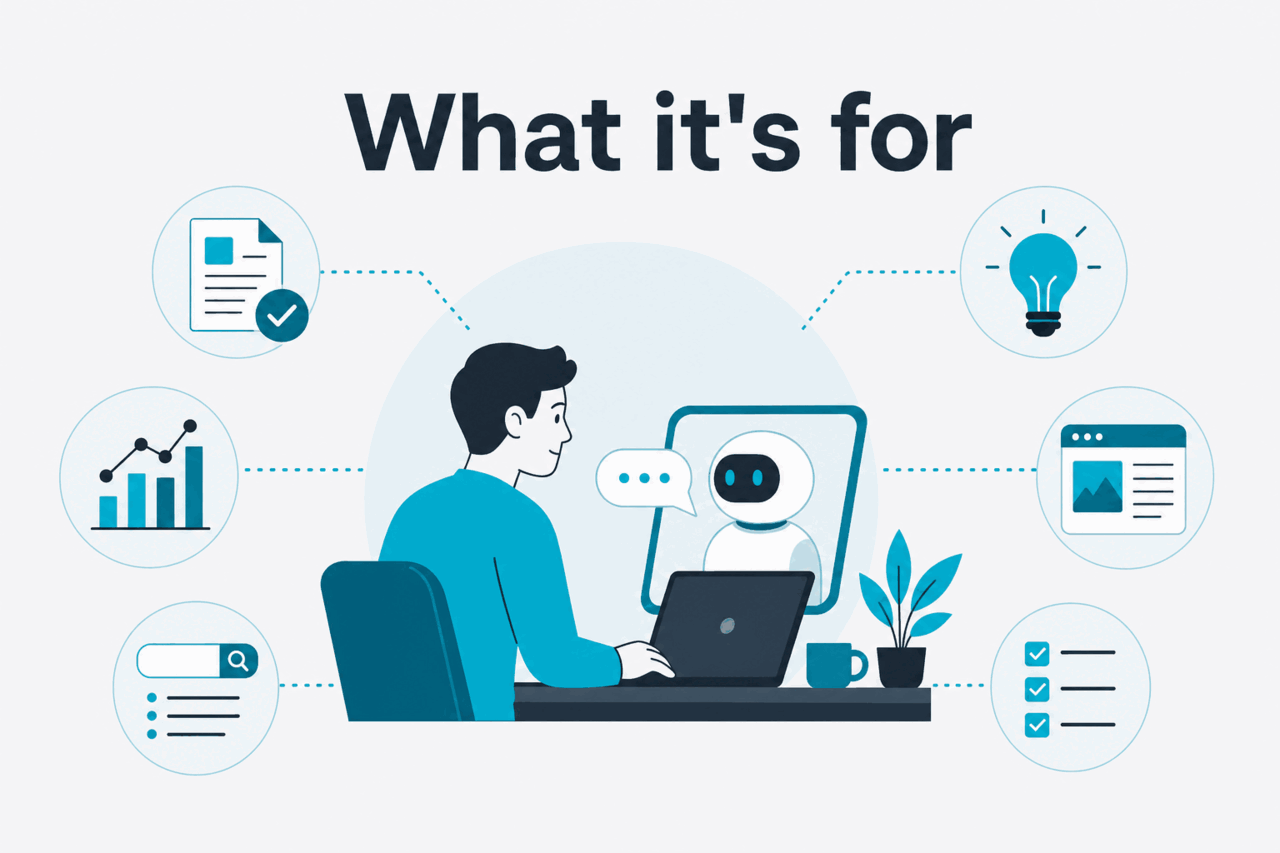
Use Claude Cowork when a task is multi-step, text-heavy, and context-dependent. Strong use cases have messy source material, a clear target outcome, and a single human owner who reviews and approves the result. If you are mapping Cowork against the rest of Claude, start with our Claude features guide and test one real workflow.
A product manager can bring a feature brief, customer notes, release criteria, and open questions into one Claude-assisted flow. Ask Claude to find unclear requirements, generate edge cases, compare trade-offs, and draft reviewer checklists. The team should verify the output and save the final spec back to the product system.
Marketing teams can use Cowork to turn briefs, positioning notes, audience research, legal constraints, calendars, and performance data into campaign angles, channel drafts, FAQ copy, and review questions. Give Claude clear constraints: audience, claims to avoid, tone, proof points, and where approved copy will live.
Support leaders can compare recent tickets, playbooks, help-centre articles, and escalation notes. Claude can identify repeated confusion, draft knowledge-base updates, and list questions that need product or policy approval. Agents and managers still need to verify examples and remove sensitive customer data where required.
Sales and customer-success teams can prepare account briefs, renewal notes, stakeholder maps, risk summaries, and follow-up drafts. Ask Claude to separate facts from assumptions, flag missing evidence, and draft follow-up questions rather than filling gaps with a tidy story.
Operations, finance, people, and research teams can compare vendor proposals, summarise policy changes, draft decision memos, and turn meeting notes into action lists. Claude can structure risks, assumptions, options, and open questions. A human owner still makes the decision.
Worked example
Using Cowork for a product launch review
Cowork is most useful when it accelerates your multi-step work and leaves the official record in the right system.
Cowork is an agentic environment that executes multi-step knowledge work and produces real files. It is not:
Sessions cannot be shared with other people; on Team and Enterprise plans, supported live artifacts can be shared within your organization.

Start with one recurring workflow. Do not move a whole department into Claude Cowork at once. Pick a task with clear inputs, a known owner, and a visible output so the team can judge whether Cowork improves the work.
Sign in to Claude and check whether Cowork appears for your plan and workspace. If the option is missing, compare your account with the official pricing page and the help centre. Feature visibility can depend on account type and admin settings.
Pick a workflow such as product review, launch planning, support knowledge cleanup, or account planning. If the workflow involves developer automation, treat that as a separate API or engineering track.
Collect only the documents, notes, files, or summaries your organisation permits you to use with Claude. Remove unnecessary personal data, secrets, credentials, and customer identifiers.
State the goal, audience, constraints, preferred format, and decision standard. Ask Claude to label assumptions, cite which input it used where possible, and separate facts from recommendations. A useful instruction is: “Flag missing evidence before drafting the final answer.”
Share the finished output with the people who need to review, correct, or approve it, using your normal collaboration tools. Keep the group small at first. Assign one owner who decides what becomes official.
When the team agrees, save the finished spec, brief, playbook update, or decision memo in the approved system. Cowork can help create and refine the work, but the official record should live where your organisation manages permissions, history, and review.
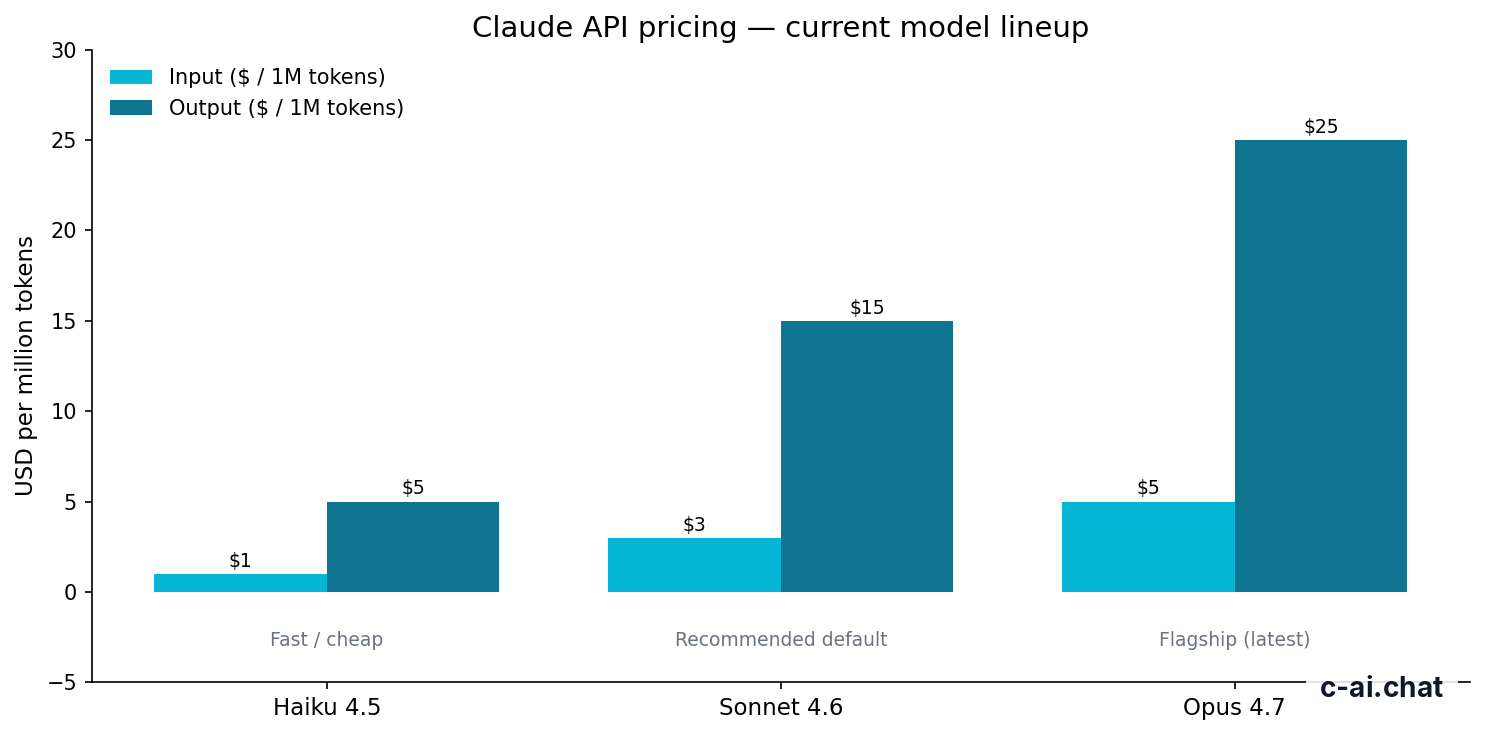
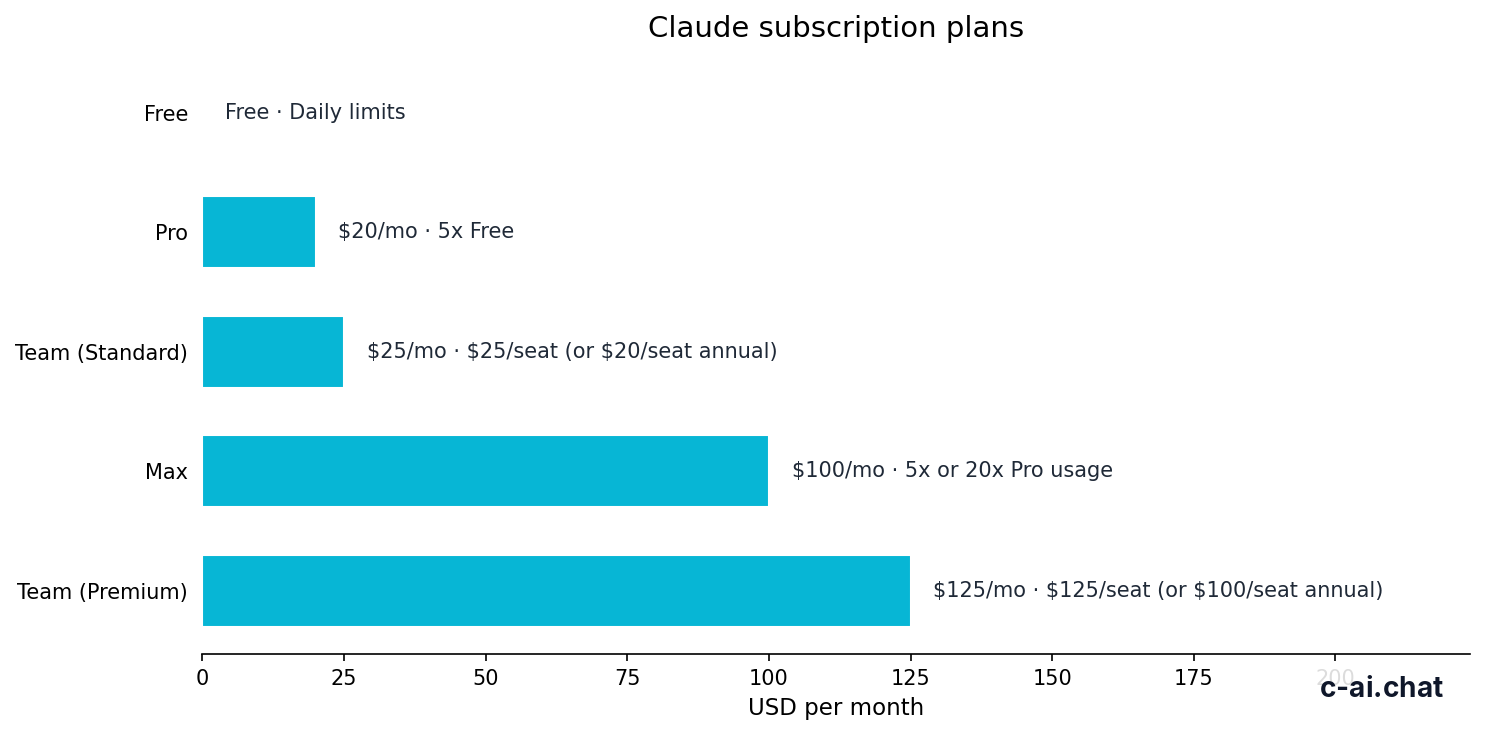
Claude Cowork is an app feature. Public pricing is tied to Claude plans, not a separate Cowork meter. Check the official Claude pricing page and your workspace settings before buying seats. For a fuller plan comparison, see our Claude pricing guide.
$0
For light personal use and initial evaluation.
$20/mo
For individuals testing Cowork on real work.
From $100/mo
For power users who need higher individual usage.
$25/seat/mo
For teams that need shared workspace controls.
$125/seat/mo
For teams that need more usage per seat.
$20/seat base + API rates
For organisations that need governance and scale, available self-serve or with sales assistance.
90% off cached input
Prompt caching discount for API workflows. Batch API gives 50% off input and output.
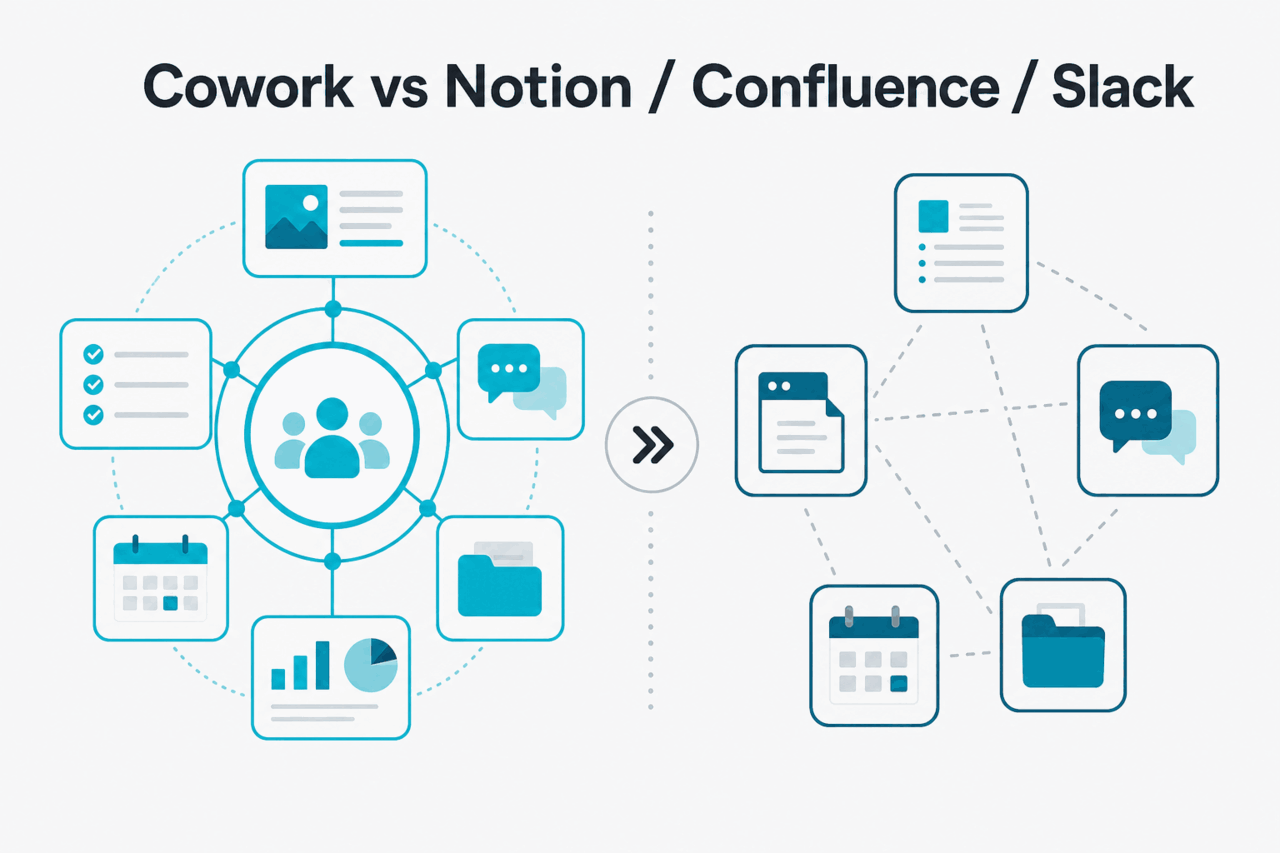
Claude Cowork fits between an AI assistant and the collaboration tools your team already uses. Use it for active reasoning: drafting, challenging assumptions, extracting decisions, rewriting messy notes, and producing first versions of shared artefacts. Keep Notion and Confluence for durable knowledge. Keep Slack for fast human communication. For broader Claude reading, use our Claude resources hub.
The main risk is tool sprawl. If Cowork becomes another unofficial archive, teams will lose decisions and repeat work. A cleaner pattern is simple: use Cowork to think, draft, and review; then publish the approved result back to the tool that owns permissions, history, and search.
| Tool | Main job | Where Cowork helps | Where the other tool still wins |
|---|---|---|---|
| Claude Cowork | Agentic AI-assisted drafting, review, and analysis | Turns messy context into structured options, questions, drafts, and checklists | Not a long-term source of record by itself |
| Notion | Flexible docs, lightweight databases, team knowledge | Helps draft pages, clean meeting notes, compare options, and create action lists | Better for canonical pages, databases, templates, and ongoing documentation |
| Confluence | Enterprise knowledge base and documentation | Helps review policy pages, create summaries, and identify stale or conflicting guidance | Better for controlled documentation, page history, permissions, and formal knowledge governance |
| Slack | Real-time team communication | Helps turn noisy threads into decisions, summaries, and follow-up drafts | Better for live discussion, alerts, short updates, and social team context |
Claude Cowork can improve shared work, but it does not remove the need for governance, verification, or a clear system of record.
Claude Cowork is useful when a team already uses Claude for drafting, analysis, review, and decision support, but the work is scattered across private chats. It is less useful if your real need is a durable wiki, audit system, project-management database, or general team chat. Start with one controlled workflow, keep final outputs in your existing source-of-record tools, and move to Team or Enterprise when governance matters more than individual convenience.
Yes. Claude Cowork is part of the Claude product ecosystem made by Anthropic. c-ai.chat is independent and does not operate Claude, claude.ai, billing, account access, or support.
No. Projects organise Claude work around context and materials. Cowork is agentic and produces real files; a Cowork session is a single-user workspace for delegating and supervising task execution, not a shared multi-user session. Teams may separately review or share the outputs it produces, but multiple people do not jointly operate inside one Cowork session. See Anthropic’s Cowork product page for the current definition. They can overlap in a workflow, but they are not the same concept.
No. Claude Cowork is not included in the Free plan. Anthropic is rolling it out to paid users on web, mobile (in beta), and desktop across the Pro, Max, Team, and Enterprise plans. The Free plan ($0) still gives Claude access with usage limits, but not Cowork; check the official pricing page and your account before assuming Free access is enough.
Not always for evaluation. Pro is the natural starting point for an individual test at $20/mo or $17/mo annual. Team or Enterprise becomes more relevant when you need shared workspace controls, SSO, SCIM, audit logs, spend controls, data residency, or contract-specific governance.
No. Cowork can help draft, review, and improve documentation, but Notion or Confluence should remain the source of record if that is where your organisation manages permissions, page history, templates, and official knowledge.
No. Slack is for real-time team communication. Cowork is better for Claude-assisted analysis, drafting, synthesis, and review. A common pattern is Slack for discussion, Cowork for structured work, and a wiki or project tool for the final record.
It can only work with material users provide or connect through approved product workflows and permissions. Whether specific company data is allowed depends on your plan, policies, contract, and admin settings. Do not add sensitive data unless your organisation has approved that use.
No. Cowork is part of the Claude app experience. API usage is a separate developer product with separate billing and documentation. Enterprise arrangements can include a $20/seat base plus usage at API rates, but that is different from using Cowork in the Claude app.
Last updated: 2026-07-14 · Independent guide. Not affiliated with Anthropic. For the official Claude product, visit claude.ai.
Hand-picked from the cluster — the pages we recommend first.